SMBcrm now helps you create WhatsApp message templates from a plain description. Instead of building a template field by field, you can describe your use case, review an AI-drafted message, adjust the details, and submit it to Meta for approval.
This update supports teams using SMBcrm communication tools and AI features to prepare compliant, on-brand WhatsApp templates more efficiently.
What Changed
AI drafting from a plain description
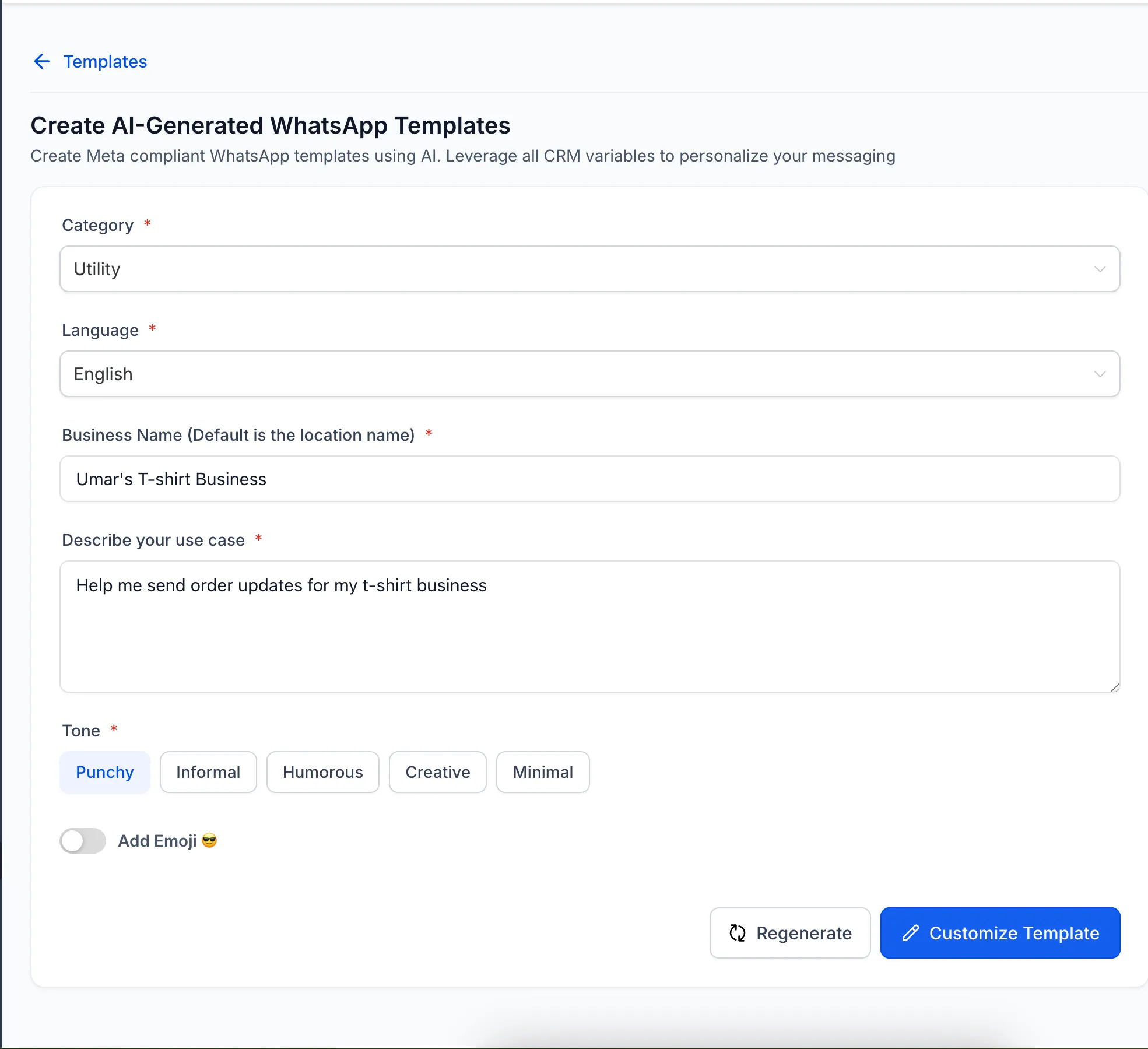
Under Create Template, you can choose AI Template and describe your scenario and audience. SMBcrm drafts a WhatsApp template with editable message variables you can personalize before submission.
Built-in categorization and checks
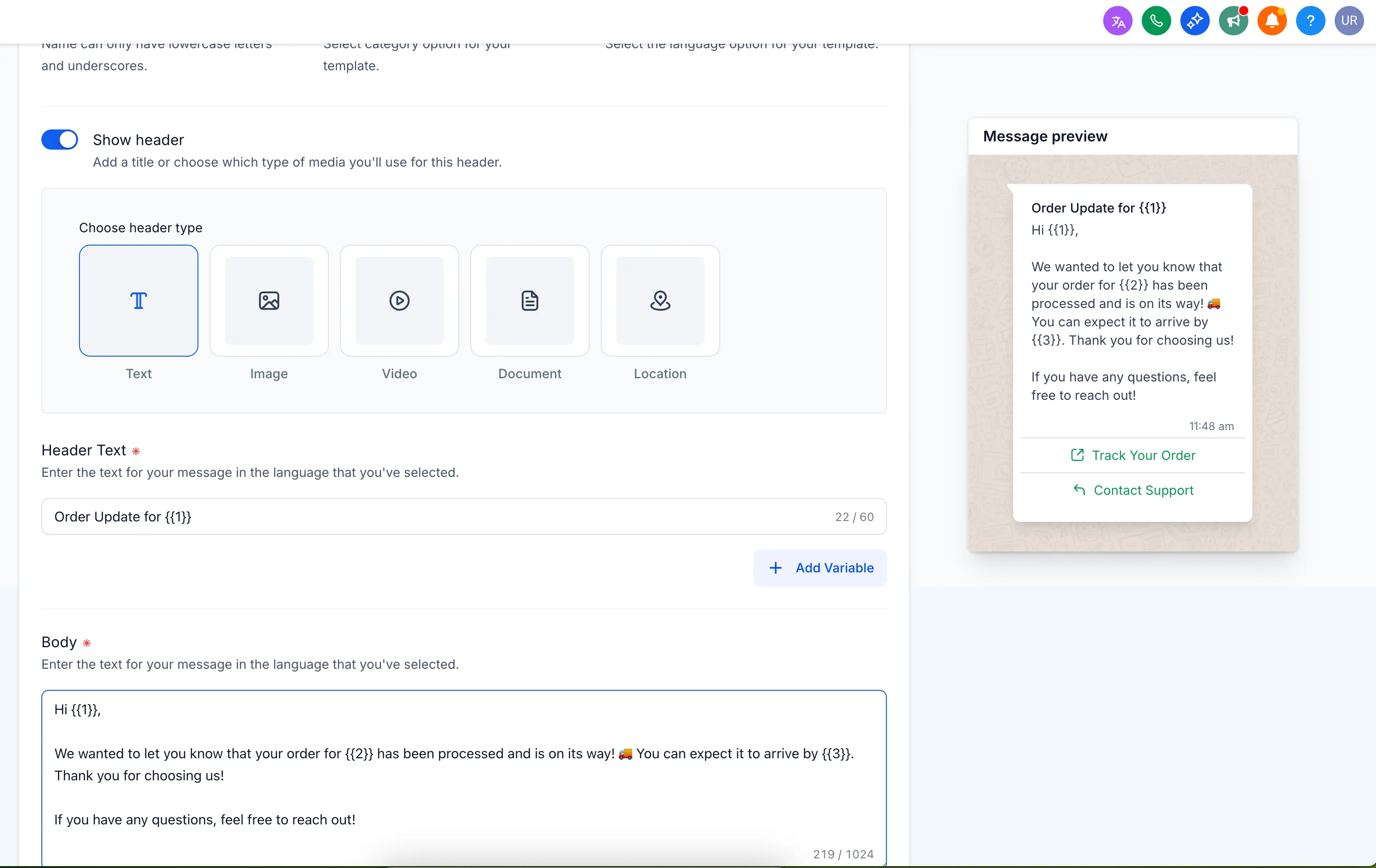
The draft is categorized as Utility, Marketing, or Authentication, matching the categories Meta uses for messaging rules. Inline validation provides recommendations for length, formatting, and policy fit before you submit the template.
Full editing before submission
You remain in control of the final message. You can edit the copy, variables, and CTAs, then submit the completed template to Meta for approval when it is ready.
How to Use It
- Go to CRM → WhatsApp → Templates → Create Template → AI Template.
- Describe your use case and audience.
- Review the AI-drafted template, category, and validation hints.
- Edit the copy, variables, and CTAs if needed.
- Submit the template for Meta approval.
Why It Matters
Meta applies different rules by WhatsApp template category. Utility templates are not subject to the same per-user marketing frequency limits as Marketing templates, so category accuracy matters before approval and sending.
The AI template generator helps identify the category and flag formatting or policy issues while you draft, reducing surprises later in the approval process.
In Case You Missed It
You may also want to review Multi-Role Signing for Documents in Workflows.
Release Images
Need Help Applying This Update?
Want help turning this update into a working part of your CRM, marketing, or automation setup?
Get Started or schedule a demo and we’ll help you map the right next step.