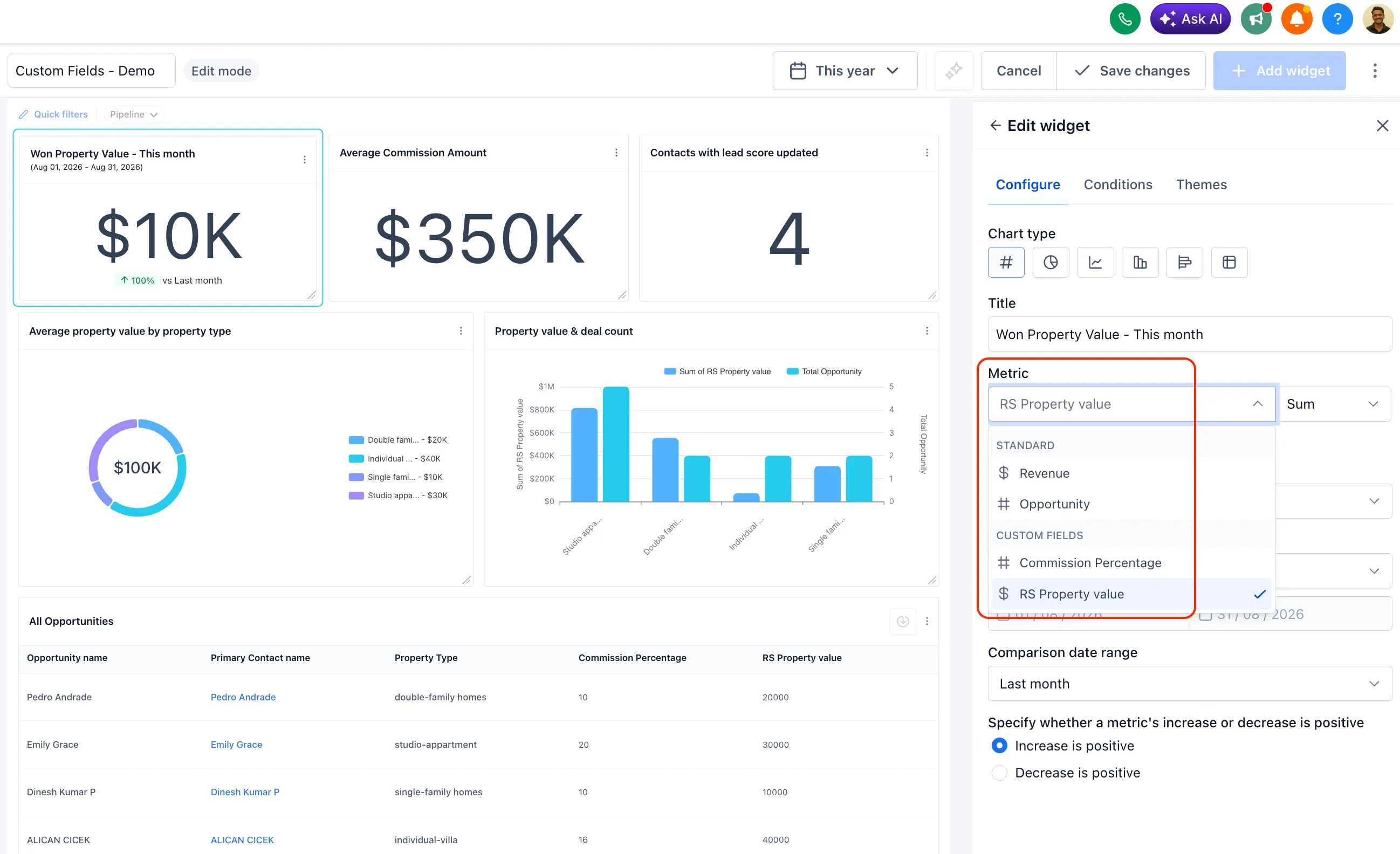
SMBcrm now supports numeric and monetary custom fields on Contacts and Opportunities as metrics, not only as filters or groupings. That means fields such as property value, treatment cost, deal size, or other custom numbers can be used directly in reporting.
What changed
Numeric and monetary custom fields can now be selected as metric fields in:
- Dashboard widgets
- Custom Reports
- The Custom Metric module
When adding a metric, choose a supported custom field from the Field dropdown, then select one of these aggregations:
- Sum
- Min
- Max
- Average
New numeric or monetary custom fields appear in the metric picker automatically after they are created, with no extra setup required.
Why it matters
This helps teams build dashboards and reports around the numbers they already track in SMBcrm. Instead of exporting custom values to a spreadsheet for manual calculations, reports can calculate totals, minimums, maximums, and averages inside SMBcrm.
Important details
This update applies to numeric and monetary custom field types on Contacts and Opportunities.
In Case You Missed It
For another recent update, read More AI Models Added to Workflow AI Agent Actions.
Release Images
Need Help Applying This Update?
Want help turning this update into a working part of your CRM, marketing, or automation setup?
Get Started or schedule a demo and we’ll help you map the right next step.
Explore this in SMBcrm
Use the CRM to review your next decision.
Explore contacts, pipelines, and dashboards. Choose the records and definitions your team will use before relying on a report.
Explore CRM dashboardsAlready using this feature? Find setup help