Wait Action Gets Intent-Based Setup and Scheduling
The Wait action in SMBcrm automation has been redesigned to make workflow timing easier to configure. Users can now choose the wait intent first, then configure the details without searching through nested dropdowns.
What Changed
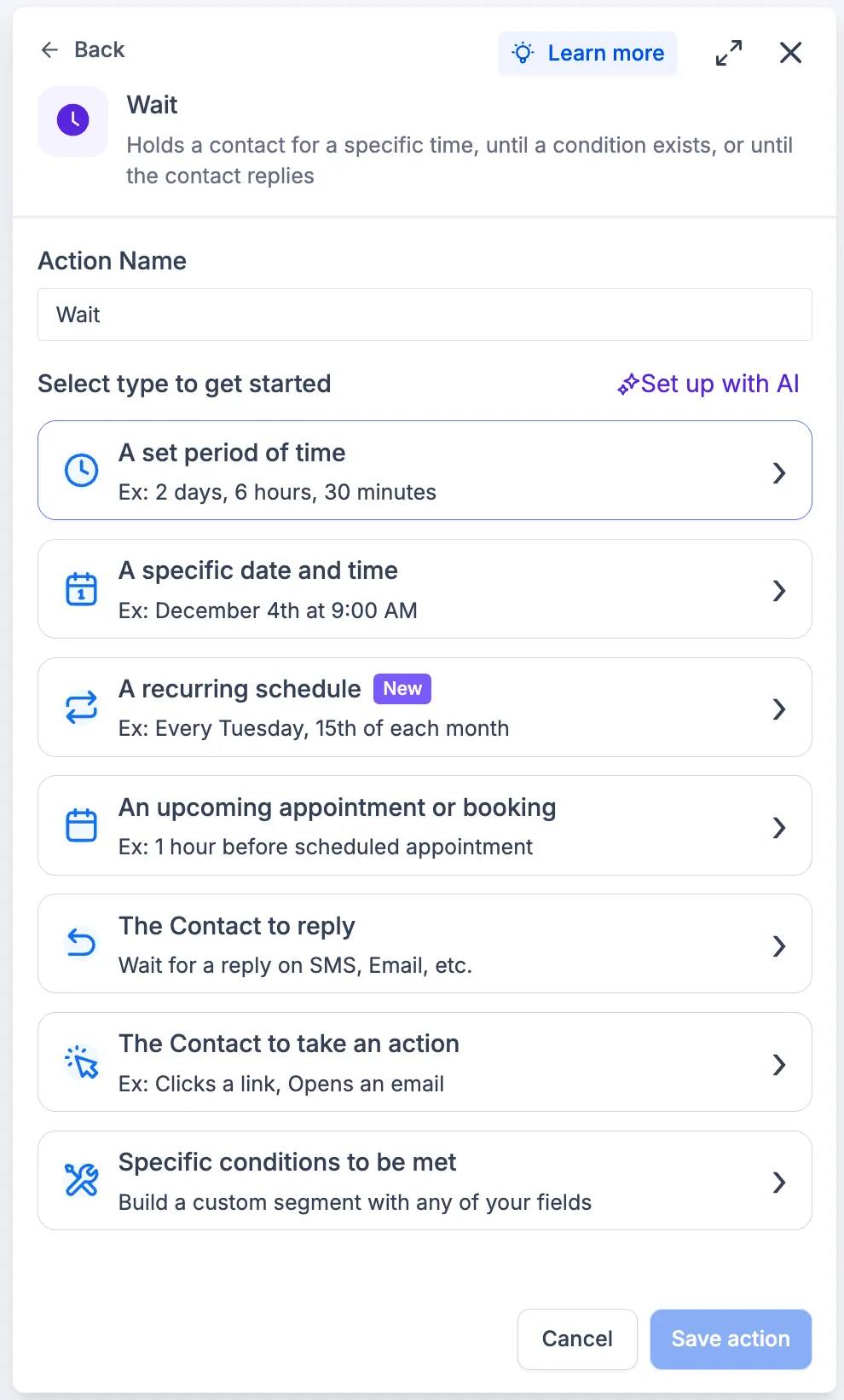
Intent-based card selection
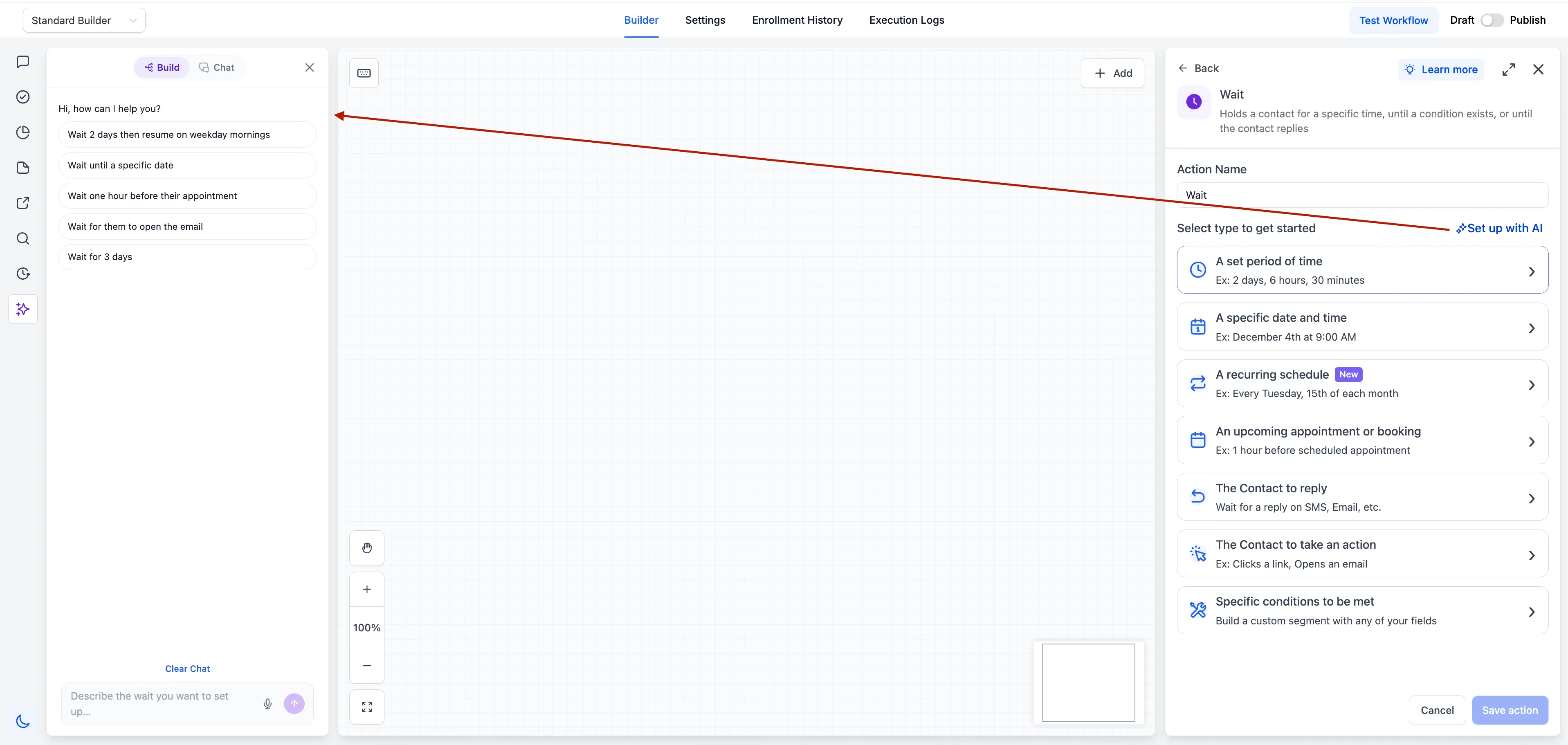
The previous dropdown has been replaced with a card selection screen that asks what the contact should wait for. This makes common options, such as waiting for a contact reply, easier to find.
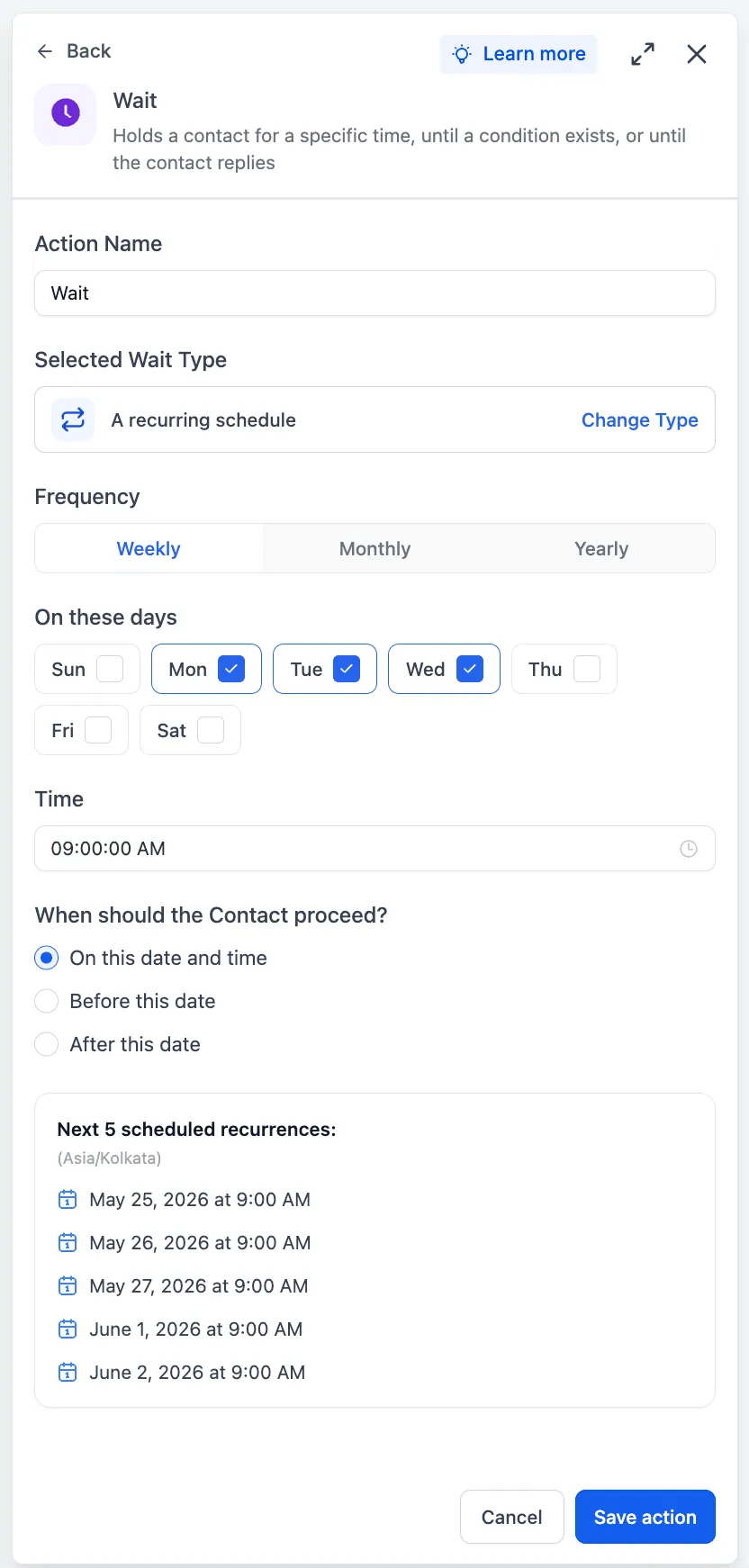
Recurring wait schedules
Wait actions now support recurring schedules with weekly, monthly, or yearly frequency.
- Weekly schedules can use specific days and times.
- Monthly schedules can use a specific day or nth weekday.
- Yearly schedules can support renewals, holidays, and annual check-ins.
Single-step setup for specific dates
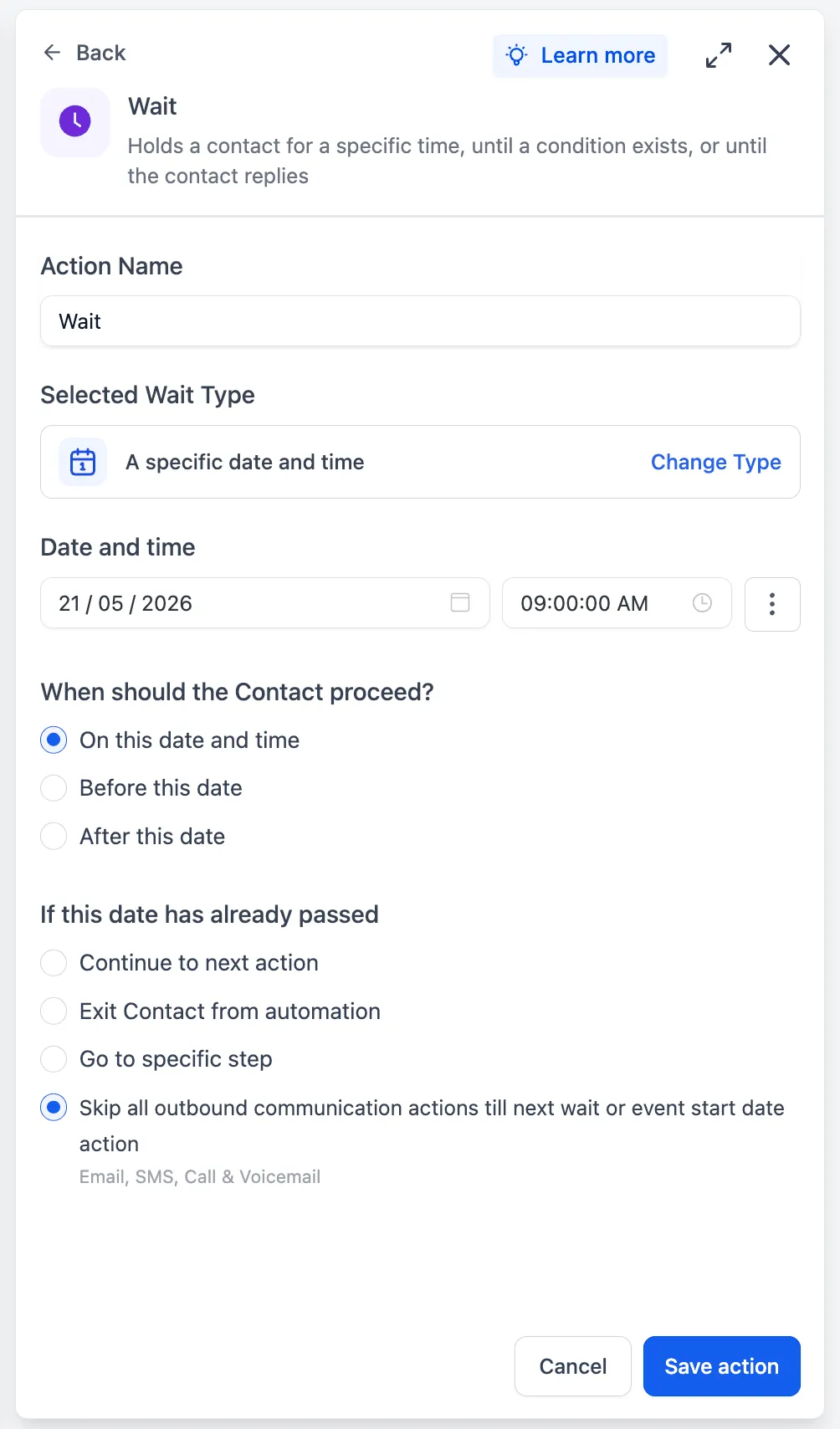
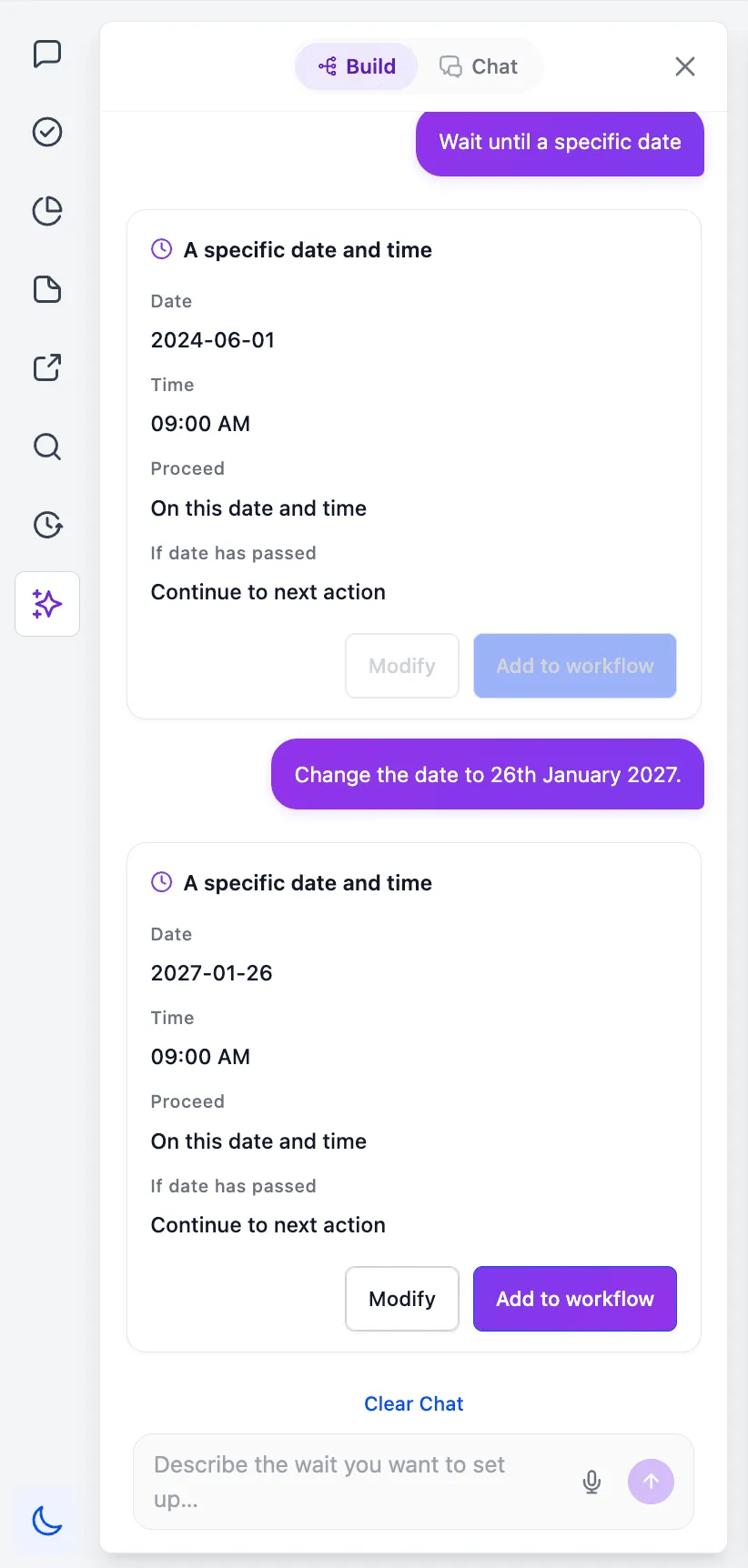
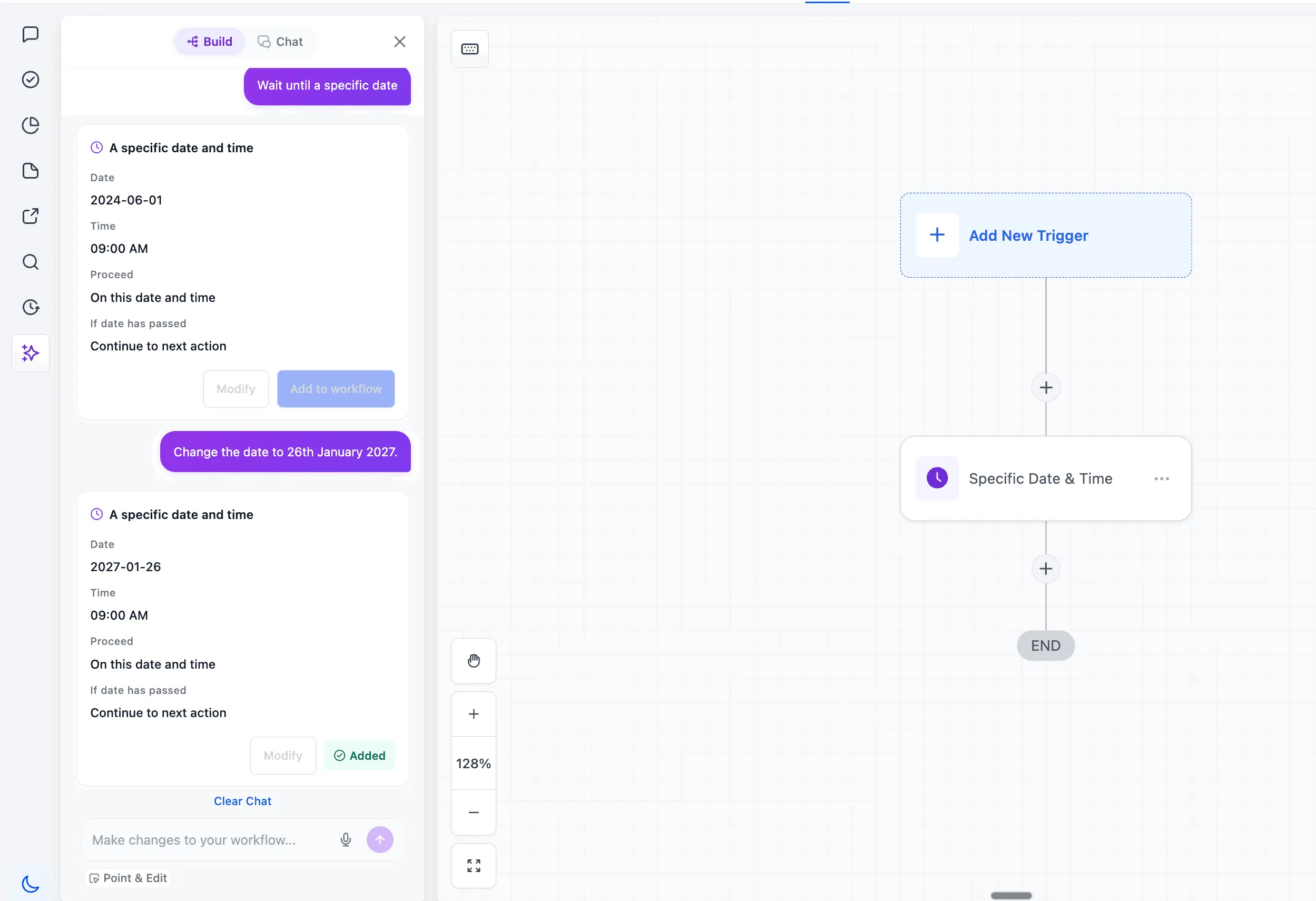
Waiting for a specific date now happens inside the Wait action. Instead of using separate actions, users can choose a fixed date or pull the date from a custom field directly in the Wait action.
Seconds as a wait unit
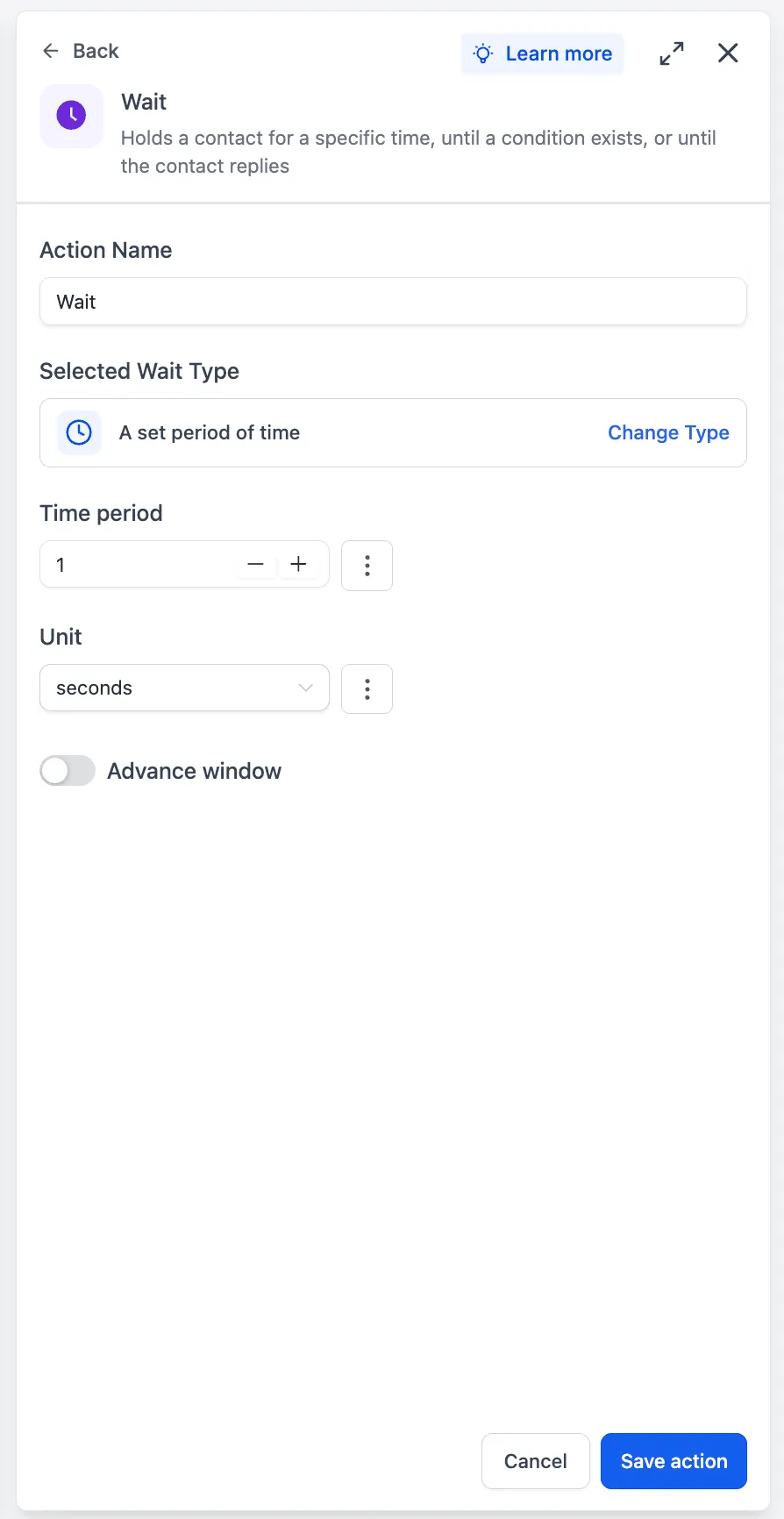
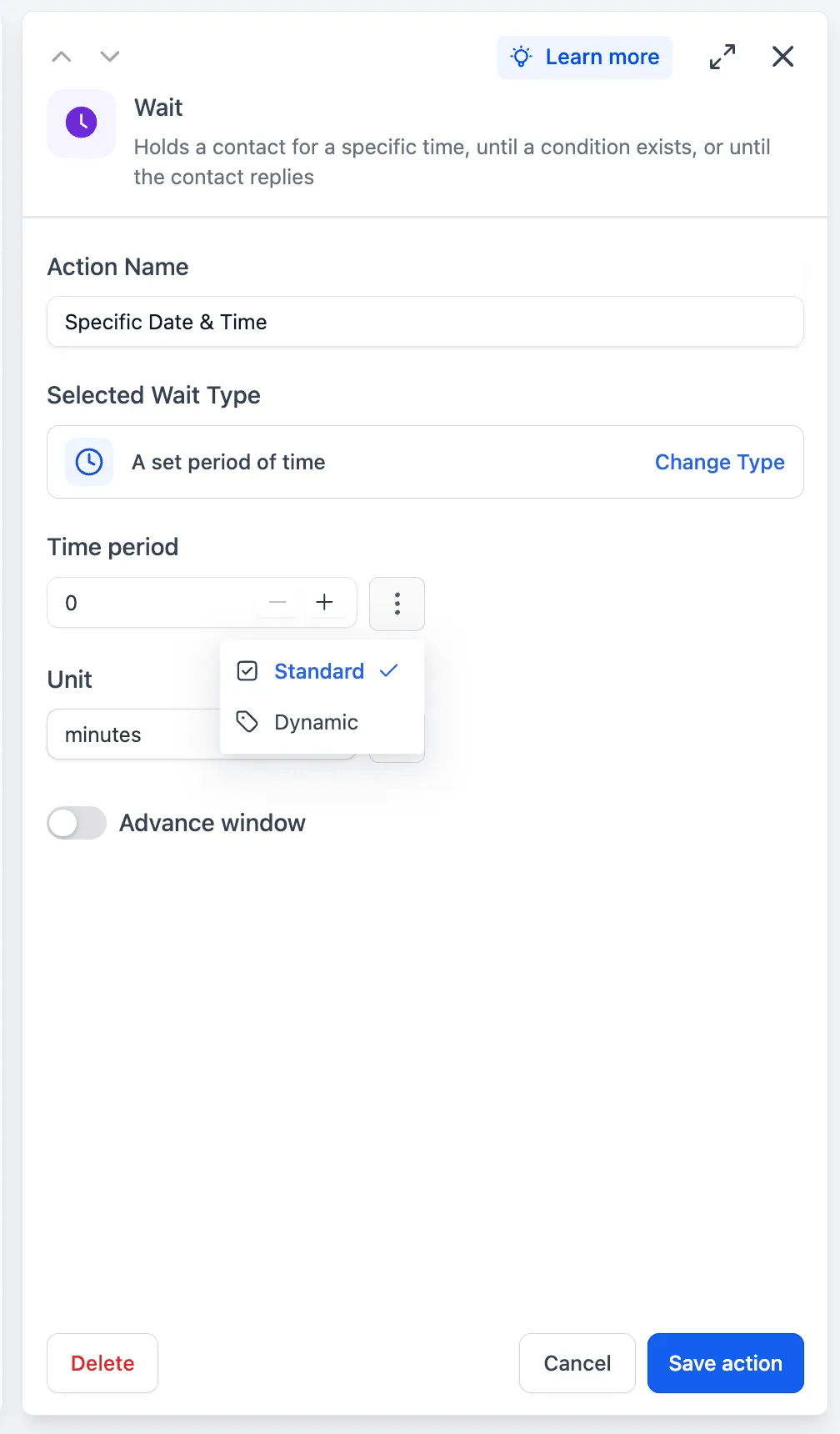
Time delays now support seconds, which helps when a workflow needs short pauses between actions.
Dynamic wait durations
Wait durations can be set dynamically with the custom value picker. Users can pull the duration from a custom field, contact field, or supported variable instead of entering a fixed value.
Grouped wait types and contextual ordering
Related wait types are now grouped under single cards to reduce clutter. For example, contact action waits now include trigger link clicks and email events in one place. Appointment and service booking waits are also unified.
The card selection screen also adapts based on context. When a Wait action follows a Send action for SMS, email, or WhatsApp, waiting for the contact to reply is surfaced first.
AI-assisted Wait setup
A new prompt at the top of the Wait action lets users describe the wait behavior they want in natural language. The AI Builder agent can generate a configured Wait action card that users can add directly or refine through conversation.
Why It Matters
The Wait action previously caused confusion in two common areas: waiting until a specific date and finding contact reply waits. The redesigned layout addresses both by making date waits a single-step setup and presenting wait options based on user intent.
In Case You Missed It
For another workflow update, read HubSpot Actions and Trigger Added to Workflows.
Release Images
Need Help Applying This Update?
Want help turning this update into a working part of your CRM, marketing, or automation setup?
Get Started or schedule a demo and we’ll help you map the right next step.