The AI Agent Action in SMBcrm can now search the internet during a run. Enable Web search in the new Built-in tools section to let the agent look up information when a task requires it.
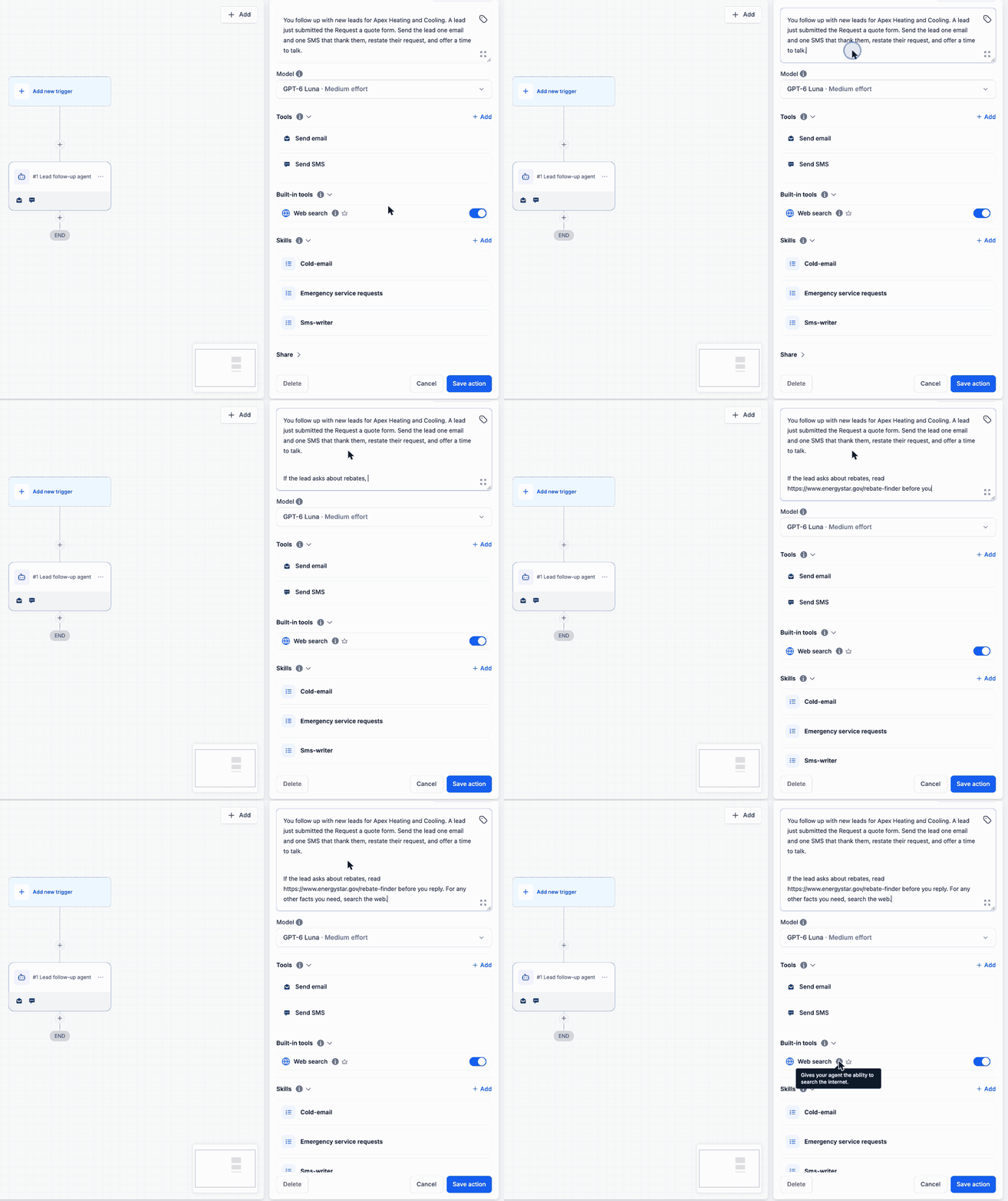
You can also paste specific page URLs into Instructions and tell the agent when to consult them. This helps your workflow automations reference sources you trust while allowing broader searches when needed.
How It Works
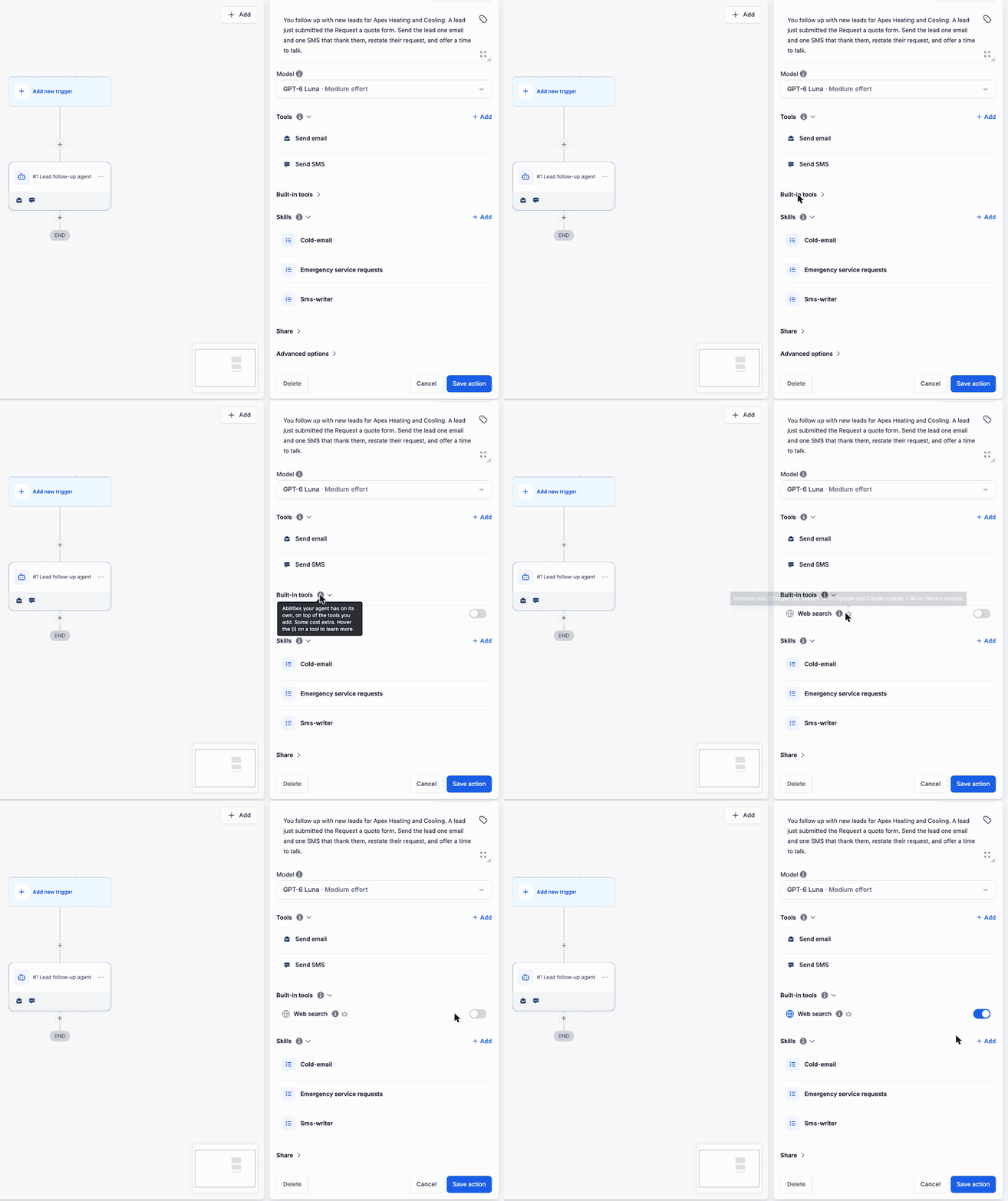
Built-in tools appears directly below Tools in the AI Agent Action. These capabilities work alongside the tools you add to the agent.
- Search when needed: The agent decides whether a task requires information it does not already have.
- Provide specific sources: Add URLs to Instructions so the agent can read those pages when relevant.
- Check tool details: Hover over the information icon for a description or the crown icon for cost details.
Web search retrieves information. The agent still needs tools such as Send email or Send SMS to act on what it finds.
Enable Web Search
- Go to Automation > Workflows.
- Open a workflow and add or open an AI Agent Action.
- Expand Built-in tools below Tools.
- Turn on Web search.
- Optionally, paste specific page URLs into Instructions and explain when to use them.
- Save the action.
For example, a heating and cooling company can instruct the agent to consult a trusted rebate page before answering rebate questions, then search the web for details that page does not cover.
Per-Search Pricing
Web search is a premium tool billed separately from the AI Agent Action:
- OpenAI and Claude models: 1¢ per search.
- Gemini models: 1.4¢ per search.
Each search is charged individually. A run that performs three searches incurs three search charges. A run that does not search has no additional web search charge.
Release Images
Need Help Applying This Update?
Want help turning this update into a working part of your CRM, marketing, or automation setup?
Get Started or schedule a demo and we’ll help you map the right next step.