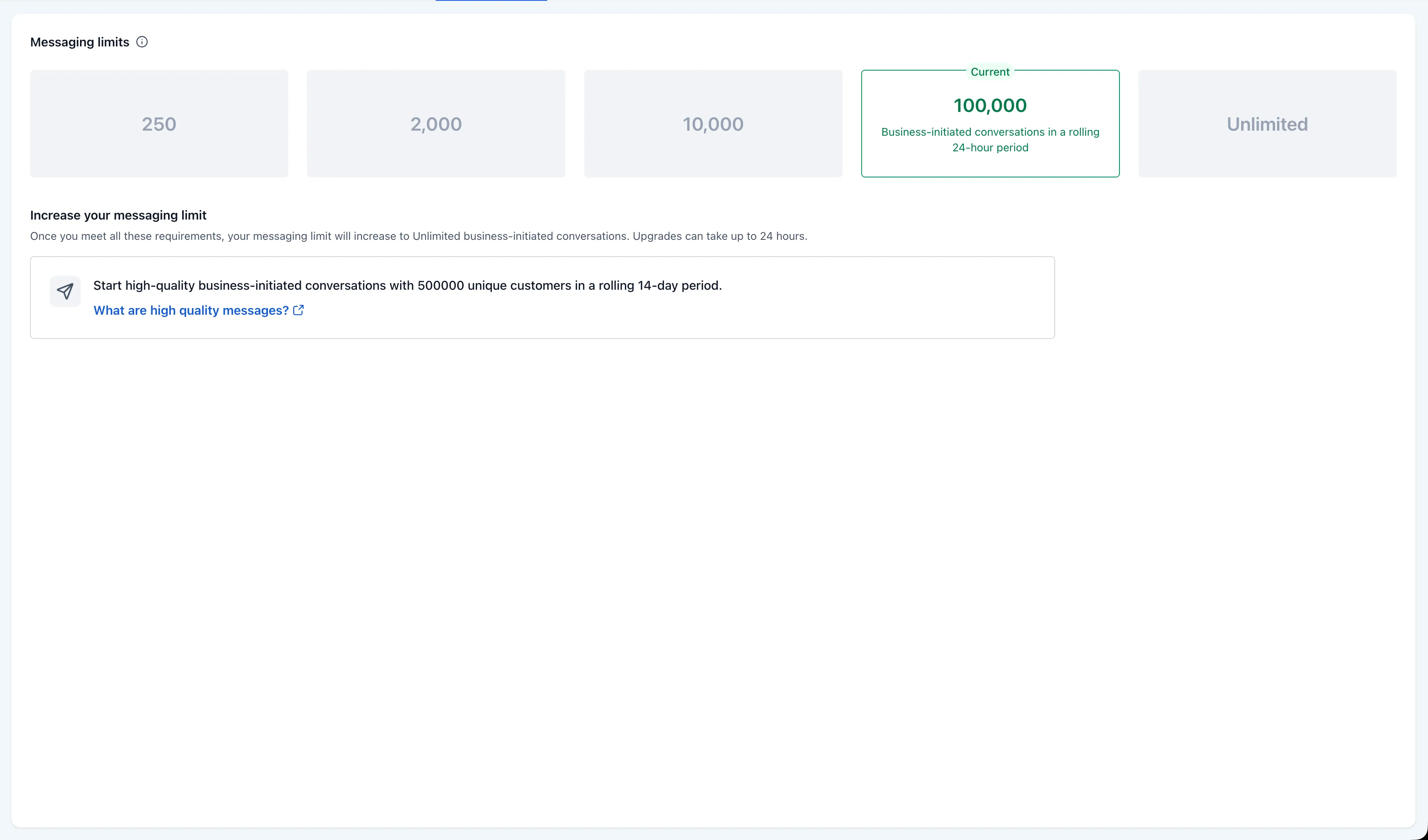
SMBcrm has updated WhatsApp Settings to match Meta’s portfolio-level messaging limit model. Instead of showing a separate daily limit for each phone number, SMBcrm now shows the single shared limit that applies across all numbers in the same business portfolio (WABA).
This matters for teams managing WhatsApp through SMBcrm communication tools. Under Meta’s model, one high-volume number can use the portfolio’s full daily capacity, which may affect other numbers in the same portfolio.
What changed
Meta’s WhatsApp messaging limit is the maximum number of unique WhatsApp user phone numbers you can deliver to outside the 24-hour customer service window during a rolling 24-hour period.
Effective Oct. 7, 2025, Meta calculates and sets that limit at the portfolio level. Every phone number in the portfolio shares the same daily limit.
Messaging limit tiers
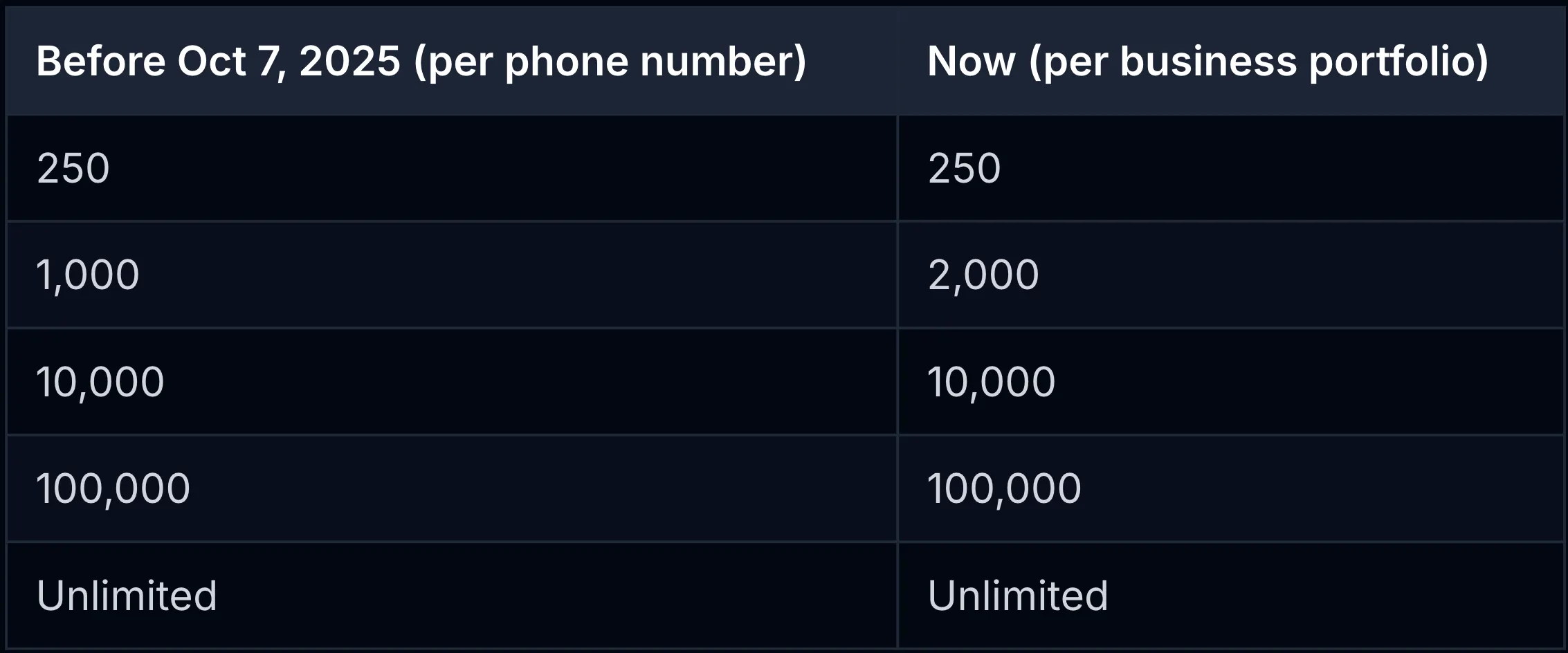
Meta also changed how the tier ladder works:
- The first step above the 250 starting limit is now 2,000.
- Accounts can reach 2,000 by completing a scaling path: verifying the business, having a partner verify it, or sending 2,000 delivered messages to unique recipients over a rolling 30-day period using high-quality templates.
- Above 2,000, increases to 10,000, 100,000, and Unlimited can happen automatically when quality remains high across numbers and templates, and at least 50% of the current limit is used over 7 days.
- Meta reassesses limits roughly every 6 hours instead of every 24 hours.
- The previous “Flagged” number-quality state is gone. Low quality now limits scaling up rather than reducing the current limit.
- New phone numbers inherit the portfolio’s current limit immediately. At cutover, existing portfolios kept the highest limit among their numbers.
What changed in SMBcrm
- A portfolio-level Messaging Limits panel in WhatsApp Settings now shows the real shared limit for all numbers in the portfolio.
- The messaging limit column was removed from the individual Phone Numbers view to avoid implying each number has its own quota.
- A tooltip explains that the limit is shared across the portfolio and that one number can consume the full quota.
- The updated panel is localized in 13 languages.
Where to find it
- Open your account.
- Go to WhatsApp Settings.
- Select Messaging Limits.
Why it matters
The previous per-number view could make it look like each phone number had its own daily quota. Under Meta’s portfolio model, all numbers share one ceiling. SMBcrm now displays that shared limit so teams can plan WhatsApp volume against the actual capacity available today.
Release Images
Need Help Applying This Update?
Want help turning this update into a working part of your CRM, marketing, or automation setup?
Get Started or schedule a demo and we’ll help you map the right next step.