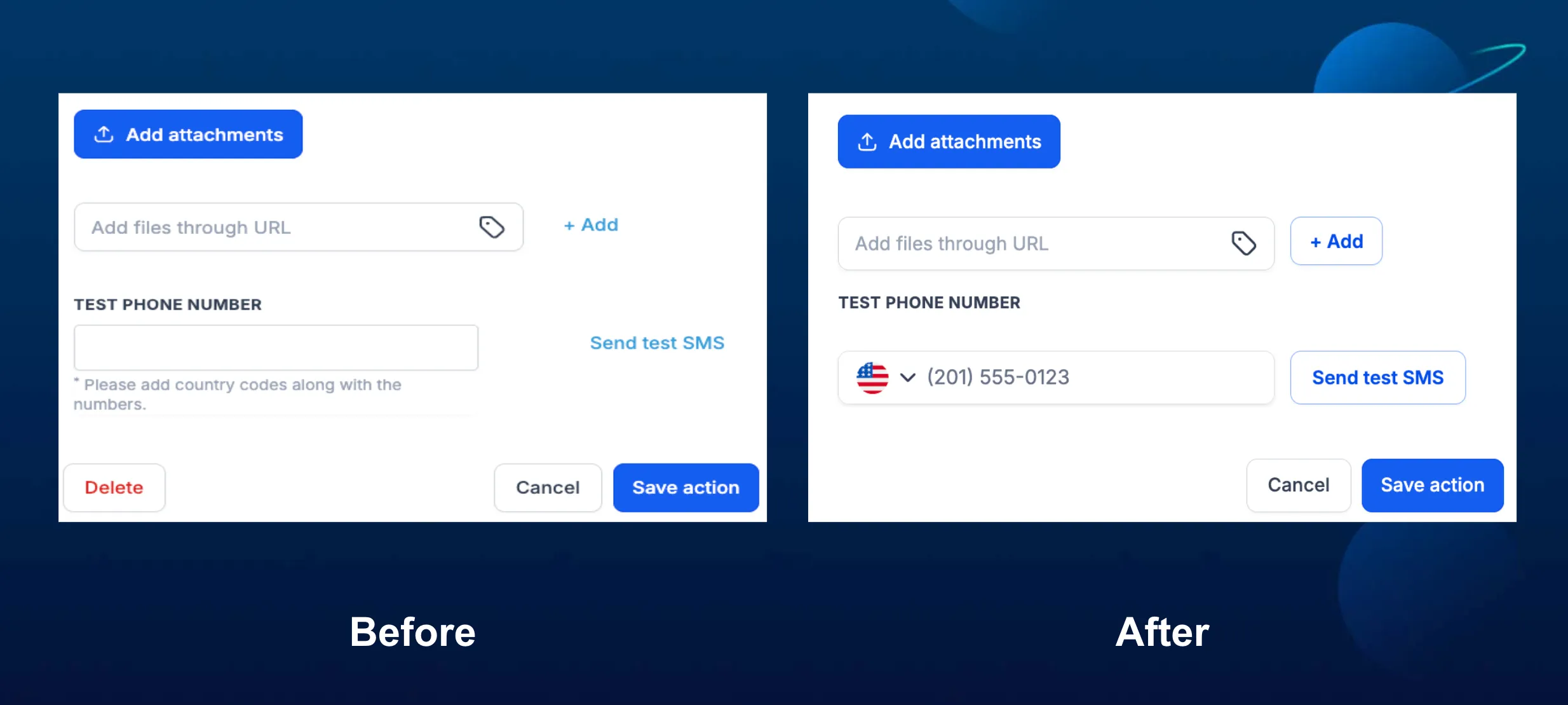
The Send SMS action in workflows now uses the standard phone input for test phone numbers, including a country flag picker. This helps users send test SMS messages without manually adding a country code.
What Changed
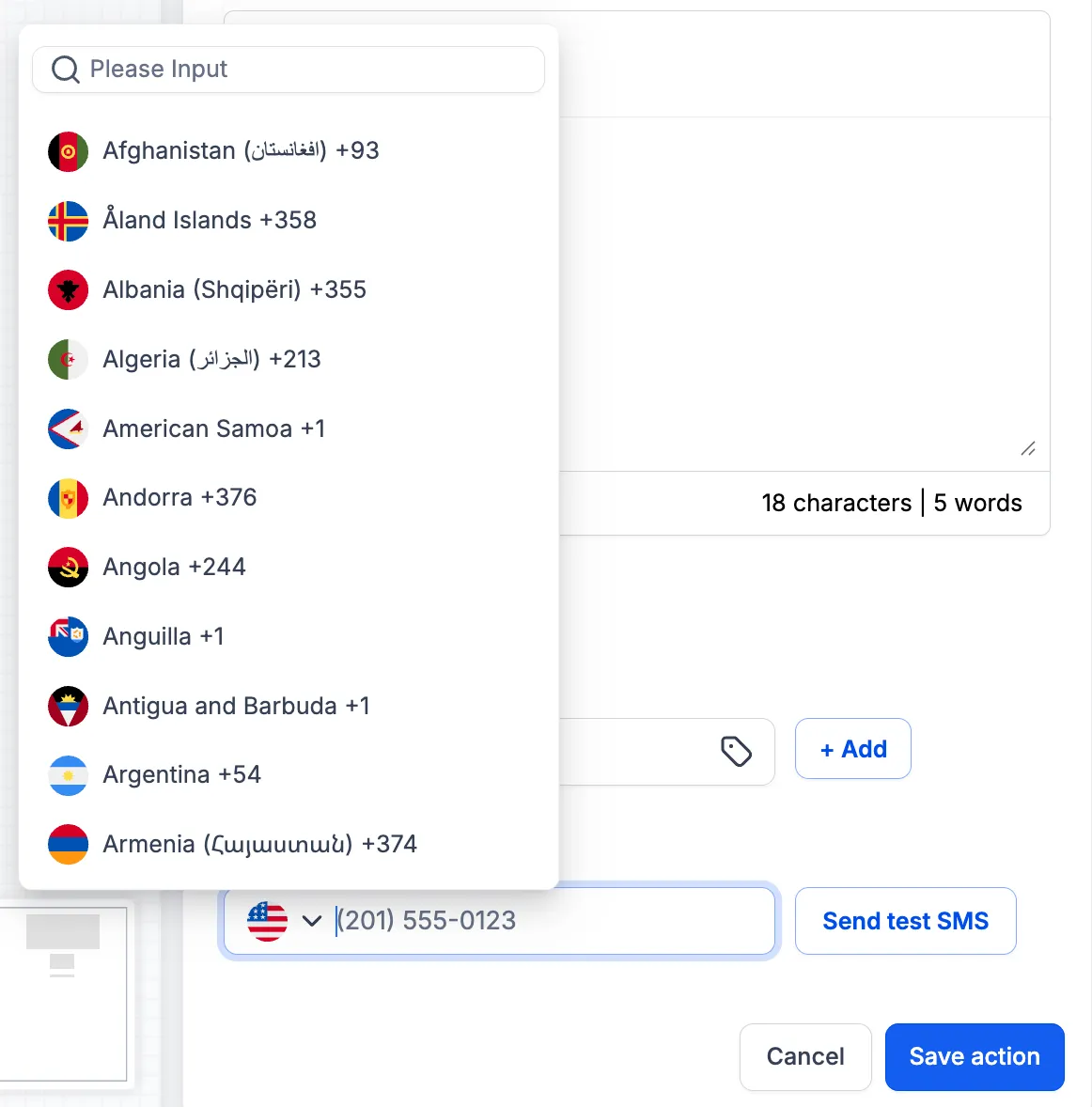
The Test Phone Number field in the Send SMS action now includes a country picker in front of the phone number field. It defaults to the account’s country, and users can change it by selecting a different flag.
When a test number is entered, SMBcrm saves it in full international format before sending the test SMS. This helps ensure the country is known even when the user types the number in the format they normally dial.
This update also simplifies the validation message. Instead of prompting users to add country codes, the field now shows a clearer “Invalid phone number” message when needed.
How to Use It
- Open the Send SMS action in a workflow.
- Go to the Test Phone Number field.
- Keep the default country or select another country from the picker.
- Type the number in local format.
- Click Send test SMS.
This improvement supports smoother testing for SMS communication inside workflow automation, especially when testing numbers from different countries.
Example
If an account is set to India, a user can type a local number such as 9089786755 and send the test SMS without manually entering +91. If they need to test a United States number, they can switch the picker to US, enter the local number, and send the test.
In Case You Missed It
You may also want to read Message ID Added to Email Event Webhooks.
Release Images
Need Help Applying This Update?
Want help turning this update into a working part of your CRM, marketing, or automation setup?
Get Started or schedule a demo and we’ll help you map the right next step.