SMBcrm calendars now give businesses more control over the guest information collected during bookings. These updates help teams capture more useful guest contact details while keeping attendee timezone data more consistent.
More guest detail options
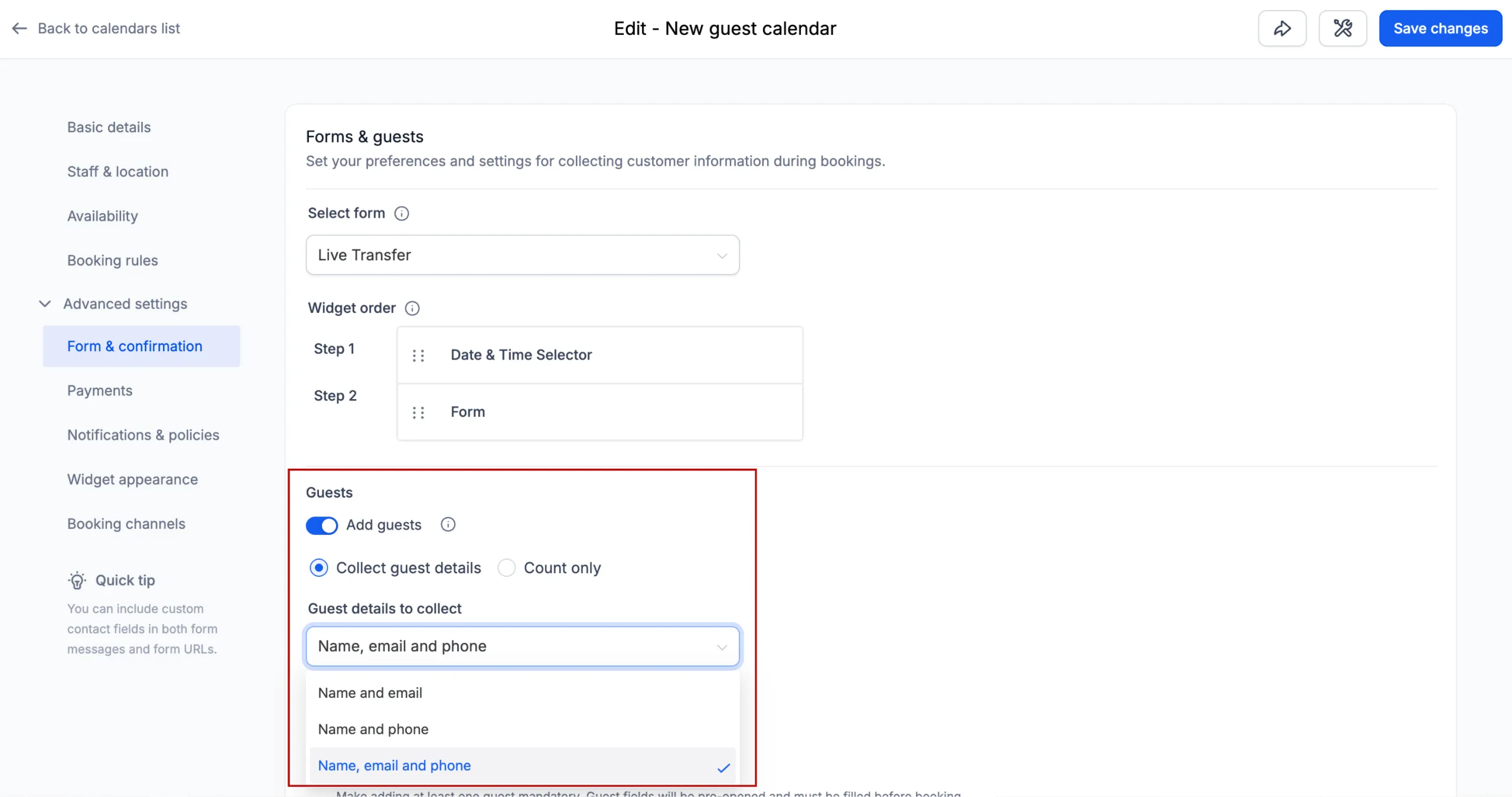
Previously, guest details were limited to name and email. Calendar bookings can now collect one of the following guest detail options:
- Name and email
- Name and phone
- Name, email, and phone
- Guest count only
When guest details are collected, SMBcrm automatically creates or matches a contact for each guest using the guest’s email address and/or phone number.
The guest count only option lets businesses collect the number of guests without creating guest contacts.
Existing and new calendar behavior
Existing calendars that already collect guest details will continue using name and email, so the current booking experience does not change.
New calendars will default to collecting name, email, and phone, helping businesses capture more complete guest information from the start.
More accurate guest timezones
Guest contacts created during a booking will now inherit the primary contact’s timezone instead of automatically using the business timezone.
If the guest already exists as a contact in the CRM, their existing timezone will remain unchanged.
Why this matters
These improvements help businesses:
- Collect the guest contact details that best fit each booking flow
- Build richer guest contact records with phone numbers when needed
- Keep timezone information more consistent across attendees
In Case You Missed It
You may also want to read Calendar AI Helps Set Up Booking Calendars.
Release Images
Need Help Applying This Update?
Want help turning this update into a working part of your CRM, marketing, or automation setup?
Get Started or schedule a demo and we’ll help you map the right next step.
Explore this in SMBcrm
Connect booking to the next conversation.
Explore calendars and lead capture, then see how a booking fits into the wider CRM workflow.
Explore calendars and lead captureAlready using this feature? Find setup help