WhatsApp Notifications for Rental Calendars
SMBcrm now supports WhatsApp as a notification channel for Rentals. You can enable WhatsApp per rental notification type and control who receives each message.
What changed
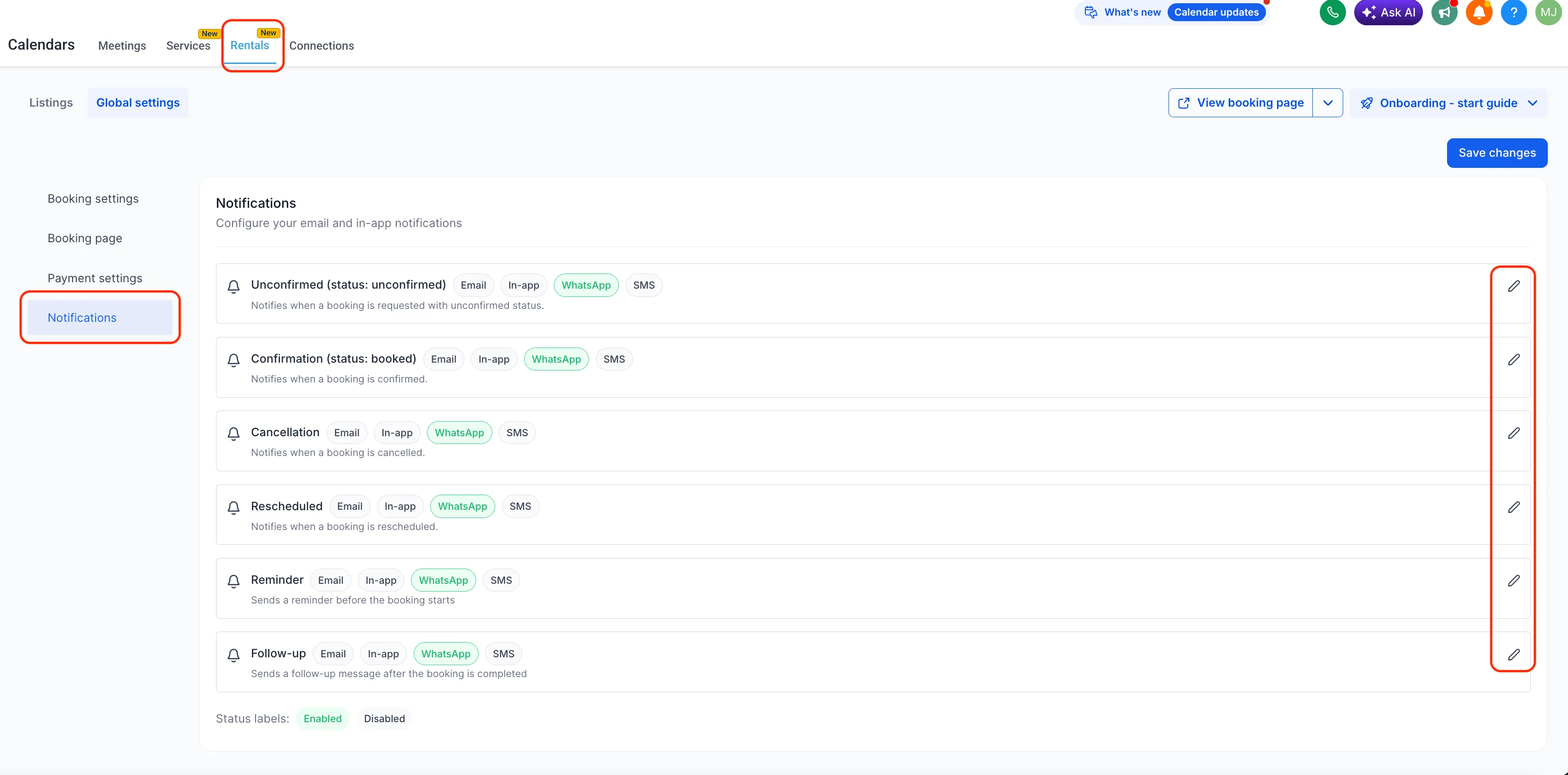
- WhatsApp can be used for rental notification types including Unconfirmed, Booked, Canceled, Rescheduled, Reminder, and Follow-up.
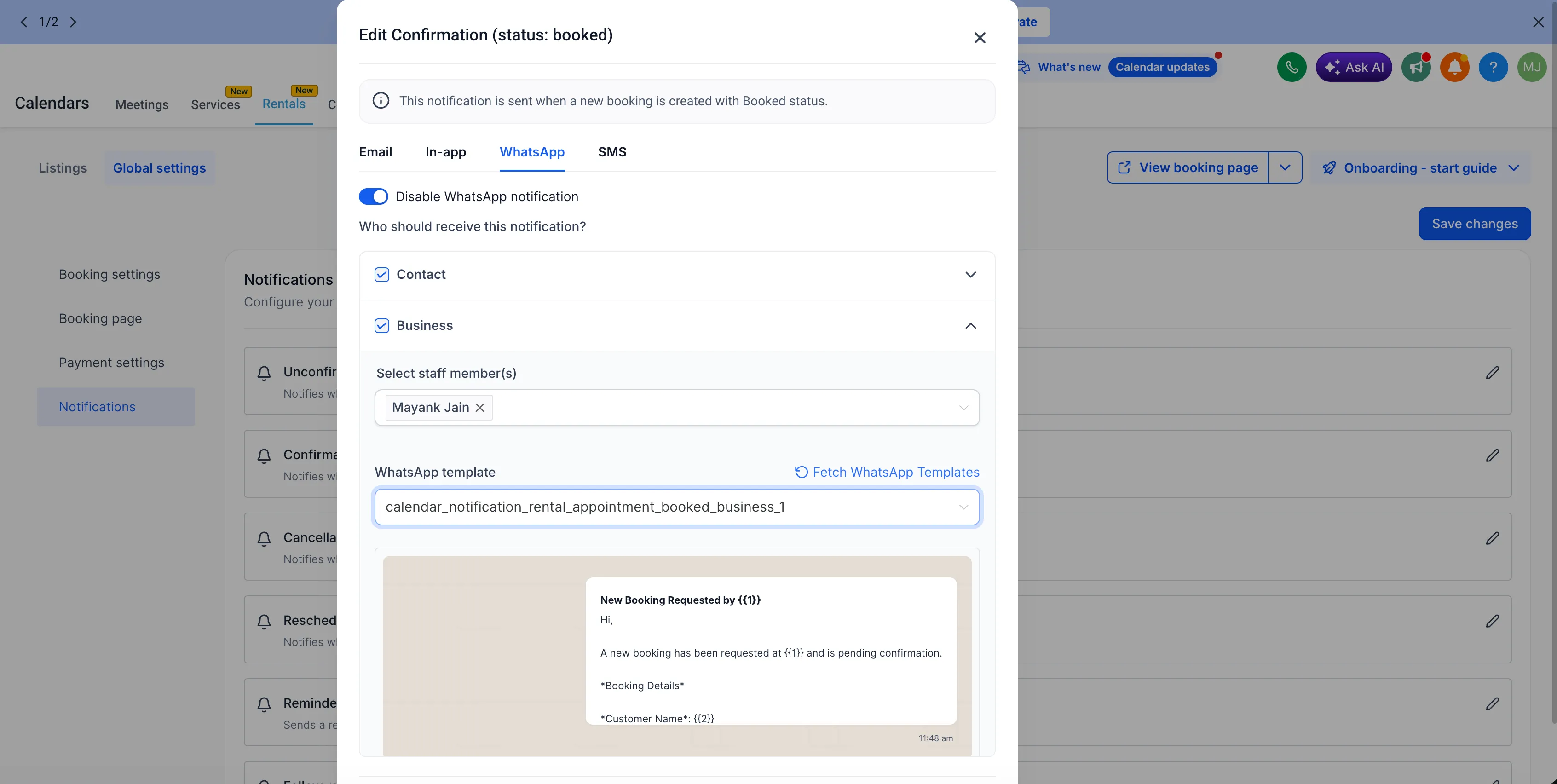
- You can choose whether WhatsApp messages go to Contacts or the Business.
- Separate WhatsApp templates can be set for Contacts and Business recipients.
- Each notification type includes a default template, with options to use an existing approved WhatsApp template or create a new one in the in-app template builder.
- The Fetch WhatsApp templates option refreshes the available template list in real time.
- The Send test WhatsApp notification option lets you preview a message before enabling it for real bookings.
How to use it
- Go to Calendar Settings > Rentals > Global settings > Notifications.
- Under each notification type, toggle WhatsApp on.
- Choose the recipients.
- Select or create an approved WhatsApp template.
- Use Send test WhatsApp notification to validate the message content.
- Save your configuration.
Why it matters
This gives rental teams another automated messaging option for booking-related communication. It can reduce manual follow-ups, support faster client communication, and give businesses more control over template messaging and delivery.
In Case You Missed It
For related rental calendar improvements, read Smarter Calendar Sync for Rental Availability.
Need Help Applying This Update?
Want help turning this update into a working part of your CRM, marketing, or automation setup?
Get Started or schedule a demo and we’ll help you map the right next step.