Deal Pipeline
See the stage, owner and next action for each opportunity.
Explore sales pipelinesTrack the opportunity through payment
Move opportunities through your pipeline, prepare documents and follow invoice status. Keep the owner and next action clear as the sale progresses.
Example workflow
The estimate visit is booked. Your team tracks the opportunity and decides what needs to happen before an agreement or payment.
Setup and connected services determine what runs automatically.
A team member or configured workflow moves the opportunity to the right stage and assigns the next action.
Explore sales pipelinesStaff checks scope, pricing and terms before sending the relevant document or invoice.
Explore documents and contractsCheck the invoice and connected payment provider before marking the sale complete or sending another reminder.
Explore invoicingDefine who can change a stage or send an invoice. Keep job costing, accounting and specialist operations in the systems you need; confirm integrations before connecting them.
See how setup works →A Managed Agent can suggest a next question from the context you provide. Staff decides whether to use it. Choose its CRM permissions and test its behavior first.
AI coverage and usage charges vary by product and plan. Phone and message delivery can add charges.
See an agent task with staff review →Check AI coverage and exclusions →Inside SMBcrm
The pipeline groups opportunities by the sales stages your team defines.
Open the guided product tour →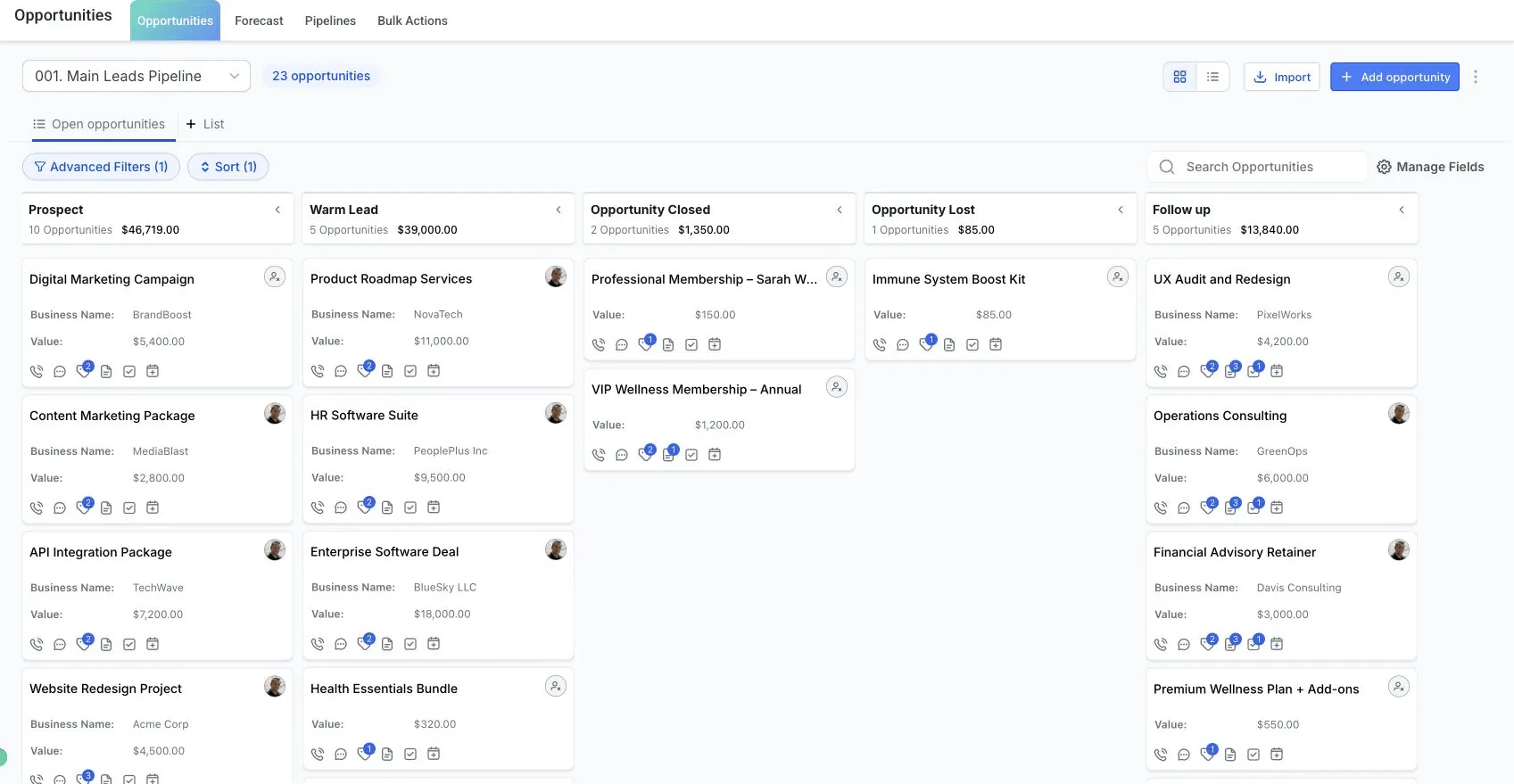
Explore the tools
Open the relevant product explanation before deciding whether you need a live demo.
See the stage, owner and next action for each opportunity.
Explore sales pipelinesPrepare documents and collect signatures as part of your sales process.
Explore documents and contractsOffer an online checkout with a supported connected payment provider. Availability and fees depend on that provider.
Explore online checkoutSend an invoice and review its payment status before following up.
Explore invoicingReview pipeline activity and sales dashboards with your team.
Explore reportingAsk a configured Managed Agent to suggest a follow-up question from the context you provide. Staff reviews the suggestion; it is not a prediction of a sale.
See an agent exampleBring one inquiry source, the next action you want, and the person who will handle exceptions. Use that path to discuss setup and cost.