Vibe Coding is now available through Client App Builder in Labs. Describe the client portal you want, and AI generates functional pages you can refine without writing code.
This addition to SMBcrm’s AI features lets you create a branded portal while retaining your existing courses, communities, members, and content.
What You Can Build and Customize
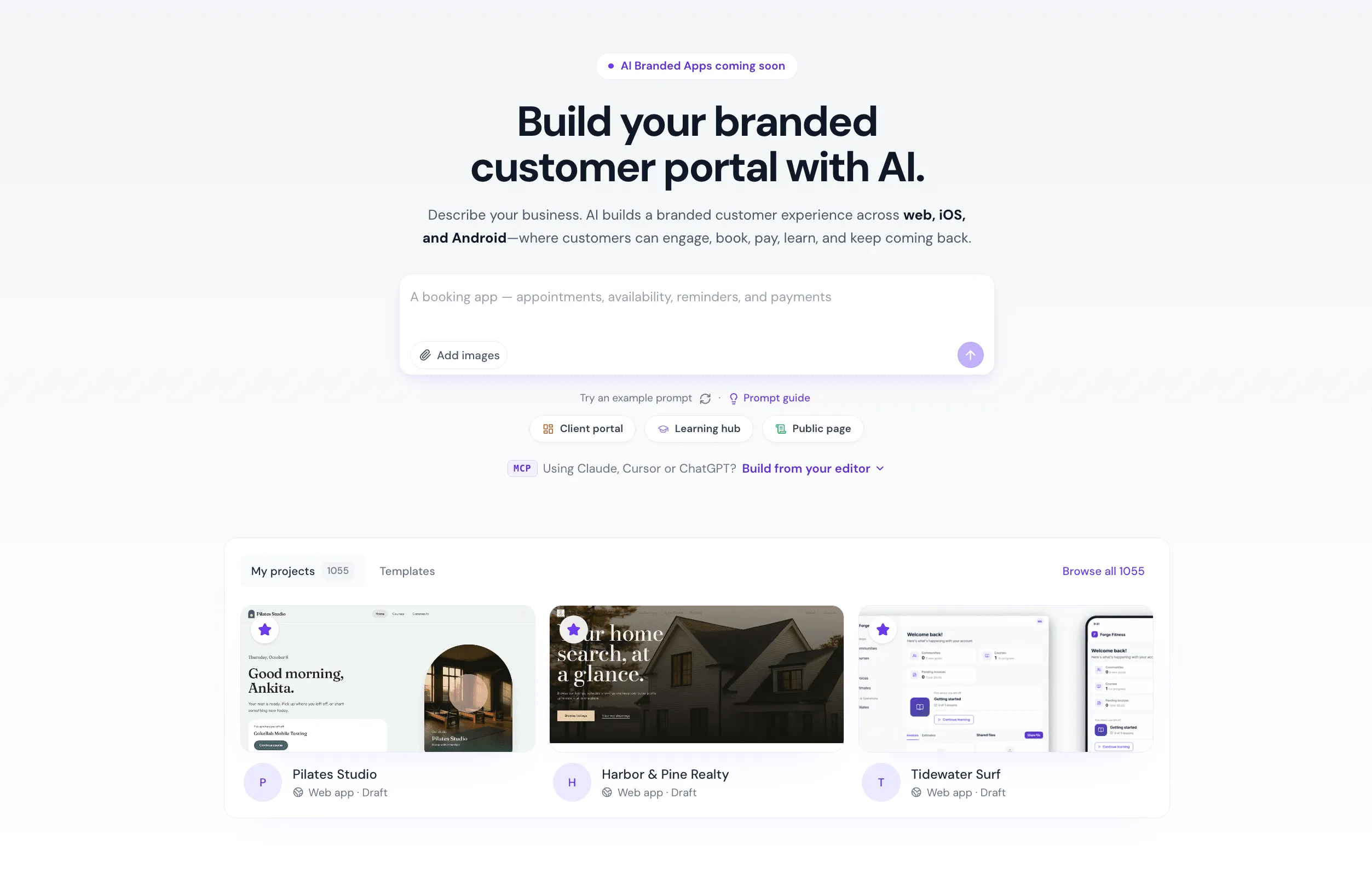
- Generate pages with prompts: Describe your business and desired experience. AI asks relevant questions, explores design inspiration, and builds pages tailored to your needs.
- Apply your branding: Choose a design system and add images for a consistent portal design.
- Keep portal features connected: Use existing courses, communities, shared files, appointments, member accounts, and data without external integrations.
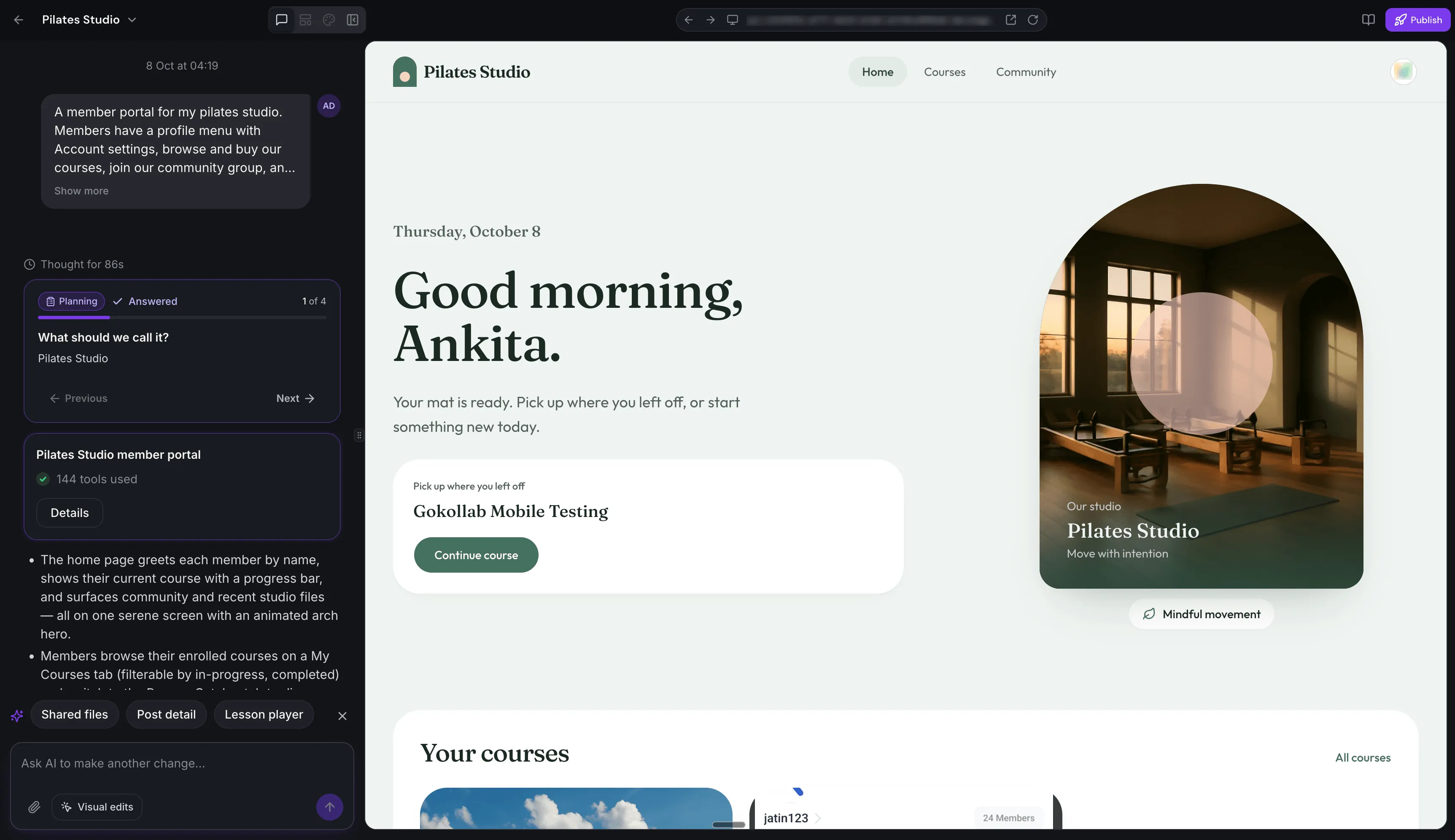
- Refine through conversation: Request changes, review AI-suggested next steps, and generate missing pages with a single click.
- Edit visually: Select an element in the preview and describe the change you want AI to make.
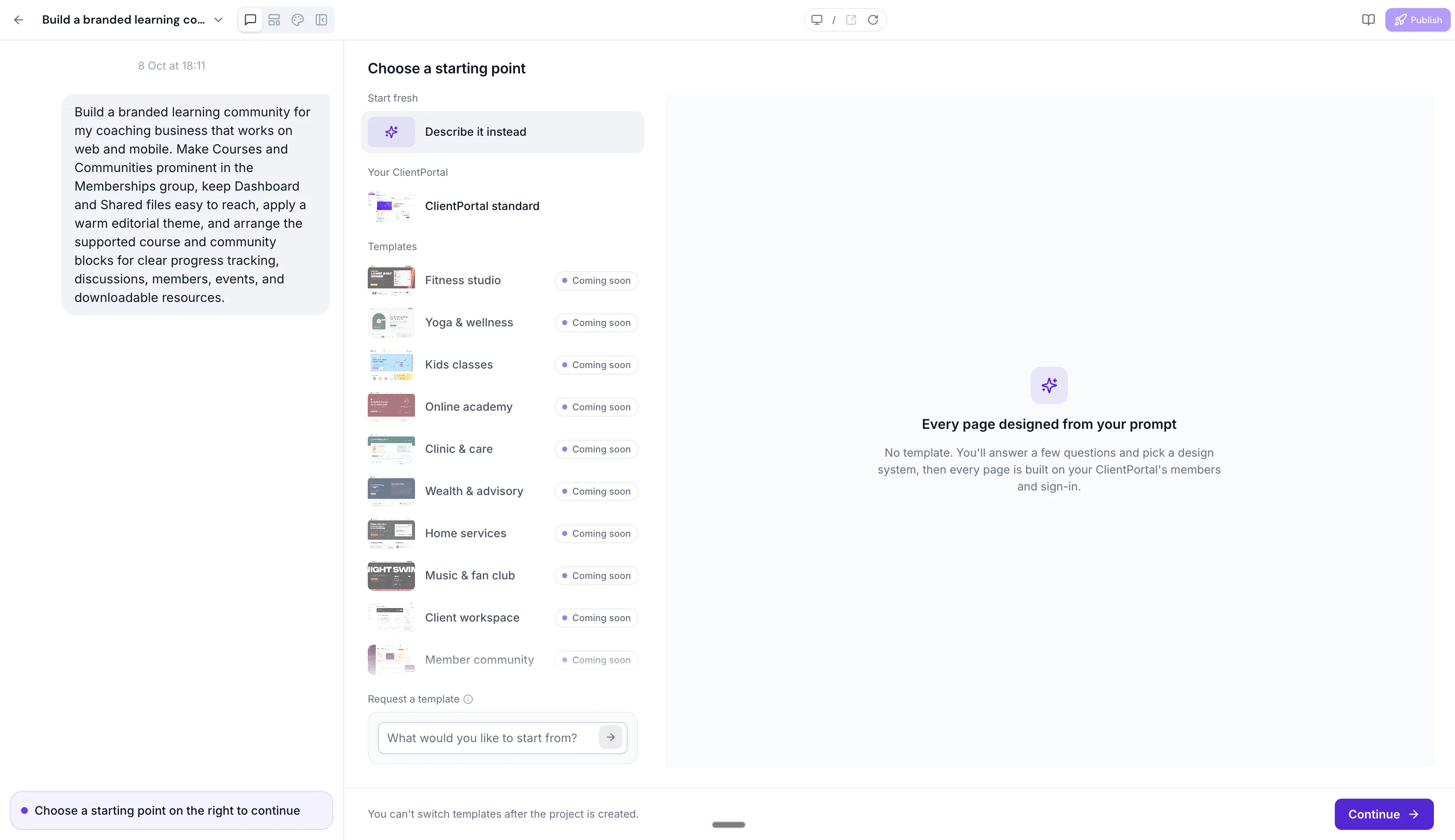
- Choose your starting point: Start from scratch or build on your existing client portal experience.
Members can browse courses, access lessons, participate in communities, and manage their accounts within your customized portal.
Publishing and Builder Settings
Publish your portal with a custom address and connect up to 10 custom domains. The builder also supports Light, Dark, and System themes. Changing the builder theme does not affect your portal’s design.
Getting Started
- Enable Client App Builder in Labs.
- Open Client App Builder and choose to create a web experience.
- Describe your business, audience, and desired client portal experience.
- Select a design system and add your brand images.
- Preview the generated pages and refine them with AI prompts or visual editing.
- Publish your portal and optionally connect a custom domain.
Release Images
Need Help Applying This Update?
Want help turning this update into a working part of your CRM, marketing, or automation setup?
Get Started or schedule a demo and we’ll help you map the right next step.
Explore this in SMBcrm
Design a portal around your client content.
Explore the Client App Builder beta for web portals connected to members and courses. Native iOS and Android publishing is coming soon.
Explore Client App Builder BetaAlready using this feature? Find setup help