Chat Widget Spam Protection Helps Control Messaging
SMBcrm Chat Widget now includes built-in spam protection to help reduce bot and high-volume suspicious submissions without adding friction for genuine visitors.
Spam protection runs in the background. It does not add CAPTCHA, extra form fields, additional loading, or verification steps to the visitor experience.
What Changes
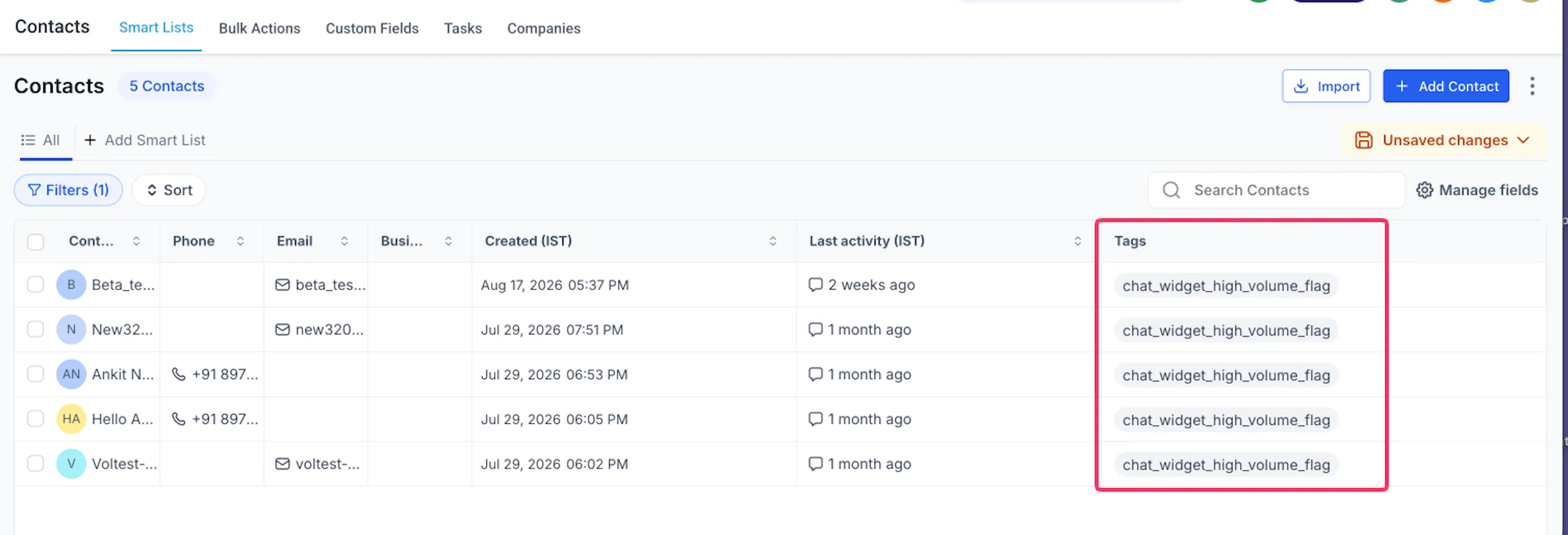
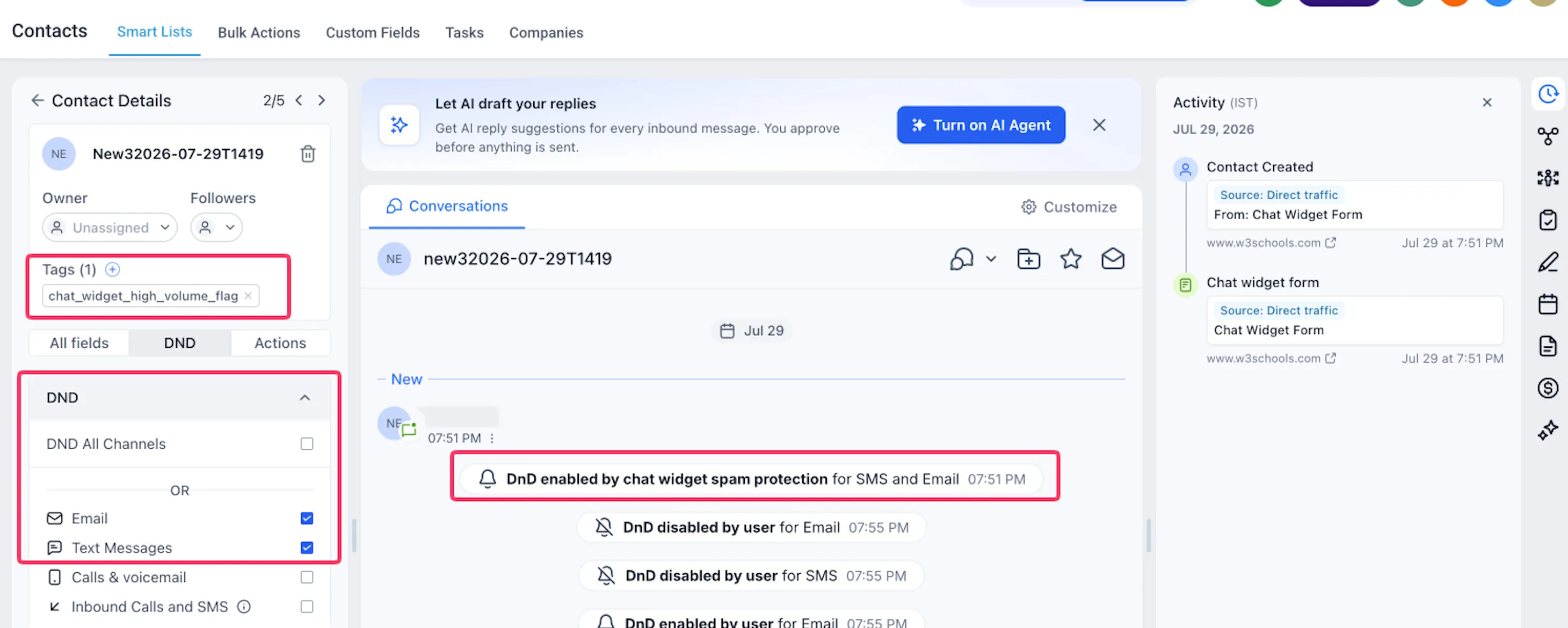
Suspicious Chat Widget submissions are not deleted. Contacts are still created and tagged for review with chat_widget_high_volume_flag.
Depending on the widget setting you choose, SMBcrm can pause:
- SMS
- Both SMS and email
- Neither channel, while only applying the review tag
This helps teams review potentially legitimate leads without automatically sending unnecessary outbound messages to suspicious contacts.
Why It Matters
Spam submissions can create fake contacts quickly. If automated follow-ups run for those contacts, businesses may send SMS or email to invalid destinations, creating unnecessary messaging costs, bounces, and deliverability issues.
Spam protection helps protect your communication workflows by pausing selected outbound channels for flagged contacts while keeping the contact available for review.
Widget-Level Controls
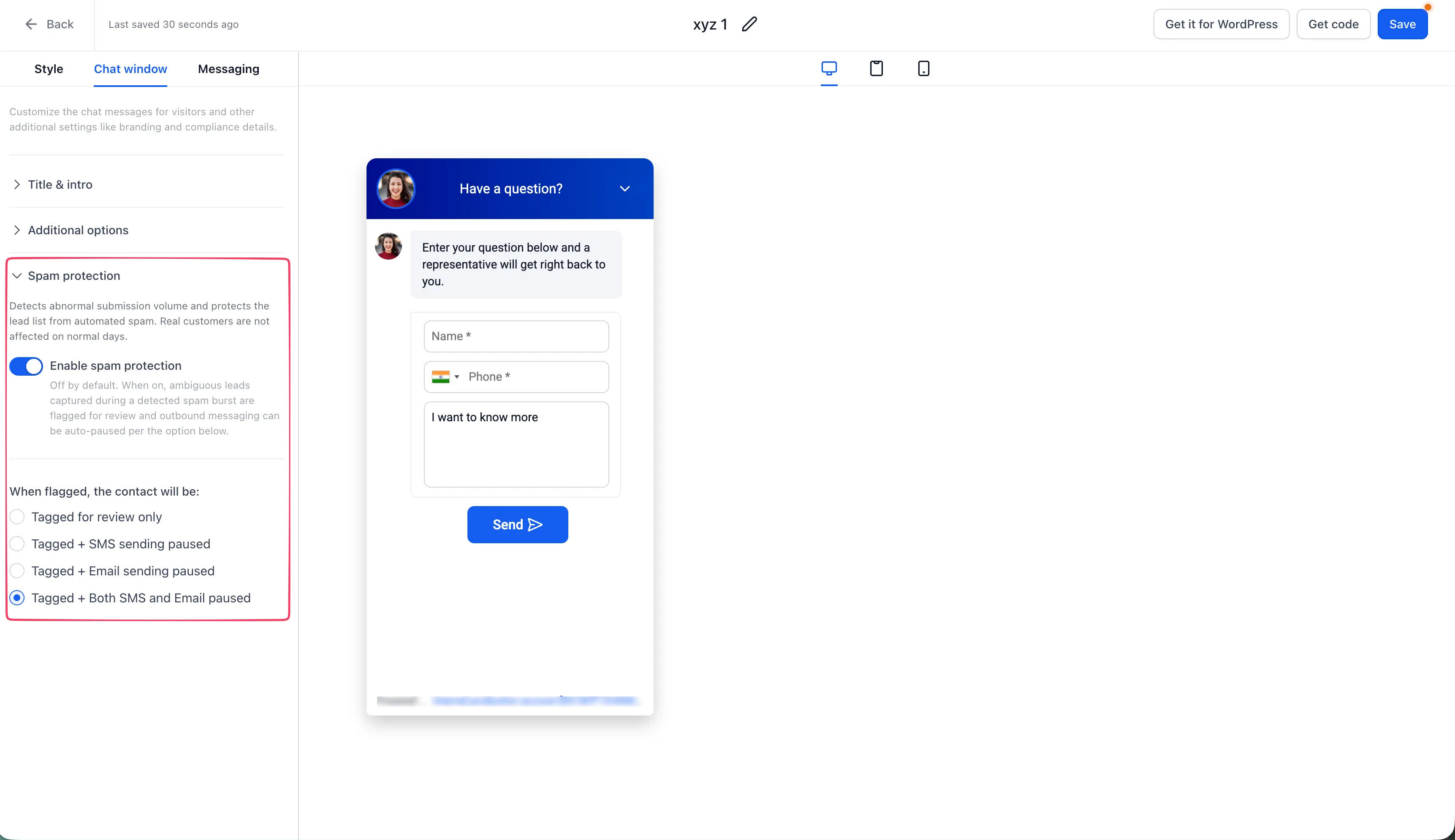
Spam protection is configured separately for each Chat Widget. Available actions are:
- Tag Only
- Pause SMS
- Pause Email
- Pause Both
Only the selected channel is affected. Other communication channels and existing Do Not Disturb preferences remain unchanged.
Activity and Review
When spam protection pauses messaging, the contact activity log records the action and identifies the affected channel.
To review flagged contacts, filter your contacts by the chat_widget_high_volume_flag tag. If a flagged submission is legitimate, your team can review it and restore messaging as needed.
Default Settings
Existing Chat Widgets have spam protection turned off by default so current behavior does not change unexpectedly.
Newly created Chat Widgets have spam protection turned on by default with Pause Both selected.
How to Enable Spam Protection
- Go to Sites > Chat Widget.
- Open the Chat Widget you want to configure.
- Open Spam Protection in the builder sidebar.
- Turn spam protection on.
- Select the action to take when a suspicious submission is detected.
- Save your changes.
If you expect an unusually large legitimate traffic spike, such as during a major campaign, launch, event, or press announcement, you can temporarily disable spam protection for that widget and enable it again afterward.
Detection Details
The specific signals and thresholds used to identify suspicious activity are not published for security reasons. This helps prevent malicious actors from designing submissions specifically to bypass the protection.
In Case You Missed It
See how workflow publish validation blocks errors before automations go live.
Release Images
Need Help Applying This Update?
Want help turning this update into a working part of your CRM, marketing, or automation setup?
Get Started or schedule a demo and we’ll help you map the right next step.