SMBcrm has improved calendar payment handling to make the difference between collecting a card on file and taking no payment clearer.
Previously, a $0 payment amount could be used when a business wanted to collect a customer’s card details without charging them. That created an unintended experience when a booking became free, such as after a 100% discount coupon. In those cases, customers could still be asked to enter card details, and a $0 transaction could be processed.
What changed
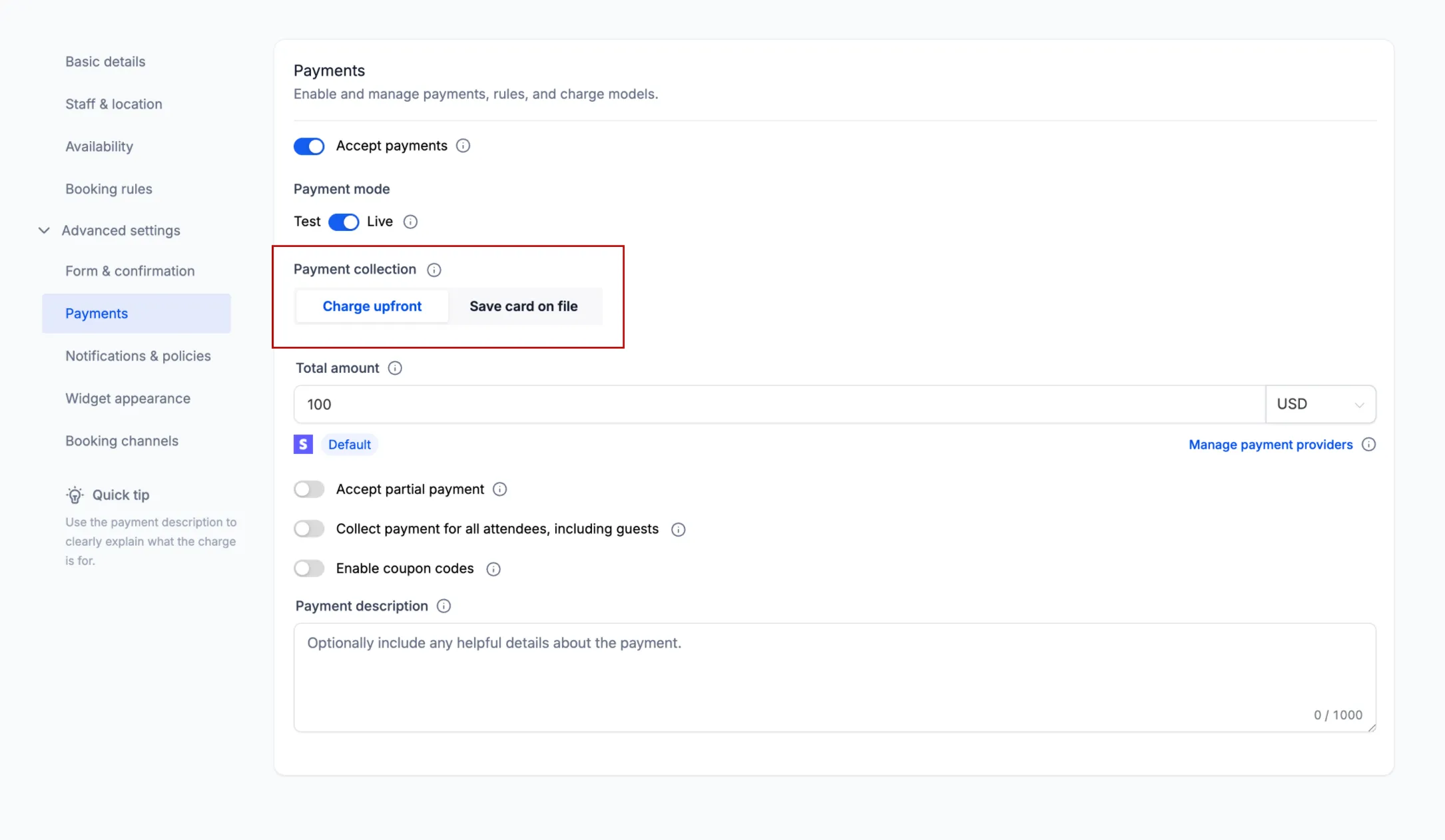
Calendar Payment settings now include a dedicated Collect Card on File option.
When Collect Card on File is enabled:
- Customers are asked to provide card details during booking.
- The card is saved for future use.
- The customer is not charged while booking the appointment.
- No payment transaction is created during booking.
This gives businesses a clearer way to collect a card without requiring an upfront payment.
How $0 and free bookings are handled
When Charge upfront is enabled, payment collection now depends on the final amount due:
- If the final amount is greater than $0, SMBcrm collects payment details and processes the payment normally.
- If the configured amount is $0, SMBcrm skips card collection and payment entirely.
- If a coupon reduces the amount to $0, SMBcrm skips card collection and payment entirely.
- If a coupon leaves an amount greater than $0, SMBcrm collects the discounted amount normally.
This means customers making a genuinely free booking are no longer asked for unnecessary payment details or sent through a $0 transaction.
For teams using calendar checkout and payment collection together, this update makes Payments & Commerce behavior more explicit and easier to manage.
In Case You Missed It
For another checkout-related improvement, see Rental Booking Pages Add Clearer Checkout Controls.
Release Images
Need Help Applying This Update?
Want help turning this update into a working part of your CRM, marketing, or automation setup?
Get Started or schedule a demo and we’ll help you map the right next step.