SMBcrm has updated rental booking pages, listing detail pages, and checkout to make the rental booking flow clearer from browsing to purchase. These improvements apply to rental listings, with one optional setting for multi-item carts.
What changed
Custom add-to-cart labels for multi-item carts
When Multi-item cart is enabled, businesses can set a custom label for the add-to-cart button from Booking Page settings. The default remains “Add to cart,” and the button only appears when Multi-item cart is enabled, so single-item bookings are unaffected.
Rental dates in checkout
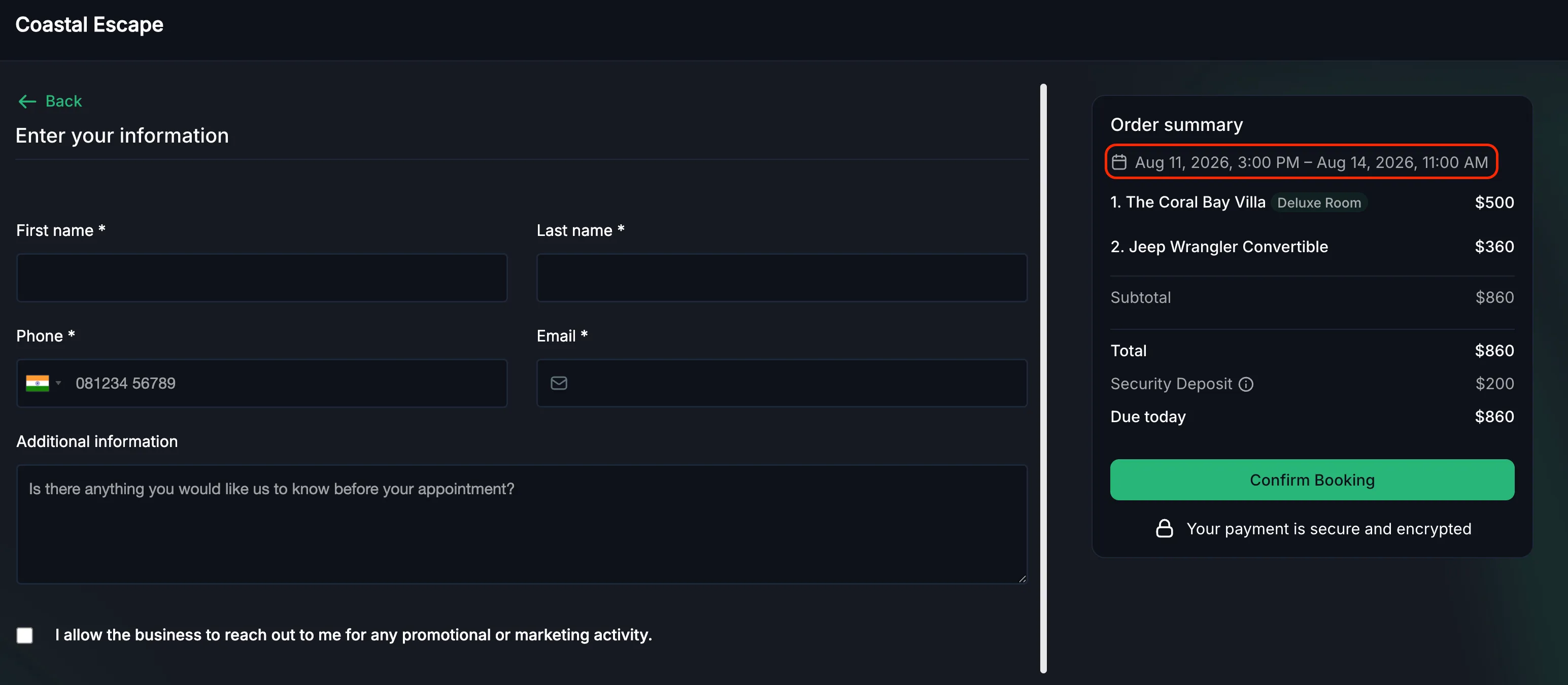
Rental dates now appear in the checkout Order Summary, helping customers confirm the date and time before completing the booking.
Expanded listing descriptions
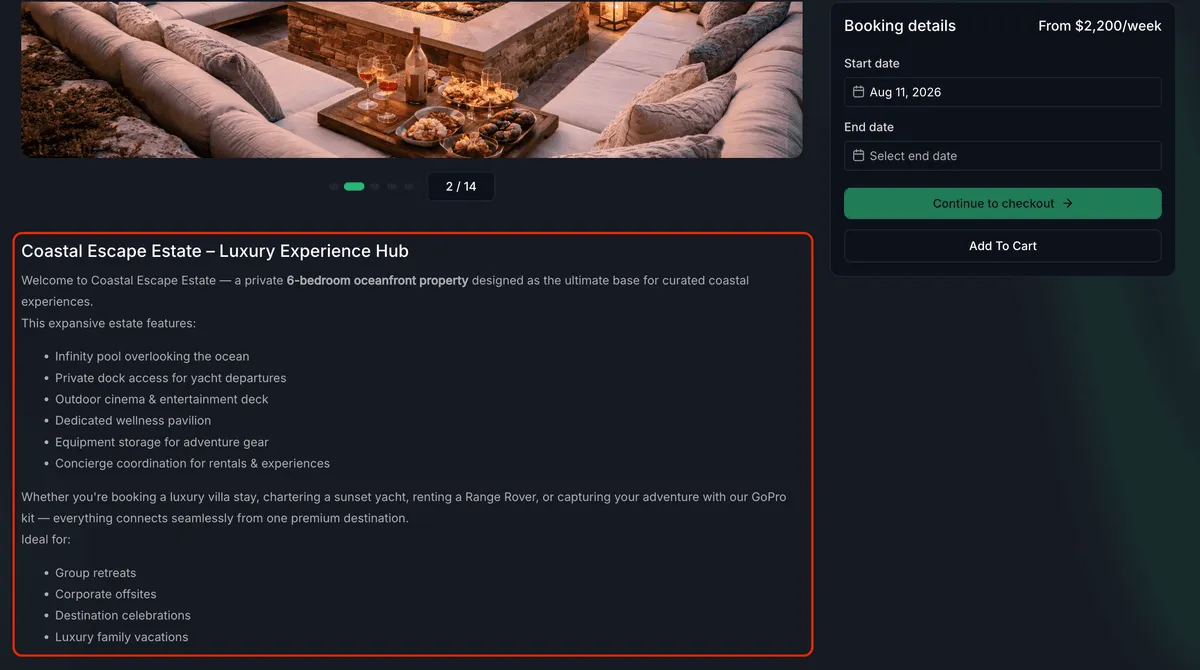
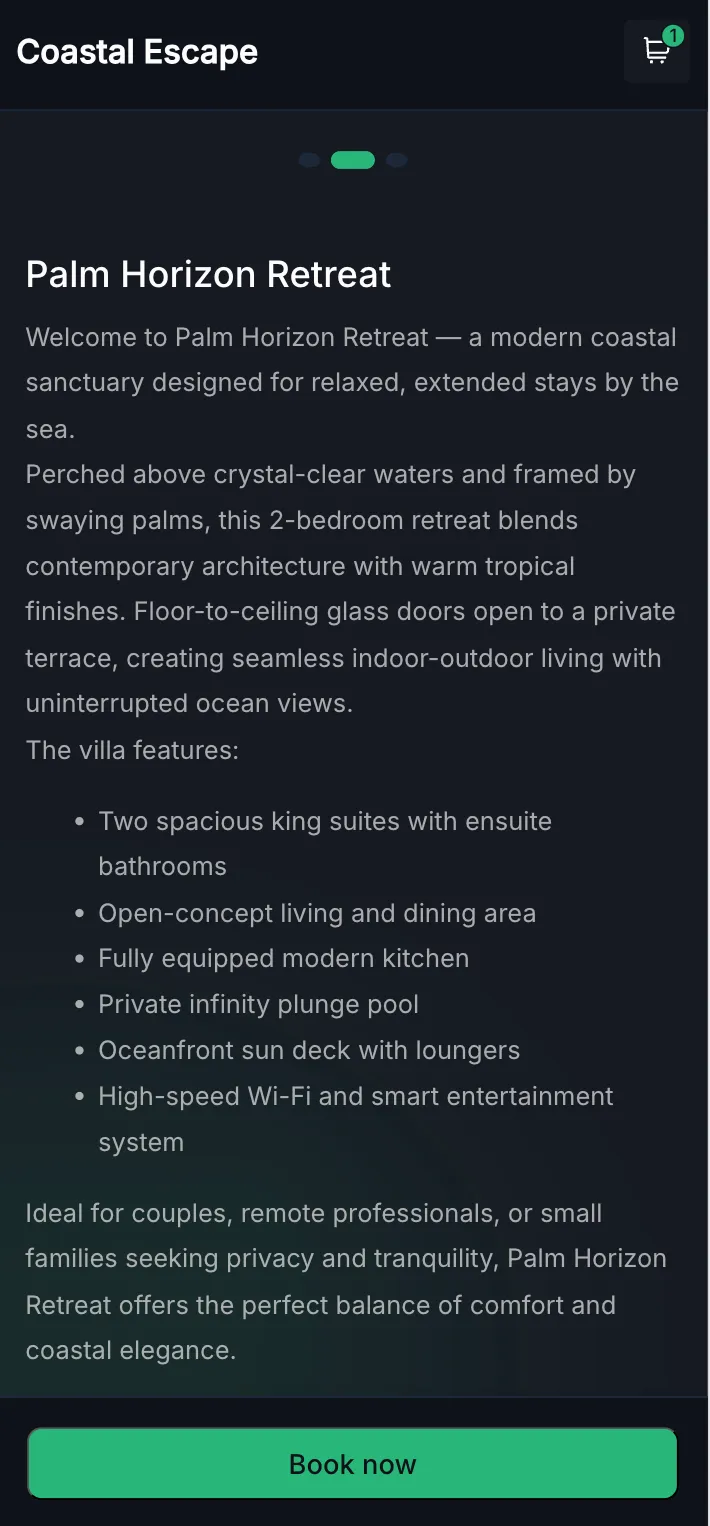
Rental detail page descriptions are now displayed inline and expanded by default, including on mobile, so guests can read the full description without selecting “Read more.”
Cart persistence while browsing
If a customer clicks the company logo to return to the home page, the cart remains intact, so an in-progress booking is not lost.
UI refinements
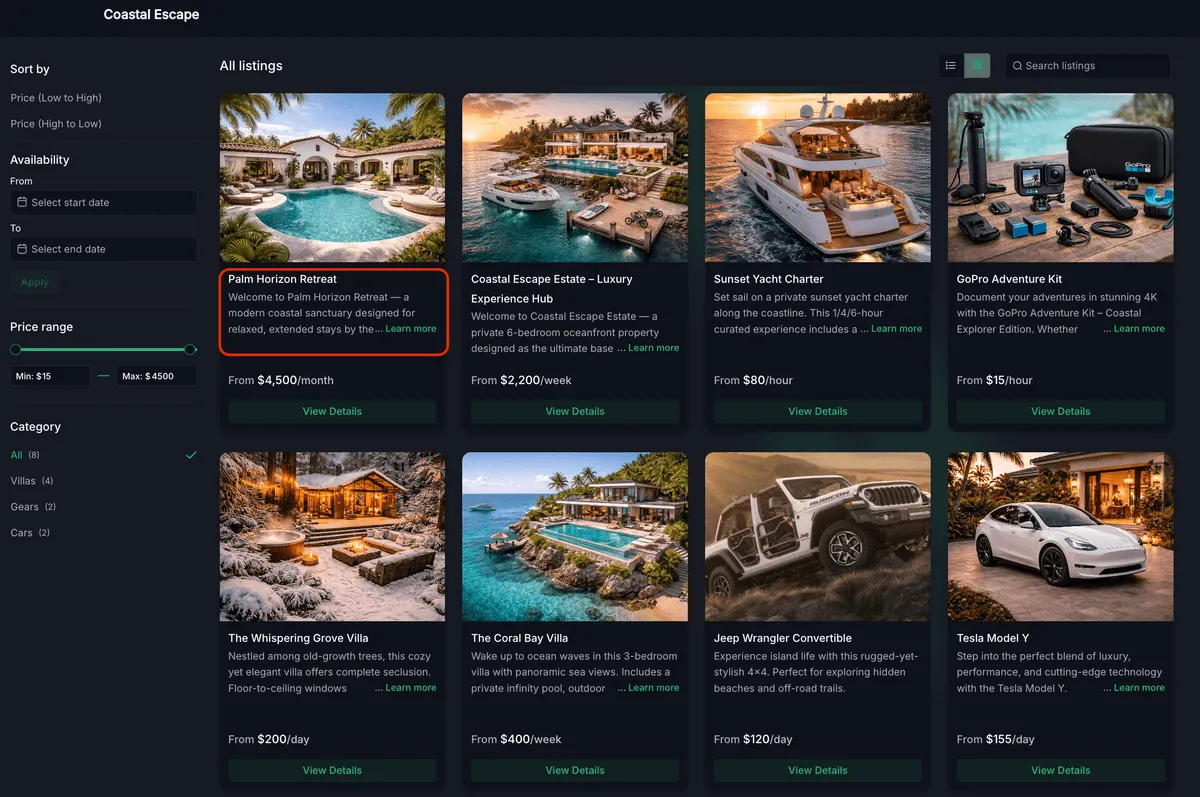
Additional polish improves text wrapping on home page cards, removes redundant single-quantity labels from the Booking Summary and Confirmation screens, and cleans up smaller visual details across the browsing experience.
How to use the custom button label
For businesses using Payments & Commerce for rentals, go to Global settings > Booking page, enable Multi-item cart, then update the Add to booking button label field. Save the change to apply the label to the booking page CTA.
No setup is needed for the other improvements. They apply automatically to rental listings.
Why it matters
These updates give businesses more control over how the booking flow speaks to customers, make rental dates clearer at checkout, reduce friction on listing detail pages, and help preserve in-progress bookings while customers continue browsing.
In Case You Missed It
For another recent update, read Review Trigger Supports All Integrated Platforms.
Release Images
Need Help Applying This Update?
Want help turning this update into a working part of your CRM, marketing, or automation setup?
Get Started or schedule a demo and we’ll help you map the right next step.