The User login workflow trigger now fires for logins from the new Client Portal experience, not only legacy membership logins. This helps teams use SMBcrm workflow automation more consistently when portal members sign in.
What Changed
- Successful logins from the new Client Portal experience now emit the same User login trigger event as legacy membership logins.
- Existing workflows that already use the User login trigger will start running for these logins automatically, with no reconfiguration required.
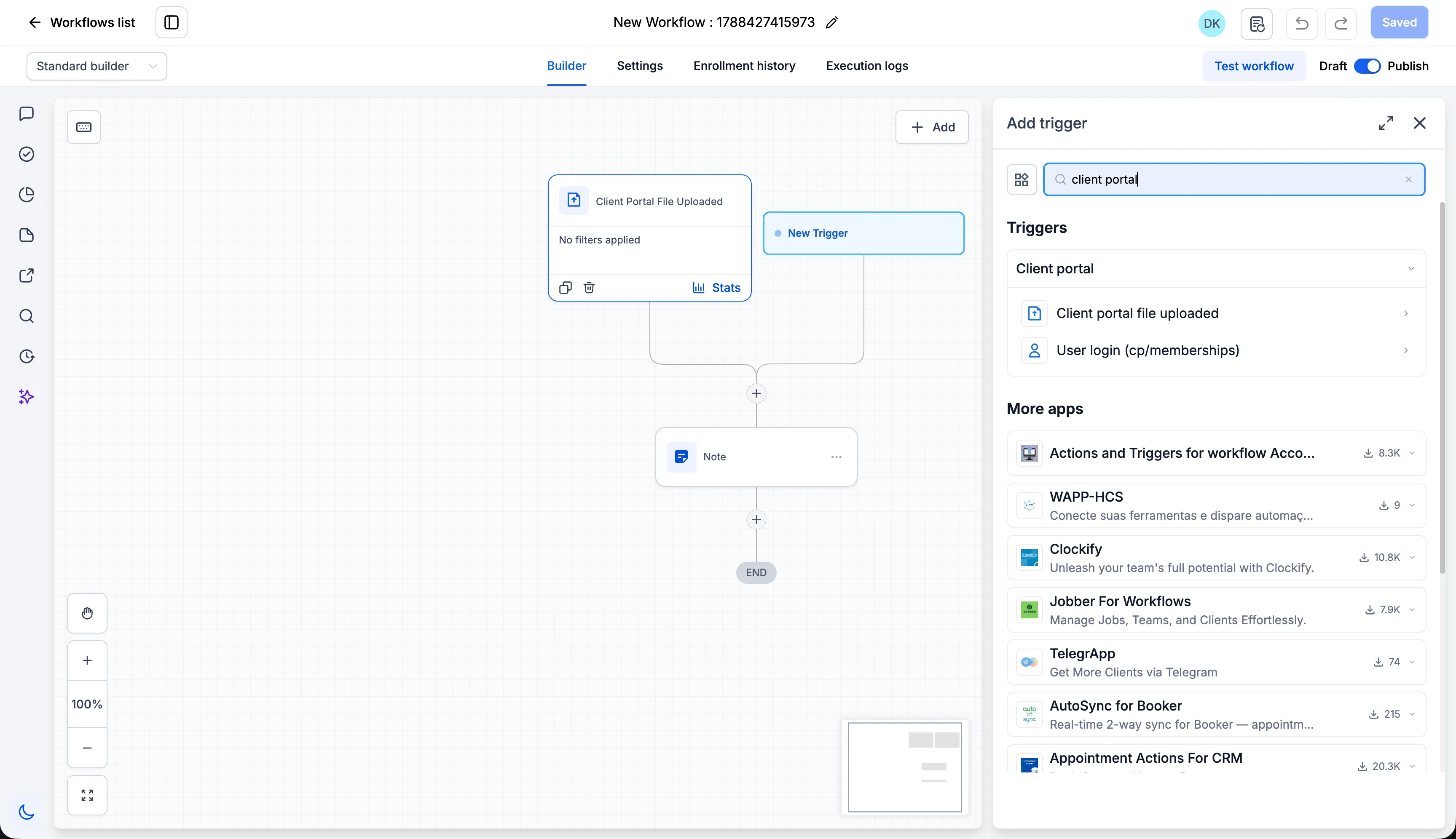
- The trigger picker now includes a dedicated Client Portal category.
- The User login trigger has moved from Courses into the Client Portal category.
- The Client portal file uploaded trigger has moved from Membership into the Client Portal category.
- Helper text now clarifies that the User login trigger covers both legacy membership logins and new Client Portal logins.
How to Use It
To automate actions when a Client Portal member logs in:
- Open the Workflow Builder.
- Click Add trigger.
- Search for User login.
- Select it under the Client Portal category.
- Save your workflow.
If you already use the User login trigger, no action is needed. Existing workflows continue to run as-is and will also pick up login events from the new Client Portal experience.
Why It Matters
The previous trigger placement made it harder to understand which portal-related events were supported. Grouping Client Portal triggers together makes setup clearer and helps teams automate member login activity from the current Client Portal experience.
In Case You Missed It
For another recent product update, read SMS Test Numbers Now Include a Country Picker.
Release Images
Need Help Applying This Update?
Want help turning this update into a working part of your CRM, marketing, or automation setup?
Get Started or schedule a demo and we’ll help you map the right next step.