SMBcrm communities received several usability improvements for creating posts, moderating discussions, downloading recordings, and writing comments in Memberships & Education.
What Changed
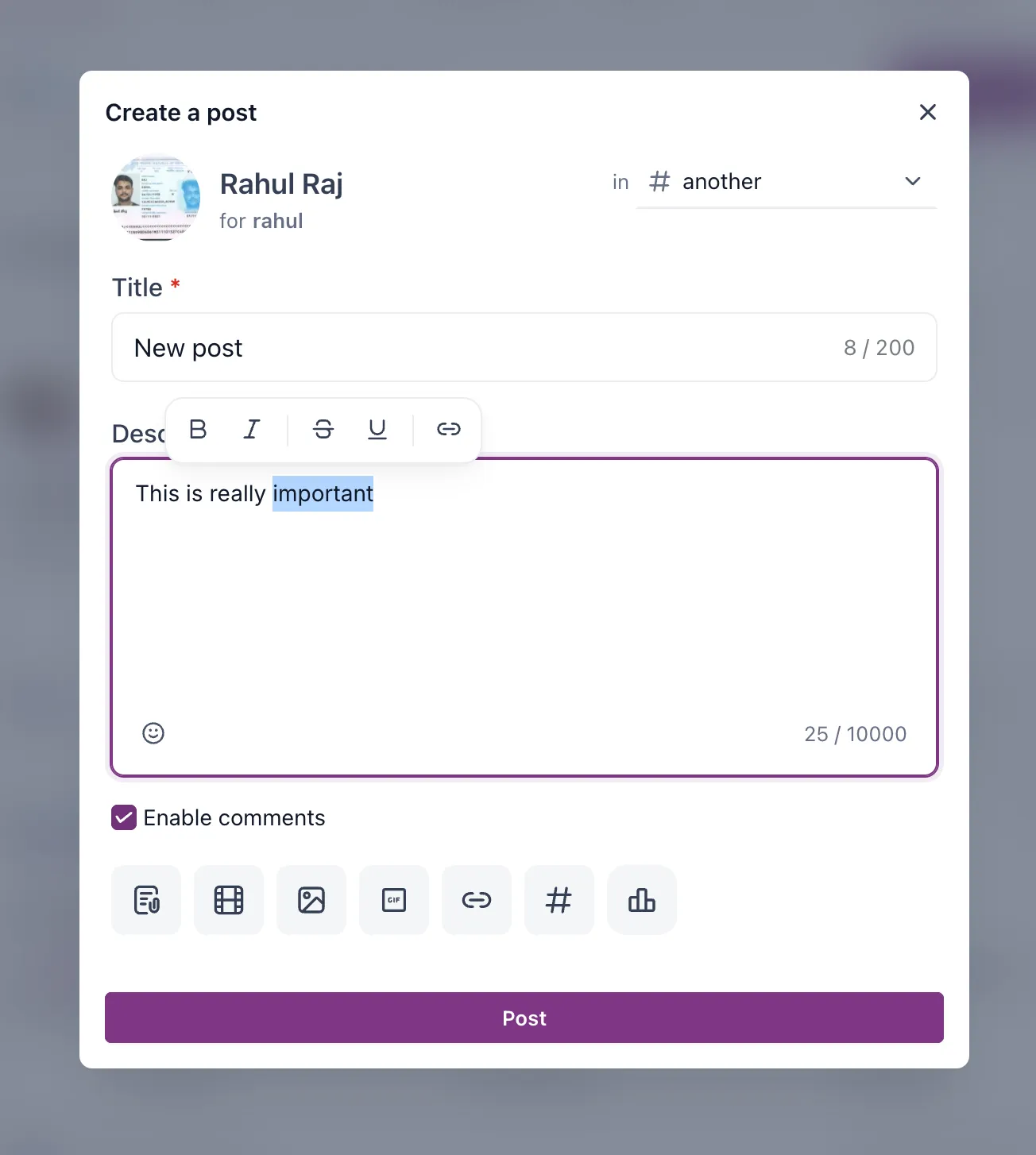
Rich Text Formatting Toolbar
When writing a post, users can select text to open a floating formatting toolbar. Available options include bold, italic, underline, strikethrough, and inserting a link.
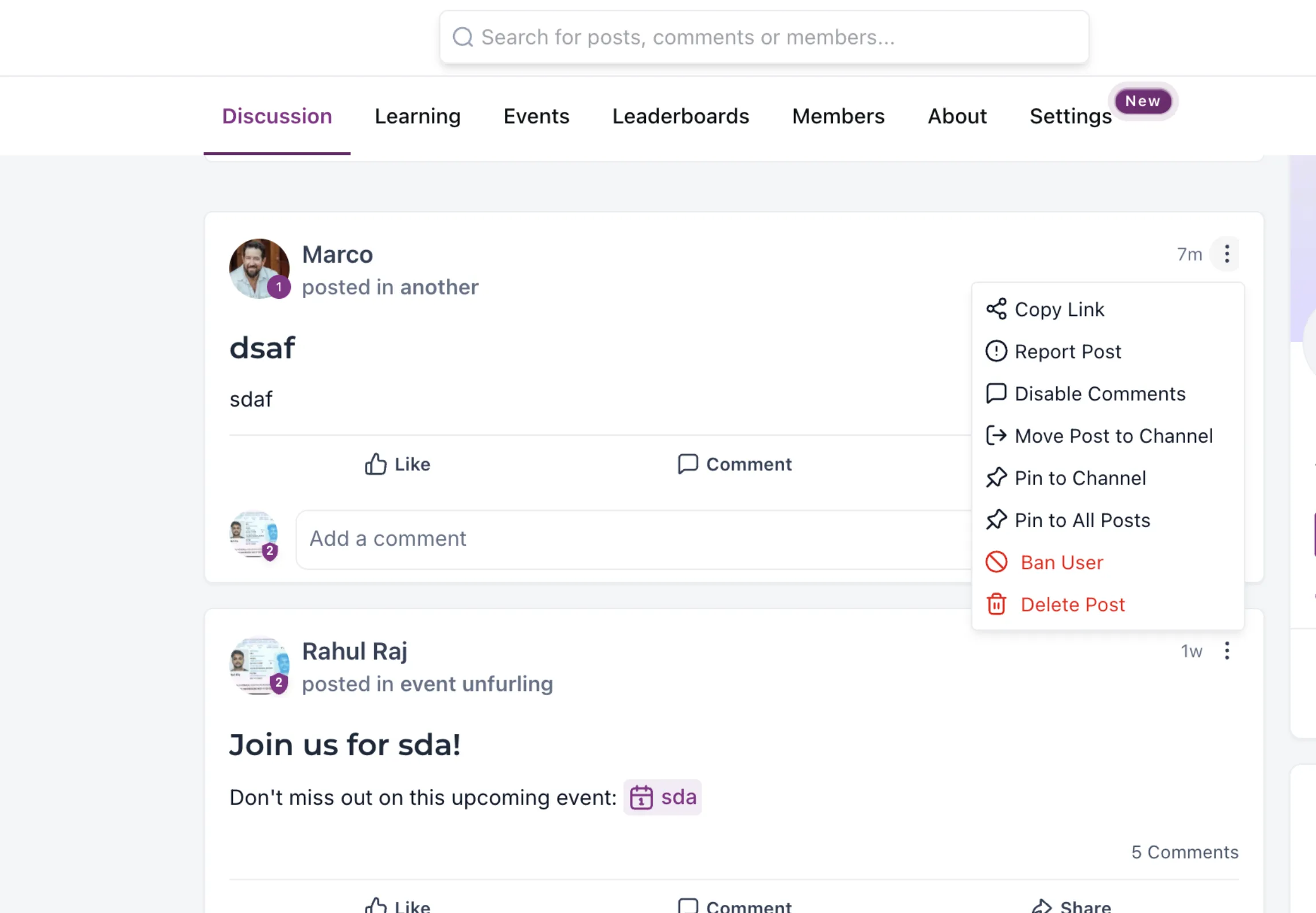
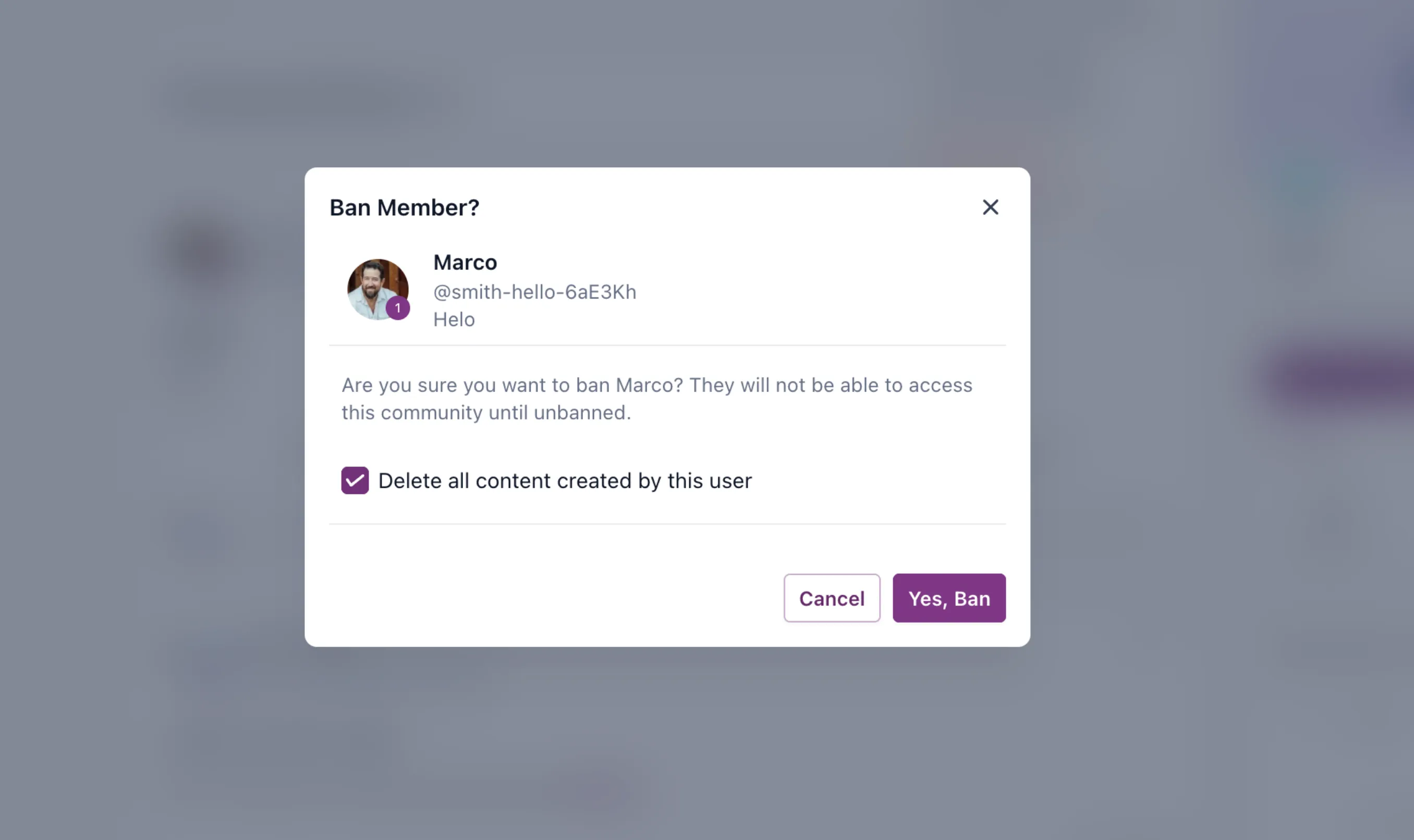
Faster Spam Moderation
Community moderators can ban a spammer directly from a post. Open the three-dot menu on the post and select Ban User.
A confirmation dialog also lets moderators optionally delete all content created by that user before confirming the ban.
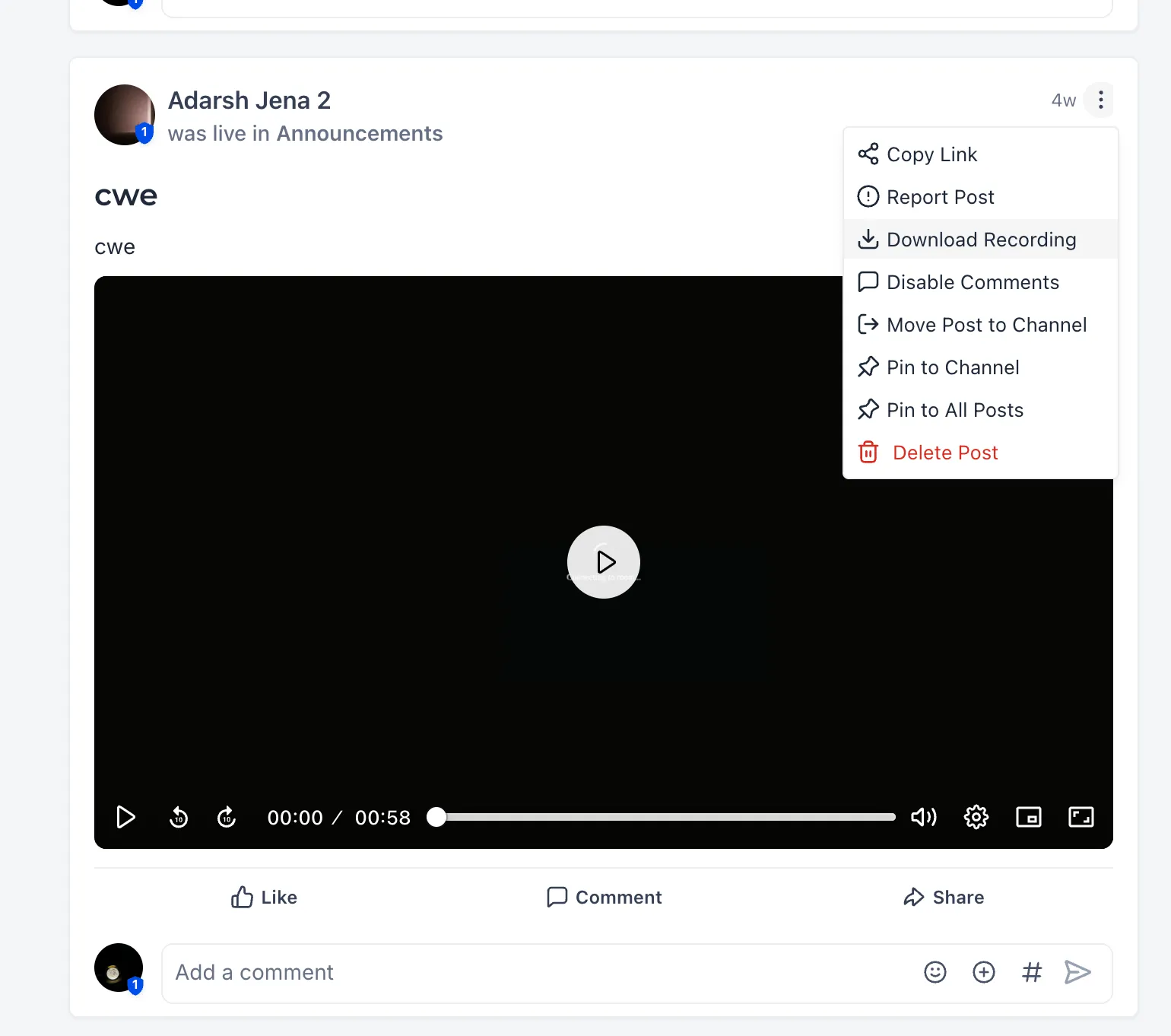
Recording Downloads from Posts
Recordings can be downloaded from the post itself. Open the three-dot menu on a recording post and select Download Recording.
Comment Editor Shortcut Updates
The comment editor now uses more familiar keyboard shortcuts:
- Enter starts a new paragraph.
- Shift + Enter inserts a new line within the same paragraph.
- Ctrl + Enter, or selecting Post, publishes the comment.
Why It Matters
These updates help community admins format content, moderate from the feed, manage recordings with fewer clicks, and comment more predictably without leaving the current workflow.
In Case You Missed It
For another community workflow improvement, see Automate Community Group Join Requests.
Release Images
Need Help Applying This Update?
Want help turning this update into a working part of your CRM, marketing, or automation setup?
Get Started or schedule a demo and we’ll help you map the right next step.