SMBcrm is replacing Insights with Dashboards in the SMBcrm Mobile app, bringing the web dashboard experience to mobile as part of the current mobile release cycle.
Instead of a reduced mobile reporting view, users can access the dashboards they already use on the web, including pipeline, deals, conversions, campaigns, team activity, and related reporting data.
What changed
The previous Insights experience covered only part of the reporting experience available on web. With this update, Dashboards on mobile supports the full set of dashboards users have built on web, with real-time data that matches what teams see from their desktop.
When users open Dashboards, their default dashboard loads automatically. From there, they can:
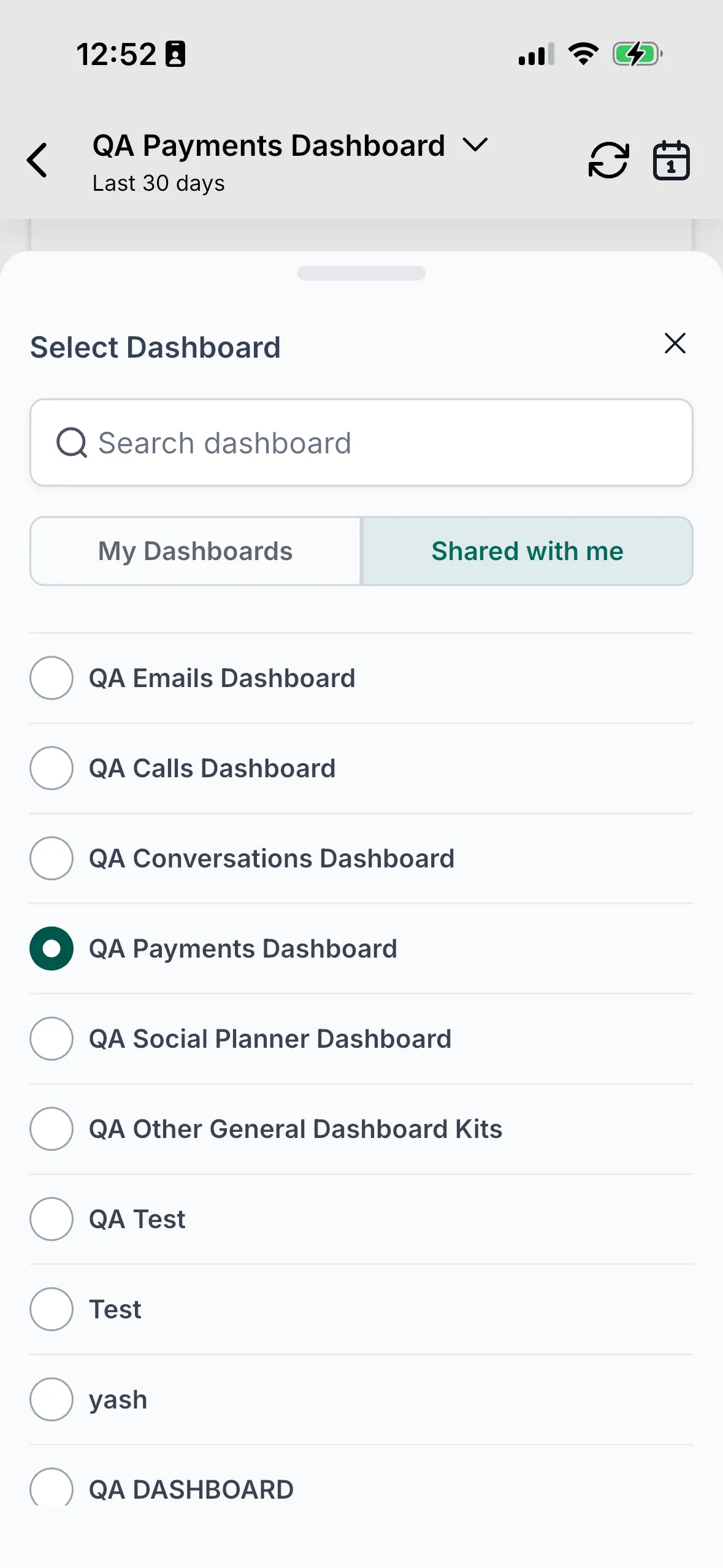
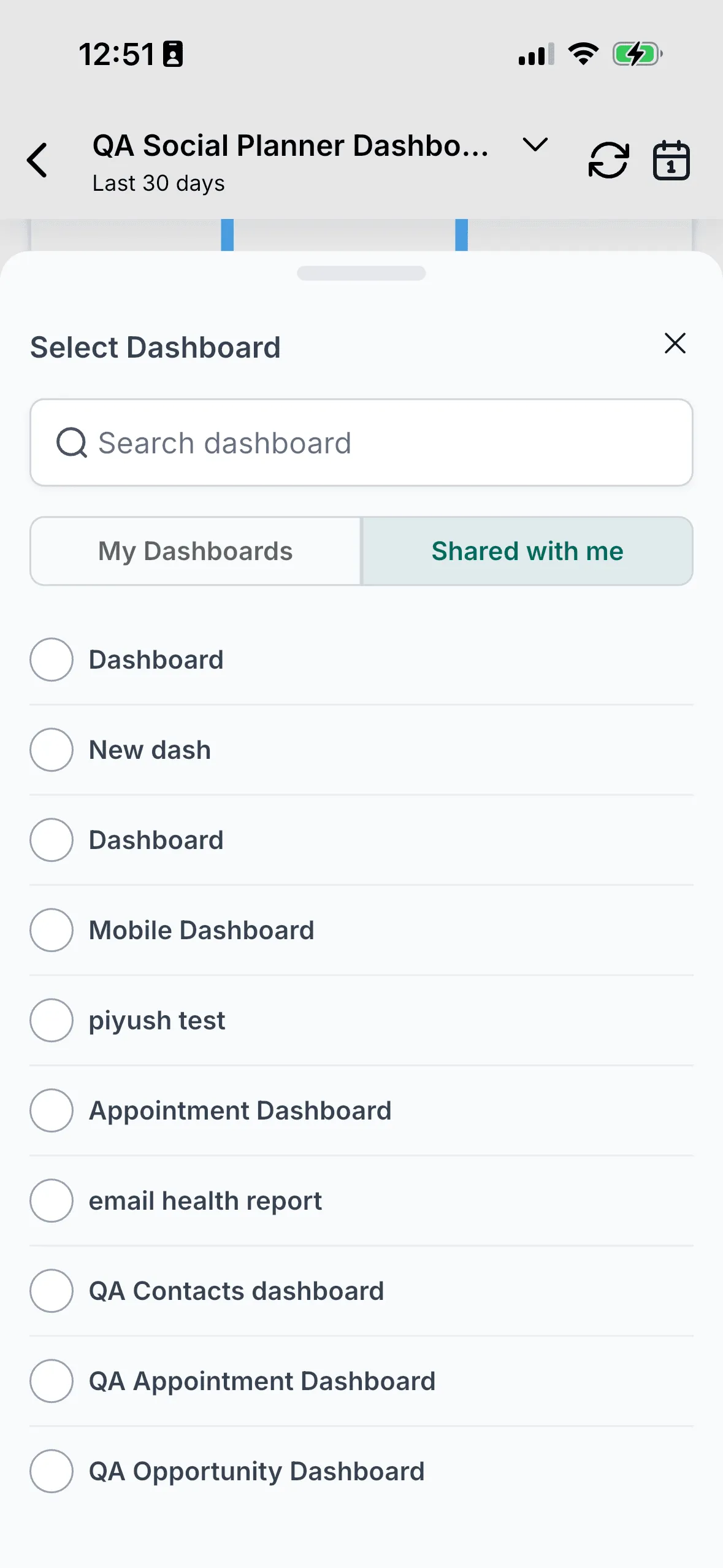
- Switch between dashboards
- Apply quick filters and date ranges
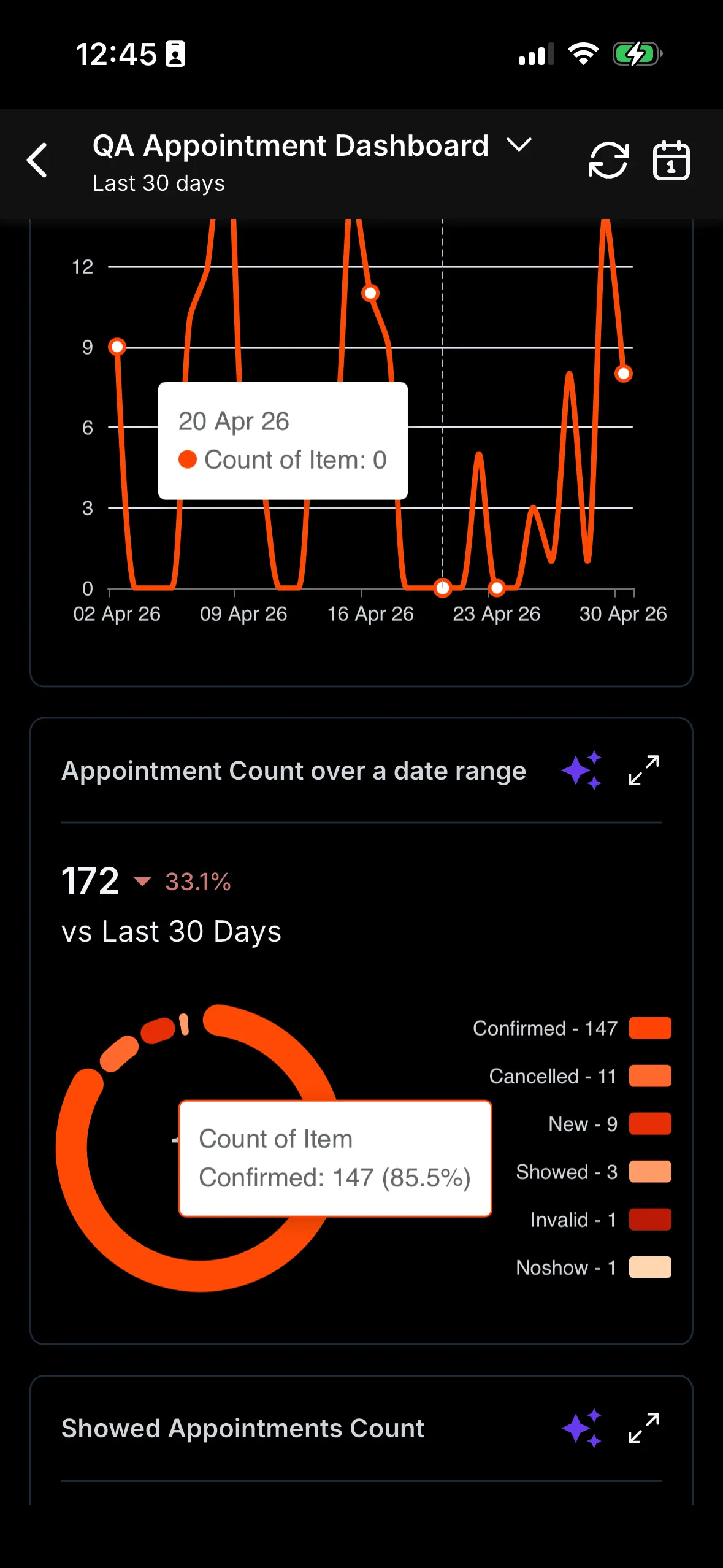
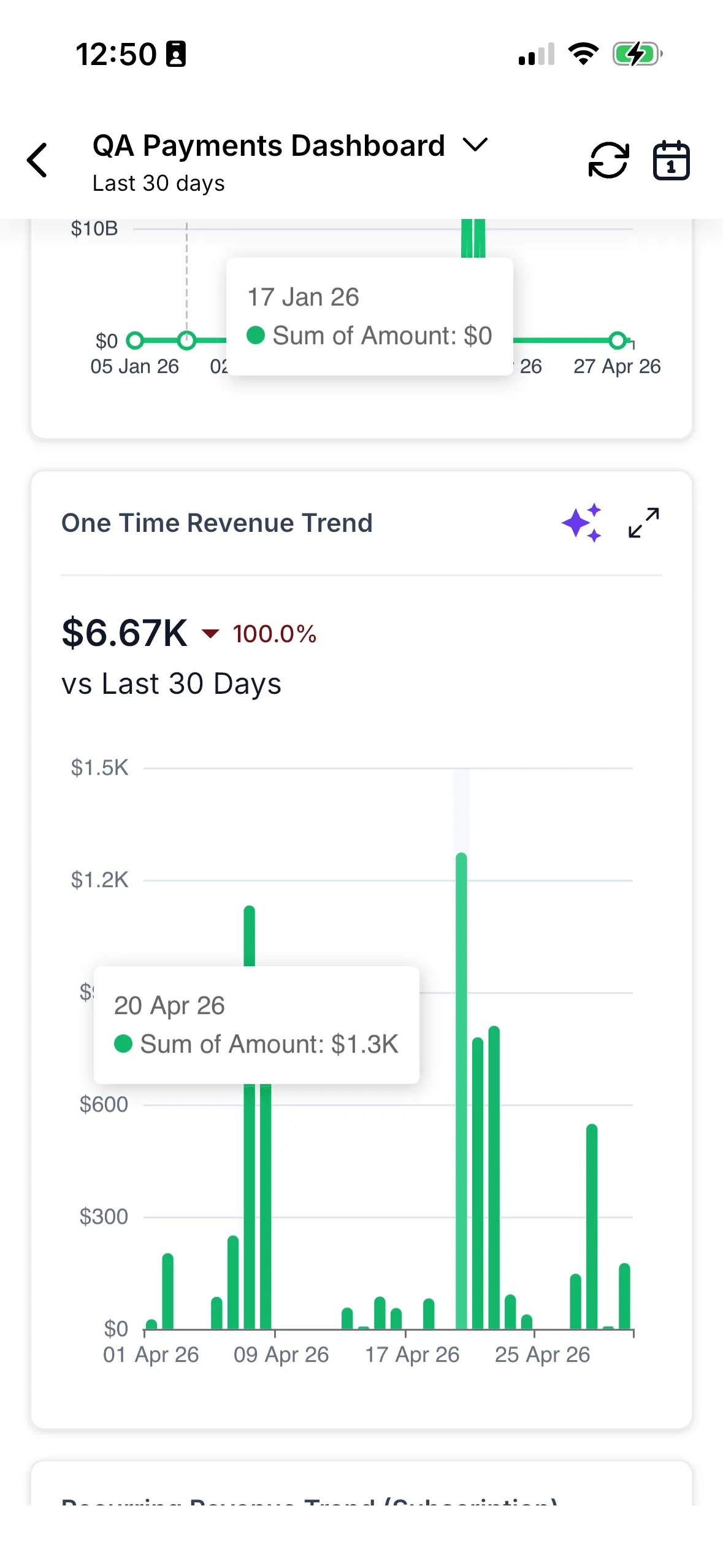
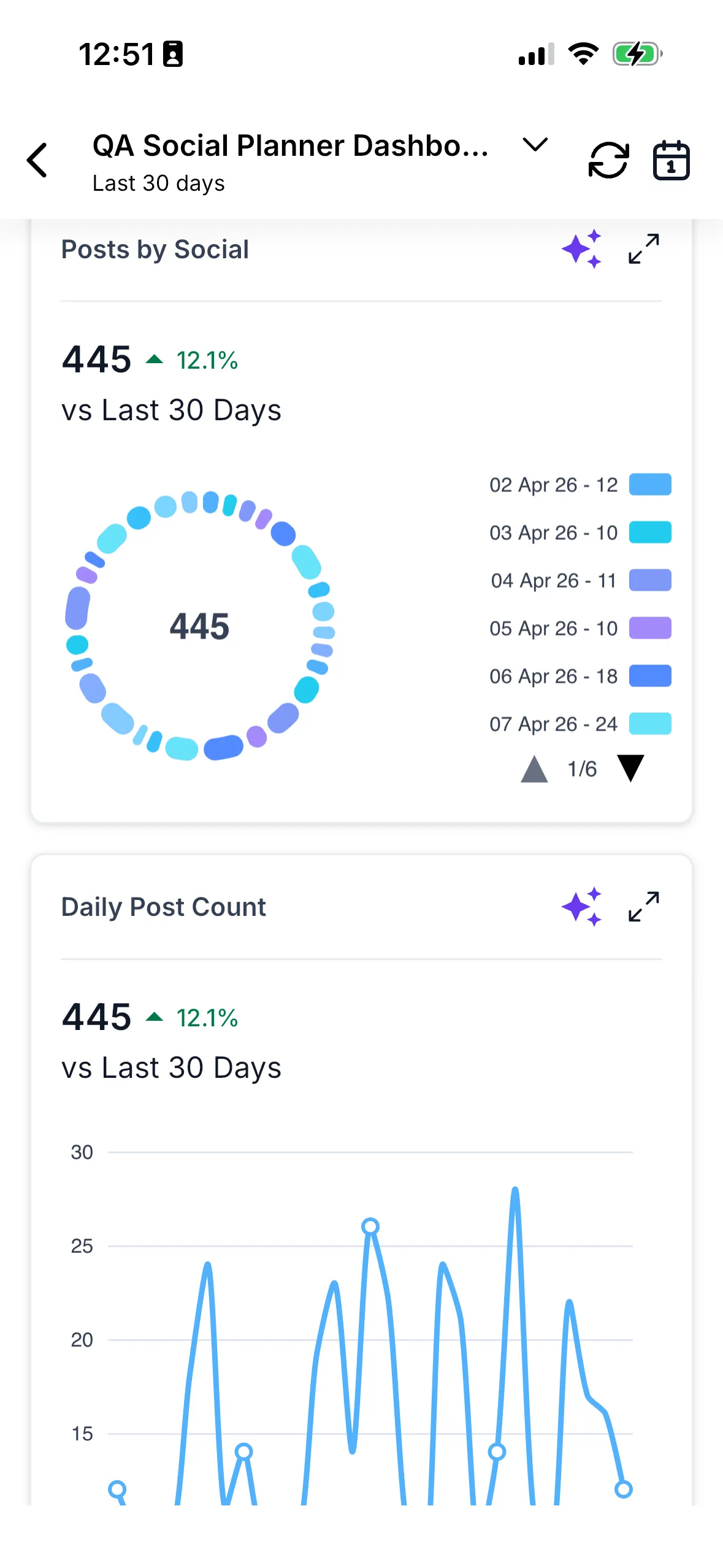
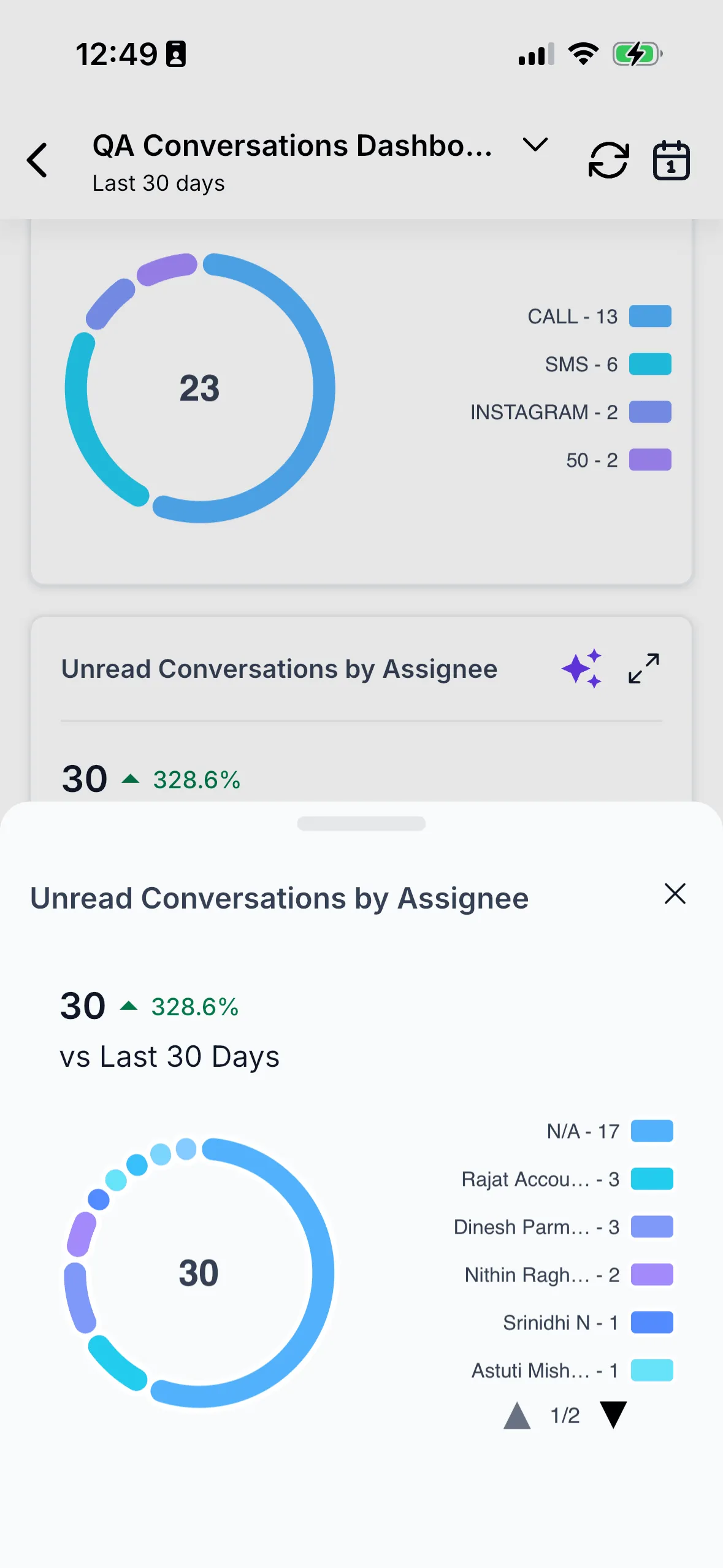
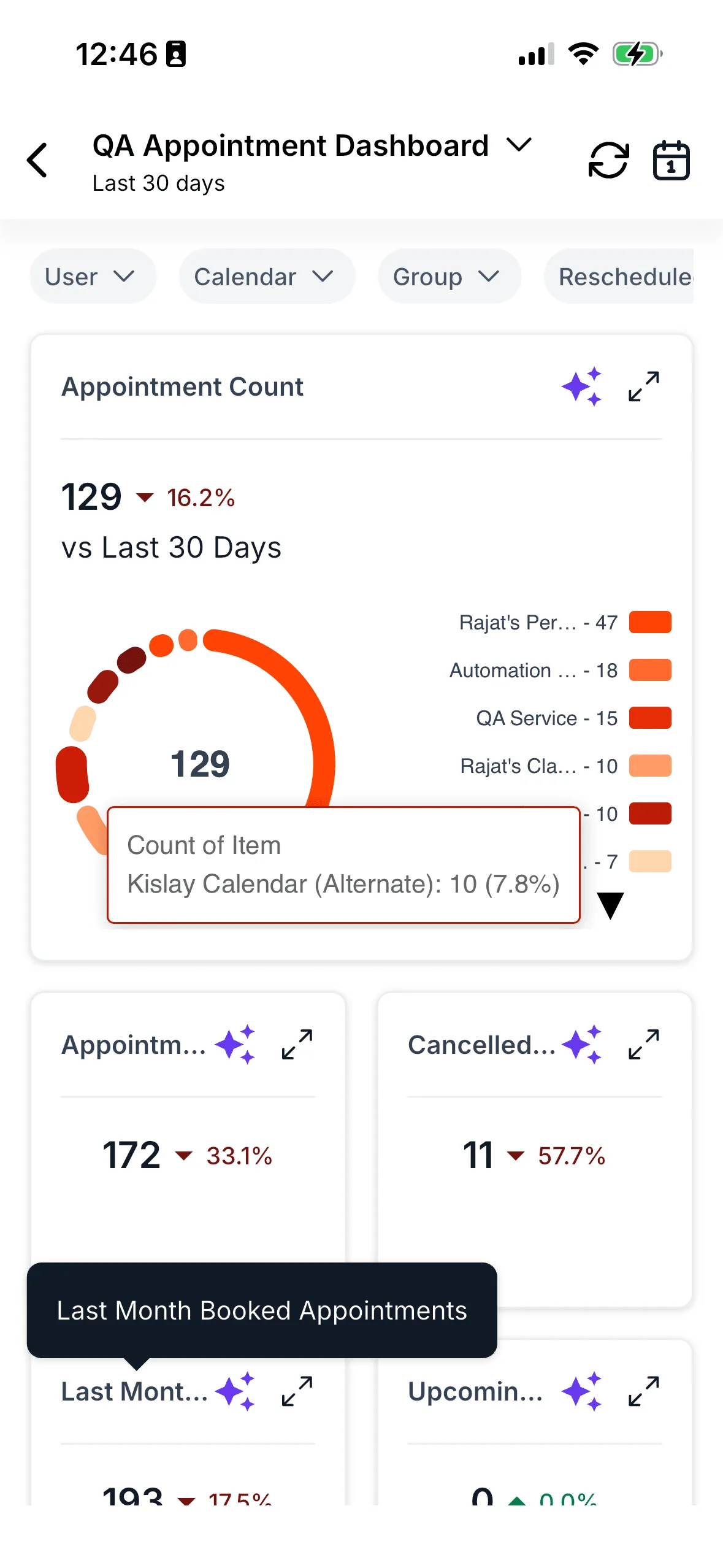
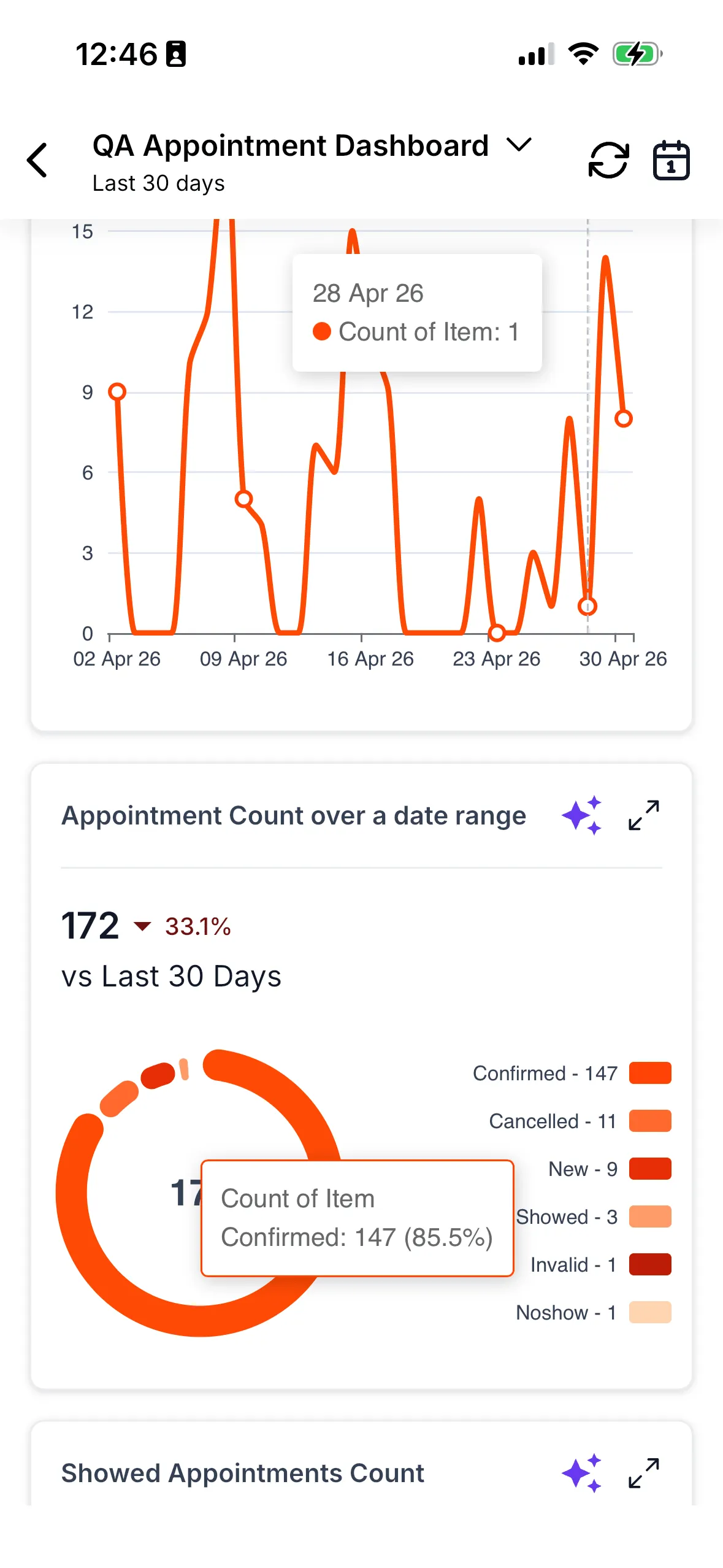
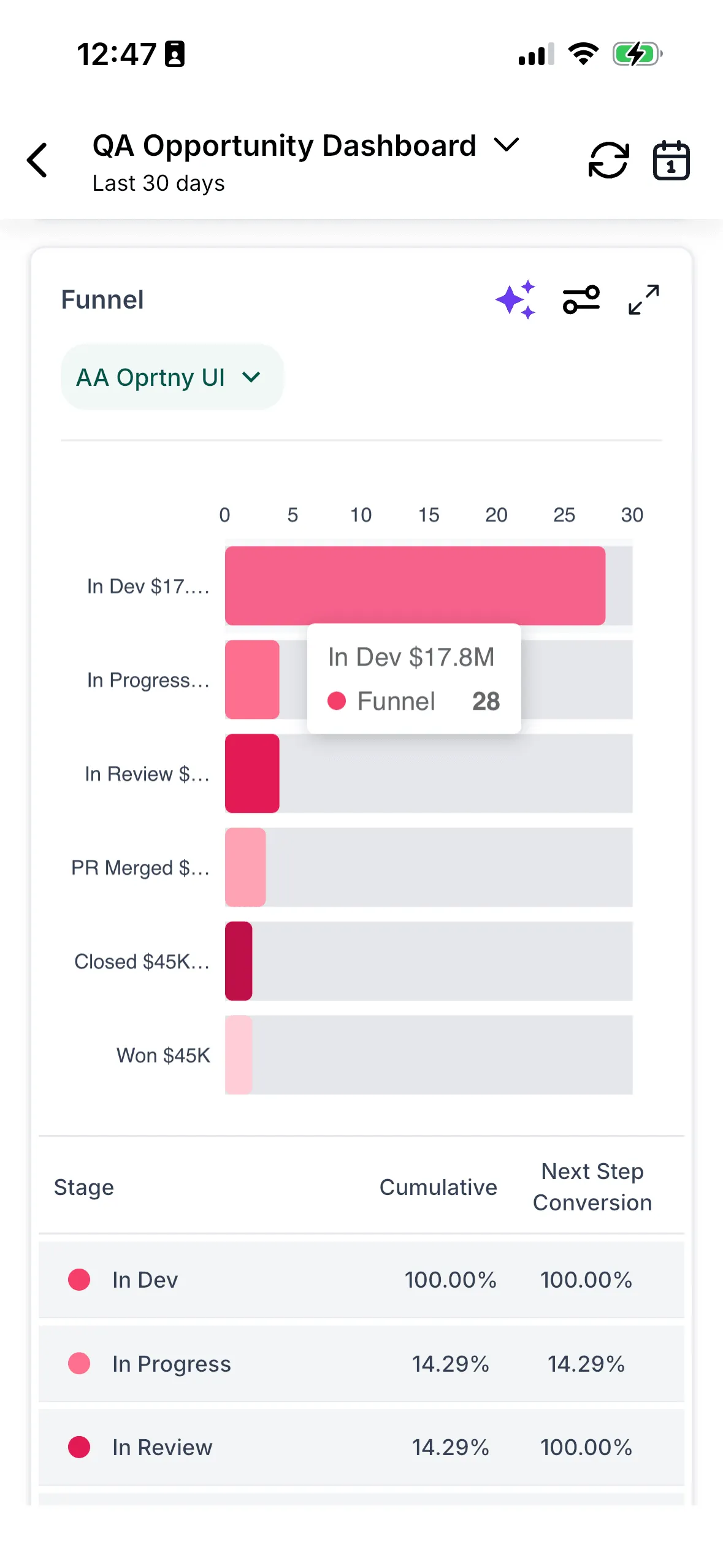
- View supported chart widgets, including Numeric, Line, Donut, Vertical Bar, and Horizontal Bar
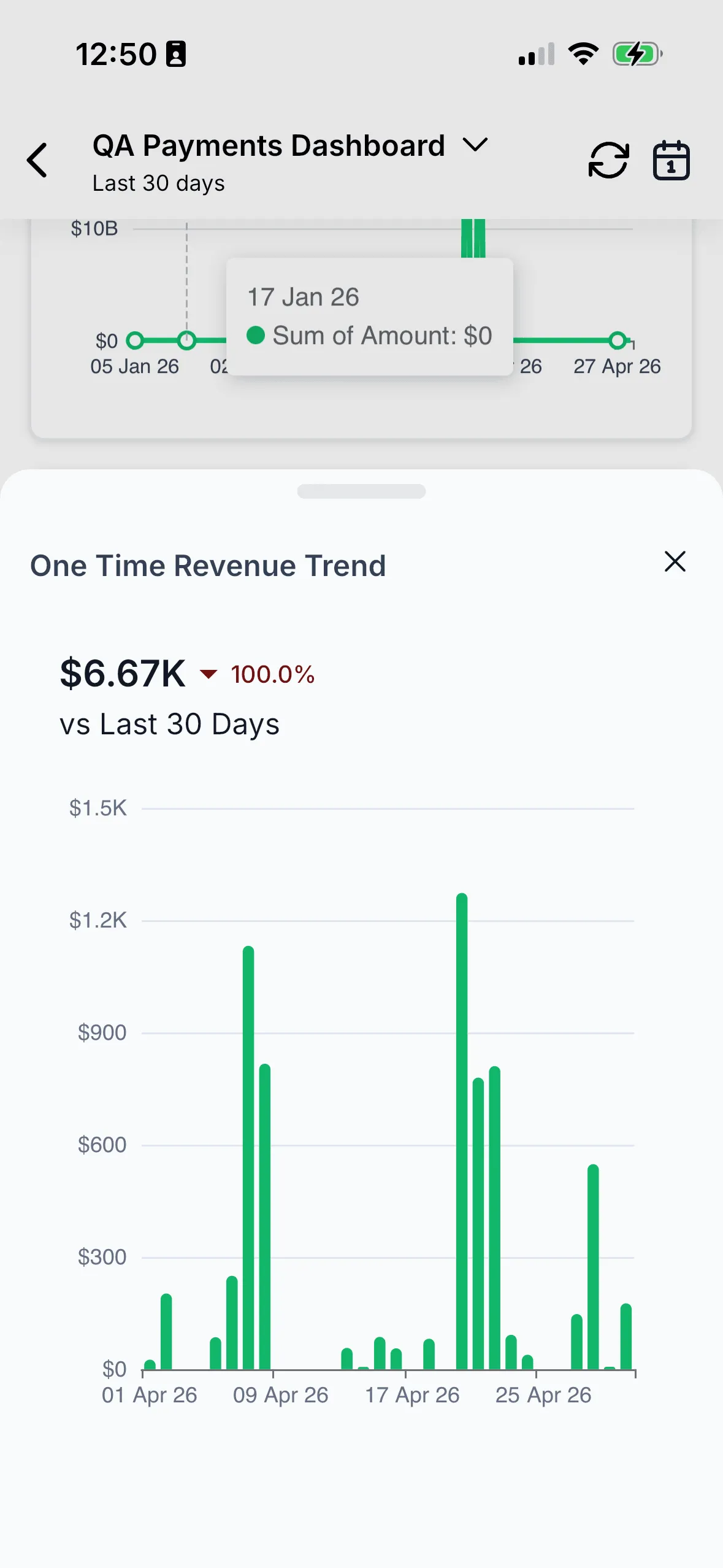
- Expand widgets for a closer look
- Interact with charts by tapping or dragging across data points
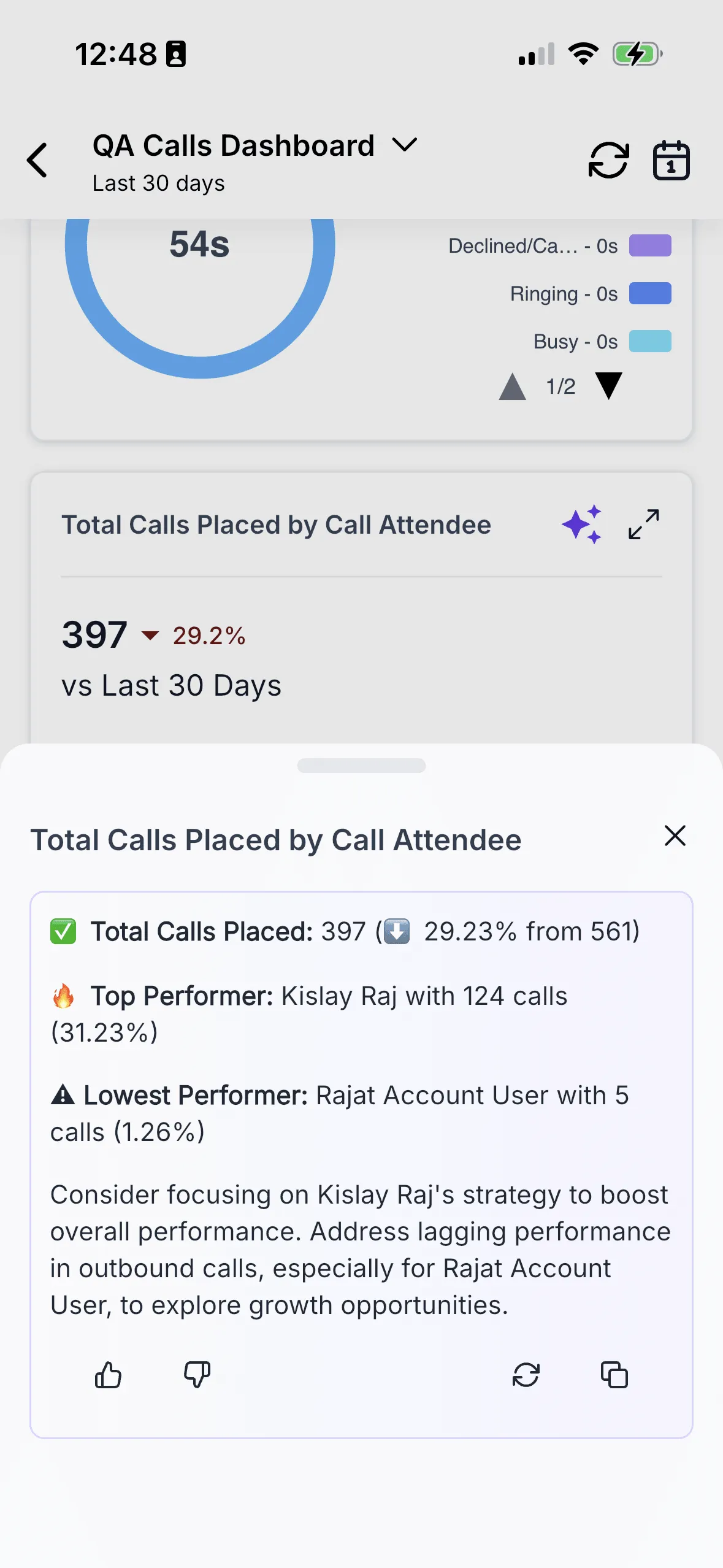
- Use widget-level AI insights for a plain-English read on the data
Why it matters
This update gives users a more complete reporting view when they are away from their desk. Teams can check deal status, pipeline value, conversions, campaign performance, and trends from mobile without relying on a separate or limited reporting module.
The mobile experience is also designed for phone use, with expanded widget views, touch interactions, and layouts intended to make charts easier to read on smaller screens.
How to get started
Mobile Dashboards is currently available in Labs. To turn it on:
- Open the SMBcrm Mobile app and go to Labs.
- Find Mobile Dashboards and toggle it on.
- Open the Apps section and tap Dashboards.
- Use the dashboard switcher, filters, expanded widget views, and AI icon as needed.
The source release notes that this is a phased public rollout and that general access is expected in about 14 days.
Campaigns now has a dedicated module
Campaign data previously lived inside Insights. With this update, Campaigns has its own dedicated module so users can track campaign status in one focused place.
Availability and limits
- Release cycle: Current mobile release cycle
- Version: 4.14.1
- Status: Phased public rollout, currently in Labs
- Supported widgets: Numeric, Line, Donut, Vertical Bar, Horizontal Bar, and supported system widgets
- Included: Dashboard switcher, default dashboard loading, quick filters, date filters, expanded widget views, theme support, and analytics events
- Current limits: View-only access. Dashboard and widget editing from mobile are not included in this release.
- Not included: Dashboard-level AI summaries
- Unsupported widgets: Show a placeholder message instead of failing silently
Planned follow-up improvements
The source release also notes planned work for:
- A configurable homepage carousel widget for selected graphs
- Broader widget support beyond the current Phase 1 set
- Richer AI workflows at the widget and dashboard level
- Cross-dashboard analysis
- Continued performance and readability tuning for high-density dashboard data
In Case You Missed It
You may also want to read about how custom product detail pages now inherit default design.
Release Images
Need Help Applying This Update?
If you’d like help rolling this out in SMBcrm, visit Support or request a demo.
Explore this in SMBcrm
See the CRM tools available on mobile.
Explore mobile access to contacts, conversations, and tasks, then review the apps your team will use.
Explore the mobile CRMAlready using this feature? Find setup help