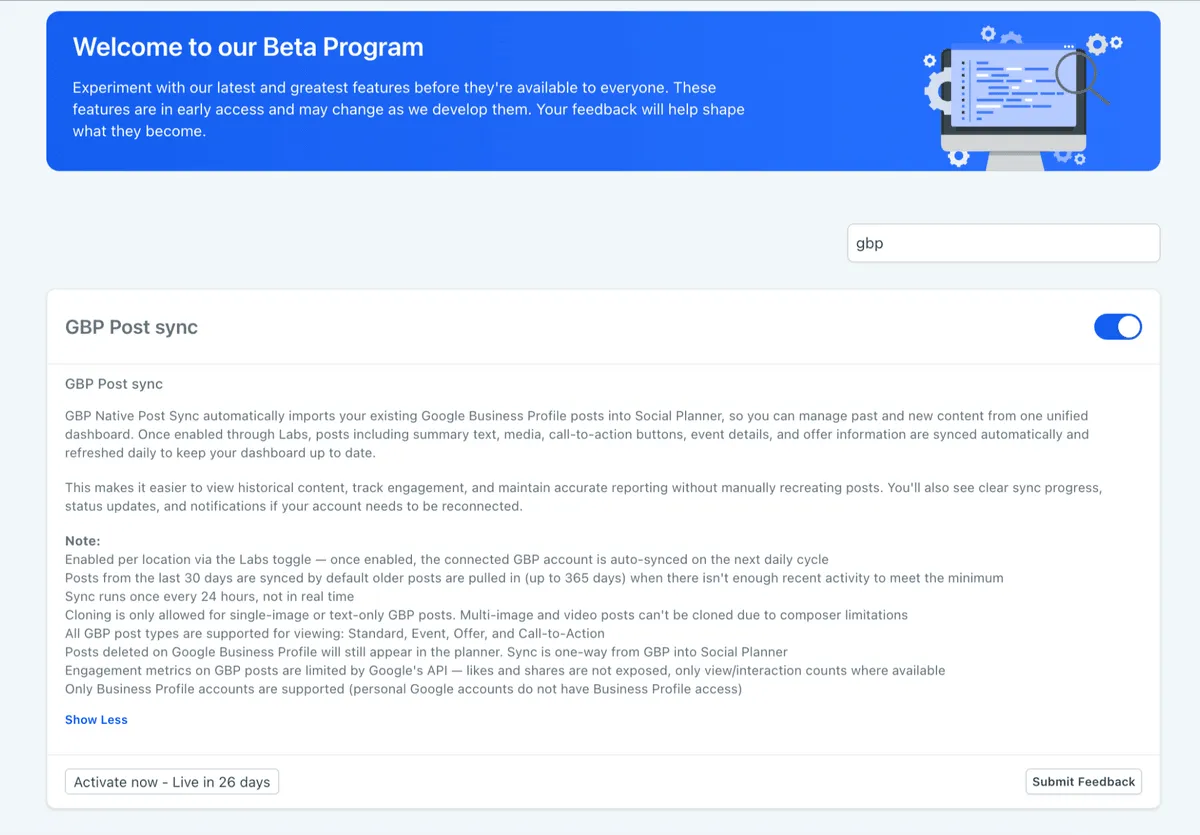
Google Business Profile Post Sync is available through Labs. Once enabled, SMBcrm can import published Google Business Profile posts into Social Planner so you can review historical and current content from one dashboard.
What changed
Social Planner can now sync existing Google Business Profile posts, including:
- Standard posts
- Event posts
- Offer posts
- Call-to-action posts
Synced posts retain supported details such as:
- Summary text
- Images and media
- Call-to-action buttons
- Event information
- Offer details
This gives teams a more complete content calendar by showing synced Google Business Profile posts alongside scheduled and published content from other social channels.
How sync works
Posts and supported engagement data refresh every 24 hours. Sync status updates and reconnect prompts appear when a connected Google Business Profile account requires attention.
By default, posts from the last 30 days are synced. If fewer posts exist, older posts can be imported automatically up to 365 days.
How to enable it
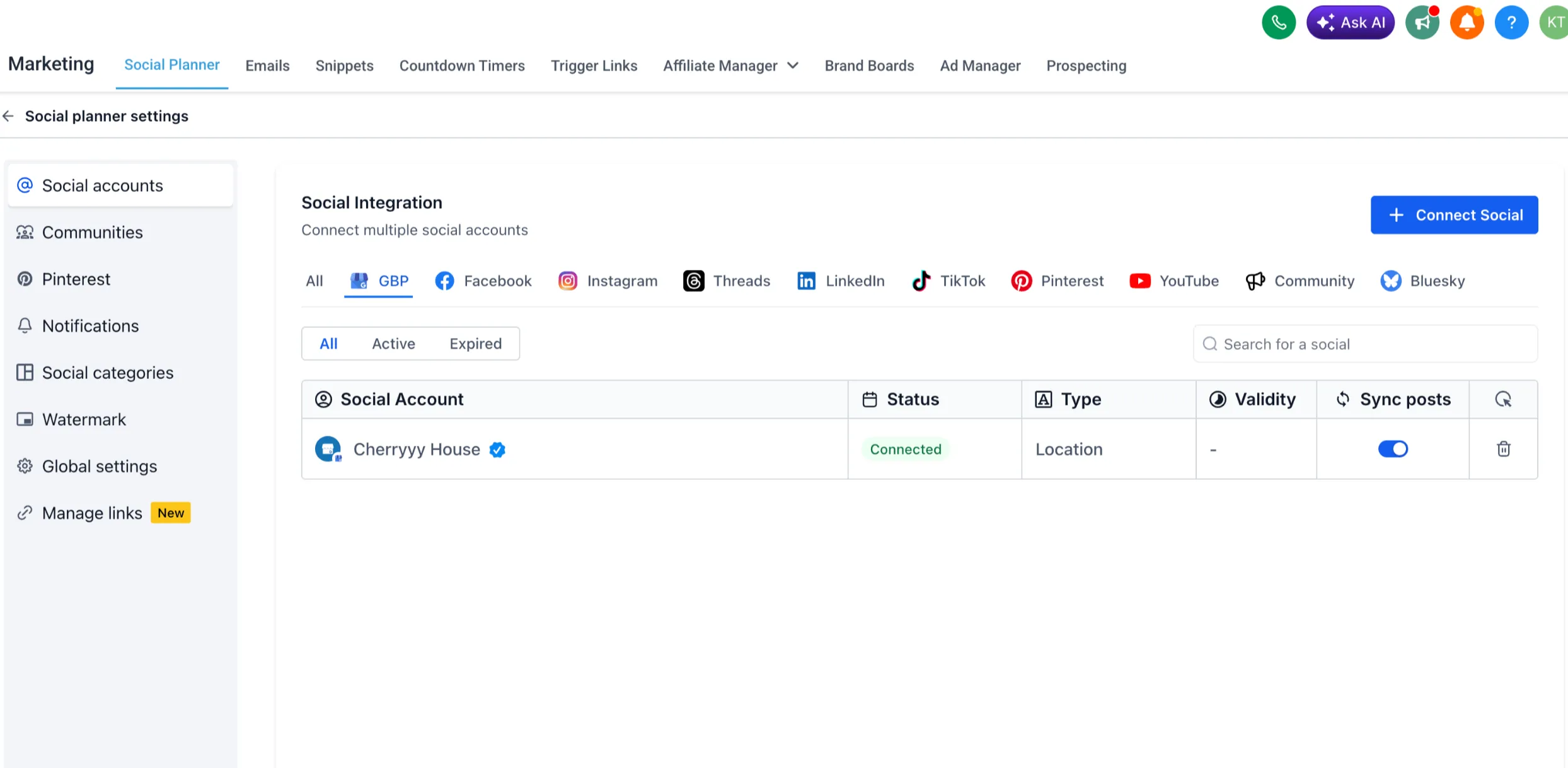
- Go to Marketing, then Social Planner, then Settings.
- Enable Google Business Profile Post Sync.
- Allow the initial sync to complete.
- View synced posts inside Social Planner.
Important notes
- The feature is available through Labs and must be enabled for each account.
- Sync runs every 24 hours and is not real-time.
- Cloning is supported for text-only and single-image posts only.
- Multi-image and video posts cannot be cloned due to composer limitations.
- Engagement metrics are limited to data supported by Google Business Profile APIs.
- Deleted Google Business Profile posts continue to appear in Social Planner because sync is one-way from Google Business Profile to Social Planner.
- This sync is supported only for Google Business Profile accounts.
Why it matters
Teams can manage Google Business Profile content with their other social channels, import historical posts without recreating them manually, and keep a more complete content history for reporting.
In Case You Missed It
For another Social Planner update, see Threads Comment Management in Social Planner.
Need Help Applying This Update?
Want help turning this update into a working part of your CRM, marketing, or automation setup?
Get Started or schedule a demo and we’ll help you map the right next step.
Explore this in SMBcrm
Connect the publishing plan to the next conversation.
Explore scheduling and publishing tools. Review the channels, approvals, and replies your team needs to manage.
Explore social media toolsAlready using this feature? Find setup help