SMBcrm calendars can now support multiple meeting duration options within a single calendar. This helps bookers choose the meeting length that works best without requiring separate calendars for each duration.
What Changed
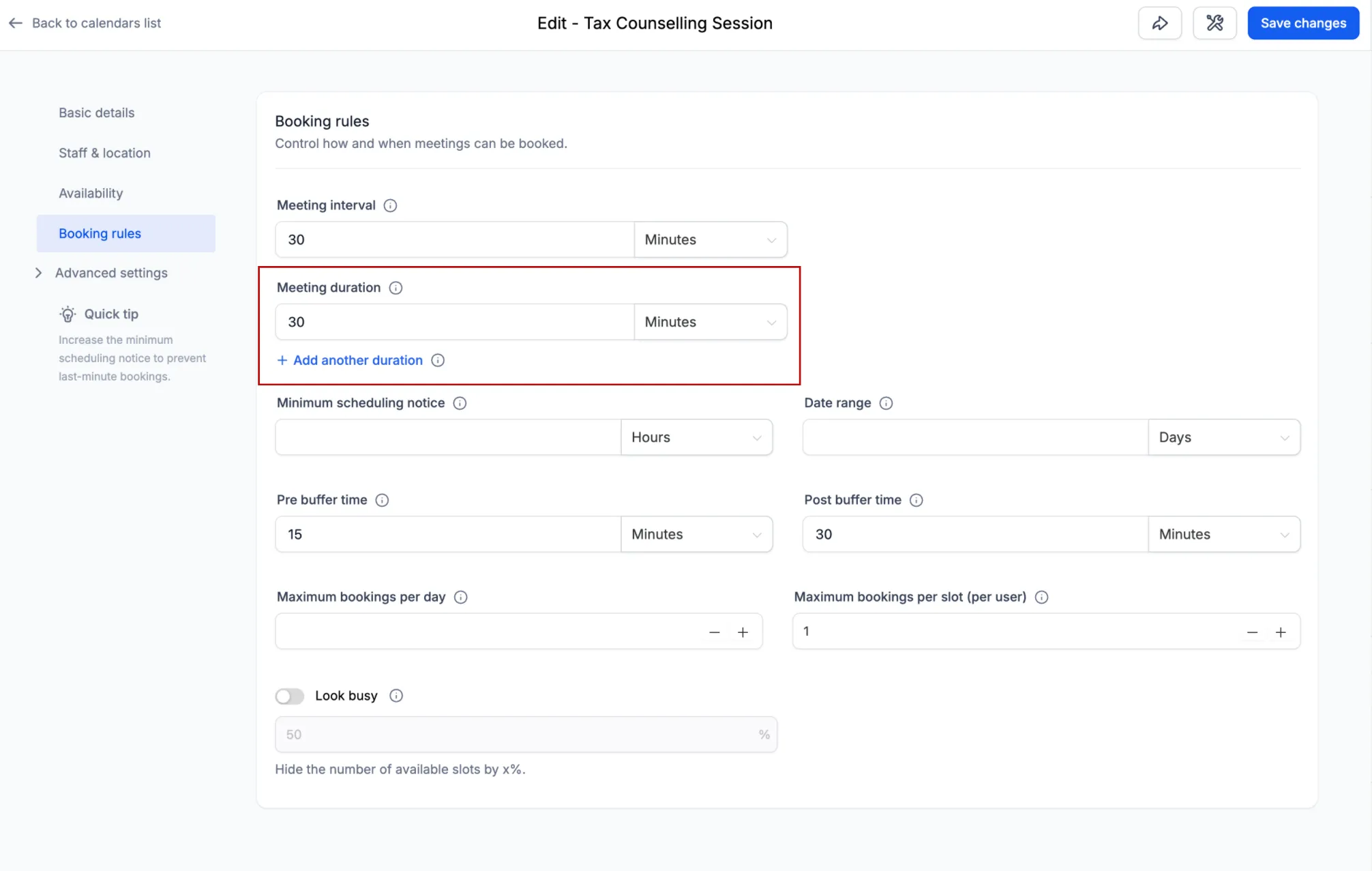
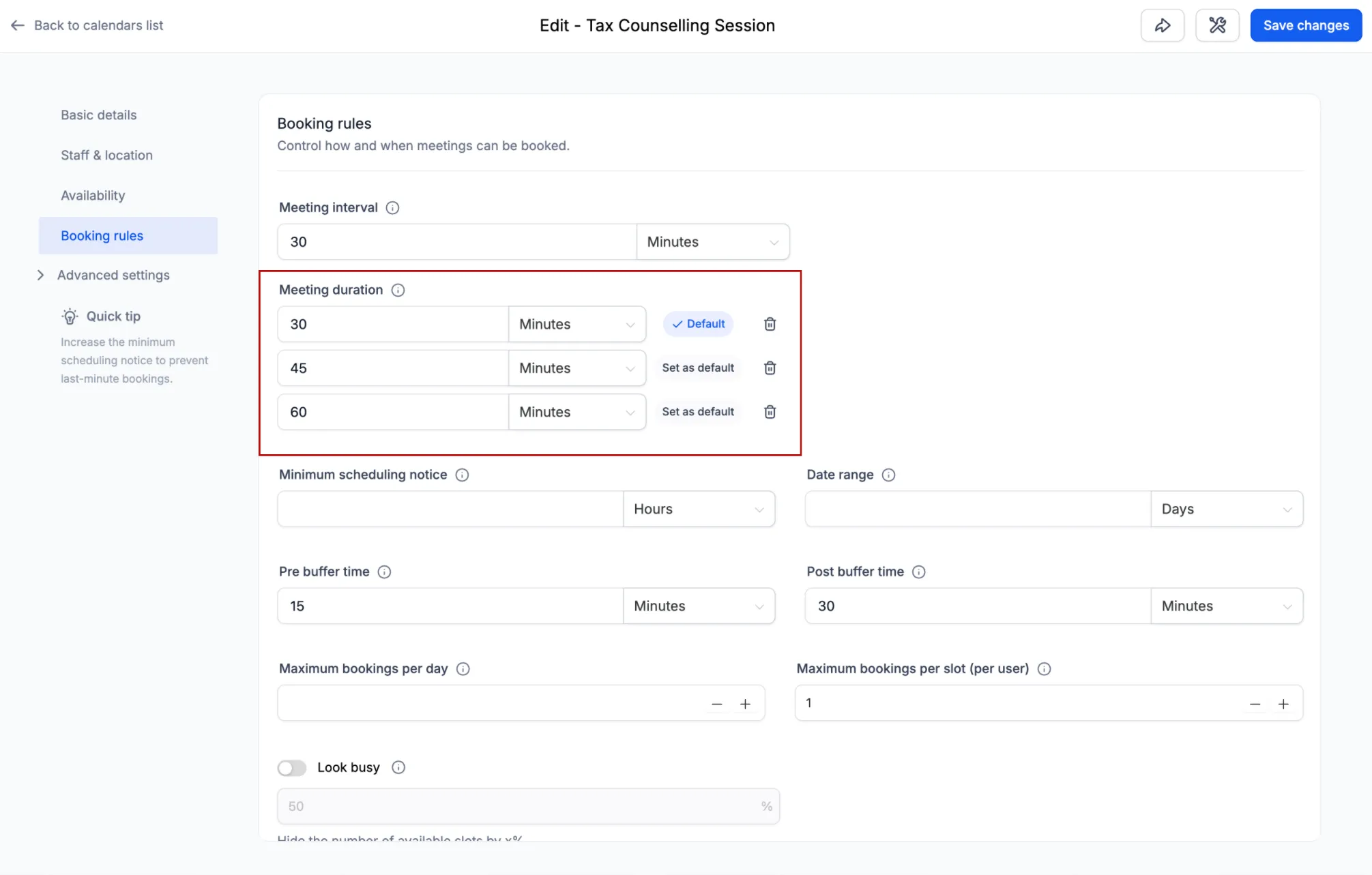
From calendar settings, you can now:
- Add up to 3 duration options
- Choose which duration is selected by default
- Add or remove duration options at any time
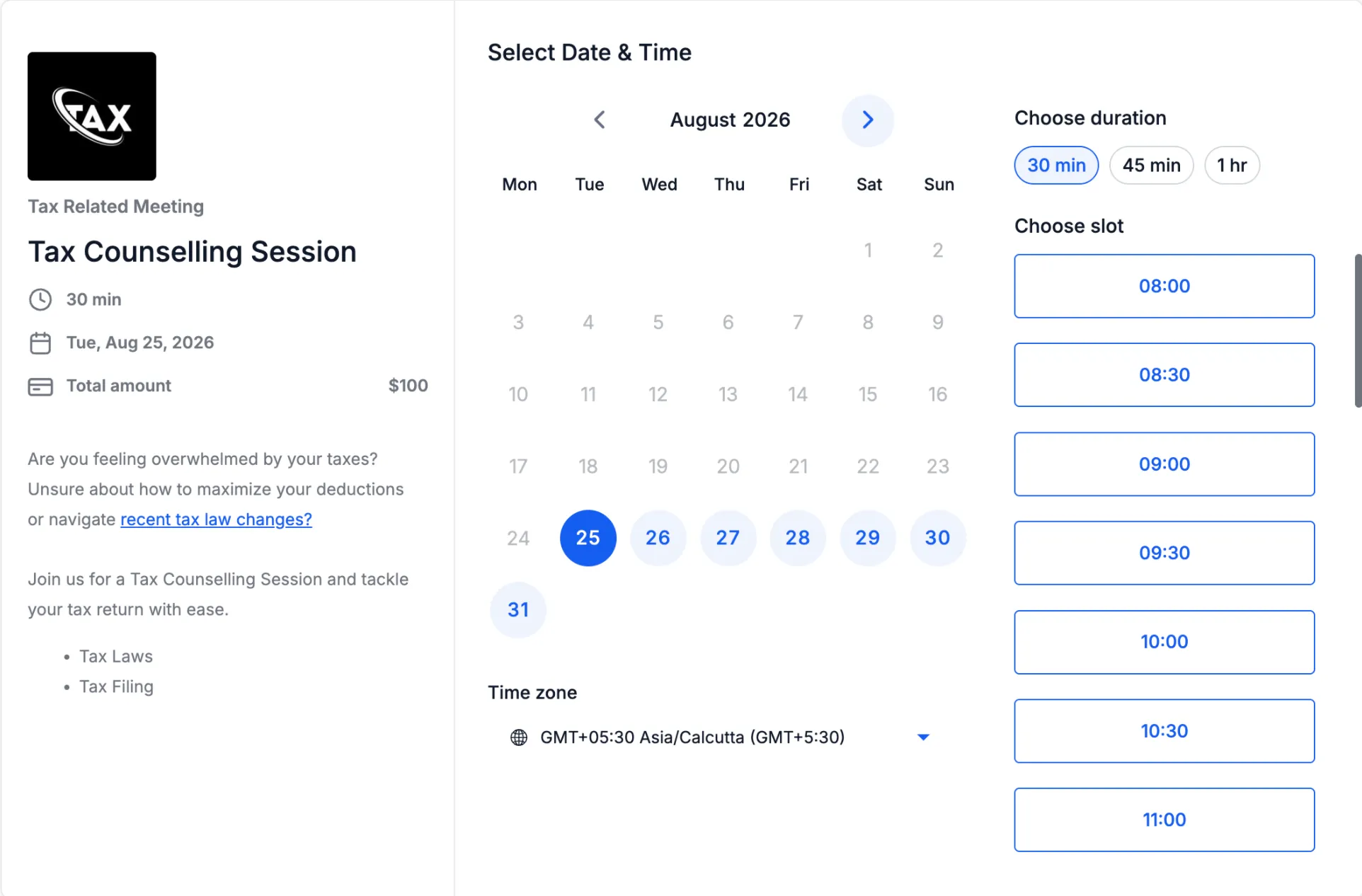
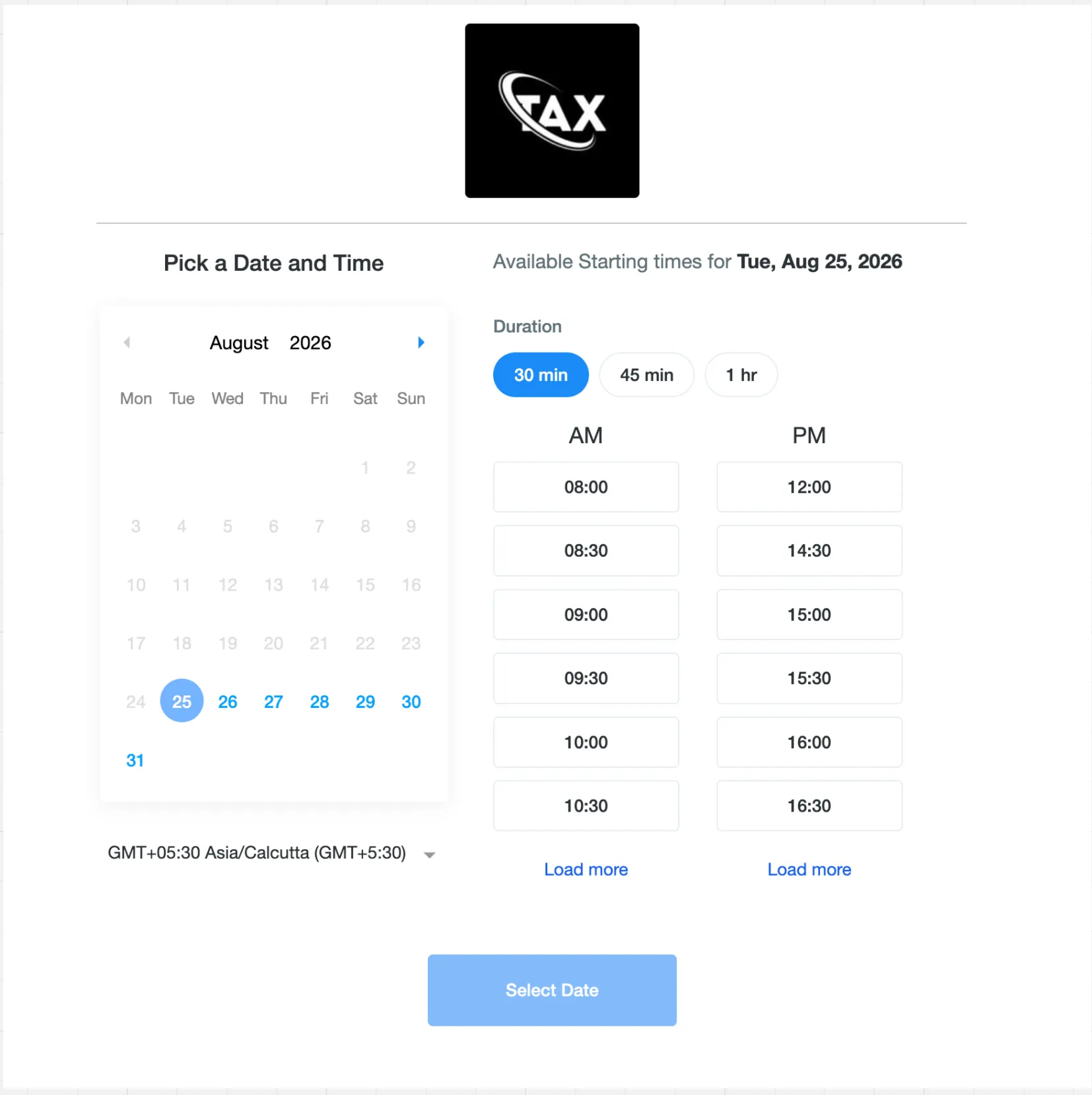
When multiple durations are configured, bookers see them as selectable options on the booking page. If they choose a different duration, availability refreshes automatically to show time slots that can support the selected meeting length.
If only one duration is configured, the booking experience remains unchanged.
Where It Works
Multiple meeting durations are supported across:
- Web and mobile booking pages
- Neo and Classic booking widgets
- In-app appointment booking on web
- SMBcrm Mobile app
The selected duration is also supported when rescheduling an appointment, so the meeting length can be changed along with the date or time.
Existing Appointments Stay Unchanged
Changing duration options does not modify or cancel existing appointments.
For example, if you remove a 30-minute duration while future 30-minute appointments are already booked, those appointments remain unchanged. Their calendar events, reminders, and notifications continue to use the originally booked duration.
New appointments can only use the duration options currently configured on the calendar. When rescheduling, bookers see the calendar’s currently available durations. If their original duration is no longer offered, they must select a new duration before completing the reschedule.
In Case You Missed It
For another calendar setup improvement, read Calendar AI Helps Set Up Booking Calendars.
Supported Calendar Types
This update is available for:
- Personal calendars
- Round Robin calendars
- Collective calendars
- Event calendars
Release Images
Need Help Applying This Update?
Want help turning this update into a working part of your CRM, marketing, or automation setup?
Get Started or schedule a demo and we’ll help you map the right next step.
Explore this in SMBcrm
Connect booking to the next conversation.
Explore calendars and lead capture, then see how a booking fits into the wider CRM workflow.
Explore calendars and lead captureAlready using this feature? Find setup help