SMBcrm now supports requesting contact info from customers who message through WhatsApp usernames, helping teams capture phone numbers when customers choose to share them.
What changed
When a customer messages you using a WhatsApp username, WhatsApp may share only the username instead of the phone number. You can now request the customer’s contact info from a WhatsApp template or from an automated workflow.
This helps turn a username-only lead into a contact that can be reached through phone-based follow-up in SMBcrm’s CRM and communication tools.
Request contact info from templates
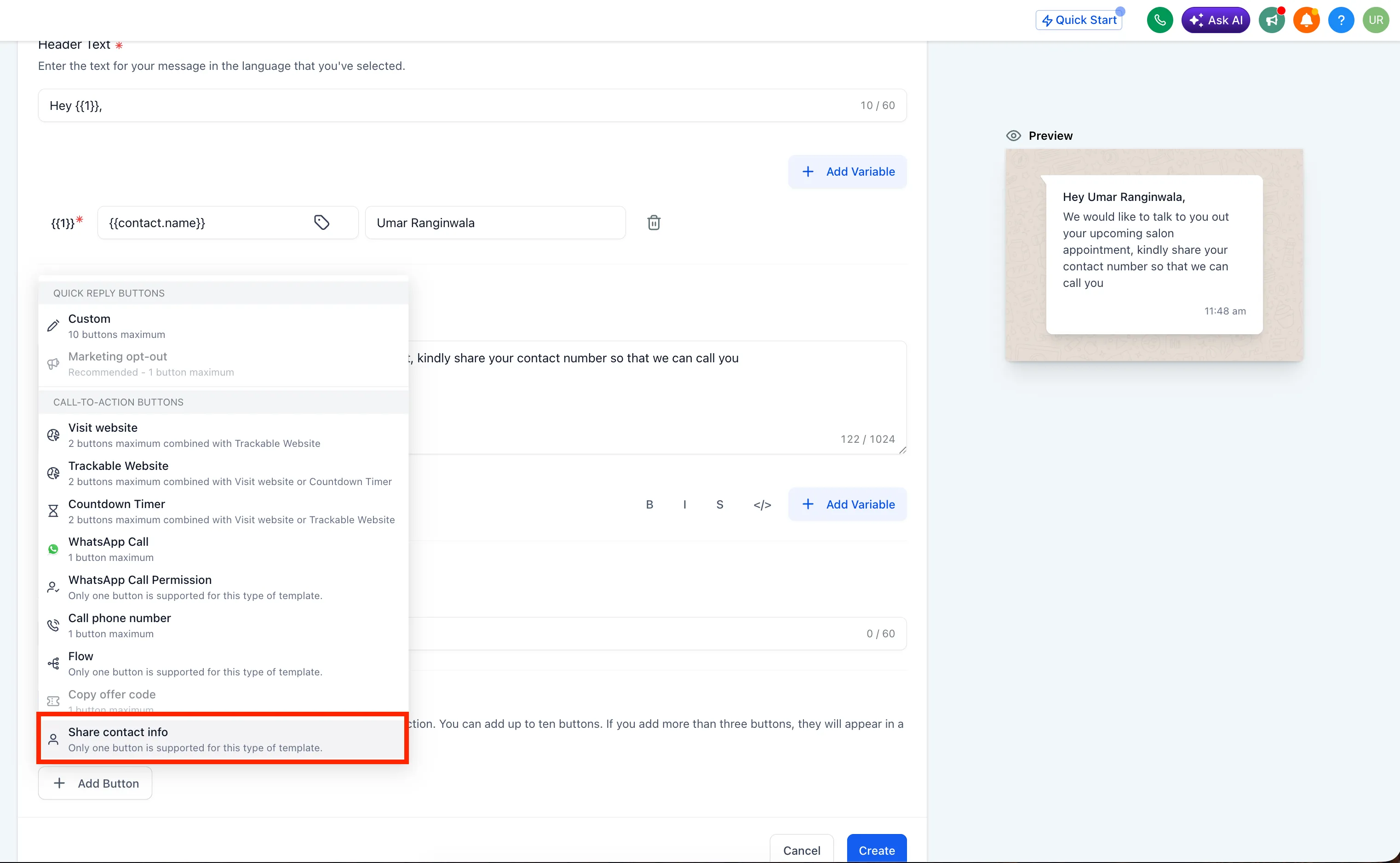
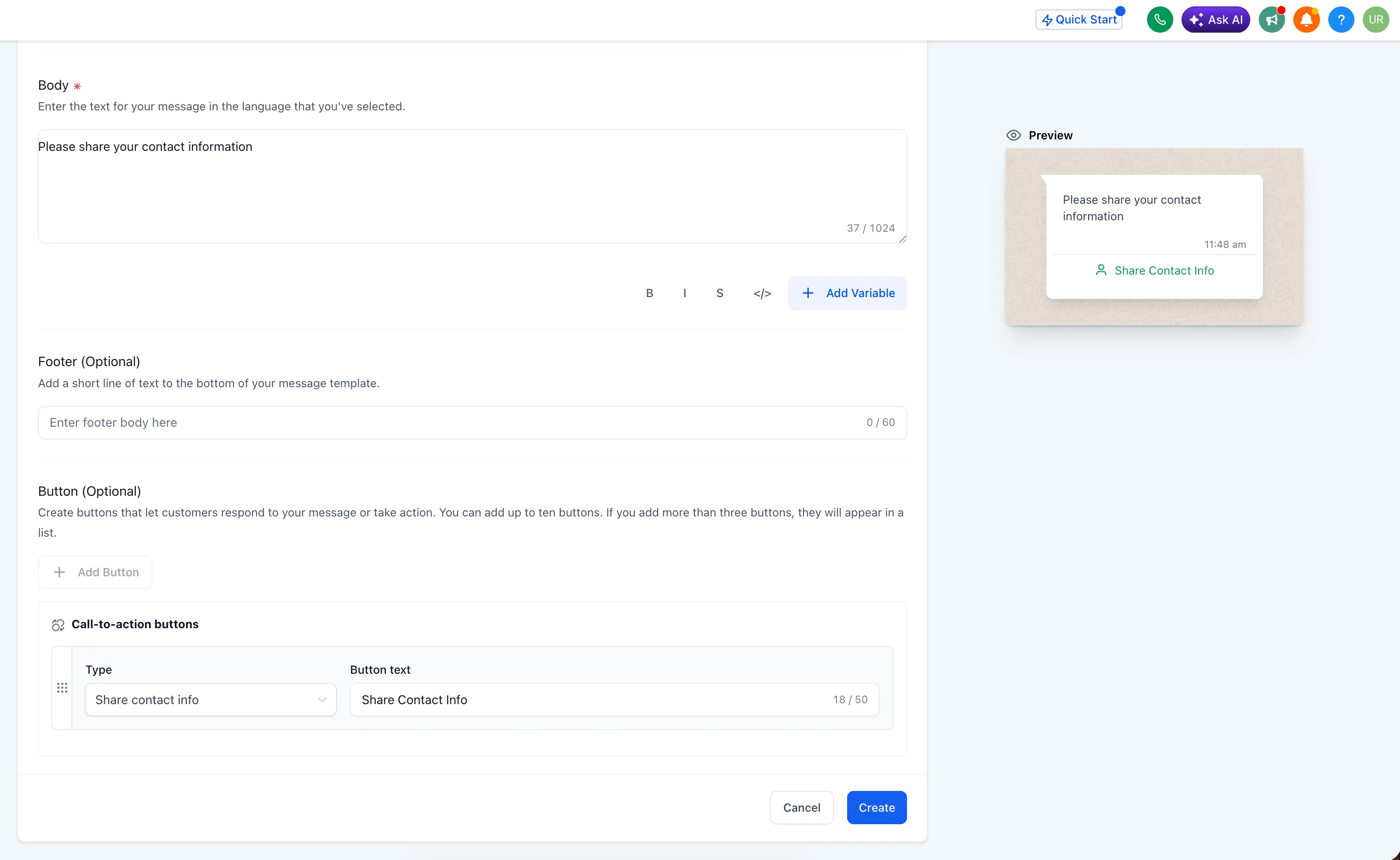
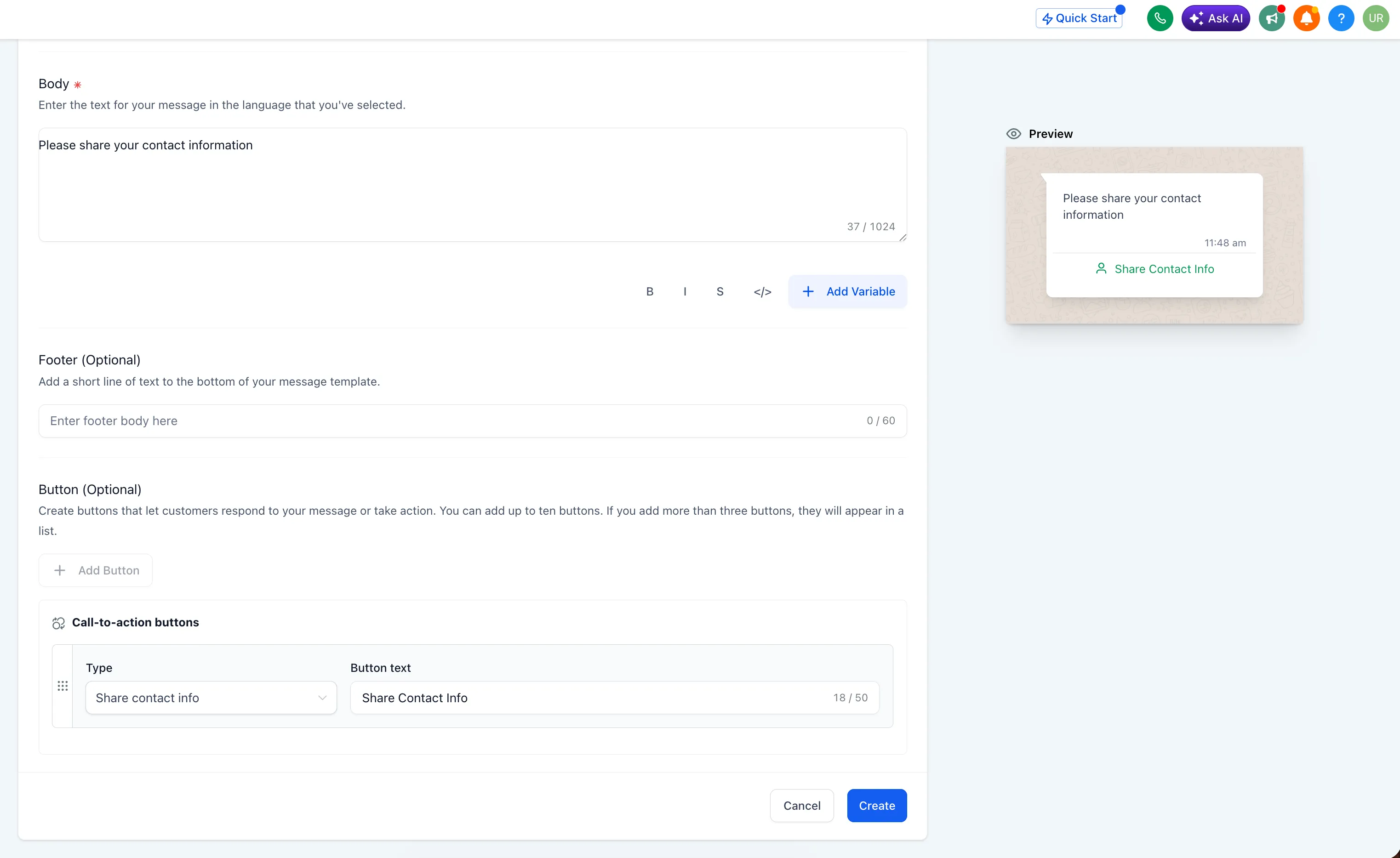
Add a Share contact info button to utility and marketing WhatsApp templates. When the customer taps the button, their phone number is shared and captured on the contact record.
Automate the request in workflows
You can also send the request as an interactive WhatsApp message from a workflow action. Set the interactive message type to Request Contact Info and add the message body for the automated step.
Keep contact records clean
When a phone number is shared, SMBcrm adds it to the contact only if no existing contact already has that number. This helps prevent duplicate phone-number records during higher-volume recovery.
WhatsApp calling support
WhatsApp calling now works for contacts who use usernames, so adopting a username no longer removes those contacts from WhatsApp calling flows.
How to activate it
- Go to Settings > WhatsApp > Templates.
- Create or edit a template.
- Under Button (Optional), choose Share contact info.
- To automate the request, go to Workflow > Action > WhatsApp interactive messages.
- Set Interactive message type to Request Contact Info and add your message body.
Why it matters
WhatsApp usernames give customers more phone-number privacy, but they can leave businesses with contacts they cannot call, export, or use in phone-based automations. Requesting contact info gives customers a one-tap way to share their number while helping teams preserve database quality.
In Case You Missed It
For another recent update, read Zero-Dollar Checkout in Forms and Surveys.
Release Images
Need Help Applying This Update?
Want help turning this update into a working part of your CRM, marketing, or automation setup?
Get Started or schedule a demo and we’ll help you map the right next step.