SMBcrm now validates WhatsApp template variables inline while you type in the Create WhatsApp Template builder. This helps users catch formatting mistakes before saving a template that WhatsApp would reject later.
What Changed
The builder now checks variable placeholders in the header and body as the template is being written.
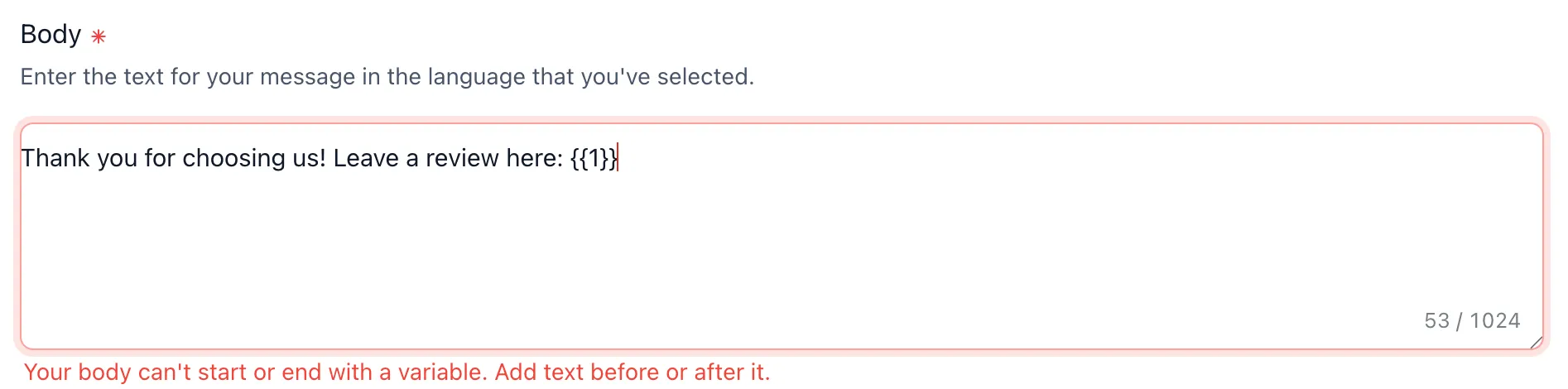
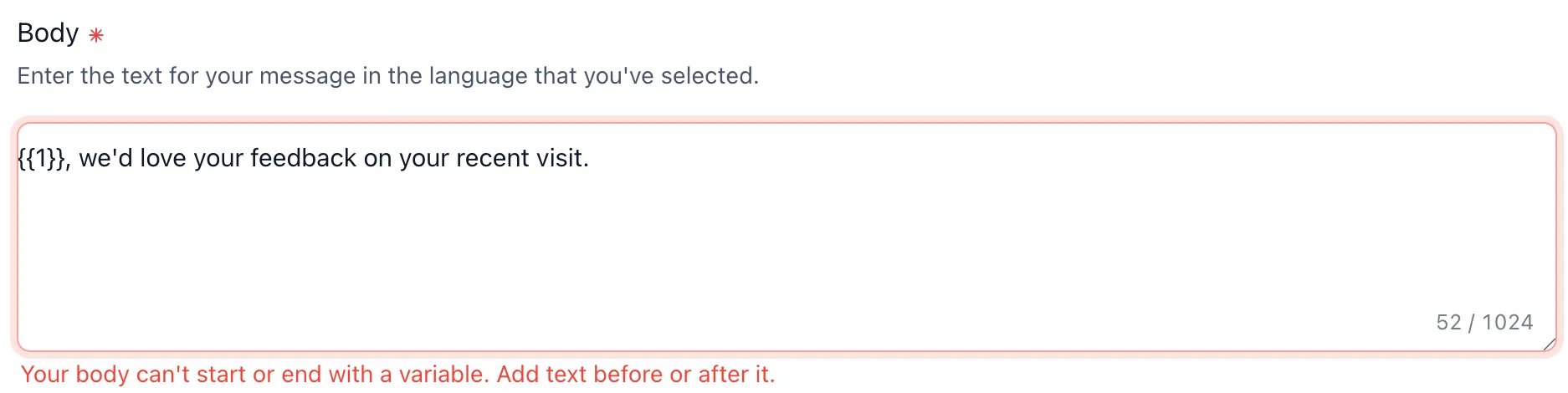
Variables Cannot Start or End the Message Body
WhatsApp rejects a message body that begins or ends with a variable. SMBcrm now flags that issue and blocks saving until text is added around the variable.
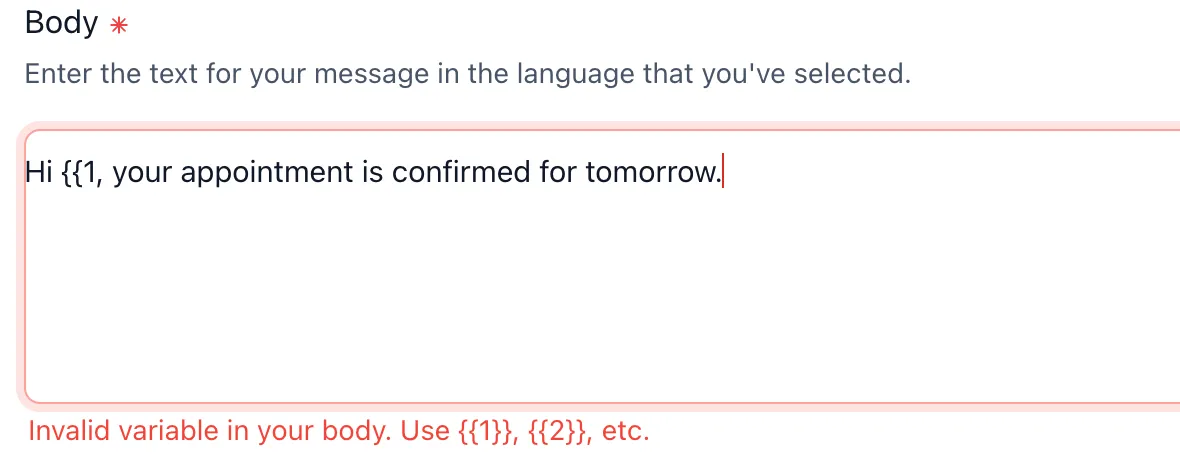
Invalid Variable Formats Are Flagged Inline
Only numbered placeholders such as {{1}}, {{2}}, and so on are valid. The builder now catches broken tokens like {{1$}}, unbalanced braces like {{1, and extra braces like {{1}}} with guidance toward the correct format.
Reputation Review-Request Preset Was Cleaned Up
The default reputation review-request template previously ended with a trailing variable. That preset has been updated so newly created reputation templates pass validation without manual edits.
How to Use It
There is nothing to enable. Validation is built into the Create WhatsApp Template builder under Settings > WhatsApp > Templates.
As you create templates for customer communication, invalid variables are flagged inline before the template can be saved.
Why It Matters
Rejected WhatsApp templates can create avoidable rework. Instead of saving a template, waiting for a rejection, and trying to interpret the issue afterward, users can now fix variable mistakes immediately in the builder.
This helps teams:
- Set up WhatsApp templates with fewer preventable errors
- Avoid post-save rejection round trips caused by invalid placeholders
- Reduce confusion around common WhatsApp formatting rules
In Case You Missed It
For another recent WhatsApp improvement, read WhatsApp Composer and Settings Load More Reliably.
Release Images
Need Help Applying This Update?
Want help turning this update into a working part of your CRM, marketing, or automation setup?
Get Started or schedule a demo and we’ll help you map the right next step.