SMBcrm now supports Gift Card redemption when businesses collect or record payments on behalf of customers. This creates a more consistent redemption process across customer-facing checkout and business-initiated payment flows in Payments & Commerce.
What Changed
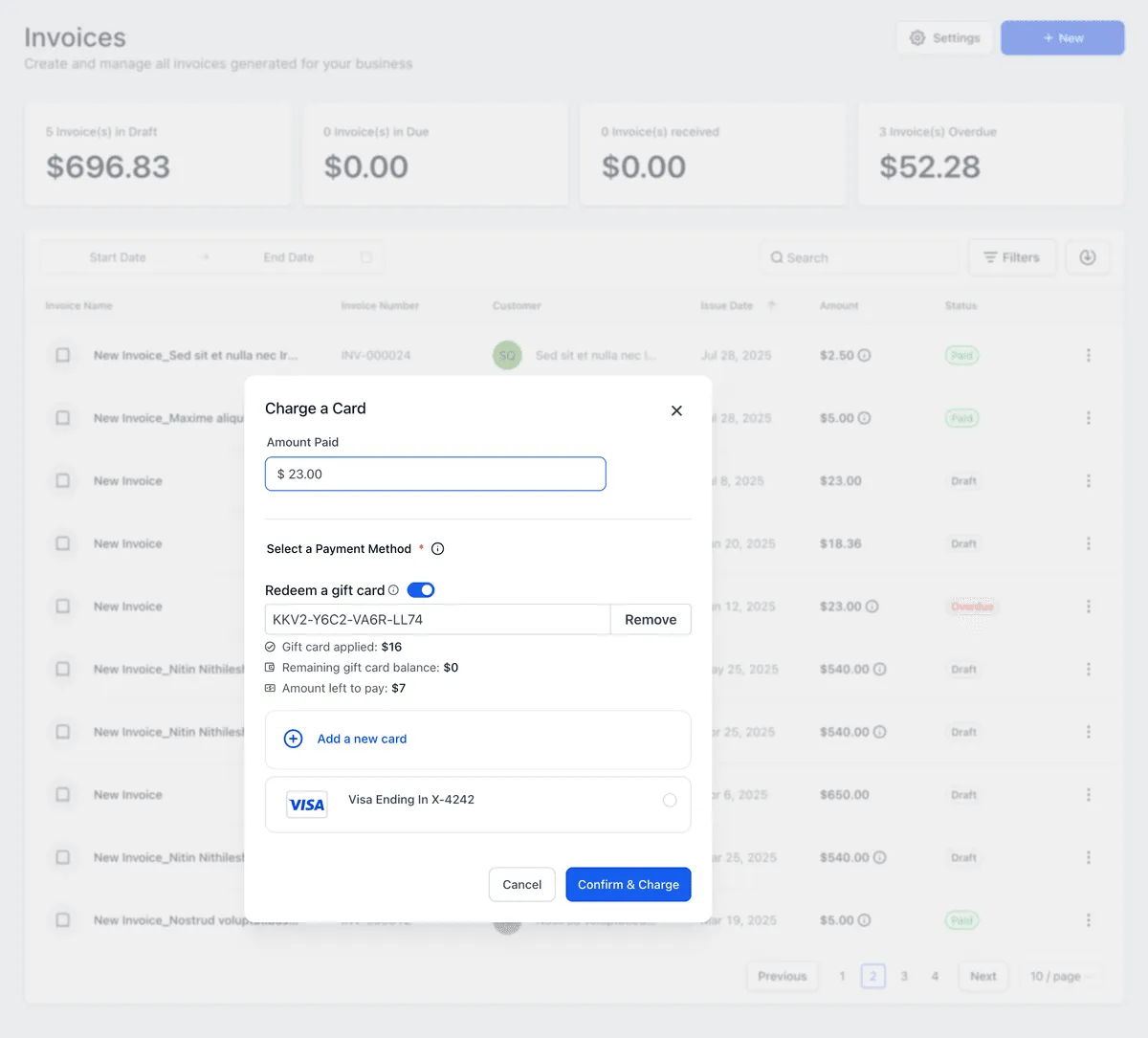
When collecting a payment, users can enter a customer’s Gift Card code, validate it, and apply the available balance before charging any remaining amount to the customer’s saved payment method.
Gift Card redemption is supported in:
- Payments > Orders > Record Payment > Charge a Card
- Payments > Invoices > Record Payment > Charge a Card
- Contacts > Charge Now
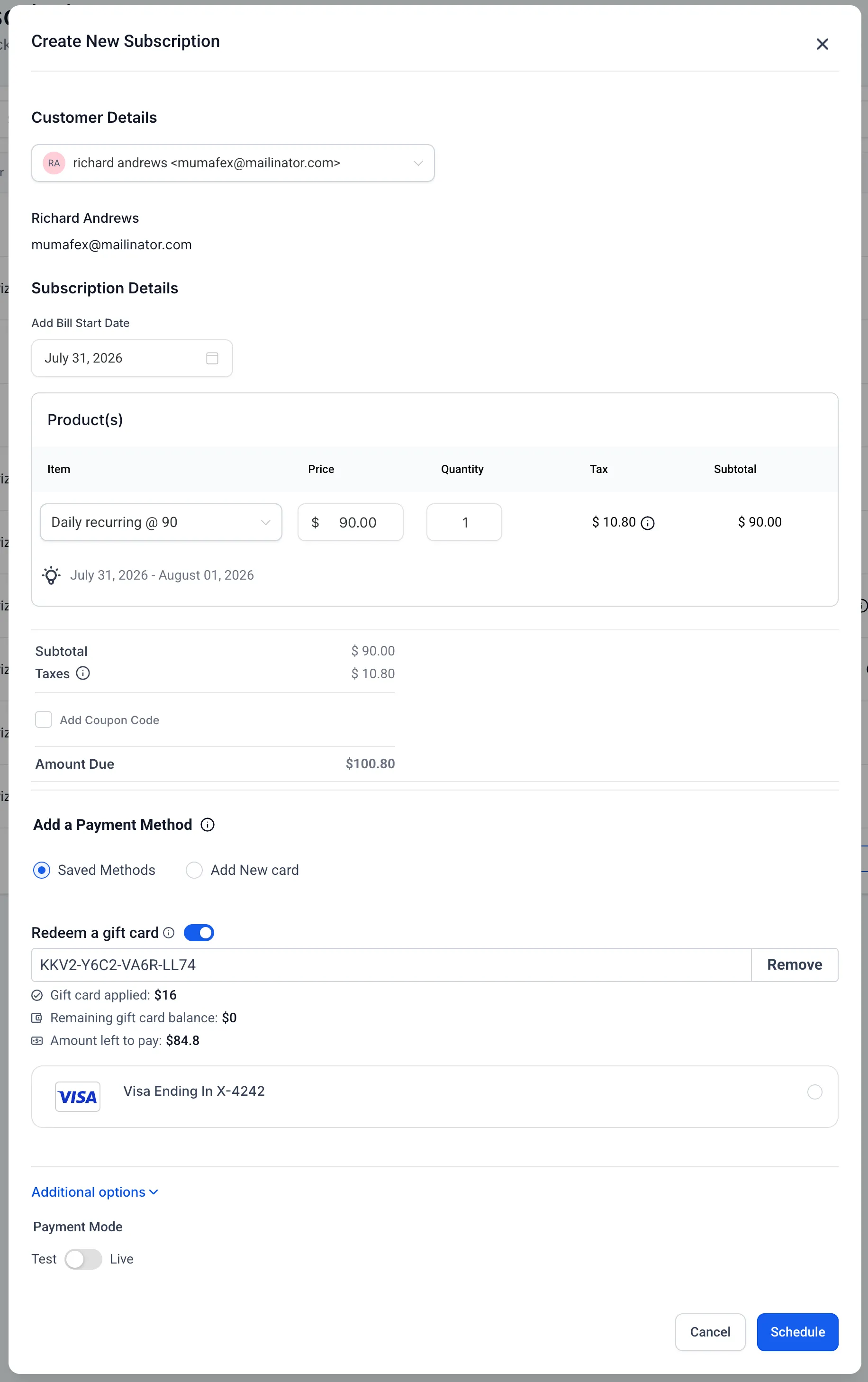
- Contacts > Create Subscription
- Payments > Subscriptions > Create Subscription
For Create Subscription, Gift Cards are currently not redeemable on future-dated or scheduled subscriptions. Support for that capability is planned.
How Redemption Works
Gift Card redemption follows the same logic used in customer-facing checkouts:
- If the Gift Card balance covers the full payment amount, the payment is completed using the Gift Card.
- If the balance is lower than the amount due, the Gift Card balance is redeemed first and the remaining amount is charged to the customer’s saved payment method.
- Validation messages appear for invalid, expired, or zero-balance Gift Cards.
Improved Payment Visibility
When a Gift Card is redeemed, transaction details show the amount paid with the Gift Card. Split payments display the Gift Card amount separately from the remaining amount collected through another payment method.
The associated Gift Card Order is also updated with the remaining balance after each successful redemption.
Where to Find It
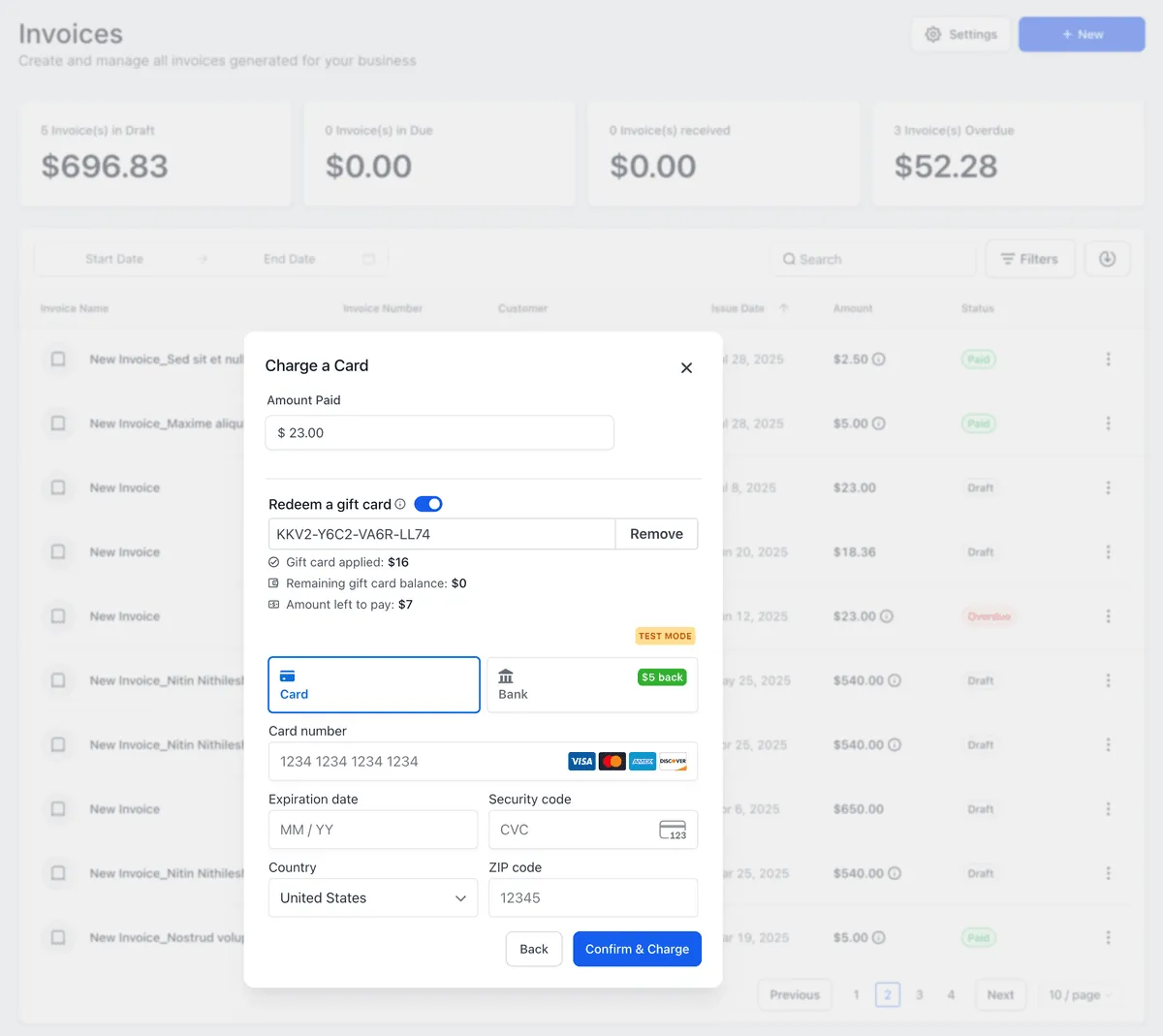
Gift Card redemption is available while collecting payments through Orders, Invoices, Charge Now, and eligible subscription creation flows. Enter the customer’s Gift Card code during payment and click Apply before completing the payment.
Planned Improvements
Planned enhancements include Gift Card redemption through Calendars and POS, user permissions for Gift Card redemption, validity configurations on individual gift card orders, and the ability to void or cancel issued gift card orders.
In Case You Missed It
See AI Studio Form Submissions Can Trigger Workflows for another recent SMBcrm workflow update.
Need Help Applying This Update?
Want help turning this update into a working part of your CRM, marketing, or automation setup?
Get Started or schedule a demo and we’ll help you map the right next step.