SMBcrm now supports 7 additional schema types in the manual schema markup flow, expanding parent-level support from 12 to 19 types.
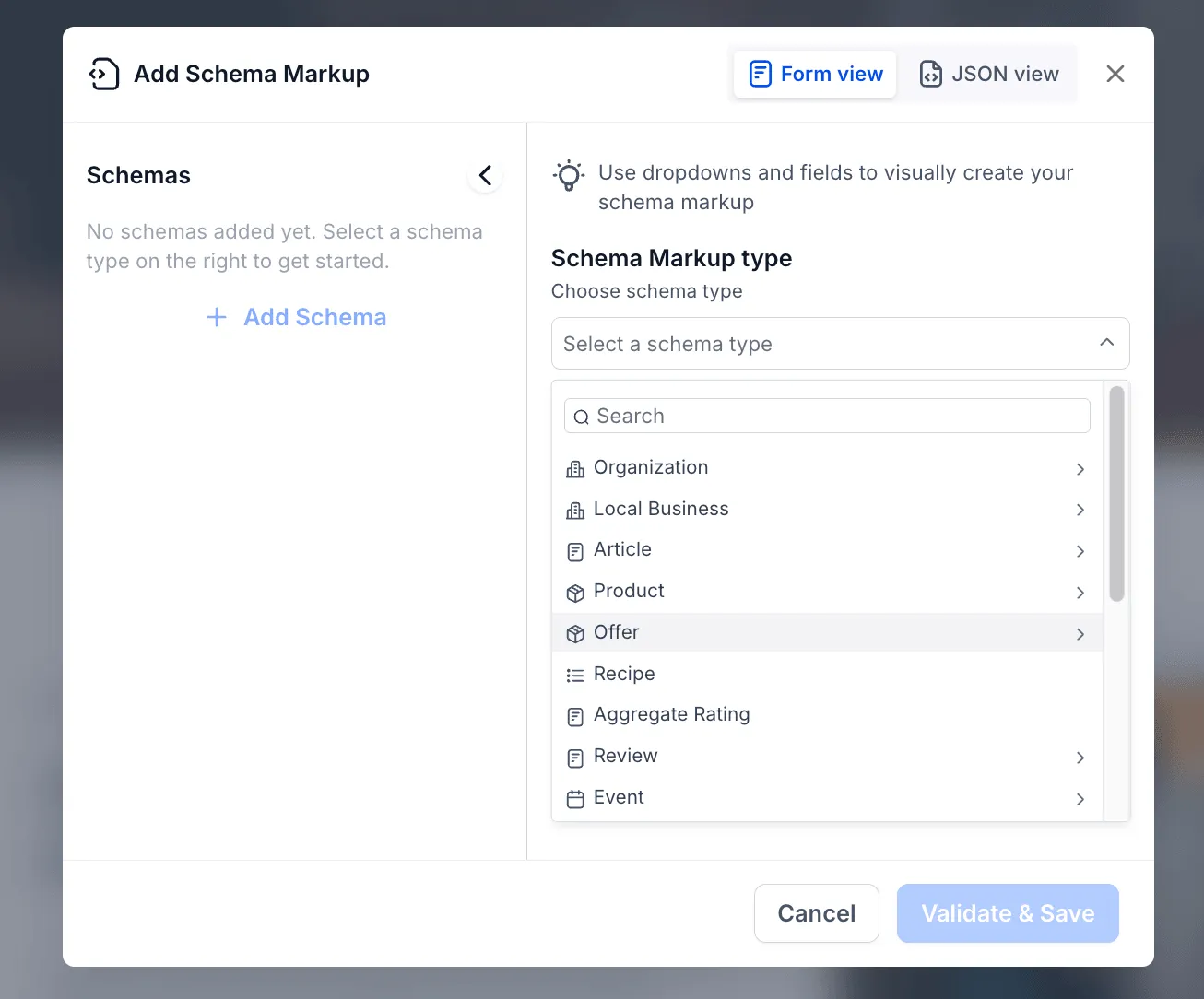
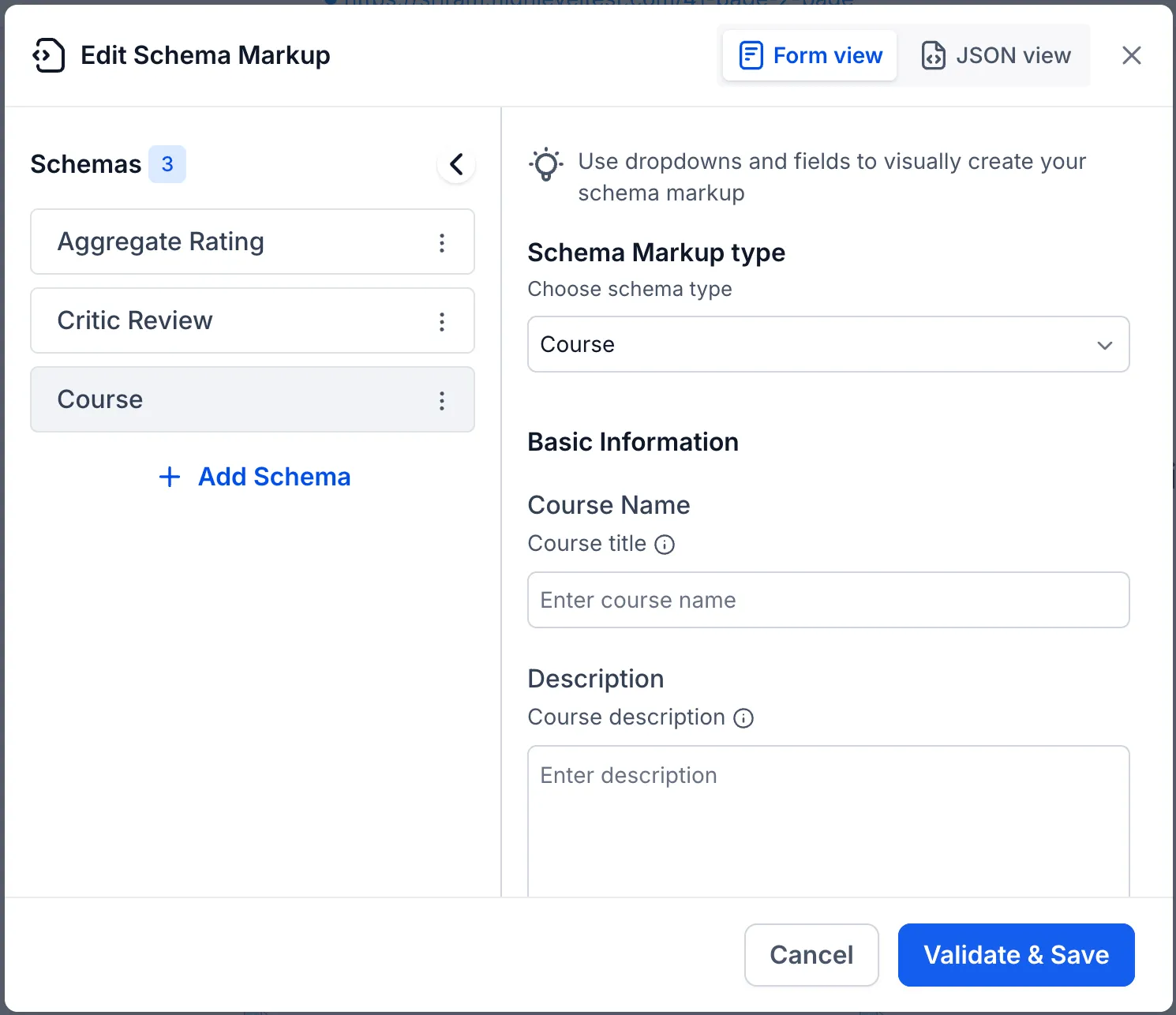
Users will see the added options in the existing Add Schema Markup or Edit Schema Markup popup. No workflow changes are required.
Added Schema Types
The manual schema markup flow now supports:
- Offer
- Review
- Aggregate Rating
- Recipe
- ImageObject
- Service
- Course
This applies to the manual flow only. The AI-assisted flow already supports all Schema.org types.
Supported Areas
The expanded schema type support applies to:
- Website pages
- Funnel pages
How It Works
- Click Add Schema or Edit Schema Markup.
- Select a schema type from the dropdown by searching or scrolling.
- Fill in the fields using Form view, or paste JSON-LD using JSON view.
- Click Validate & Save.
Existing schema markups are unaffected. The additional types simply appear as new dropdown options.
Why It Matters
Businesses in categories such as e-commerce, food, education, and services can now add more category-specific structured data to website and funnel pages. This can help improve rich result eligibility on Google.
More precise schema markup can also help large language models better understand and cite business content, increasing the chance that content is referenced in AI-generated responses.
In Case You Missed It
For another recent workflow improvement, read Dynamic Me Filter and Contact Notes in Opportunities.
Need Help Applying This Update?
Want help turning this update into a working part of your CRM, marketing, or automation setup?
Get Started or schedule a demo and we’ll help you map the right next step.
Explore this in SMBcrm
Connect a website visit to a useful next step.
Explore website and funnel tools, then plan the form, booking, or conversation that follows a visit.
Explore website and funnel toolsAlready using this feature? Find setup help