SMBcrm now supports working-hour schedules for Conversation AI agents. Each agent can have its own schedule, channel rules, and after-hours handling so replies better match your business operations.
What changed
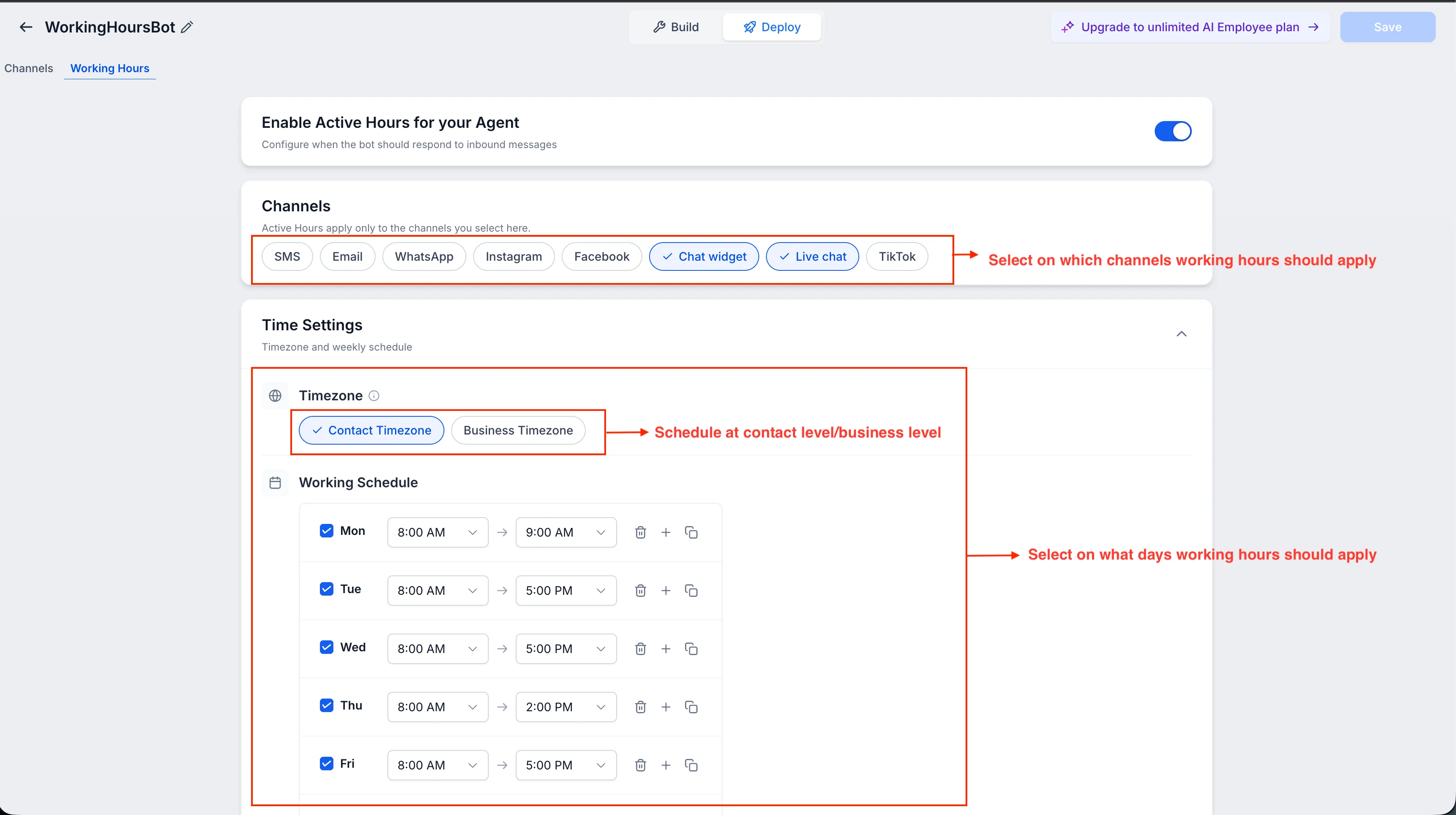
You can now configure working hours per agent, including different days, different time windows, and multiple time slots for breaks or split shifts.
Working hours can apply only to selected channels, including SMS, email, WhatsApp, Instagram, Facebook, Chat Widget, Live Chat, and TikTok. Channels you do not select can continue responding at any time through your customer communication tools.
After-hours handling
When customers message outside working hours, SMBcrm can:
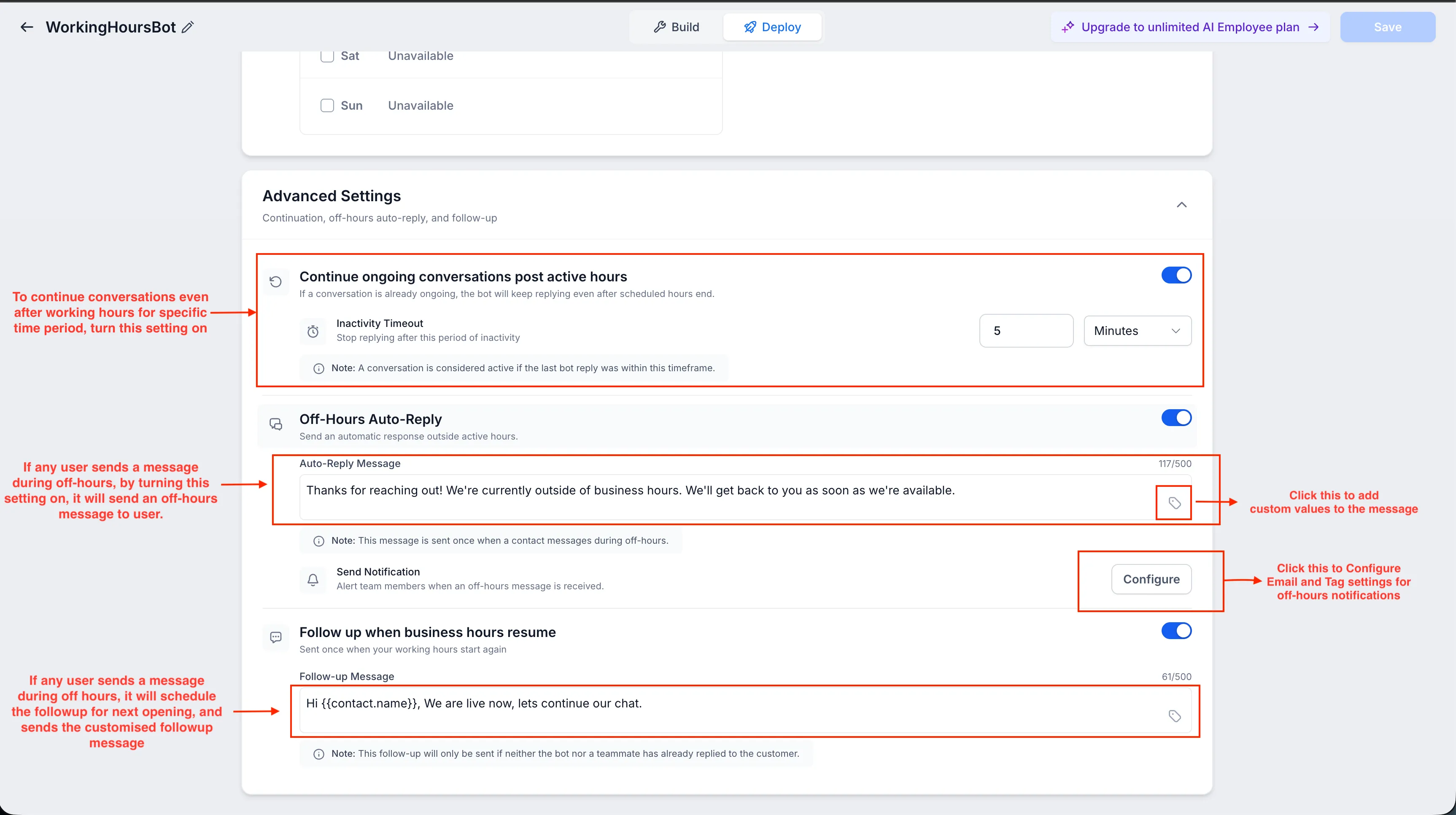
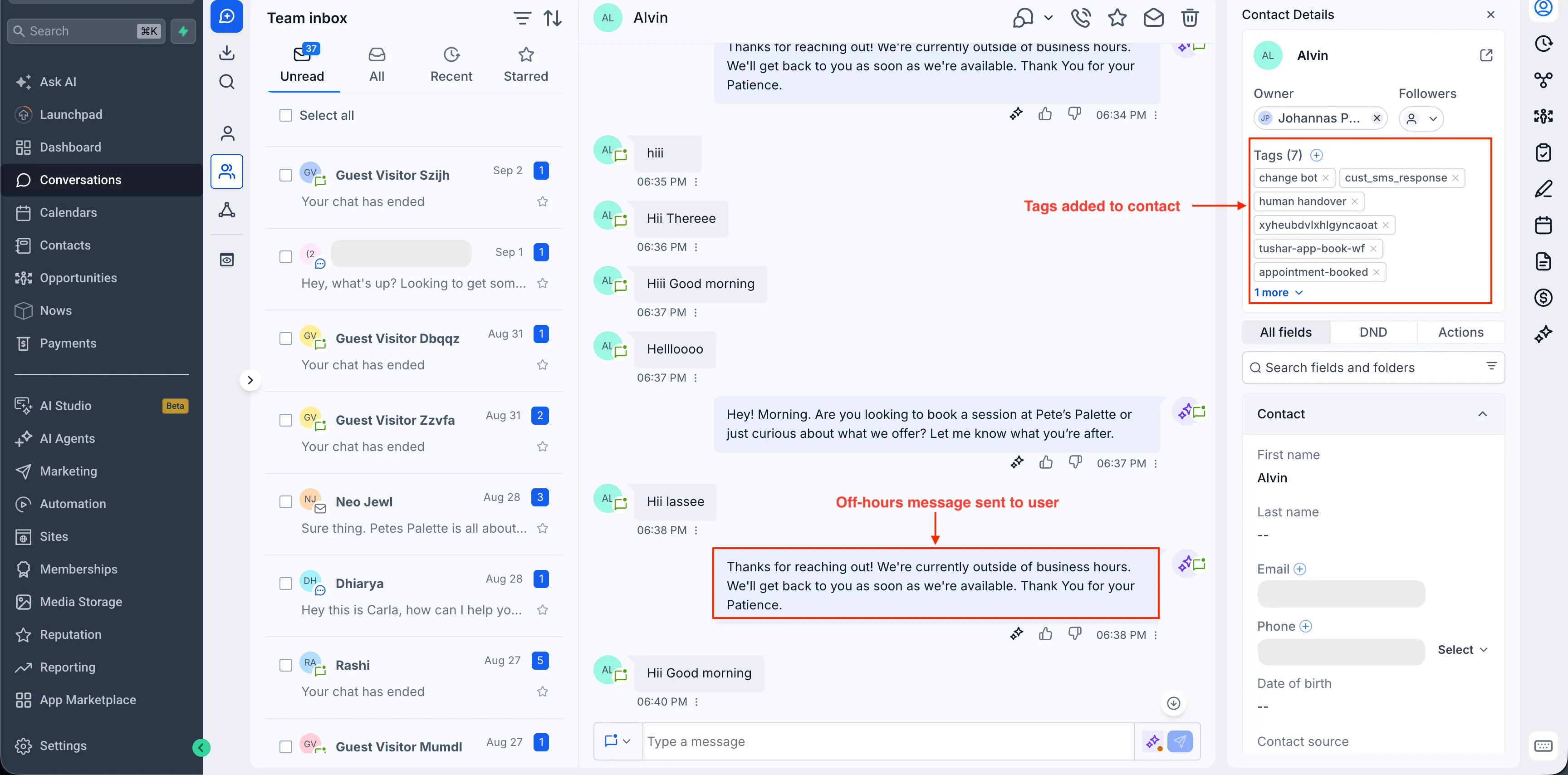
- Send a custom off-hours auto-reply using supported custom values
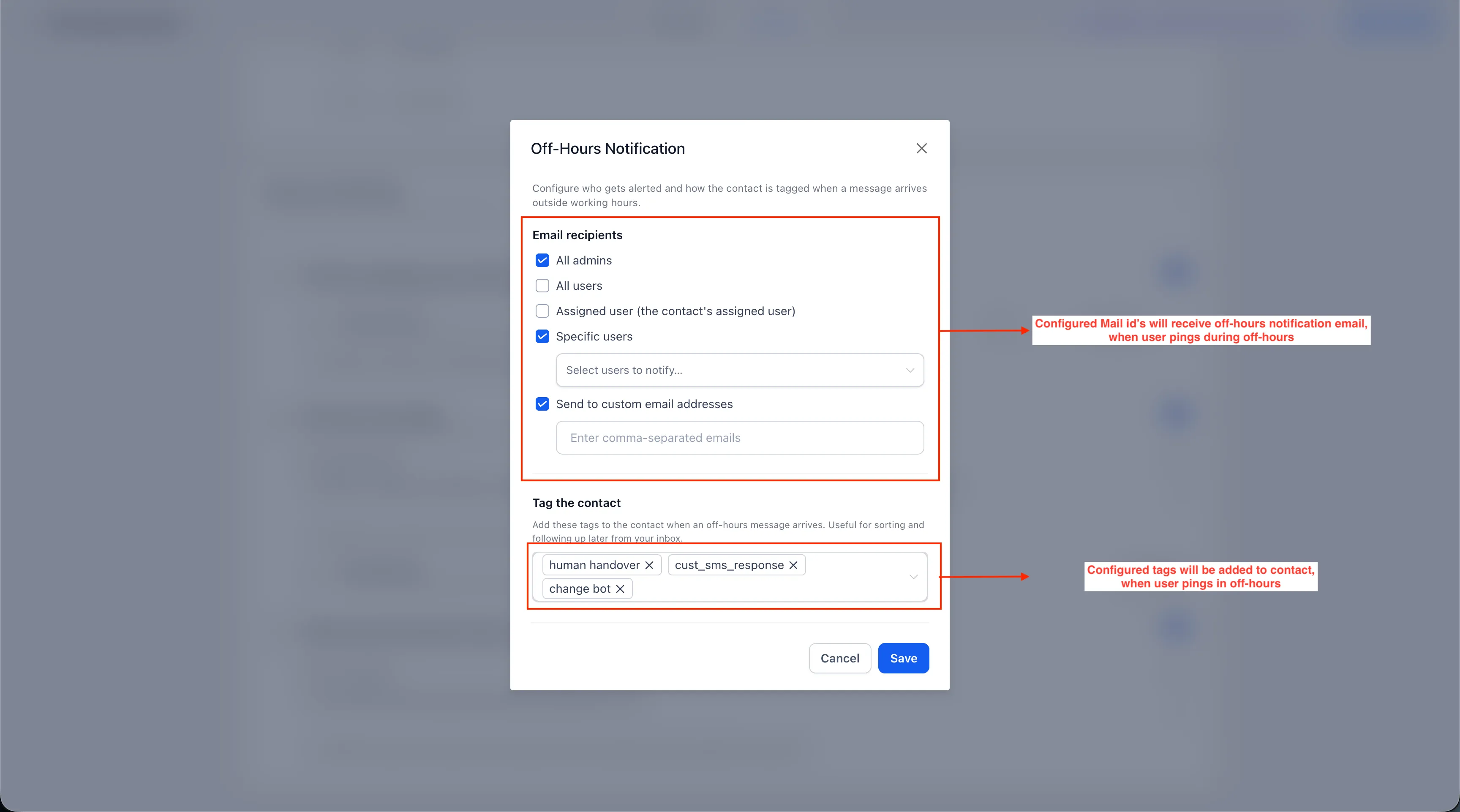
- Notify admins, users, assigned users, selected team members, or custom email addresses
- Add selected tags to contacts who message after hours
- Send a follow-up when business hours resume if the customer has not already received a response from the agent or a team member
If a conversation starts during working hours, the agent can continue replying after closing time until the conversation becomes inactive.
Additional details
Working hours are optional. If they are not enabled, the agent continues responding at any time.
Schedules can use either the contact time zone or the business time zone. Off-hours auto-replies, notifications, and tags are triggered once per closed period, so customers do not receive the same acknowledgment for every after-hours message.
In Suggestive Mode, suggestions can still be generated after working hours for your team. If follow-up hours are also configured for Advanced Follow-Up, the agent working hours take priority for the channels included in the agent schedule.
Agents can still be manually activated outside working hours from the conversation panel when needed.
In Case You Missed It
For another communication update, read Privacy and Terms URLs Required for Toll-Free Verification.
Release Images
Need Help Applying This Update?
Want help turning this update into a working part of your CRM, marketing, or automation setup?
Get Started or schedule a demo and we’ll help you map the right next step.