SMBcrm Events now supports Meta Pixel tracking for Events Beta users, giving organizers more visibility into how visitors move from discovering an event to completing an RSVP or ticket purchase.
Organizers can add a Meta Pixel ID directly to an event and map supported attendee actions to Meta events. Tracking can be configured independently for each event.
What Changed
Meta Pixel setup in event settings
Events Beta users can add a Meta Pixel ID from:
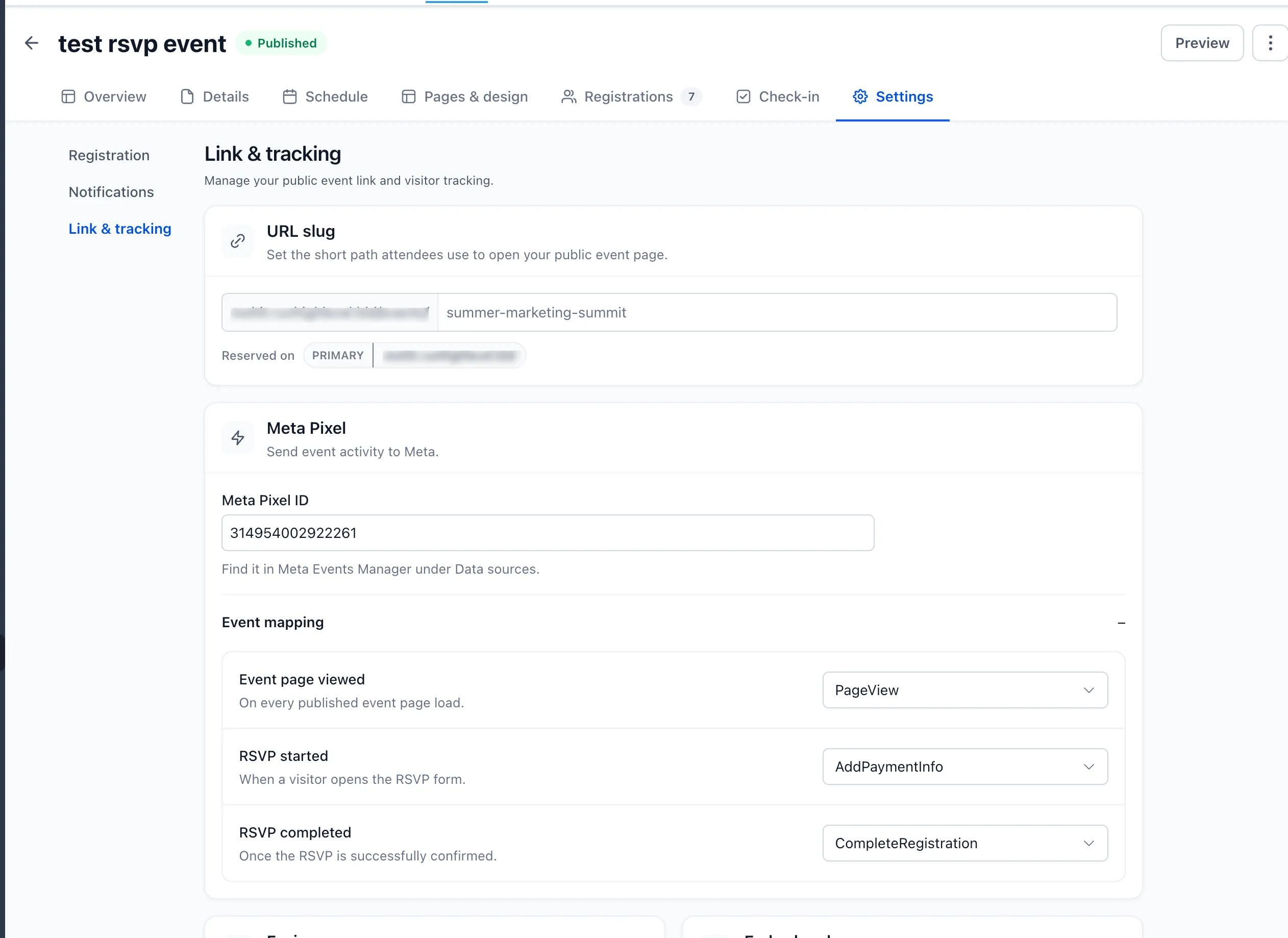
Events → Settings → Link & tracking → Meta Pixel
From there, organizers can choose which Meta event should fire for each supported step of the attendee journey.
RSVP event tracking
For RSVP events, organizers can track key conversion points:
- Event page viewed, when a published event page loads.
- RSVP started, when a visitor opens the RSVP form.
- RSVP completed, when the RSVP is successfully confirmed.
Ticketed event tracking
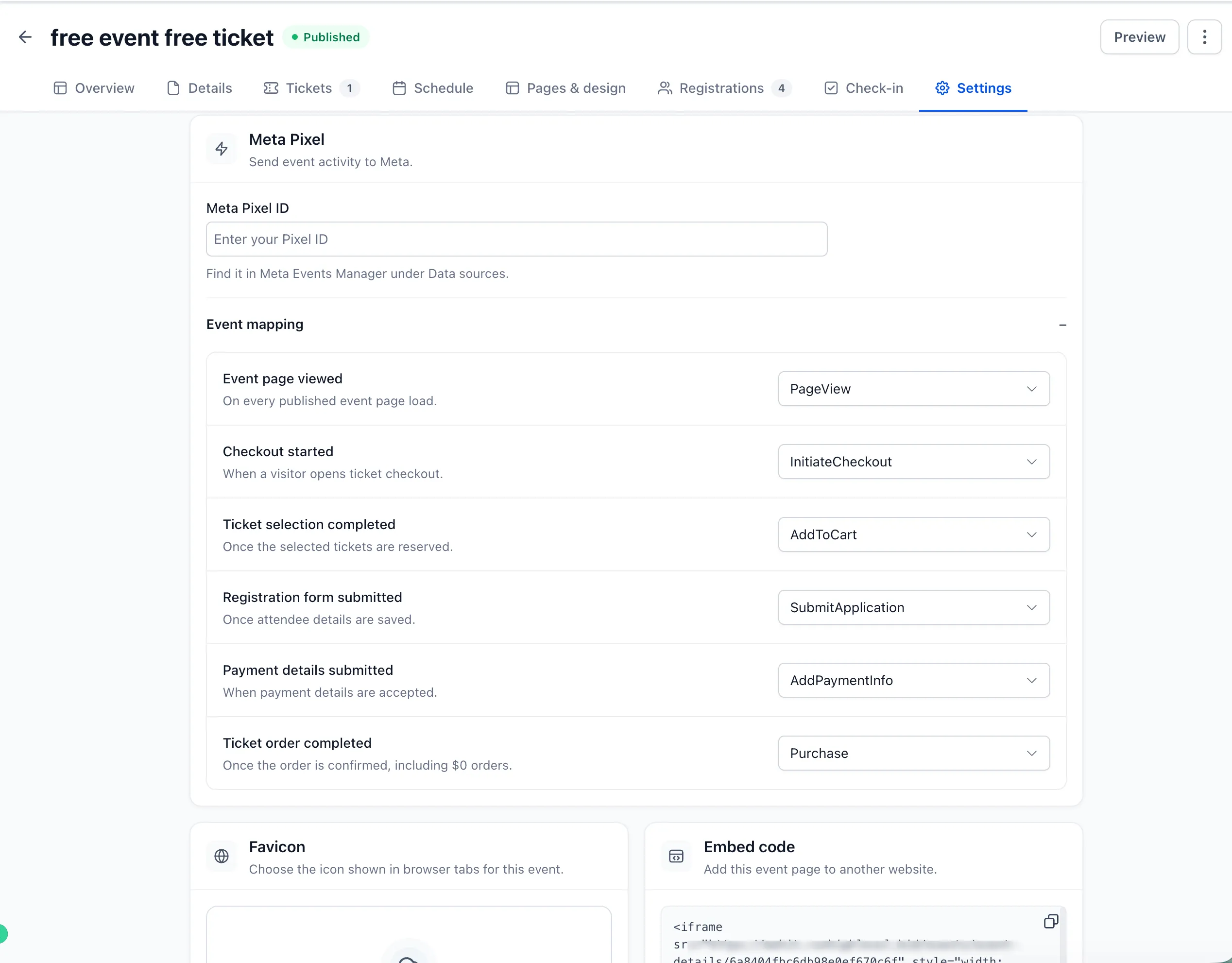
For ticketed events, organizers can track the ticket purchase funnel:
- Event page viewed.
- Checkout started.
- Ticket selection completed.
- Registration form submitted.
- Payment details submitted.
- Ticket order completed.
Completed ticket orders are tracked for both paid and $0 orders, giving organizers a consistent conversion signal across free and paid tickets.
Purchase data for completed ticket orders
Completed ticket orders can send additional commerce context to Meta, including:
- Order value.
- Currency.
- Ticket quantities.
- Ticket identifiers.
This helps organizers measure revenue outcomes alongside registrations when evaluating campaigns that drive ticket sales.
Session-based deduplication
SMBcrm also includes session-based deduplication to help prevent the same attendee action from being reported multiple times. This protects conversion data during scenarios such as browser back navigation, page refreshes, payment redirects, and repeated completion checks.
Why It Matters
Organizers can now better understand the journey from event page visit to registration intent to completed RSVP or ticket order. These conversion signals can help measure campaign performance and support more informed event marketing decisions.
Availability
Meta Pixel tracking is available now for Events Beta users under Events → Settings → Link & tracking → Meta Pixel.
In Case You Missed It
You may also want to read about how to automate Community group join requests.
Release Images
Need Help Applying This Update?
Want help turning this update into a working part of your CRM, marketing, or automation setup?
Get Started or schedule a demo and we’ll help you map the right next step.
Explore this in SMBcrm
Connect event registration to the next conversation.
Explore the events tools and review the registration, ticketing, and follow-up steps your event needs.
Explore eventsAlready using this feature? Find setup help