Communities Events Now Support Live Rooms
Communities Events can now host live sessions directly with Live Rooms, or use Zoom, Google Meet, or another meeting link. This gives attendees a more consistent way to join events, including from mobile.
What Changed
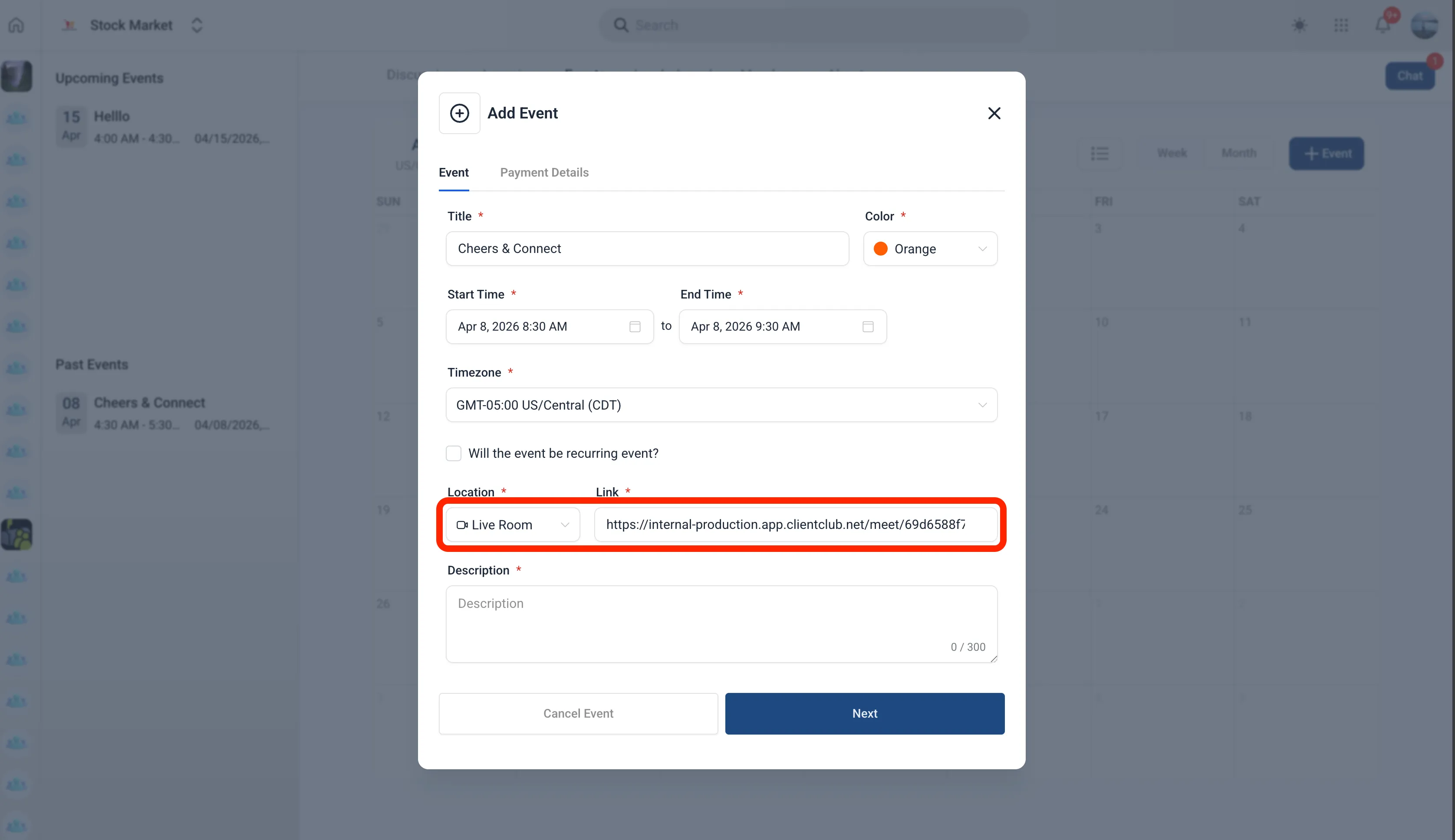
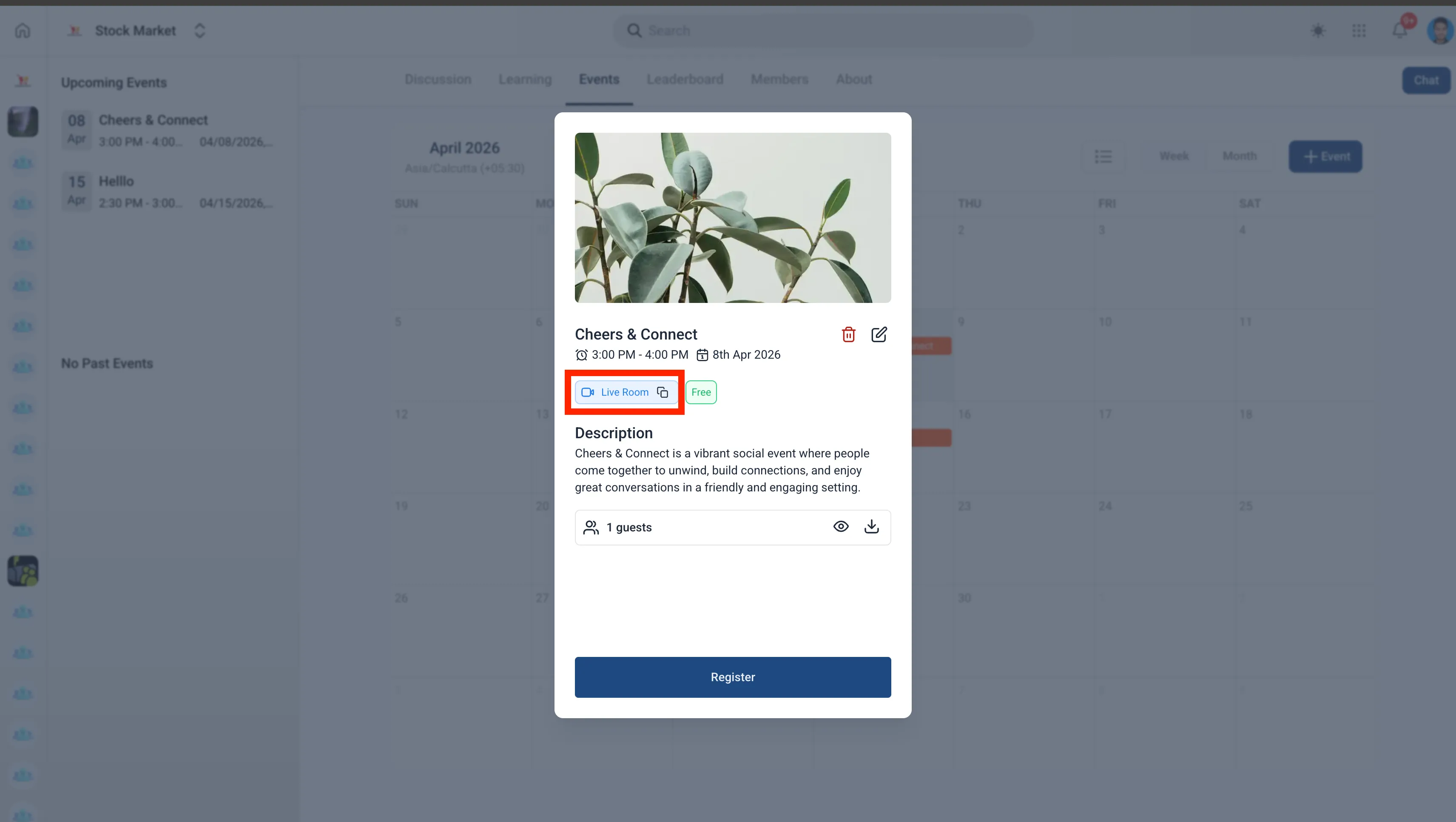
You can now run events inside Communities using a built-in Live Room, or continue using an external meeting link.
Available event meeting options include:
- Live Room for built-in live sessions
- Zoom meeting links
- Google Meet links
- Other custom meeting links
This update improves how events are created and joined inside Memberships & Education.
How It Works
When creating an event, you can add the meeting option as part of the setup. If you choose Live Room, the meeting space is created with the event so it is ready to share right away.
That means you can:
- create the event and meeting in one place
- share the event once the meeting is ready
- give attendees a more consistent join experience
What Attendees Can Expect
Attendees can join directly from the event, which reduces confusion about where to go and which platform to use.
This update also supports joining events from the SMBcrm Mobile app.
In Case You Missed It
You can also read about Services Booking Experience Enhancements.
Need Help Applying This Update?
If you’d like help rolling this out in SMBcrm, visit Support or request a demo.