Services Booking Experience Enhancements
SMBcrm has updated the Services booking experience in the app and on the booking page. These changes are designed to make scheduling clearer, reduce booking errors, and improve the customer checkout flow.
In-App Booking Improvements
The in-app booking experience now includes several workflow updates for businesses:
- Phone number country codes are auto-selected based on your business location.
- The logged-in user is automatically selected as the staff member when creating a booking, when applicable.
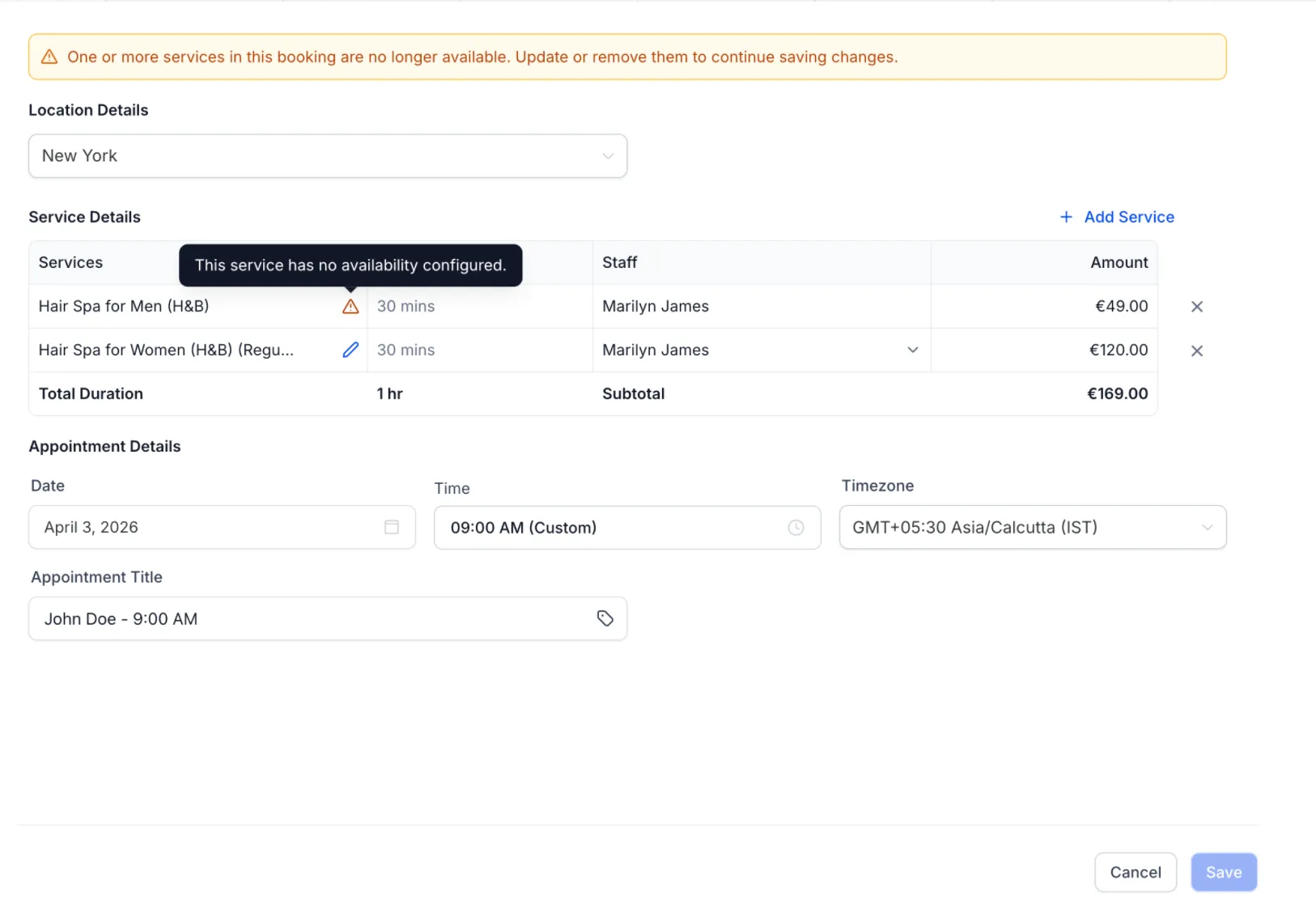
- If a service is no longer available, a clear alert appears before saving, and unavailable services are highlighted.
Appointment Title Improvements
Appointment titles are now more flexible and easier to standardize:
- You can add dynamic values such as contact, service, or location to appointment titles.
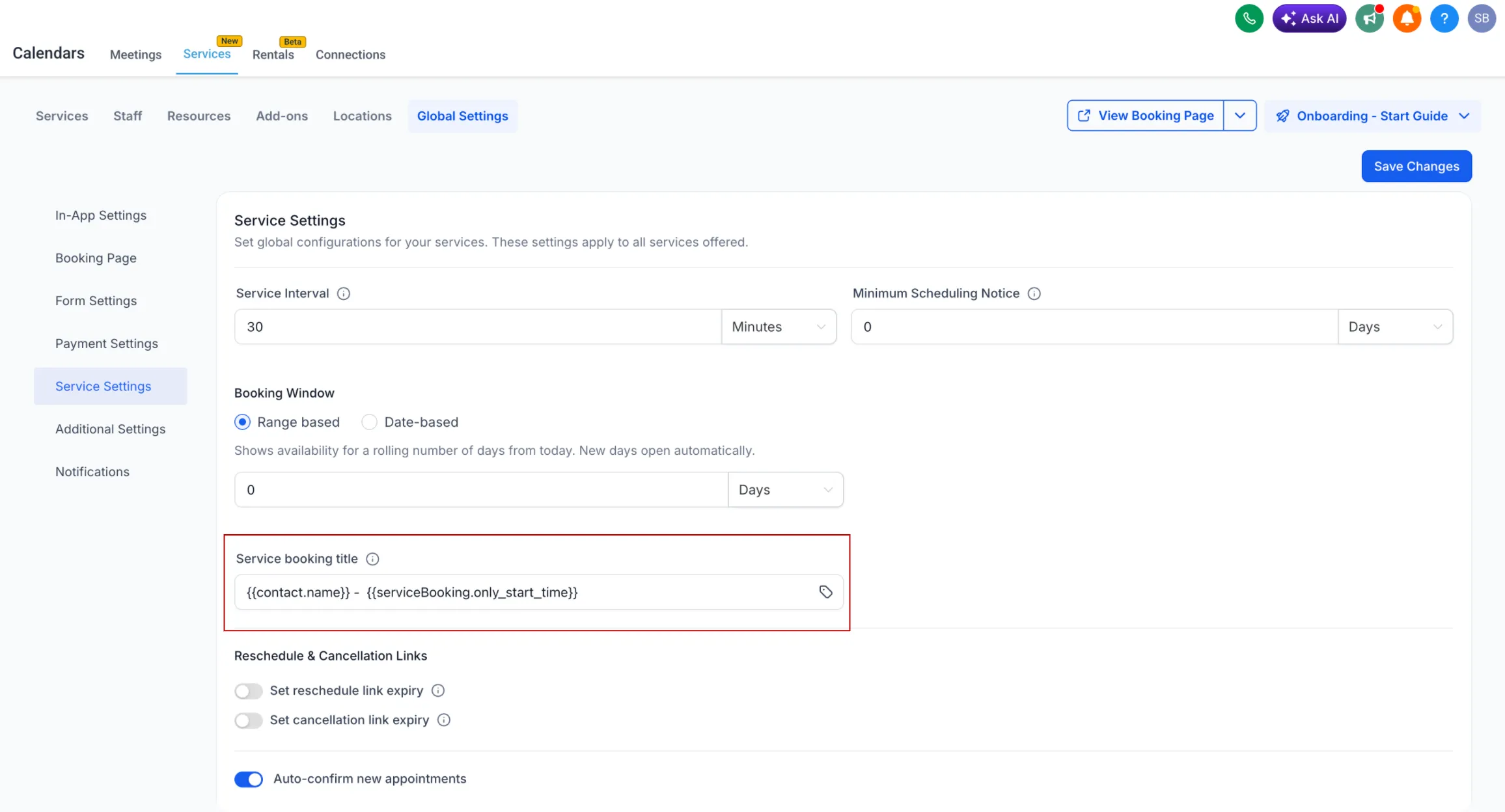
- A global default appointment title format can be set under Services → Global Settings → Service Settings.
- That setting applies across service bookings for more consistent calendar entries, notifications, and integrations.
Booking Page Improvements
The customer booking page also includes usability updates:
- Category and location filters are automatically hidden when there is only one option.
- Location details are shown only when they are relevant.
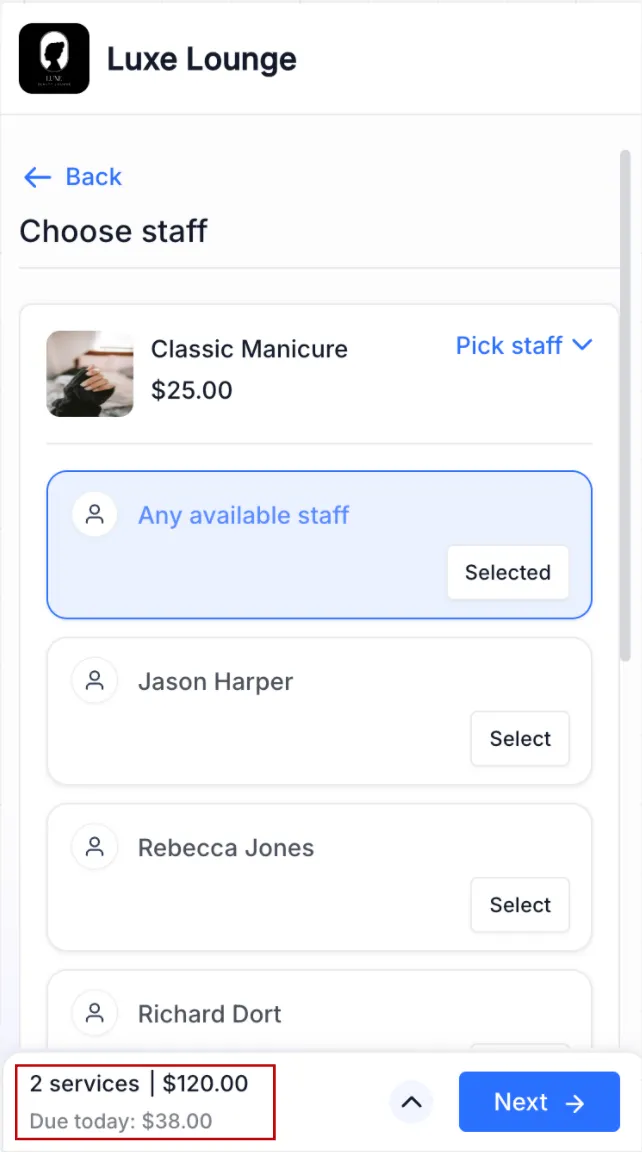
- On mobile, card-on-file flows now display the upfront payment or deposit amount more clearly.
Why It Matters
These changes help make the booking journey smoother from setup to checkout by:
- simplifying the booking flow
- reducing confusion and avoidable errors
- improving visibility into service availability and payment details
- creating more consistent appointment naming across the platform
In Case You Missed It
You can also read Appointment Triggers Now Support Appointment Guests.
Need Help Applying This Update?
If you’d like help rolling this out in SMBcrm, visit Support or request a demo.