Contact Tag Trigger Adds Configuration Safeguards
SMBcrm added two safeguards to the Contact Tag trigger to help users avoid common workflow setup mistakes. These changes make trigger behavior clearer and help prevent unintended workflow runs.
For teams using Automation with contact-based processes in CRM & Sales, the update adds better guidance directly inside workflow configuration.
What Changed
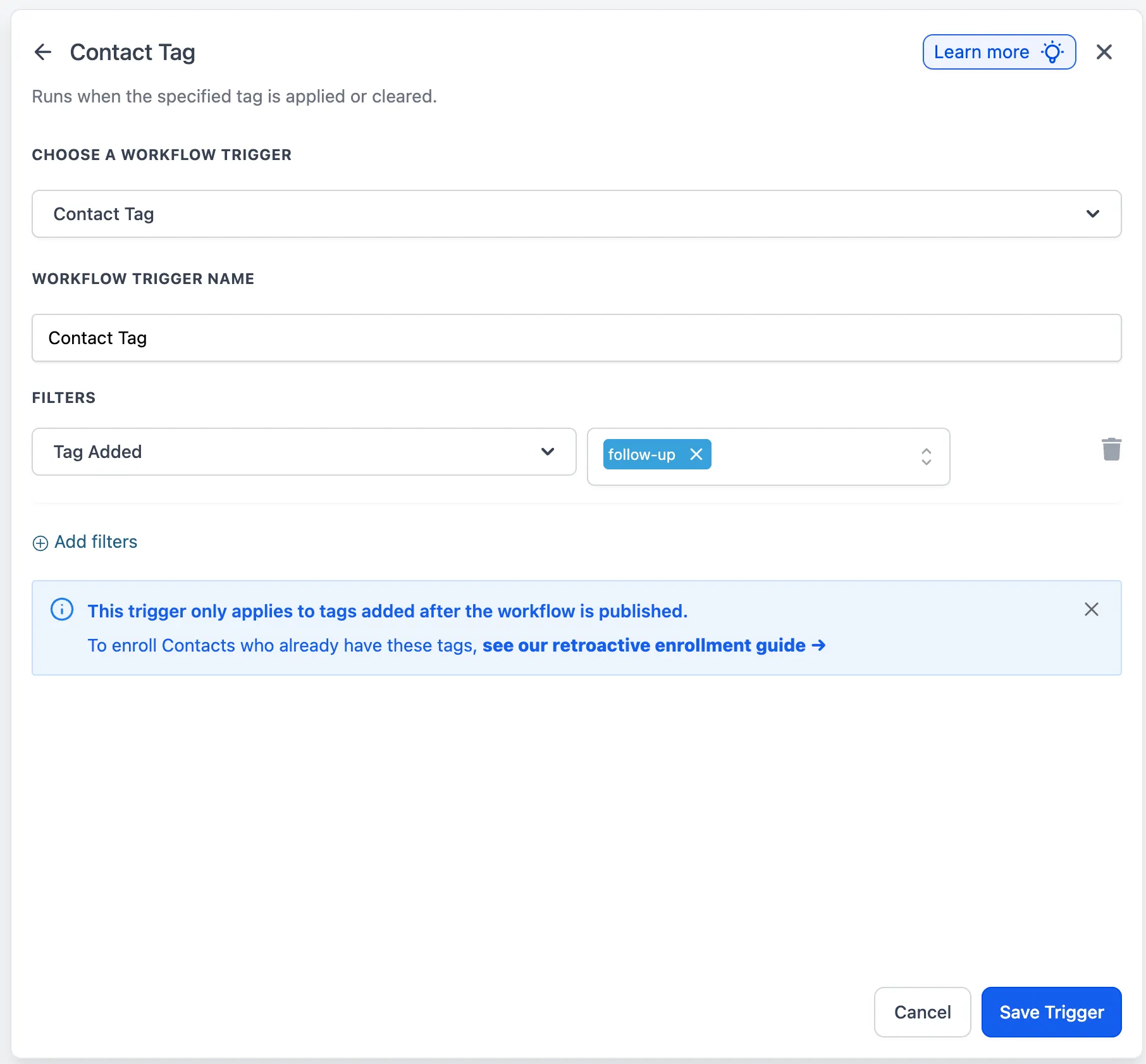
Retroactive enrollment info banner
When you add a tag inside the Contact Tag trigger filters, an info banner now explains that the trigger applies only to tags added after the workflow is published.
The banner is dismissible using the close icon. Once dismissed, it will not appear again for that user. If it is not dismissed, it will appear up to 3 times before stopping automatically.
Warning when no filters are configured
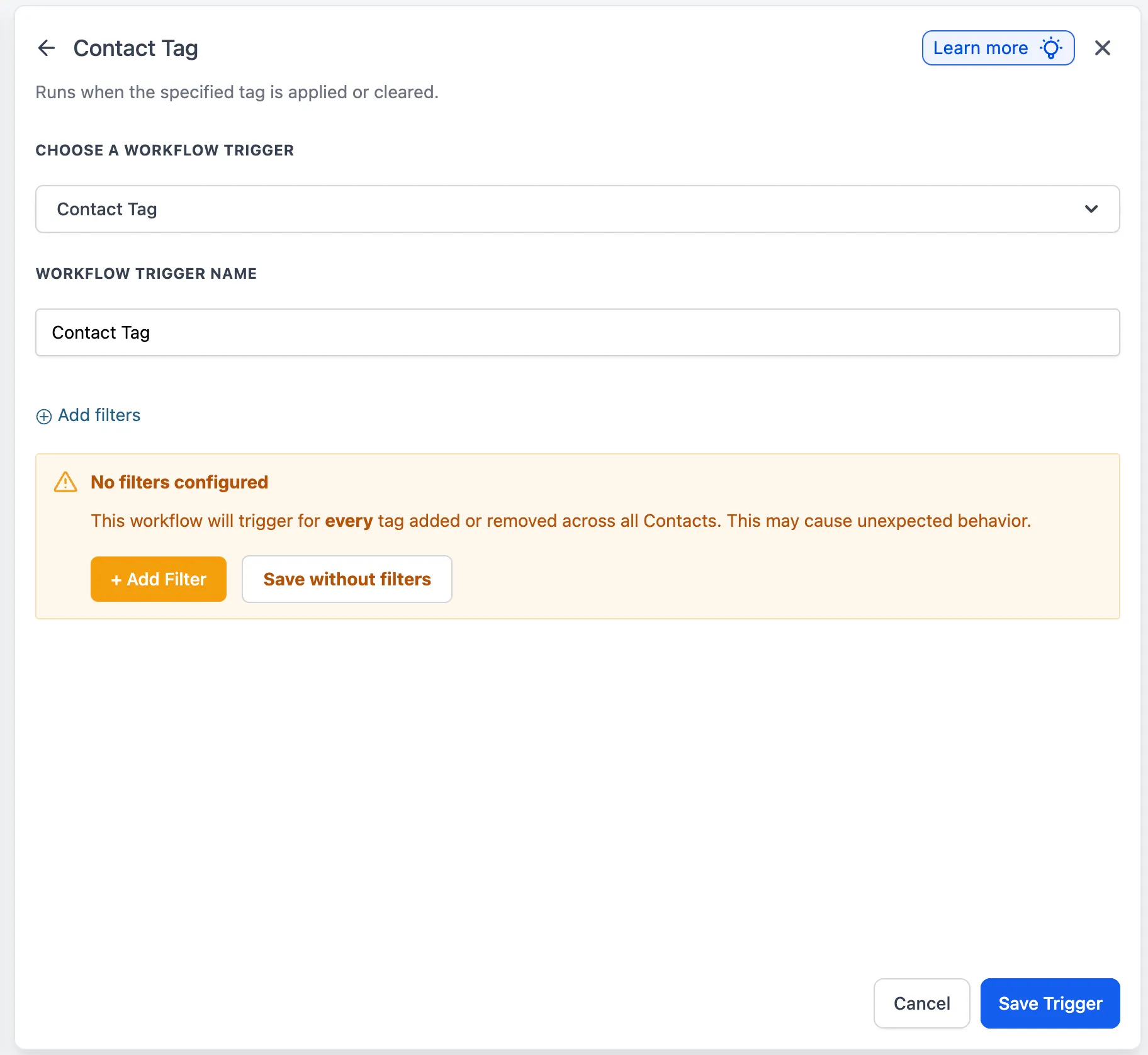
If a user tries to save the Contact Tag trigger without any filters, SMBcrm now shows a warning that the workflow will trigger for every tag added or removed across all contacts.
The warning gives two options:
- Add Filter to return to filter configuration
- Save without filters to continue for advanced use cases
Why It Matters
- Sets clearer expectations about post-publish trigger behavior
- Helps prevent accidental workflow runs across the full contact base
- Puts retroactive enrollment guidance closer to where users need it
- Keeps advanced users flexible by allowing warnings to be dismissed or overridden
In Case You Missed It
You can also read about Add Task in Workflows Gets More Flexible Due Dates and Rich Text.
Need Help Applying This Update?
If you’d like help rolling this out in SMBcrm, visit Support or request a demo.