Smarter Field Pickers in Workflows
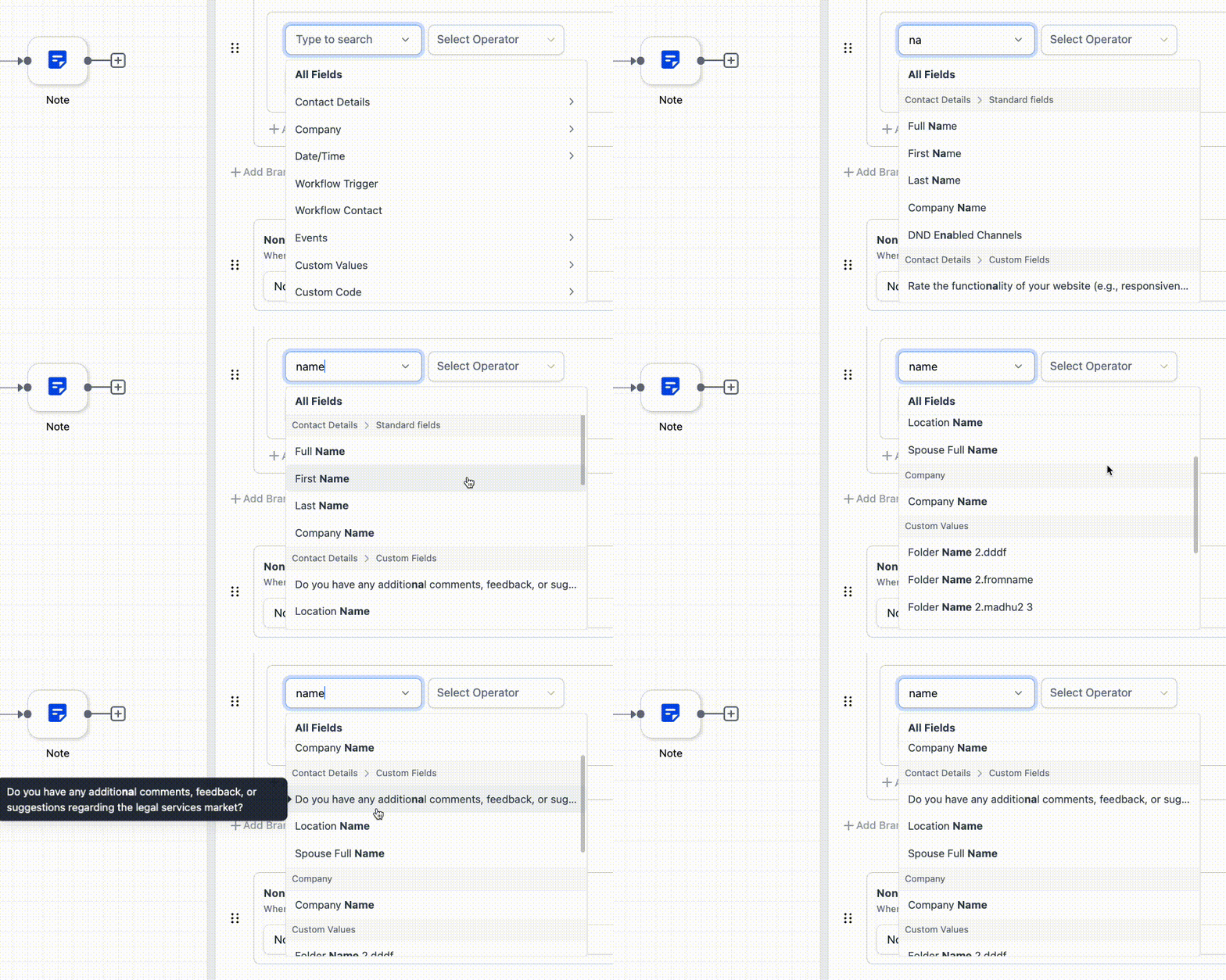
The field picker in Custom Values and If/Else steps is easier to search and navigate. It now surfaces fields inside nested folders and uses a more consistent selection experience across workflows.
What Changed
The updated picker helps users find and select fields more quickly when building automations.
Key improvements include:
- Search can now return fields stored inside folders and subfolders
- Navigation through nested folders is smoother
- Field lists are grouped more clearly for easier scanning
- Long field names now show tooltips for better readability
- The picker experience is more consistent across Custom Values and If/Else branches
How It Works
When you search for a field, matching results can appear even if the field is inside a nested folder. This removes the need to open each folder manually before searching.
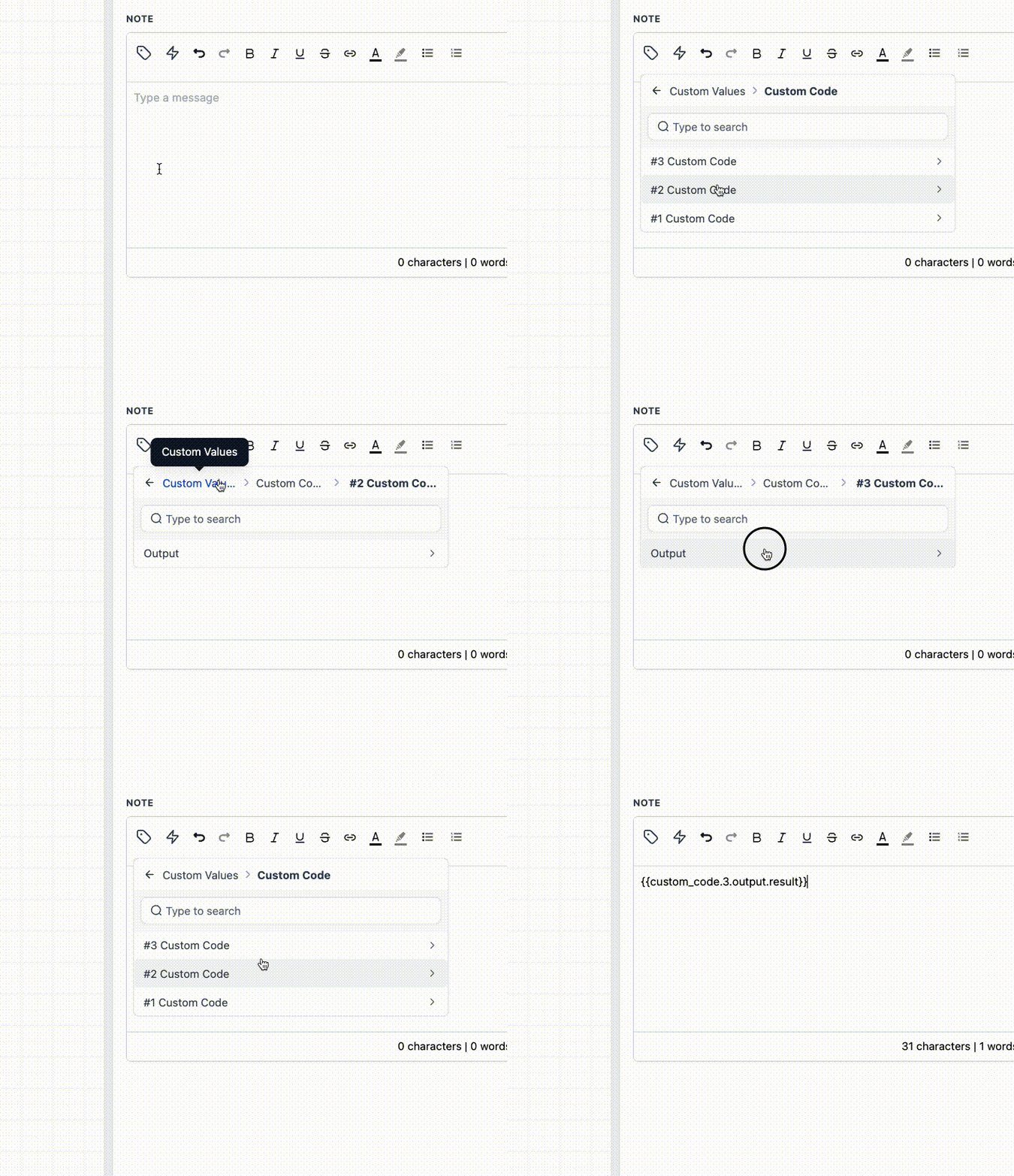
The picker also follows a more consistent dropdown pattern across workflow areas, so selecting fields feels the same in both Custom Values and If/Else conditions.
How to Use It
- Open the field picker in a Custom Value or an If/Else branch filter
- Search for the field name
- Select the matching field directly from the results, including fields inside nested folders
Notes
- Search results can include matching field names from folders and subfolders
- Only enabled folders appear in search results
- Users only see fields and folders that are available and enabled in that context
- Once required dependencies are cleared, available fields will appear
In Case You Missed It
You can also read about more flexible due dates and rich text for Add Task in workflows.
Need Help Applying This Update?
If you’d like help rolling this out in SMBcrm, visit Support or request a demo.