You are spending money to drive traffic to your website. Some of those visitors convert into leads. Most do not. Conversion rate optimization (CRO) is the discipline of closing that gap — systematically improving your website and marketing so a higher percentage of visitors take the action you want them to take.
The difference between a 2% conversion rate and a 5% conversion rate does not sound dramatic until you do the math. For a business getting 3,000 monthly visitors, that gap represents 90 additional leads per month — without spending another dollar on advertising. Over a year, that is 1,080 leads you are either capturing or leaving on the table.
This guide covers the CRO best practices that actually move the needle for small businesses. No theory for the sake of theory — just the strategies, processes, and tools that consistently improve conversion rates.
What Is Conversion Rate Optimization?
Conversion rate optimization is the process of increasing the percentage of website visitors who complete a desired action. That action could be filling out a form, booking an appointment, requesting a quote, making a purchase, or any other measurable goal.
CRO is not about guessing what might work. It is a structured process: analyze data, form a hypothesis, test a change, measure the result, and repeat. The businesses that treat CRO as an ongoing practice — not a one-time project — are the ones that consistently outperform their competitors.
If you are not sure where your current numbers stand, start by reviewing what a good conversion rate looks like for your industry and traffic sources. That baseline gives your optimization work a clear target.
Step 1: Audit Your Current Conversion Funnel
Before you change anything, you need to understand where visitors are dropping off. A conversion funnel audit identifies the specific points where you are losing potential leads.
Map Your Visitor Journey
Trace the path from first click to conversion for each major traffic source. For most small businesses, the journey looks something like:
- Visitor arrives (from search, ads, social, or referral)
- Visitor lands on a page (homepage, landing page, blog post, or service page)
- Visitor engages with content (reads, scrolls, clicks)
- Visitor encounters a call-to-action
- Visitor completes a form or takes the desired action
At each step, some percentage of visitors leave. Your job is to figure out which steps have the biggest drop-off — because those are where optimization will have the most impact.
Identify Your Leaks
Look at these metrics for each step of the funnel:
- Bounce rate by page: Which pages lose visitors immediately? A bounce rate above 70% on a landing page signals a mismatch between visitor expectations and page content.
- Exit rate by page: Which pages are the last thing visitors see before leaving? High exit rates on pages that should lead to a conversion (pricing pages, service pages) indicate friction.
- Form abandonment rate: How many visitors start filling out a form but never submit it? High abandonment usually means the form asks for too much or creates uncertainty.
- Time on page: Are visitors actually reading your content, or are they scanning and leaving? Low time on page combined with low conversions suggests the content does not hold attention.
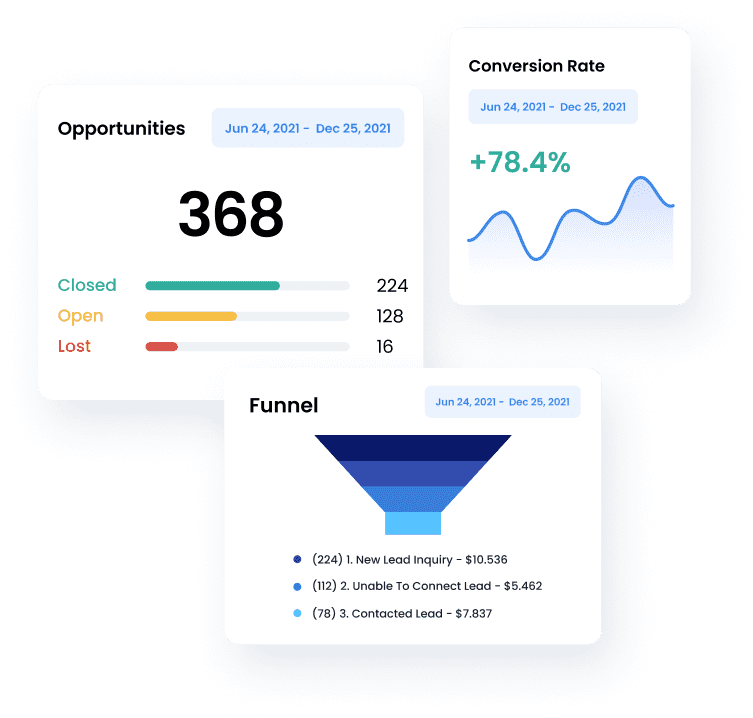
Your CRM analytics dashboard should give you most of this data. If you are tracking form submissions, pipeline entries, and traffic sources in one system, identifying your weakest conversion points becomes straightforward.
Step 2: Optimize Your Landing Pages
Landing pages are the engine of CRO. A well-built landing page with a single, clear purpose will outperform a generic website page every time.
One Page, One Goal
The most common landing page mistake is trying to do too much. A page that asks visitors to sign up for a newsletter, request a demo, read a case study, and browse your blog is a page that does none of those things well.
Every landing page should have one conversion goal and one call-to-action. Remove navigation menus, sidebar links, footer distractions — anything that gives the visitor an option other than converting or leaving. This feels counterintuitive, but reducing choices consistently increases conversions.
For a deep dive on this topic, see our complete guide to landing page optimization.
Match the Page to the Traffic Source
The message on your landing page must mirror the message that brought the visitor there. If someone clicks an ad that says “Free Pest Control Quote in 24 Hours,” the landing page headline should reinforce that exact promise — not redirect them to a generic services page.
This principle applies to every traffic source:
- Paid ads: Landing page headline should match the ad copy
- Organic search: Page content should directly answer the search query
- Email campaigns: The page should deliver exactly what the email promised
- Social media: The landing experience should match the tone and offer from the post
Misalignment between source and page is the single biggest conversion killer. If you serve multiple industries — say home services and healthcare — create separate landing pages for each audience rather than trying to speak to everyone on one page.
Above-the-Fold Essentials
Visitors decide whether to stay or leave within three to five seconds. Your above-the-fold content must include:
- A clear headline that communicates the primary benefit
- A supporting subheadline that adds specificity (who it is for, what they get)
- A visible call-to-action (button or form) that requires no scrolling to find
- A trust signal (testimonial snippet, star rating, or certification badge)
Everything else — features, detailed explanations, additional proof — supports this core above-the-fold message. But if the first five seconds do not hook the visitor, they will never scroll down to see the rest.
Step 3: Improve Your Forms
Forms are the point of conversion. All the traffic, great copy, and compelling design in the world mean nothing if your form creates friction.
Reduce Fields to the Minimum
Every additional form field reduces completion rates by approximately 4% to 7%. For most small businesses, the optimal lead capture form includes:
- Name (first name only if possible)
- Email address
- Phone number (if your sales process requires calling)
That is it. You do not need company name, company size, budget range, or “how did you hear about us?” at the point of initial capture. Gather qualifying information during the follow-up conversation, or use your CRM’s lead scoring to prioritize leads based on behavior instead.
Use Smart Form Design
Small design choices compound into significant conversion differences:
- Use inline validation so visitors know immediately if they made an error — do not wait until they hit submit
- Label fields clearly and place labels above the field, not inside it (placeholder text disappears when you start typing, which causes confusion)
- Make the submit button specific — “Get My Free Quote” converts better than “Submit”
- Show a progress indicator for multi-step forms so visitors know how much is left
- Pre-fill fields when you have data (returning visitors, email link clicks)
Place Forms Strategically
Where your form appears matters as much as how it is designed:
- Landing pages: Form should be visible above the fold, typically on the right side of the page
- Blog posts: Mid-article CTAs outperform footer-only CTAs (our blog uses this approach for longer posts)
- Service pages: Embed a compact form in the page rather than linking away to a separate contact page
- Exit intent: A well-timed popup when a visitor moves to close the tab can recapture 5% to 15% of abandoning visitors
Step 4: Write Better Calls-to-Action
Your CTA is the tipping point between a visitor and a lead. Weak CTAs leave conversions on the table. Strong CTAs create clarity and motivation.
Be Specific About What Happens Next
Generic CTAs like “Submit,” “Learn More,” or “Contact Us” do not tell the visitor what they are getting. Compare these:
| Weak CTA | Strong CTA |
|---|---|
| Submit | Get My Free Quote |
| Learn More | See How It Works in 2 Minutes |
| Contact Us | Book a Free 15-Minute Strategy Call |
| Sign Up | Start Your Free Trial — No Card Required |
| Download | Get the Free CRO Checklist |
The strong versions tell the visitor exactly what they will receive and, where possible, reduce perceived risk (free, no commitment, specific time frame).
Create Visual Hierarchy
Your CTA button should be the most visually prominent element on the page. Use these principles:
- Contrasting color: The button color should stand out from the page background and surrounding elements
- Adequate size: Big enough to tap easily on mobile, not so big that it looks aggressive
- White space: Give the button room to breathe — cramped buttons get overlooked
- Directional cues: Arrows, images of people looking toward the CTA, or layout flow that guides the eye toward the button
Use a Single Primary CTA
If you give visitors two equally prominent options (“Start Free Trial” and “Schedule a Demo”), you create decision paralysis. Designate one primary CTA and make the secondary option visually subordinate — a text link instead of a button, or a ghost button instead of a filled one.
Step 5: Build Trust at the Point of Conversion
Visitors who are considering converting have a specific fear: “Is this worth giving my information away?” Social proof and trust signals directly address that fear.
Types of Trust Signals That Work
- Customer testimonials: Real quotes from real customers, ideally with names, roles, and photos
- Star ratings and review counts: Aggregate scores from review platforms your audience trusts
- Industry certifications: Security badges, compliance certifications, professional memberships
- Client logos: Recognizable brands or organizations you have worked with
- Guarantees: Money-back guarantees, free trial periods, no-commitment language
Place Trust Signals Near the CTA
Trust signals are most effective when they appear next to the conversion point — not buried in a testimonials page that visitors never find. Place a testimonial snippet, star rating, or guarantee badge directly above or beside your form or CTA button.
For service businesses, building a strong review profile is one of the highest-leverage CRO activities you can pursue. Consistent online reputation management gives you a steady stream of fresh social proof to deploy across your site and landing pages.
Step 6: Speed Up Your Pages
Page speed is a conversion factor that gets overlooked because it operates invisibly. Visitors do not tell you your page is slow — they just leave.
The data is clear:
- Pages that load in 1 second convert 3x higher than pages that load in 5 seconds
- 53% of mobile visitors abandon a page that takes longer than 3 seconds to load
- Every additional second of load time reduces conversions by approximately 7%
Quick Wins for Page Speed
- Compress images: Use modern formats (WebP, AVIF) and serve appropriately sized images for each device
- Minimize JavaScript: Every third-party script (chat widgets, analytics, ad pixels) adds load time. Audit and remove what you do not actually use
- Enable browser caching: Returning visitors should not have to re-download assets they already have
- Use a CDN: Serve static assets from edge servers close to your visitors
- Lazy load below-the-fold content: Images and videos that are not immediately visible should not block the initial page render
Test your page speed with Google PageSpeed Insights and aim for a mobile score above 80. If your website builder generates optimized pages by default, you are already ahead of most small business sites.
Step 7: Implement Follow-Up Automation
Here is the CRO insight most businesses miss: conversion rate optimization does not stop at the form submission. What happens in the minutes after a visitor converts determines whether that lead becomes a customer or goes cold.
The data on response time is stark. Leads contacted within five minutes are 100 times more likely to be reached than leads contacted after 30 minutes. Yet the average small business response time to a new lead is over 24 hours.
Automate the First Response
Set up workflow automation so that every form submission triggers:
- An immediate confirmation email thanking the visitor and setting expectations for next steps
- An SMS confirmation (if you captured a phone number) with a personal touch
- A task assignment to the appropriate team member with a five-minute follow-up deadline
- A pipeline entry so the lead is tracked from first touch through close
This automation should run 24/7, regardless of when the form is submitted. A lead that comes in at 9 PM on a Saturday should get the same instant acknowledgment as one that comes in at 10 AM on a Tuesday.
Nurture Leads That Do Not Convert Immediately
Not every lead is ready to buy today. Build automated email sequences that nurture leads over time with relevant content, case studies, and offers. A lead that did not convert on the first visit might convert after the third or fourth touchpoint — but only if you stay in front of them.
Step 8: Test Everything
A/B testing transforms CRO from guesswork into science. Instead of debating whether a green button or blue button works better, you run both versions and let the data decide.
What to Test (in Priority Order)
- Headlines: The highest-impact element on any page. Test different angles — problem-focused vs. benefit-focused, specific vs. broad, short vs. long.
- CTA copy and design: Button text, color, size, and placement all affect conversions.
- Form length: Test 3-field vs. 5-field forms to find your optimal balance of quantity and quality.
- Page layout: Test long-form vs. short-form pages, different image placements, and the position of trust signals.
- Offers: Test different lead magnets, incentives, and value propositions.
- Social proof: Test different testimonials, review formats, and trust badge placements.
A/B Testing Best Practices
- Test one variable at a time. Changing the headline and the CTA simultaneously means you cannot attribute results to either change.
- Run tests long enough to reach significance. A test with 50 visitors per variation is not reliable. Aim for at least 200 to 500 conversions per variation before drawing conclusions.
- Document every test. Record what you tested, why you tested it, the result, and what you will test next. This institutional knowledge compounds over time.
- Accept that most tests fail. Industry data shows that only 20% to 30% of A/B tests produce a statistically significant winner. The failures are still valuable — they tell you what does not matter, so you can focus on what does.
Step 9: Optimize for Mobile
More than 60% of web traffic comes from mobile devices, and mobile conversion rates are historically lower than desktop. Closing that gap is one of the biggest CRO opportunities for most small businesses.
Mobile-Specific CRO Principles
- Thumb-friendly tap targets: Buttons and links should be at least 44x44 pixels with adequate spacing between them
- Simplified forms: If your desktop form has five fields, your mobile form should have three. Use progressive disclosure to collect additional information after the initial conversion.
- Click-to-call buttons: For businesses where phone calls are the primary conversion, a prominent click-to-call button can outperform any form
- Vertical layout: Mobile pages should flow naturally in a single column without requiring horizontal scrolling or pinch-to-zoom
- Fast load times: Mobile connections are often slower than desktop. Prioritize page speed optimizations for mobile devices first.
Step 10: Create a CRO Feedback Loop
CRO is not a project with an end date. It is an ongoing cycle that gets more effective the longer you run it.
The Monthly CRO Review
Set aside time each month to:
- Review conversion metrics by page, traffic source, and device type
- Identify the biggest drop-off points in your funnel
- Prioritize one to two tests based on potential impact
- Review completed tests and implement winners permanently
- Update your CRO playbook with new insights
Build a Testing Backlog
Keep a running list of optimization ideas ranked by expected impact and ease of implementation. Prioritize high-impact, low-effort changes first. This prevents the common trap of optimizing whatever feels interesting rather than what actually matters.
Over time, your CRO practice builds a compounding advantage. Each improvement lifts your baseline. Each test generates insights that inform better hypotheses. A business that has been optimizing for 12 months will consistently outconvert a competitor that is just getting started — even if they have a smaller marketing budget.
Frequently Asked Questions
What is the most important CRO best practice for small businesses?
Start with your forms and follow-up process. Simplifying your lead capture form to three fields or fewer and automating instant follow-up via email and SMS is the highest-impact change most small businesses can make. It directly increases the number of leads you capture and dramatically improves the percentage that convert to customers.
How long does it take to see results from CRO?
You can see initial results within days if you make high-impact changes like simplifying a form or rewriting a CTA. A/B tests typically need two to four weeks to reach statistical significance. Building a mature CRO practice that consistently improves your numbers takes three to six months of disciplined testing and iteration.
Do I need special tools for conversion rate optimization?
You need analytics to track conversions, a way to build and modify landing pages, and a CRM to manage leads and automate follow-up. An all-in-one platform that combines lead capture, landing page building, form management, and workflow automation gives you everything you need without juggling separate tools.
What is the difference between CRO and SEO?
SEO focuses on getting more visitors to your site by improving search rankings. CRO focuses on converting a higher percentage of those visitors into leads or customers. They are complementary — SEO drives the traffic, CRO converts it. The most effective strategy combines both.
How do I know which pages to optimize first?
Start with your highest-traffic pages that have below-average conversion rates. A 1% improvement on a page with 5,000 monthly visitors produces more leads than a 5% improvement on a page with 200 visitors. Your CRM reporting can show you exactly which pages and traffic sources produce the most (and least) leads.
Ready to Convert More of Your Website Traffic?
SMBcrm gives you the landing pages, forms, automation workflows, and analytics you need to capture more leads and convert them into customers — all from one platform.