Add Cost Price and Margin to Products
You can now add a cost price and margin to each product price or variant in SMBcrm. This gives you a built-in way to track profitability without relying on spreadsheets or outside tools.
Cost data can now flow into invoices, calendars, and transaction exports, helping you understand what you are making on each sale. This update is part of Payments & Commerce.
What Changed
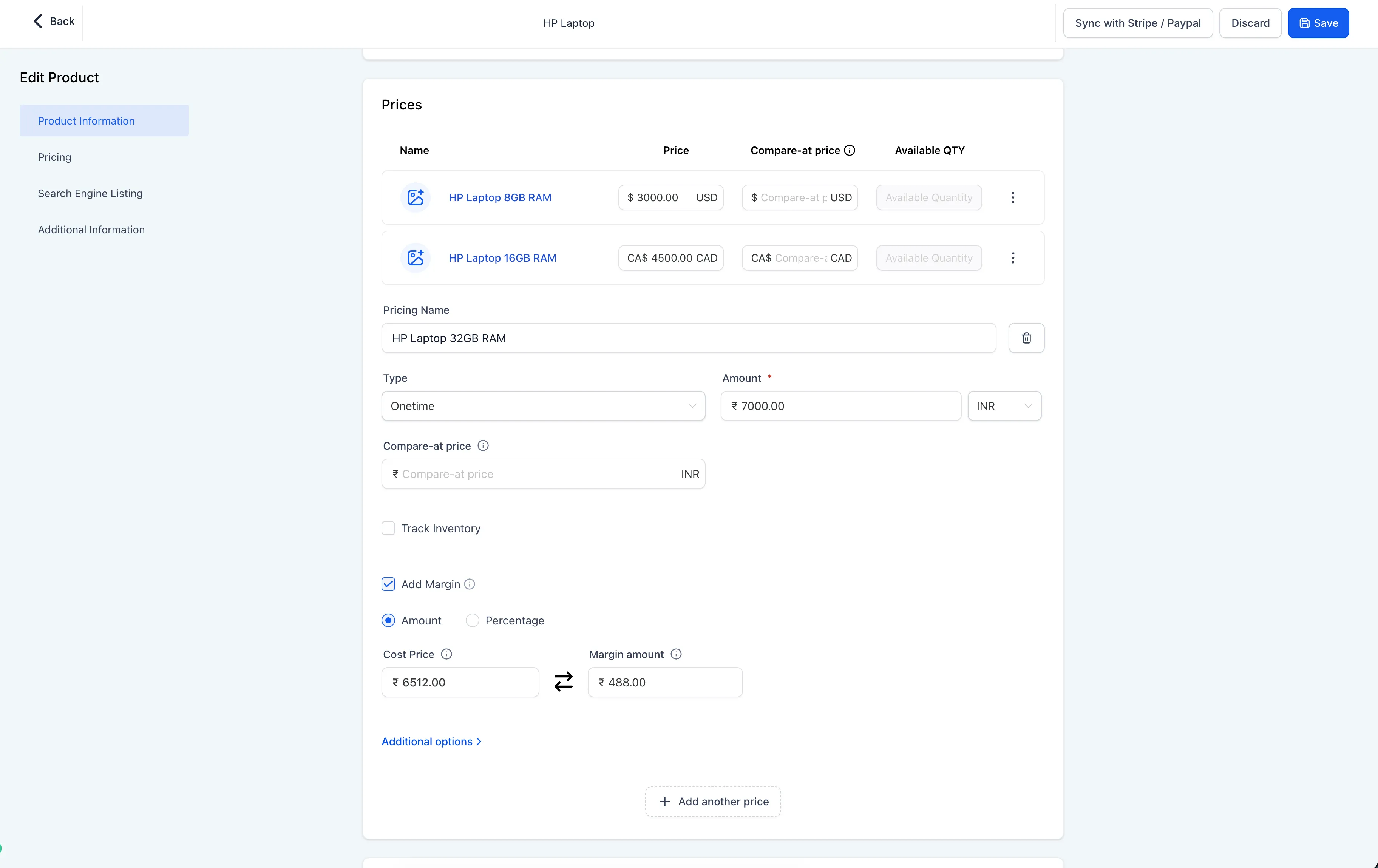
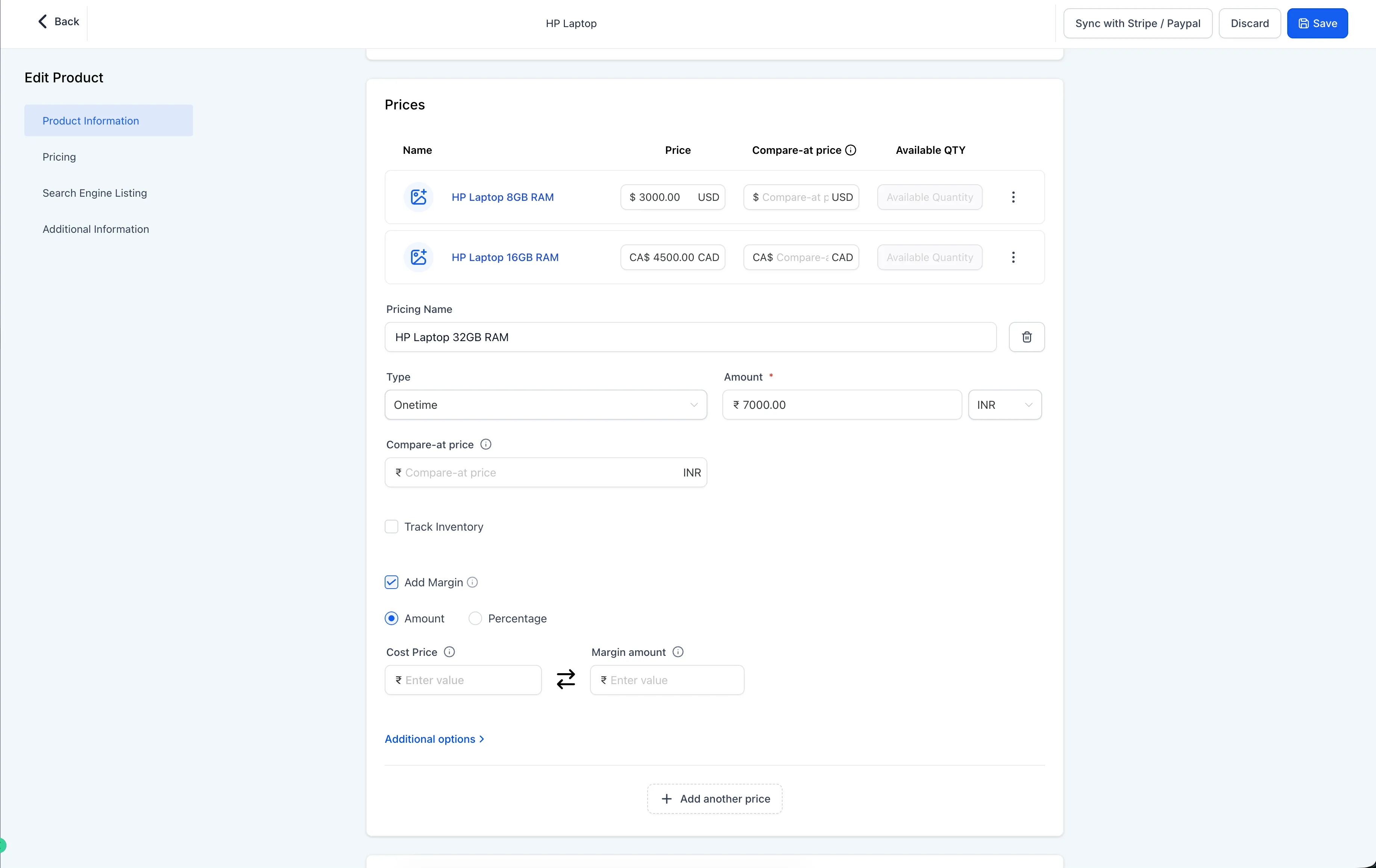
- Add cost price and margin under any product price or variant using a new Add Margin toggle.
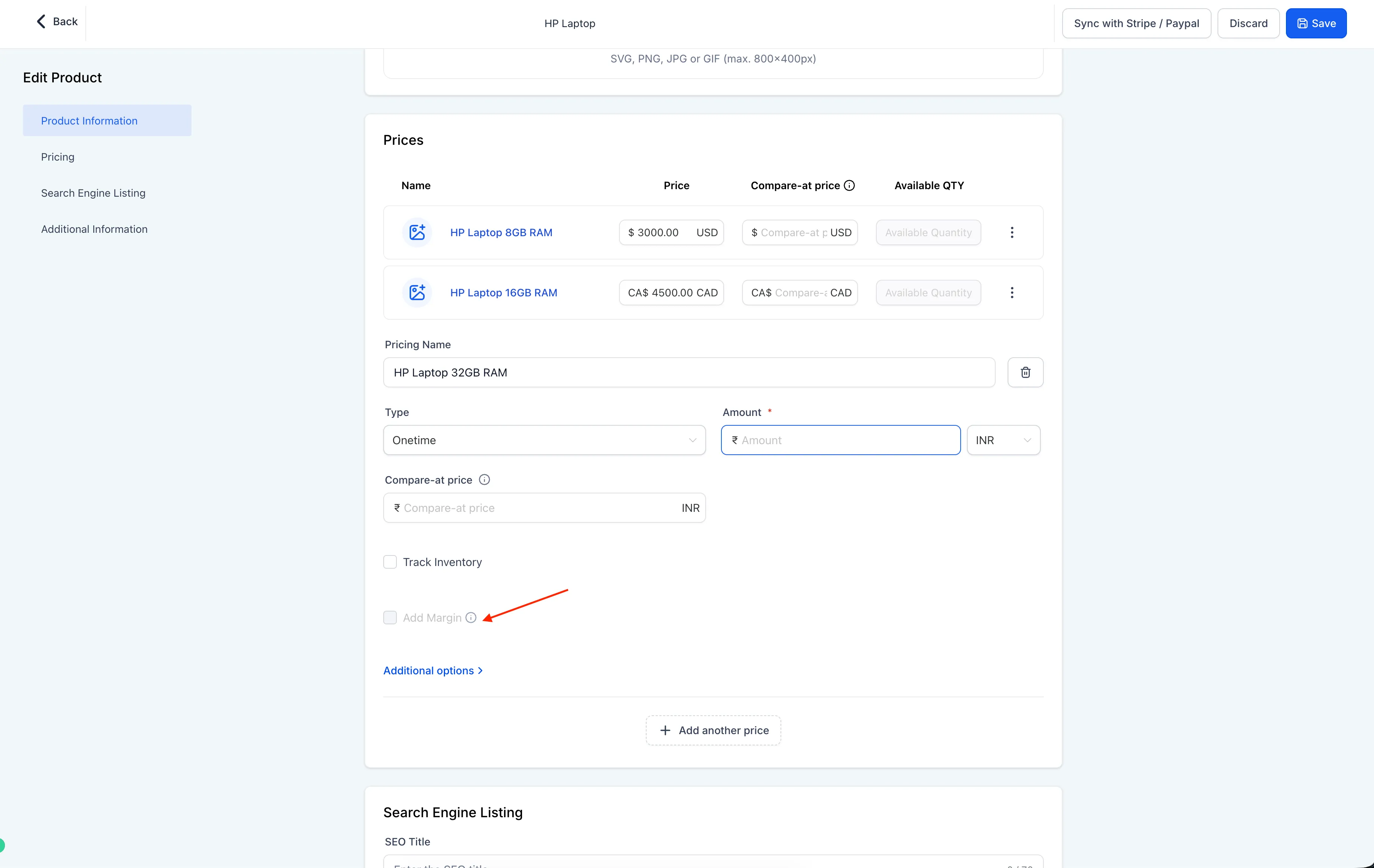
- The toggle is off by default, so existing products are unaffected unless you enable it.
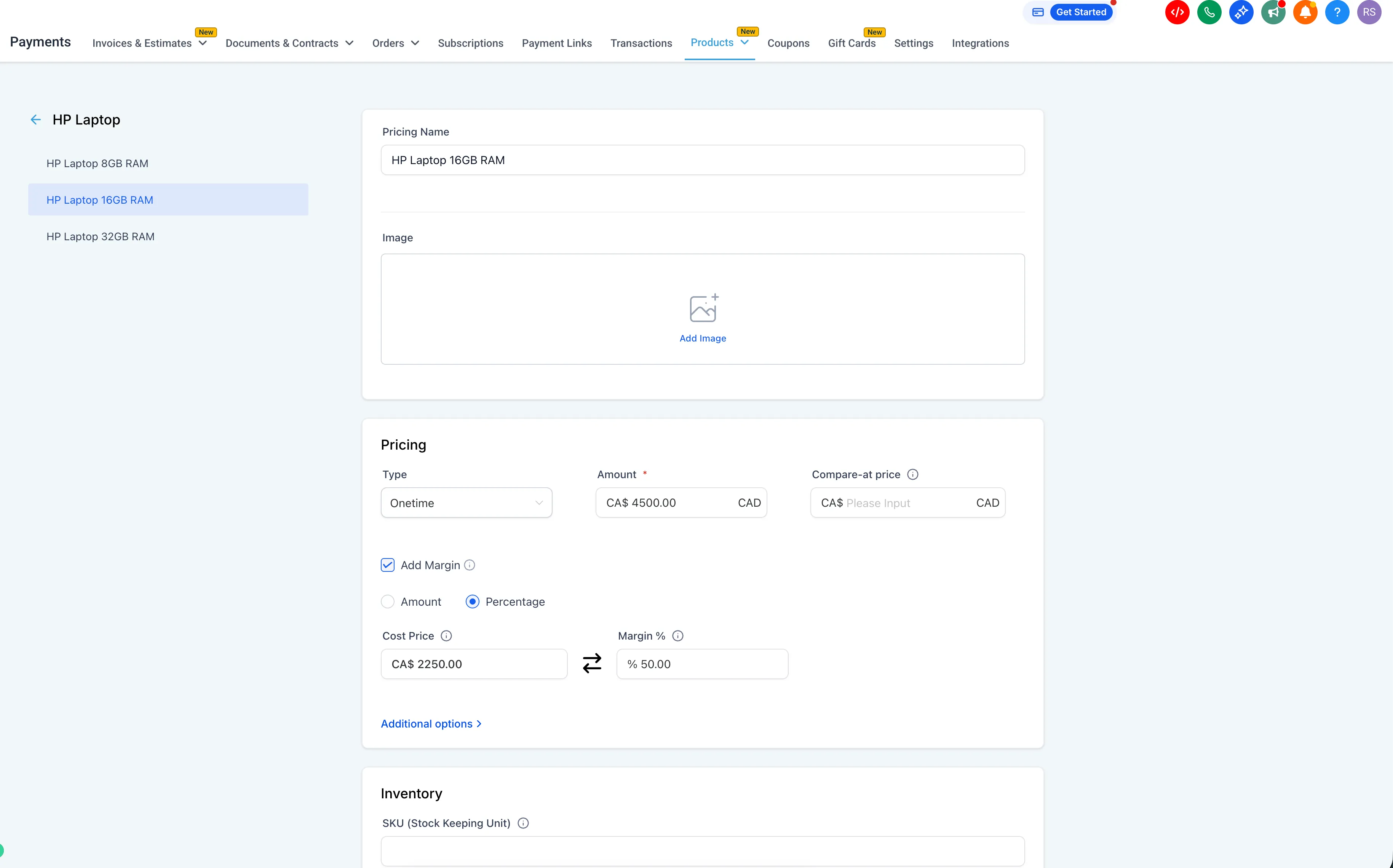
- Choose either Amount or Percentage mode for margin.
- If you enter one value, the other is calculated automatically based on the selling price.
- Margin percentages above 100% are supported. This indicates the cost is higher than the selling price.
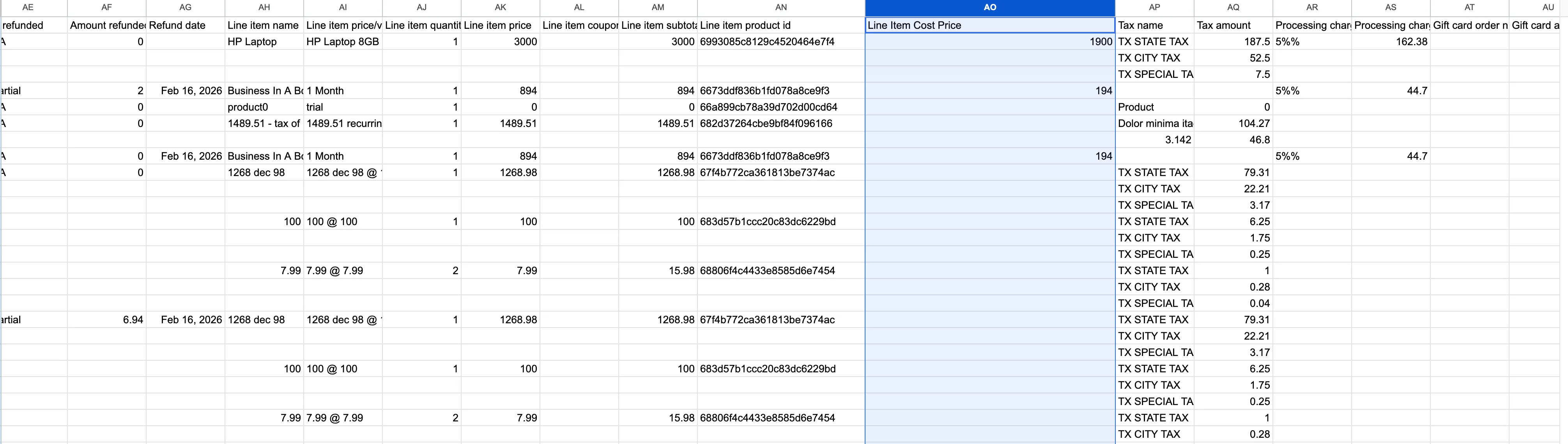
- A new Line Item Cost Price column is included in Transactions CSV exports when a product has a defined cost price.
How It Works in Invoices, Calendars, and Exports
For invoices and calendars where prices are manually overridden, cost price is still pulled from the original product. It is not recalculated from the overridden sale price.
This keeps cost tracking consistent across product-based sales records and exported transaction data.
Where to Find It
To configure cost price and margin:
- Go to Payments → Products
- Create or edit a product
- In the Pricing section, enable Add Margin
- Set the cost price and margin for any product price or variant
To export transaction data:
- Go to Payments → Transactions
- Export the CSV
- Look for the Line Item Cost Price column when cost price has been defined for a product
Planned Improvements
The source release notes these planned additions:
- Bulk cost price editing across products
- Margin data in additional export types
- Cost price and margin updates and usage on invoices
Need Help Applying This Update?
If you’d like help rolling this out in SMBcrm, visit Support or request a demo.