Advanced Builder Now Auto-Connects Workflow Steps
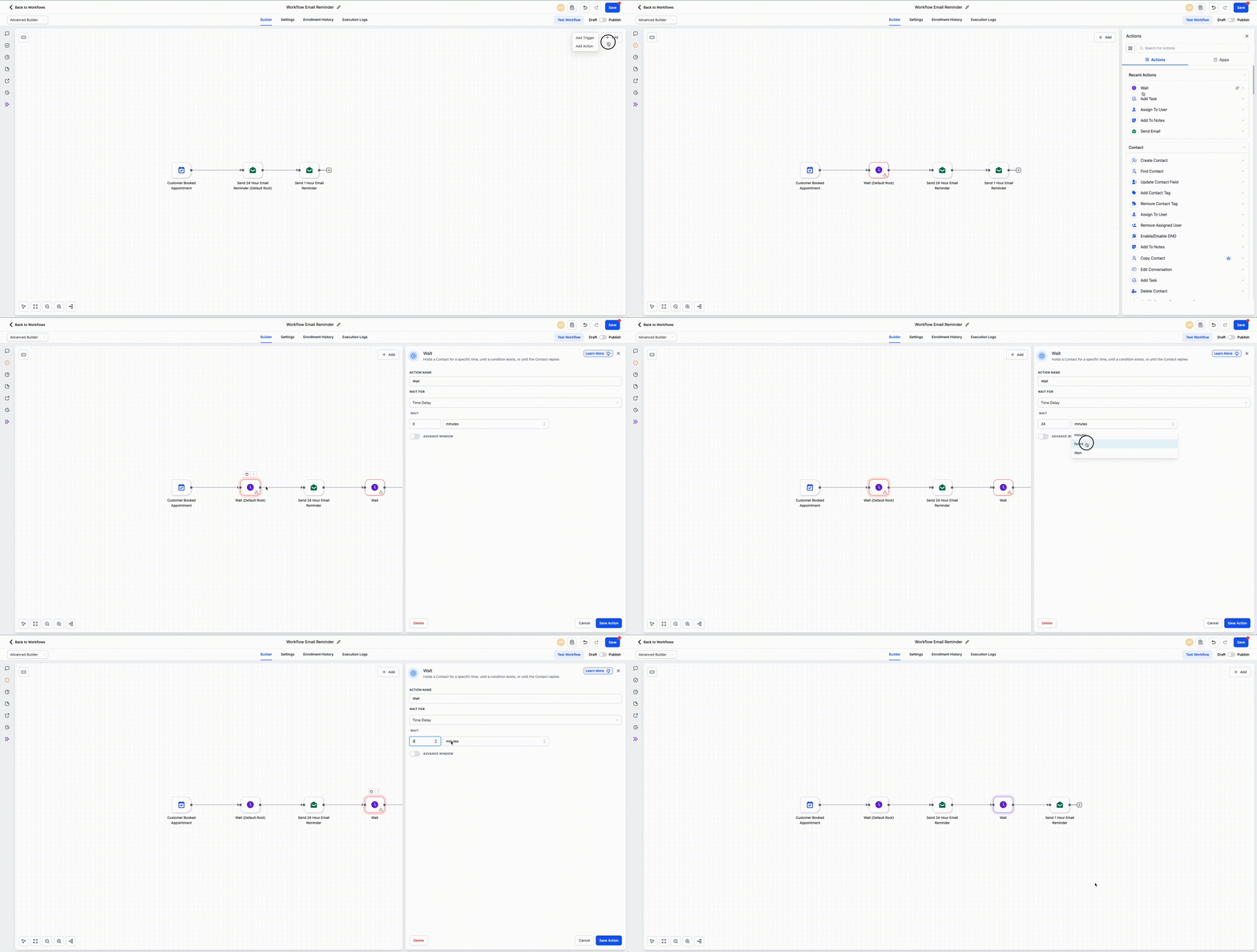
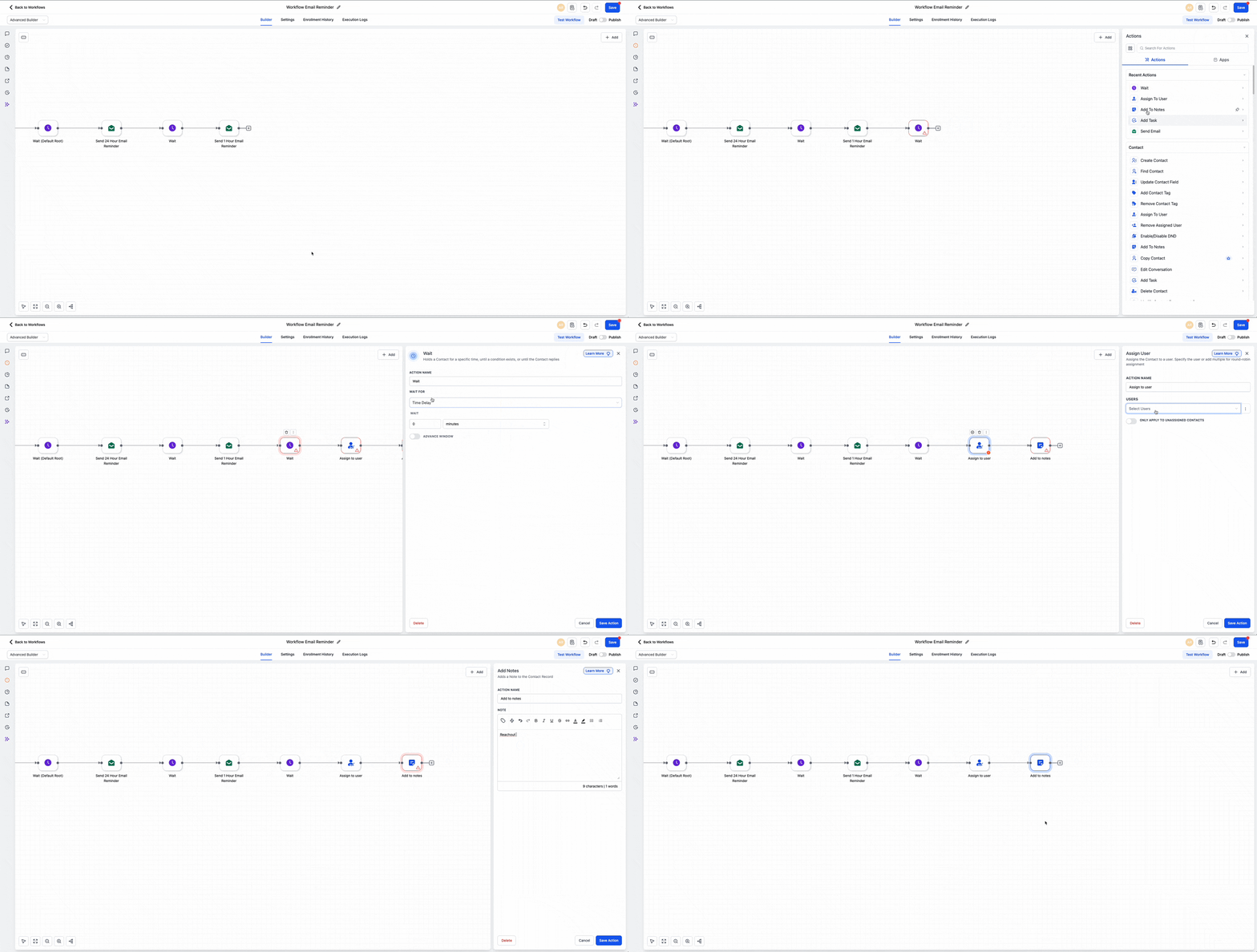
You can now drag and drop triggers and actions directly onto the workflow canvas in the Advanced Builder. When you place a step at the end of a branch or between existing steps, it connects automatically.
This update makes it faster to build visual automations in Automation before configuring each step.
How it works
From the Triggers and Actions sidebar, drag a trigger or action onto the canvas.
- Drop it on the last node to extend a branch
- Drop it between two nodes to insert it into the middle of a workflow
- The step connects automatically in the correct position
- After placement, you can configure and save it
How to use it
- Open the Triggers and Actions sidebar in the Workflow Builder.
- Drag the trigger or action you want onto the canvas.
- Drop it where it belongs.
- Configure the step and save it.
What to keep in mind
- Actions can be dropped at the end of a branch or between two existing nodes
- Dropped actions must be configured before they can run
- Workflows will not execute incomplete or unconfigured actions
Need Help Applying This Update?
If you’d like help rolling this out in SMBcrm, visit Support or request a demo.