Advanced Preview and Shareable Links for Meta Ad Campaigns
SMBcrm now supports advanced previews for Meta ads across multiple placements and lets you copy a shareable preview link after a campaign is published. This makes it easier to review ad rendering and share previews for feedback.
What Changed
If you create Meta ads in SMBcrm, you can now:
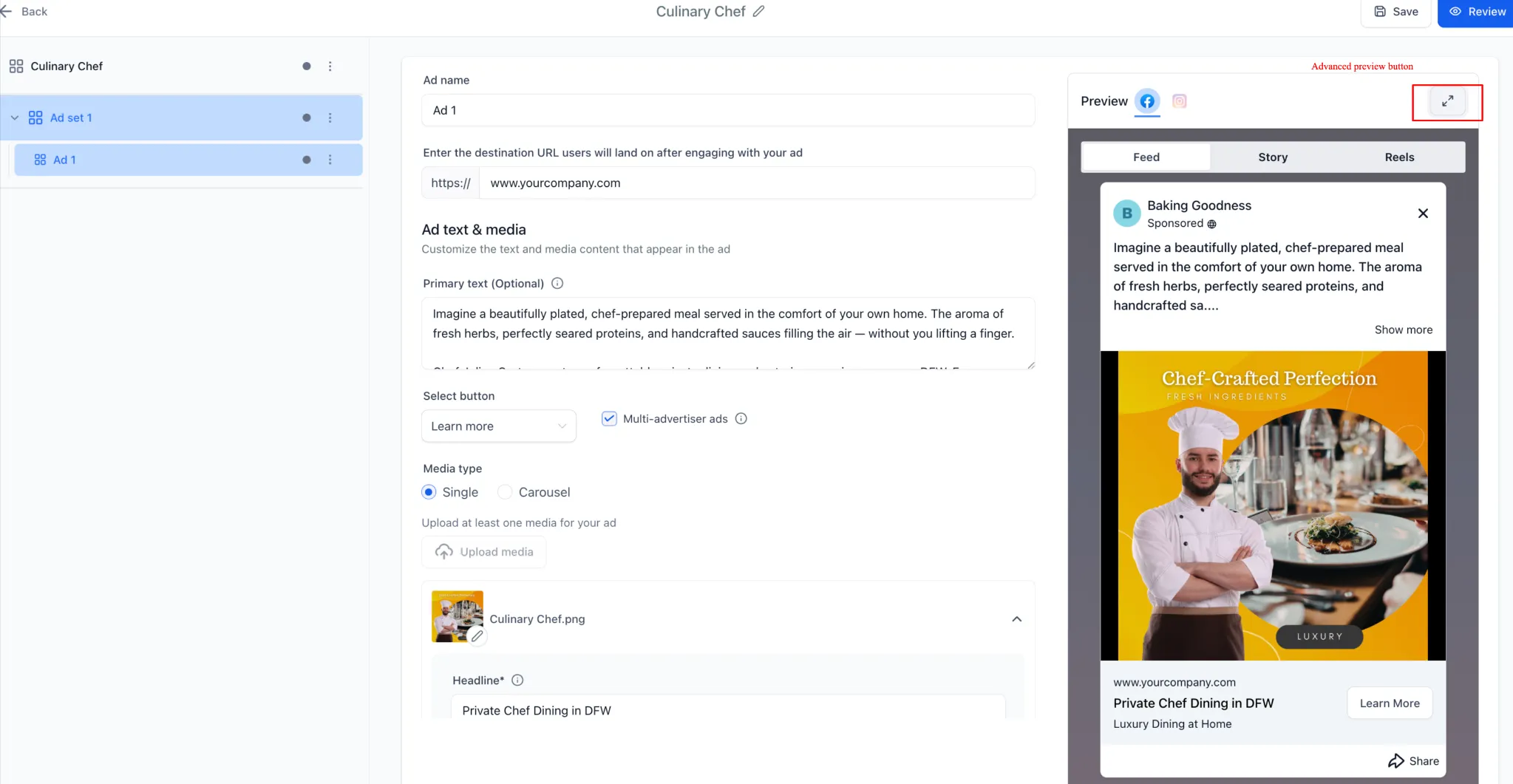
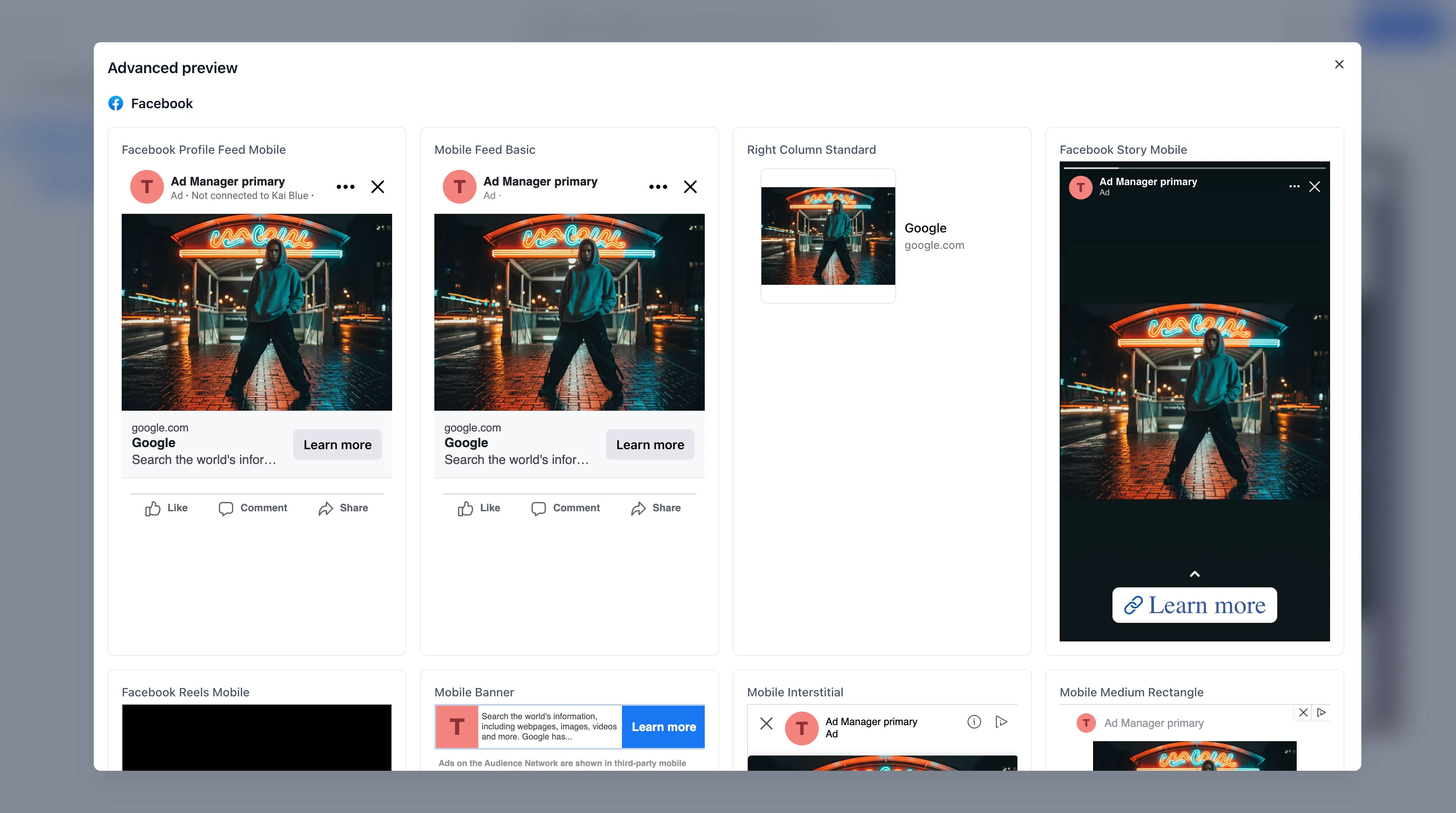
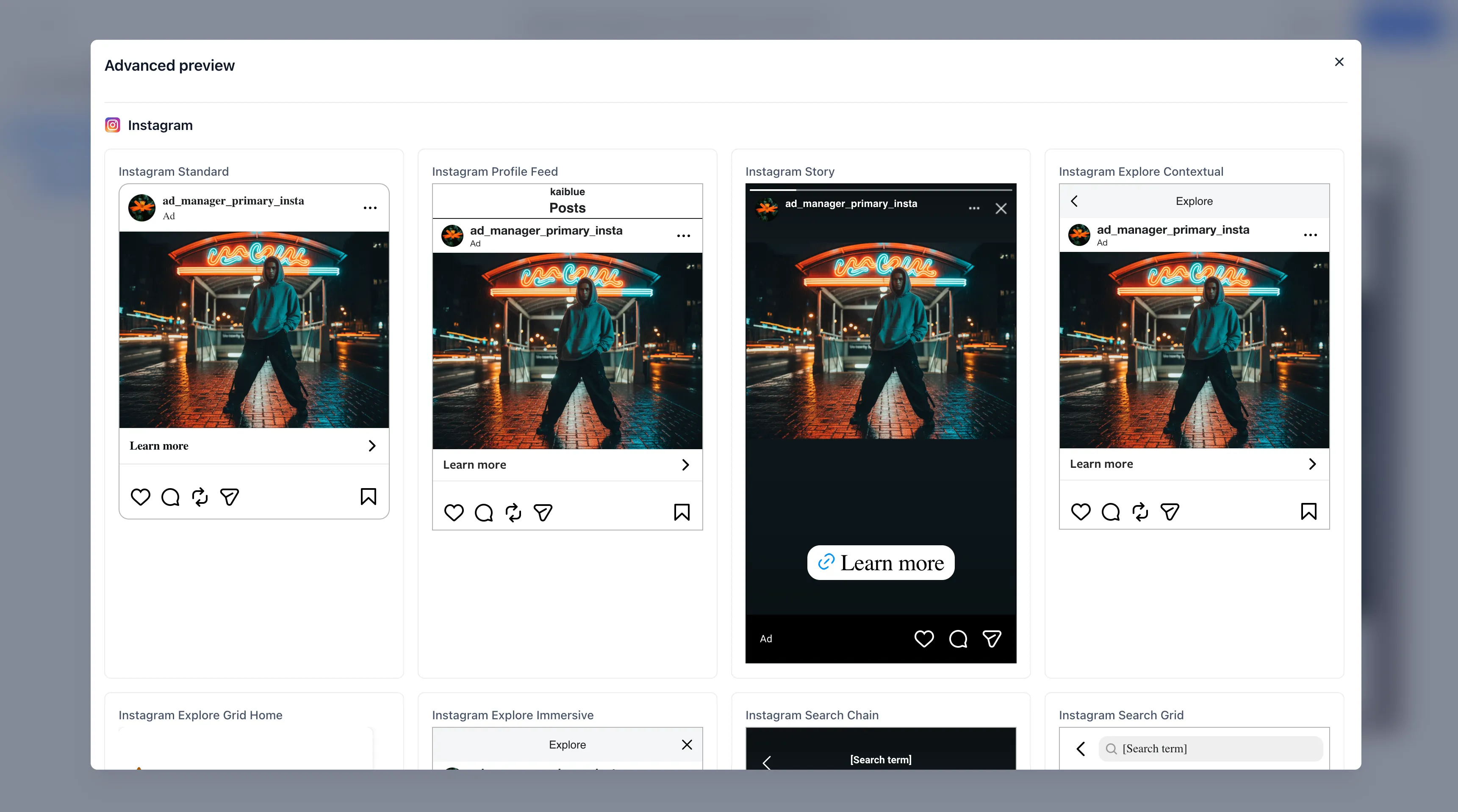
- Open an advanced preview to see how your ad appears across placements such as Feed, Stories, and Reels
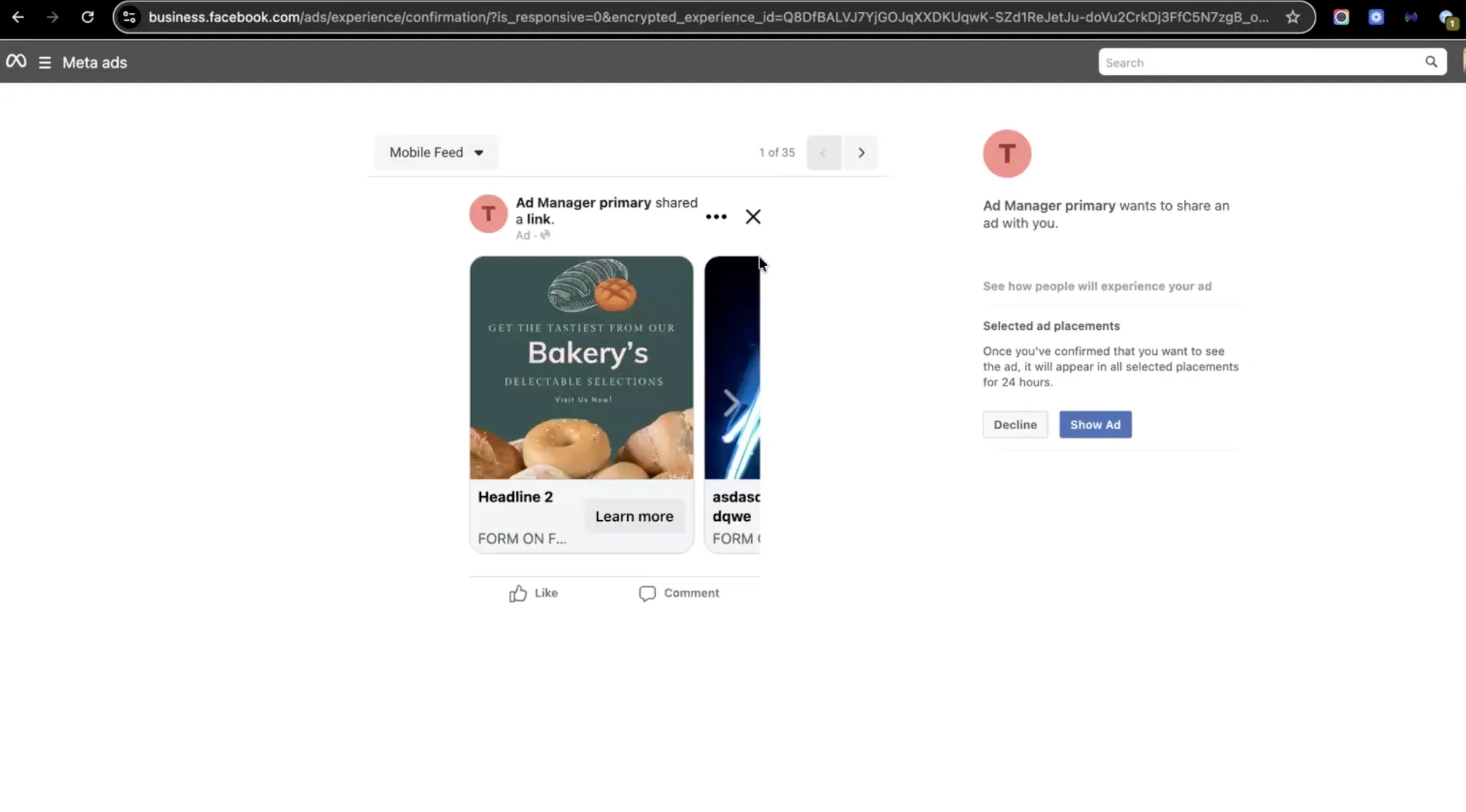
- Generate a shareable preview link from the preview panel after the campaign is published
- Copy the link automatically to your clipboard for faster sharing
This update improves ad review workflows inside SMBcrm’s Lead Capture tools.
How It Works
- Create and publish a Meta ad campaign in SMBcrm.
- In the Preview section, click the Advanced Preview icon to open placement-level previews.
- Click the link icon next to Advanced Preview to generate a shareable preview link.
- The link is copied to your clipboard automatically.
- Open the link to view the Meta-hosted preview experience for the configured placements.
Why It Matters
This update helps you:
- Verify how ads render across different placements after publishing
- Share a live preview with teammates or stakeholders for review
- Reduce the need to give others direct access just to check how an ad appears
Important Notes
- Shareable preview links are available only for published campaigns
- Preview links are not generated for draft or paused ads
- Access to the preview follows Meta permissions, so viewers still need the appropriate ad account access
- If a placement does not support the uploaded creative format, Meta shows an error message explaining why the ad cannot render there
In Case You Missed It
You can also read about Ad Manager adding website and hybrid Meta lead conversion options.
Release Images
Need Help Applying This Update?
If you’d like help rolling this out in SMBcrm, visit Support or request a demo.