AI Builder Adds a To-Do List for Workflow Setup
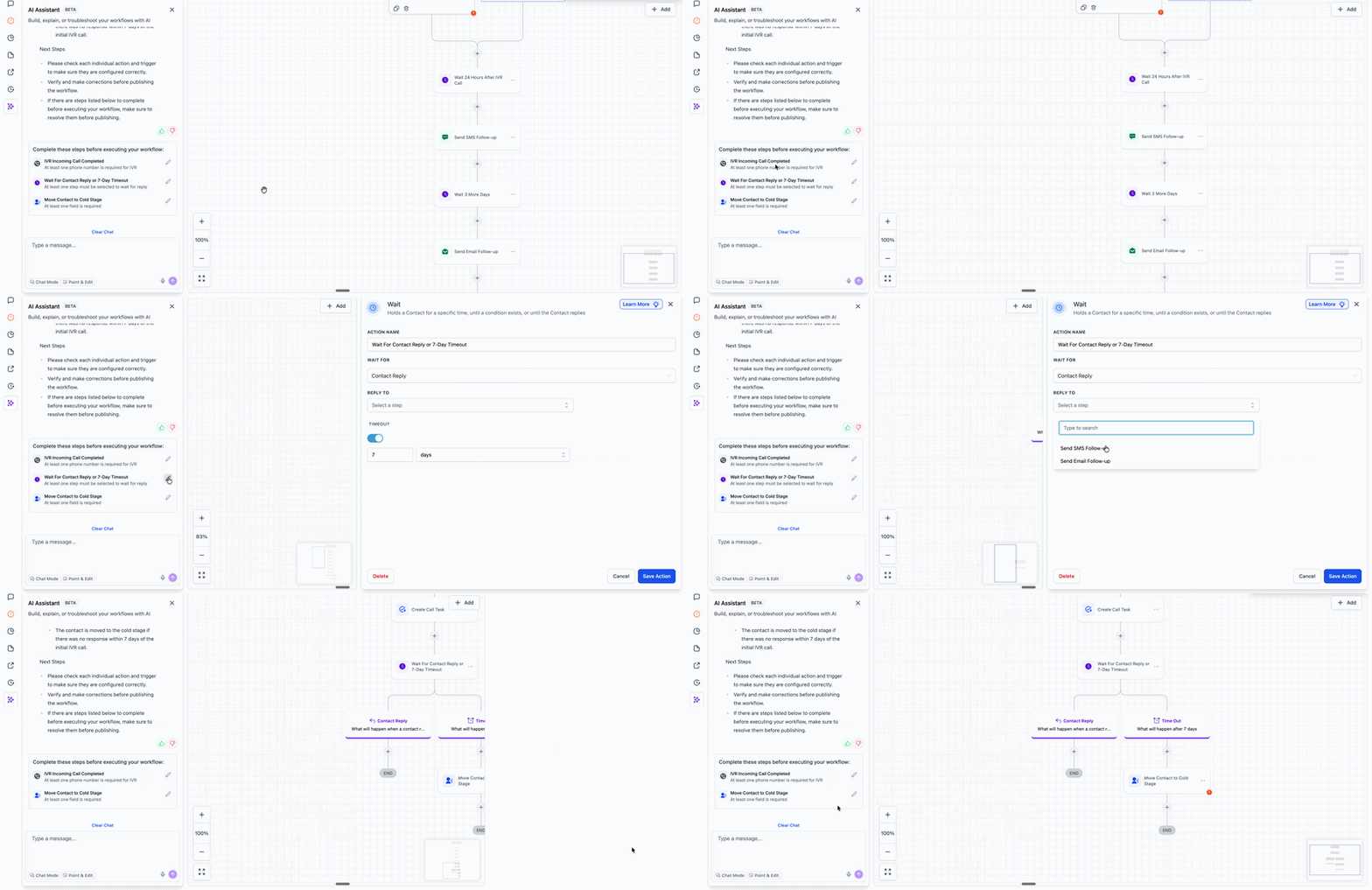
AI Builder now shows a To-Do List for workflow steps that still need manual input. This gives you a clear view of what still needs attention before a workflow is ready to publish.
How It Works
- Generate a workflow using AI Builder.
- A To-Do List appears automatically for any action or trigger that still needs your input.
- Select the pencil icon next to an item to jump directly to that step in the workflow canvas.
- Complete the required fields, then publish when the workflow is ready.
Why It Matters
Some workflow settings still require a human decision, such as connecting integration credentials, selecting an account, choosing a pipeline, or defining which step to wait for.
By collecting these incomplete items in one place, the To-Do List helps reduce the chance of publishing incomplete automation workflows that could affect contacts or system behavior.
Need Help Applying This Update?
If you’d like help rolling this out in SMBcrm, visit Support or request a demo.