Blogs: Improved URL Importer Experience
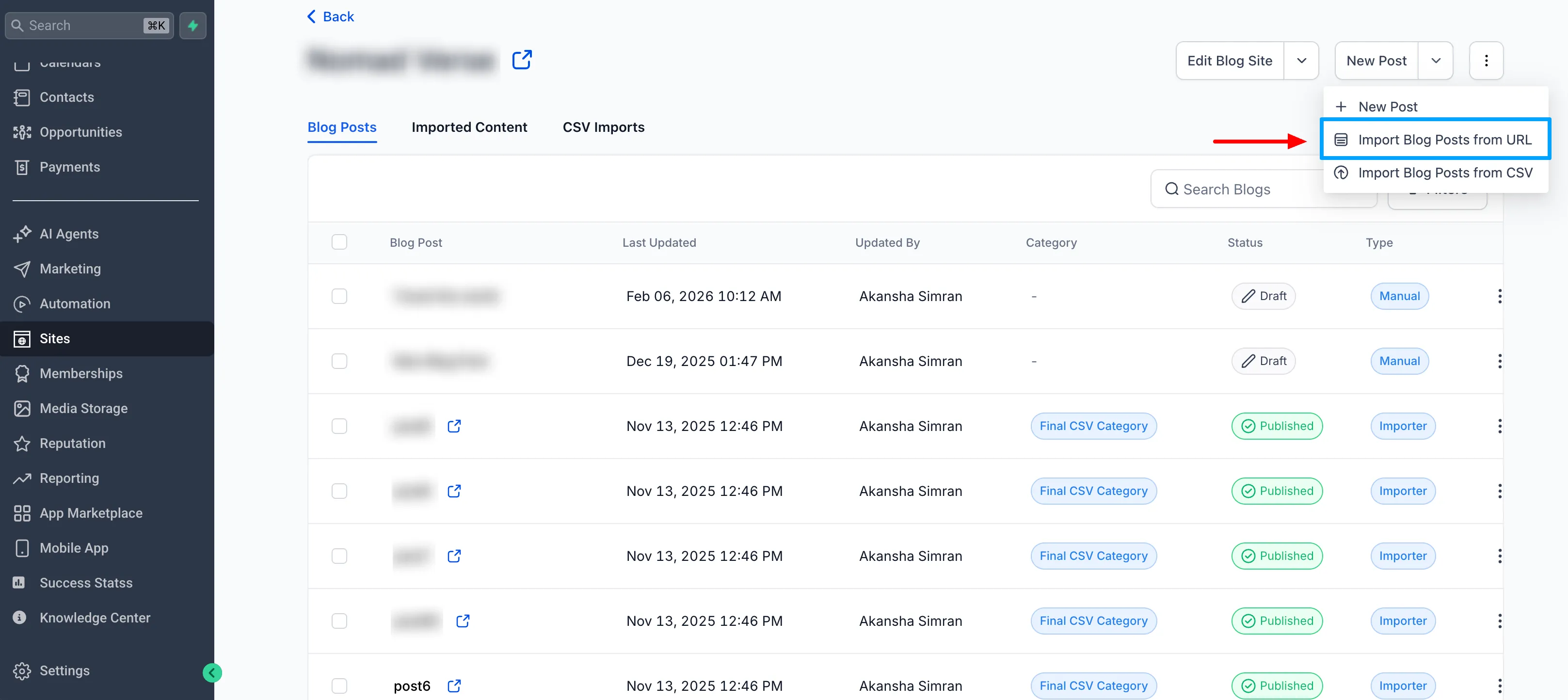
SMBcrm has updated the blog URL importer to make content migration easier and more reliable. The experience now includes a clearer import flow, simpler metadata mapping, and better handling for posts that are only partially mapped.
What changed
Clearer import flow
The importer now follows a more guided process:
- Scan
- Review
- Map
- Import
Updates include:
- Improved button labels
- Clearer progression between steps
- Better scanning feedback
- More intuitive placeholder text
Easier content mapping
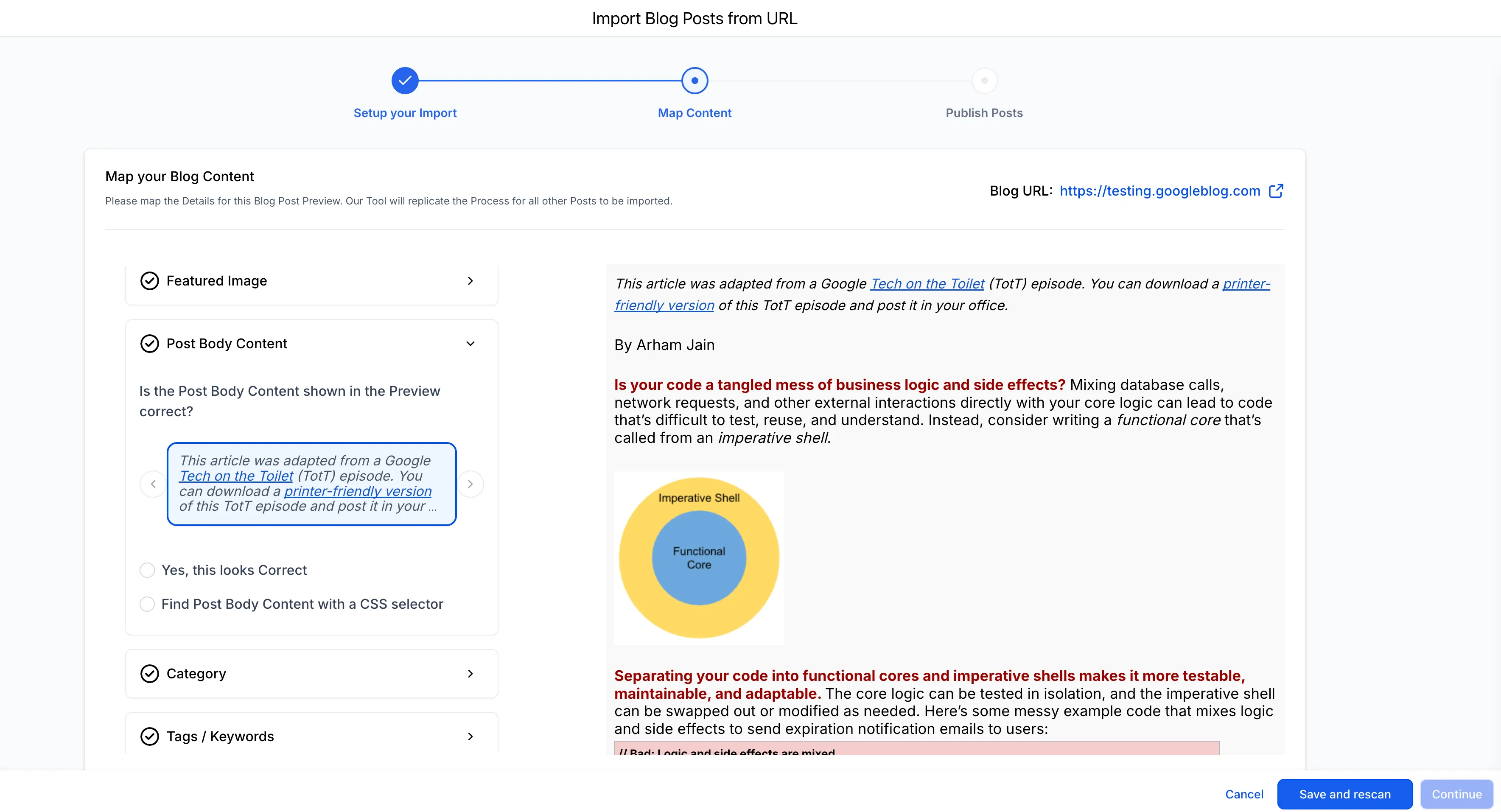
The metadata mapping experience has been simplified to reduce friction during import.
Changes include:
- Fixed Previous and Next navigation issues
- Clearer preview and selection experience
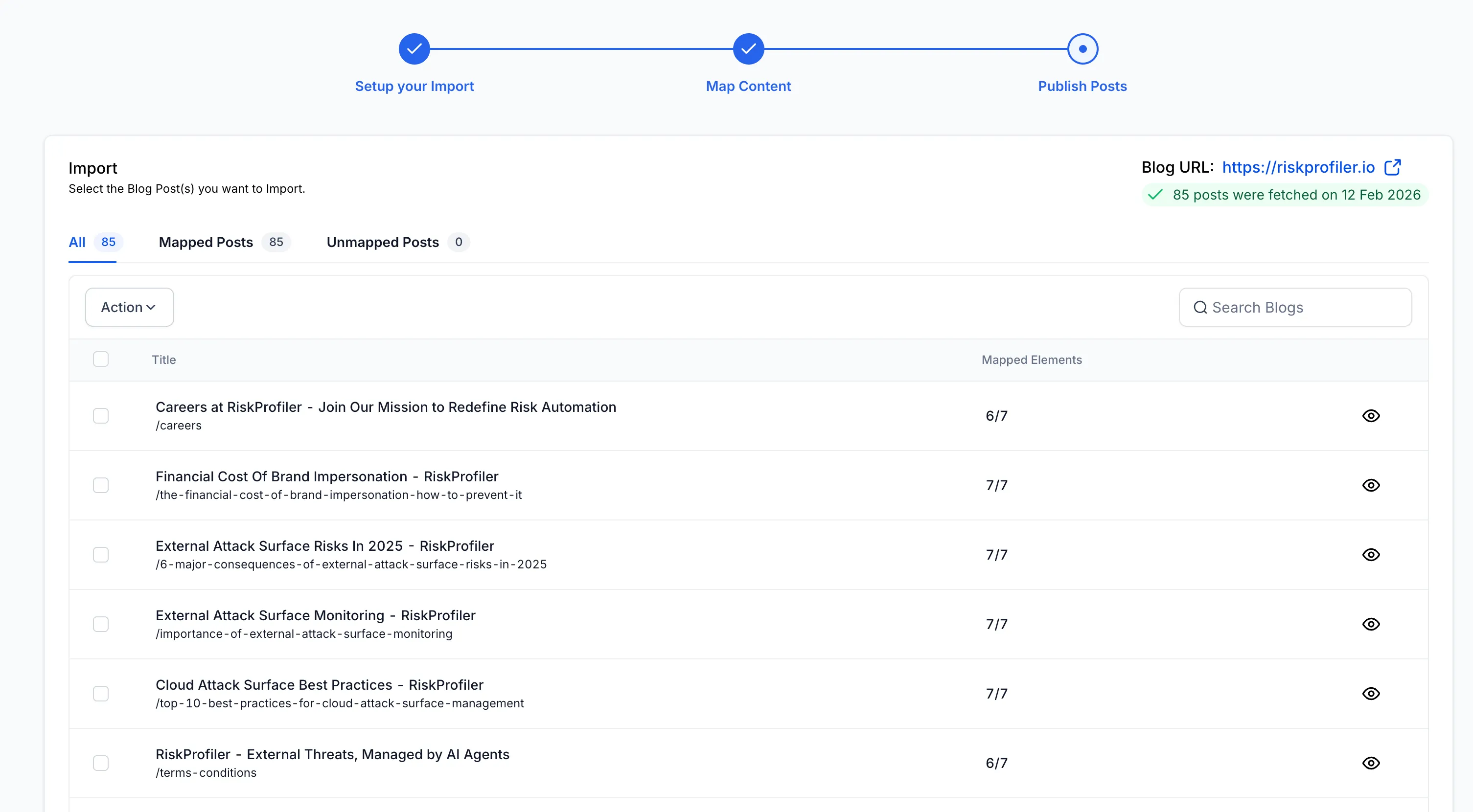
- Better visibility into mapped versus unmapped posts
This makes it easier to see what is ready to import before you continue.
Manual metadata mapping during import
If imported posts are missing metadata, you can now add it during the import process instead of cancelling and starting over.
This includes:
- Categories
- Authors
- Tags
Smarter handling for mapped and unmapped posts
Imports are now more flexible:
- Mapped posts are imported as Published
- Unmapped posts are imported as Draft
You can import both types in the same process without being blocked, while still keeping content status aligned with mapping completeness.
Why it matters
These changes help users:
- Complete blog migrations with higher success rates
- Move content from an external CMS with more confidence
- Avoid manual copy and paste workflows
- Reduce support dependency for blog recovery or mapping issues
How to use it
- Go to Sites → Blogs.
- Click Create New Blog Post → Import.
- Enter the homepage URL and scan.
- Review the detected posts.
- Map metadata such as author, category, and tags if needed.
- Import mapped and or unmapped posts.
Posts are automatically assigned the appropriate status based on mapping:
- Published for mapped posts
- Draft for unmapped posts
Need Help Applying This Update?
If you’d like help rolling this out in SMBcrm, visit Support or request a demo.