Bulk Import for Companies
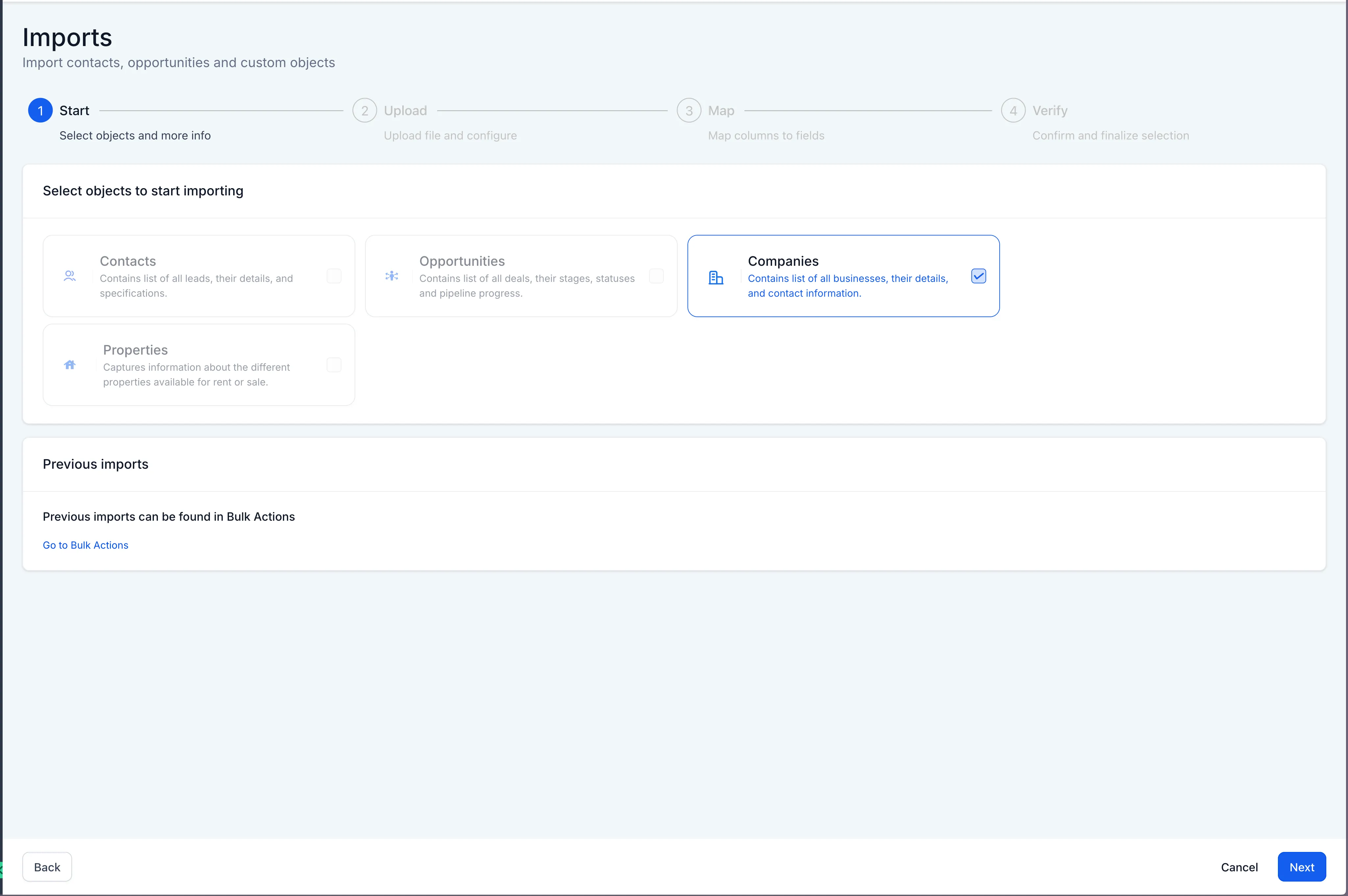
You can import company records into CRM in bulk with a structured CSV workflow. This update supports creating new companies, updating existing ones, or doing both in a guided 4-step process.
This feature is currently available behind Labs. Enable it in your account under Labs by turning on Company and Custom Object Import.
What’s Included
- Bulk CSV import for company records
- A 4-step guided flow: Start, Upload, Map, and Verify
- Options to:
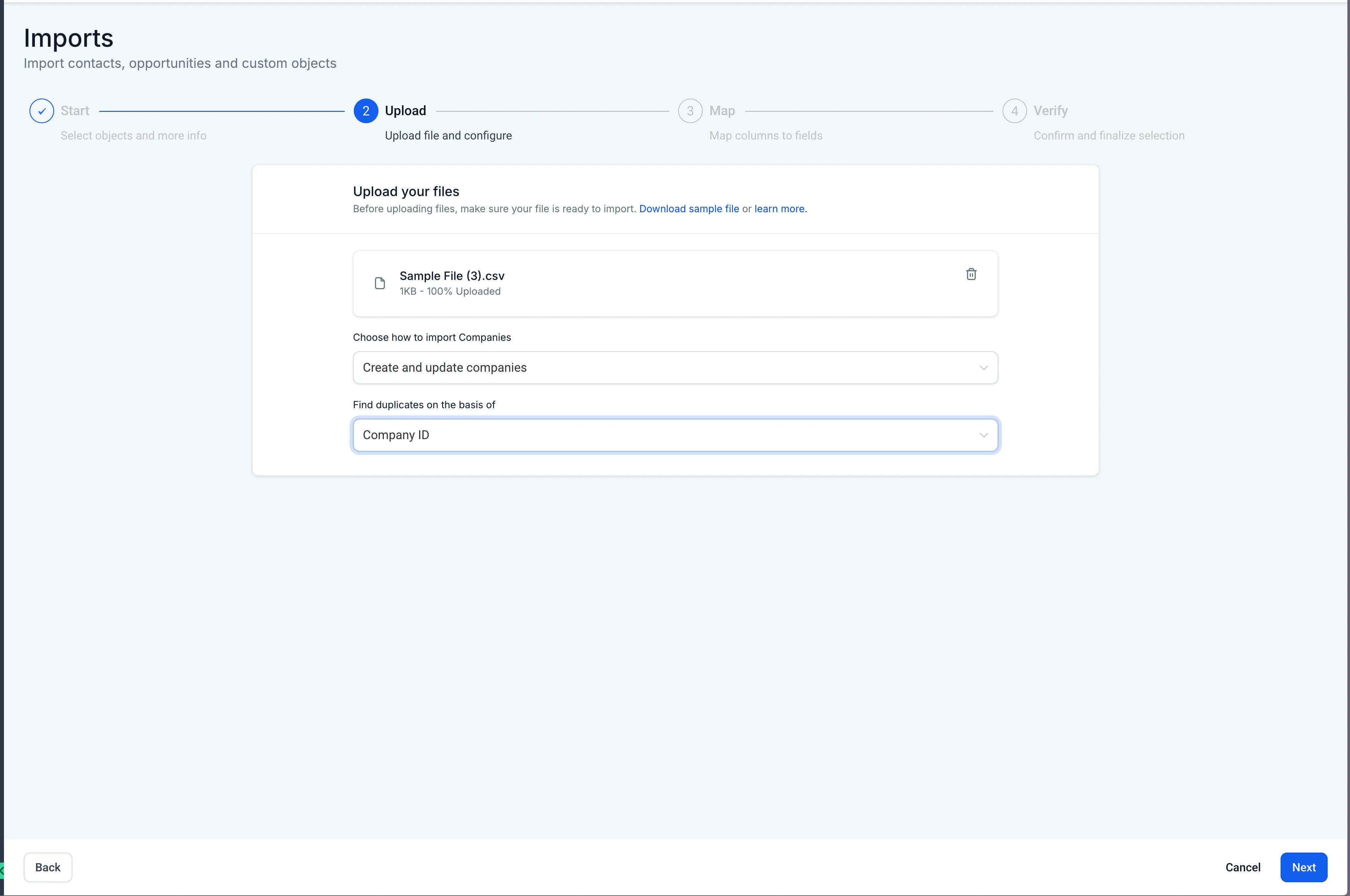
- Create new companies
- Create and update existing companies
- Update existing companies
- Duplicate detection based on Company ID
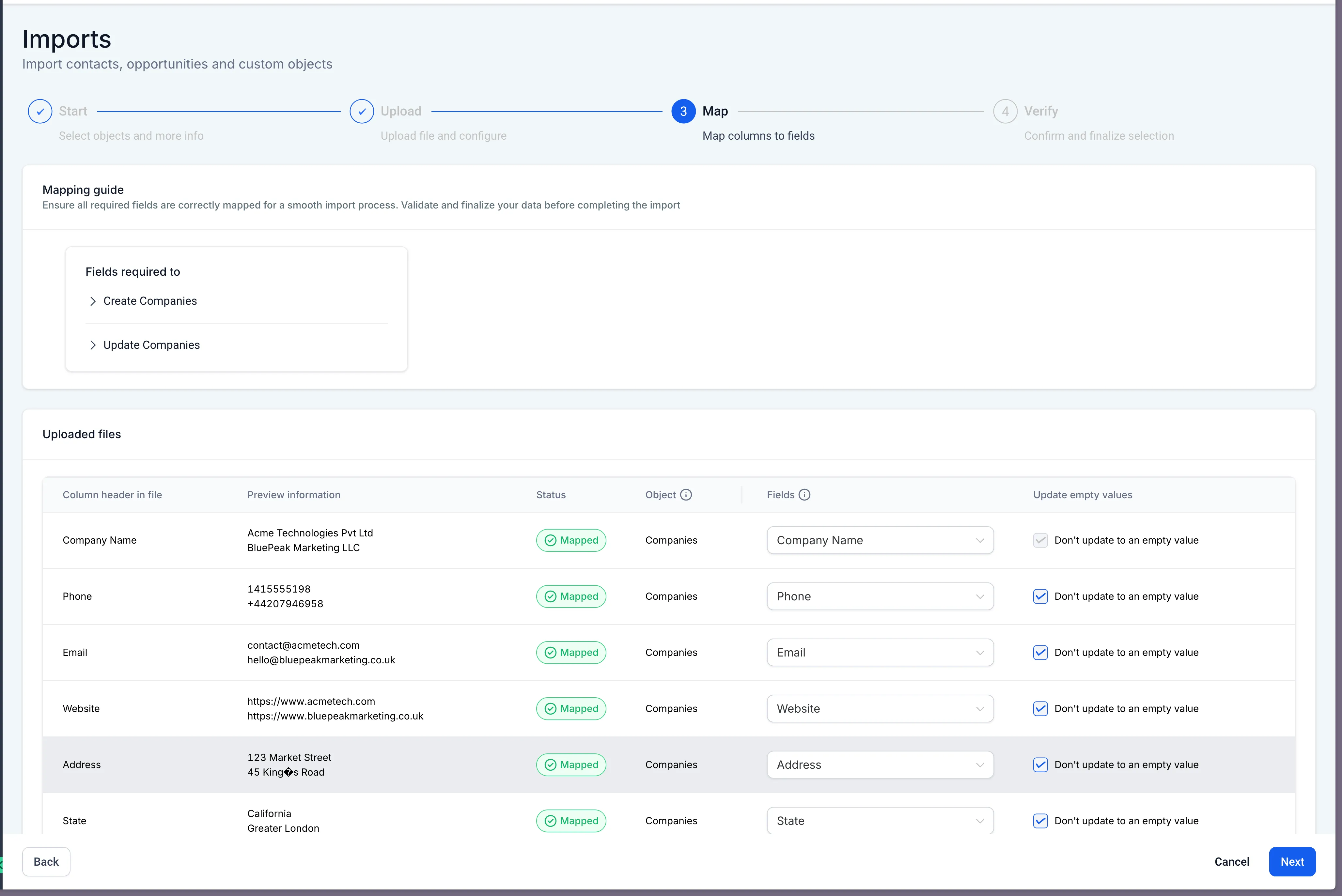
- Column-to-field mapping with preview data
- Protection against overwriting fields with empty values
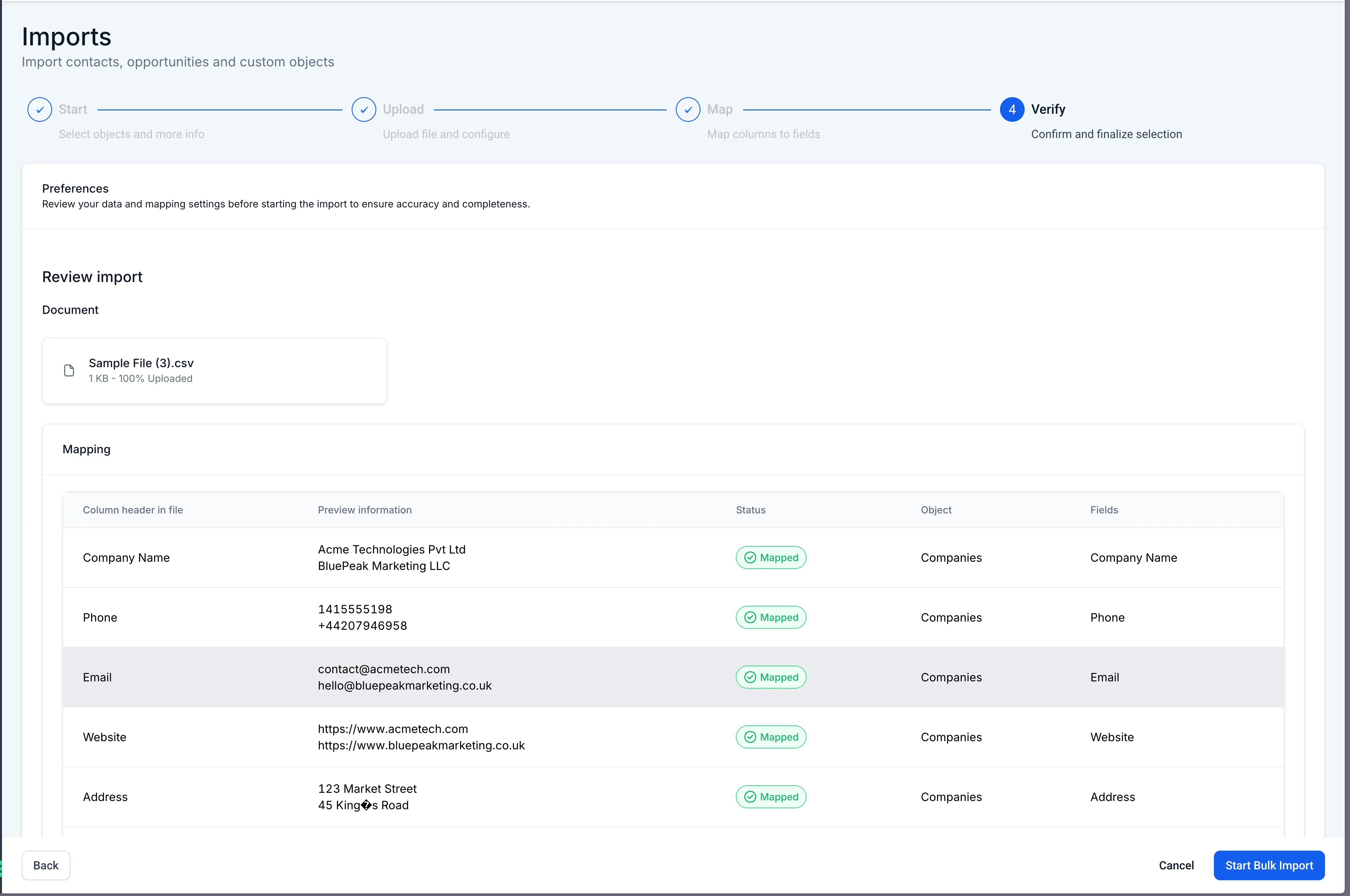
- A review screen before the import runs
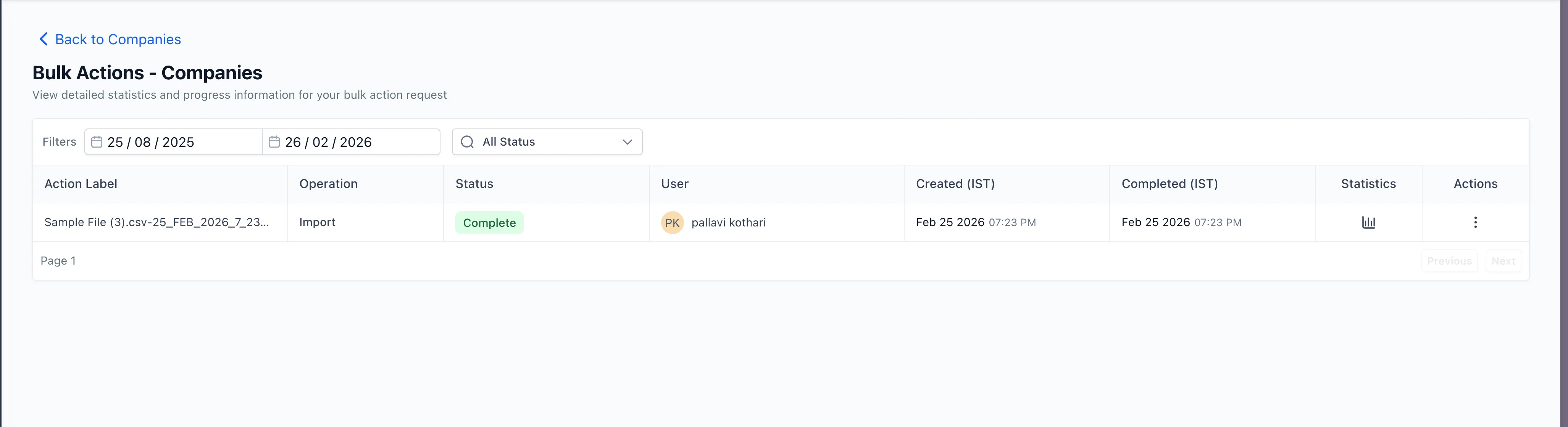
- A dedicated Bulk Actions page for tracking company imports
- Import statistics for success, errors, and warnings
- A downloadable import report for auditing
Why It Matters
Bulk company import can speed up CRM migration work, reduce manual data entry, and improve accuracy during onboarding. It also gives teams clearer visibility into import results so issues can be reviewed and corrected more easily.
Need Help Applying This Update?
If you’d like help rolling this out in SMBcrm, visit Support or request a demo.