Company Variables in Contact-Based Workflows
You can now use company fields inside contact-based workflows. This update expands what you can do in Automation by letting workflows reference company details alongside contact fields.
What Changed
When building a contact-based workflow, company fields now appear in the Custom Value picker and in If/Else conditions. If a contact is associated with a company, the workflow can pull in company details such as:
- Company name
- Phone number
- Email address
- Website
- Address
- Other company fields
This allows you to use company data in messages, notes, and workflow logic.
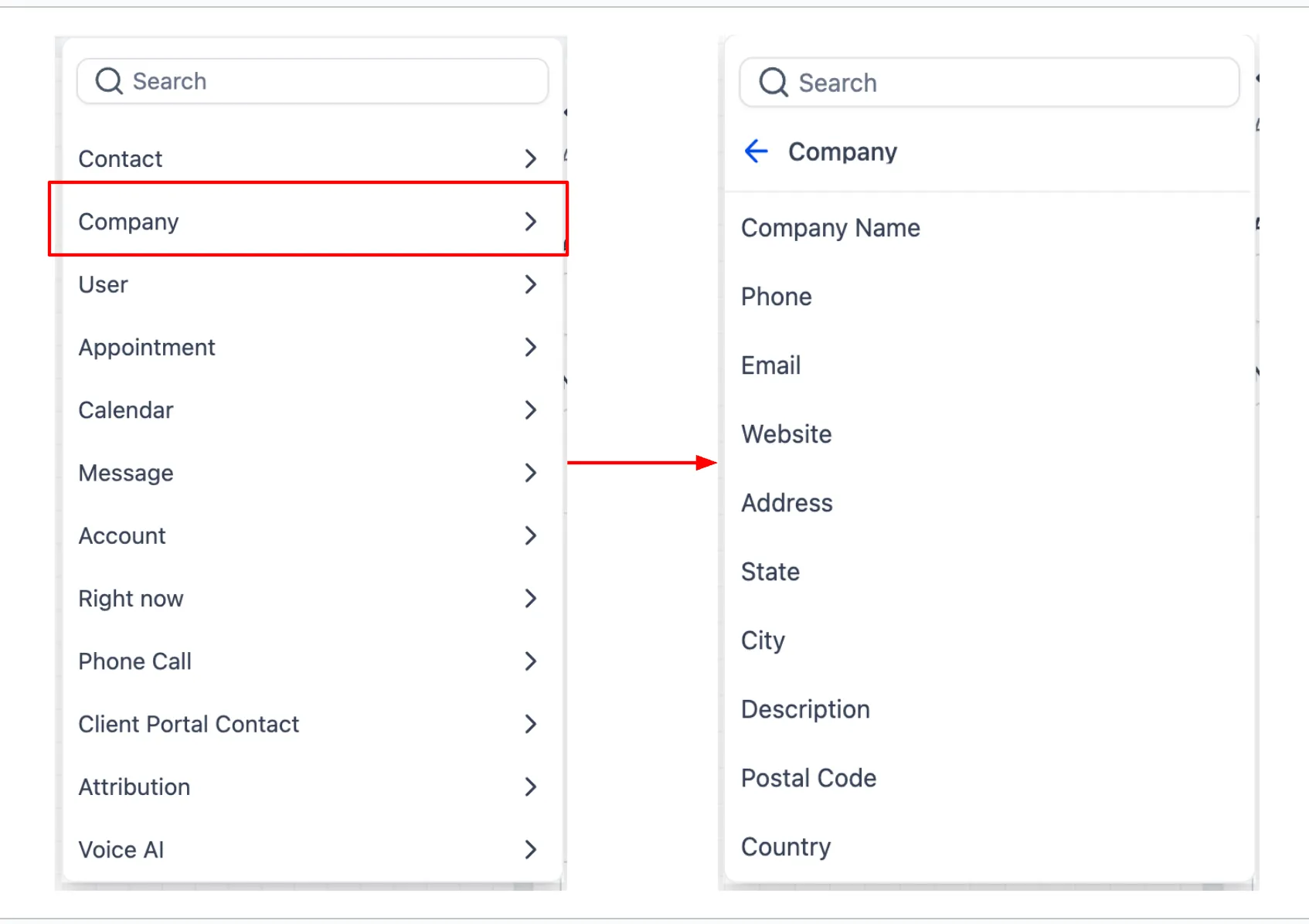
How to Use It
- Open a workflow and add or edit an action or If/Else branch.
- Select the Custom Value picker.
- Choose a company field.
- Insert it into your message, note, or branch condition.
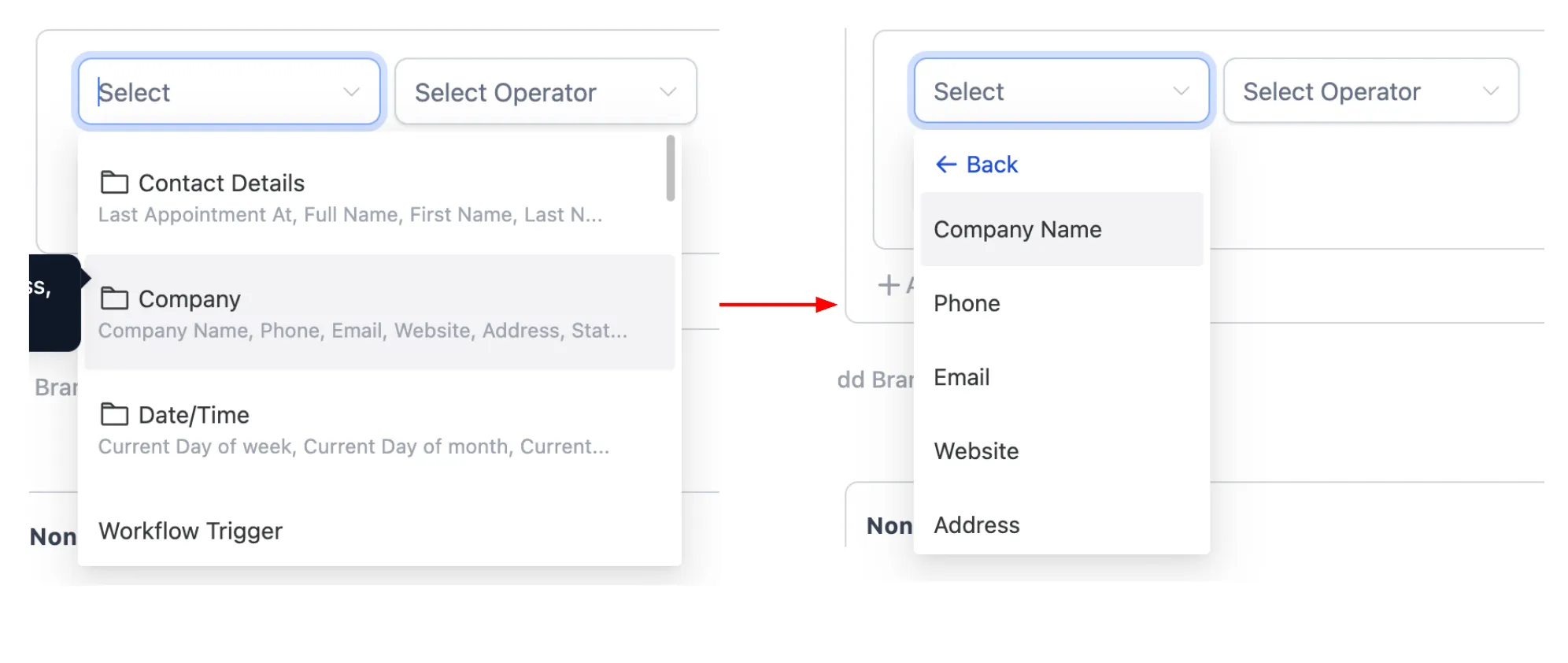
Why It Matters
For businesses that manage contacts linked to companies, this removes manual workarounds and extra field mapping. You can personalize outreach and make workflow decisions using company-level data tied to each contact.
Example Uses
- Insert the company name from a contact’s associated company record into an email for more relevant business outreach.
- Create an If/Else branch that checks the company address city and routes contacts based on location.
Notes
- Company variables only populate when the contact is associated with a company.
- If no company is associated, the variable value will be blank.
- Company fields are available in both the Custom Value picker and If/Else conditions.
Need Help Applying This Update?
If you’d like help rolling this out in SMBcrm, visit Support or request a demo.