Connect Call in Workflows Now Supports Call Whisper
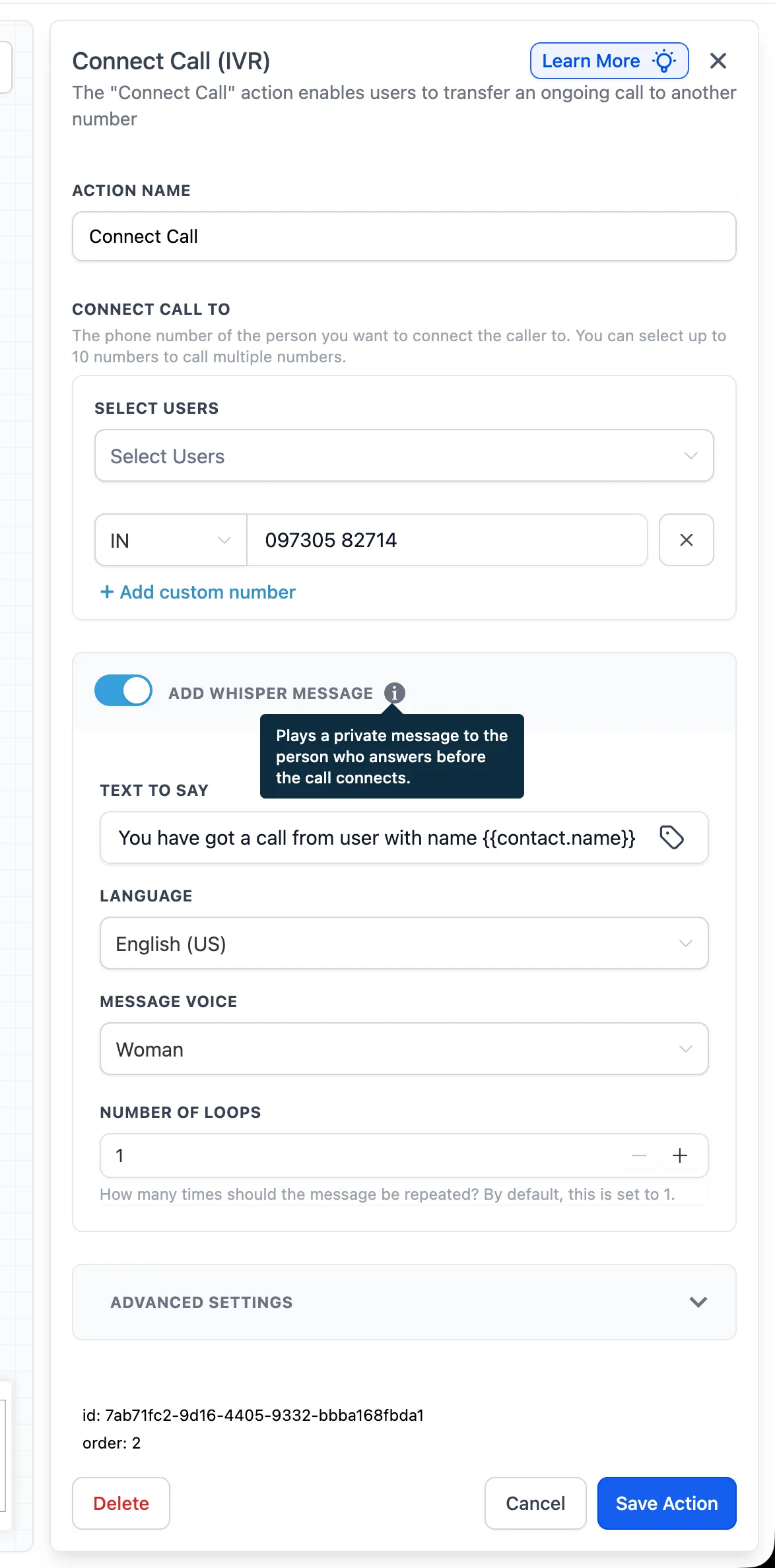
The Connect Call action in Automation now supports an optional Call Whisper message. This gives the person answering a short private message before the caller is connected.
What Changed
When Call Whisper is enabled, the system plays your configured message to the call recipient first, then connects the caller. You can control the message text, voice, and how many times the message repeats.
How to Use It
- Open the Connect Call action in your workflow.
- Turn on Add Whisper Message.
- Enter the message settings.
- Save the action.
After that, the recipient will hear the whisper message before the call connects.
Why It Matters
Transferred calls can arrive without enough context. Call Whisper helps your team understand who is calling and why before they answer, while keeping that message private from the caller.
Example Use Case
A whisper message might say: “You’ve got a call from {{contact.name}} about their appointment request.” This gives the recipient useful context before pickup.
Notes
- Call Whisper is optional and only plays when enabled.
- The whisper message is played to the recipient only, before the call connects.
- You can set the number of loops for the message.
- Whisper messages currently support English only.
- Keep messages short so the recipient can hear the context quickly.
Need Help Applying This Update?
If you’d like help rolling this out in SMBcrm, visit Support or request a demo.