Contact Detail Page Redesign: Cleaner UI, Faster Actions
We’ve rolled out a refreshed Contact Detail Page designed to improve clarity and make key actions easier to find. This update focuses on better visual contrast, improved organization, and smoother access to commonly used features. The underlying functionality of the page remains the same.
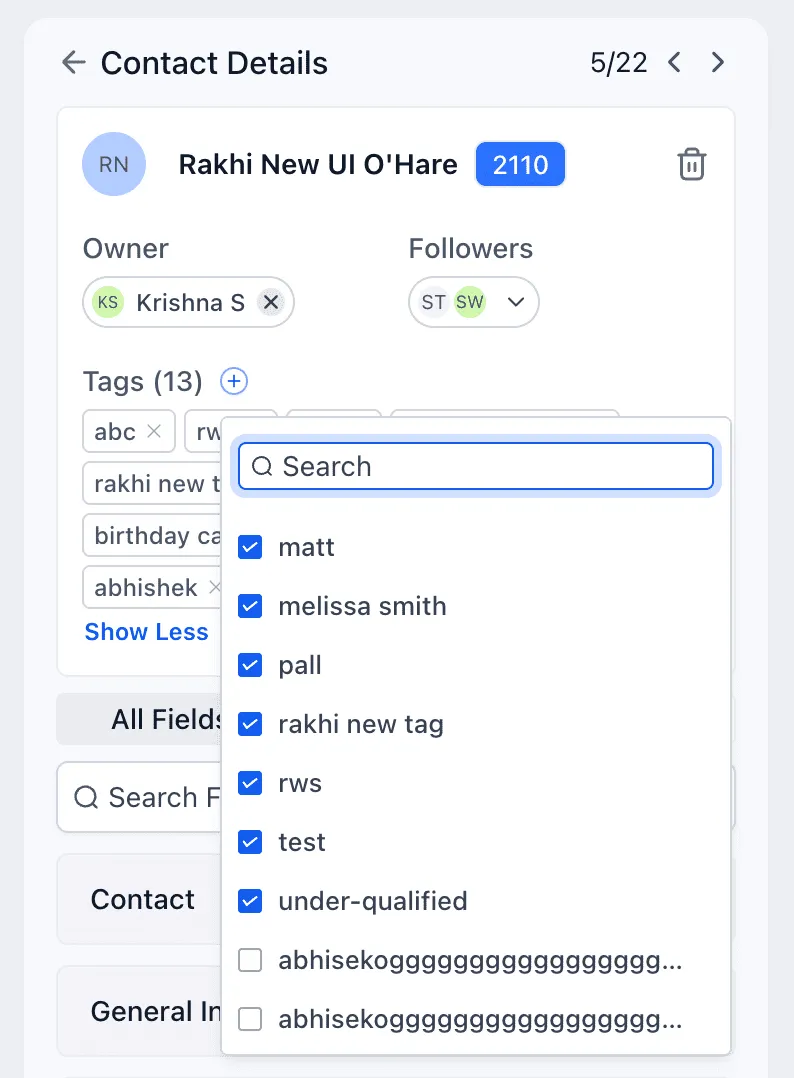
A helpful addition: you can now create new tags directly from the contact card.
What Changed in the New Contact Detail UI
Improved color contrast and readability
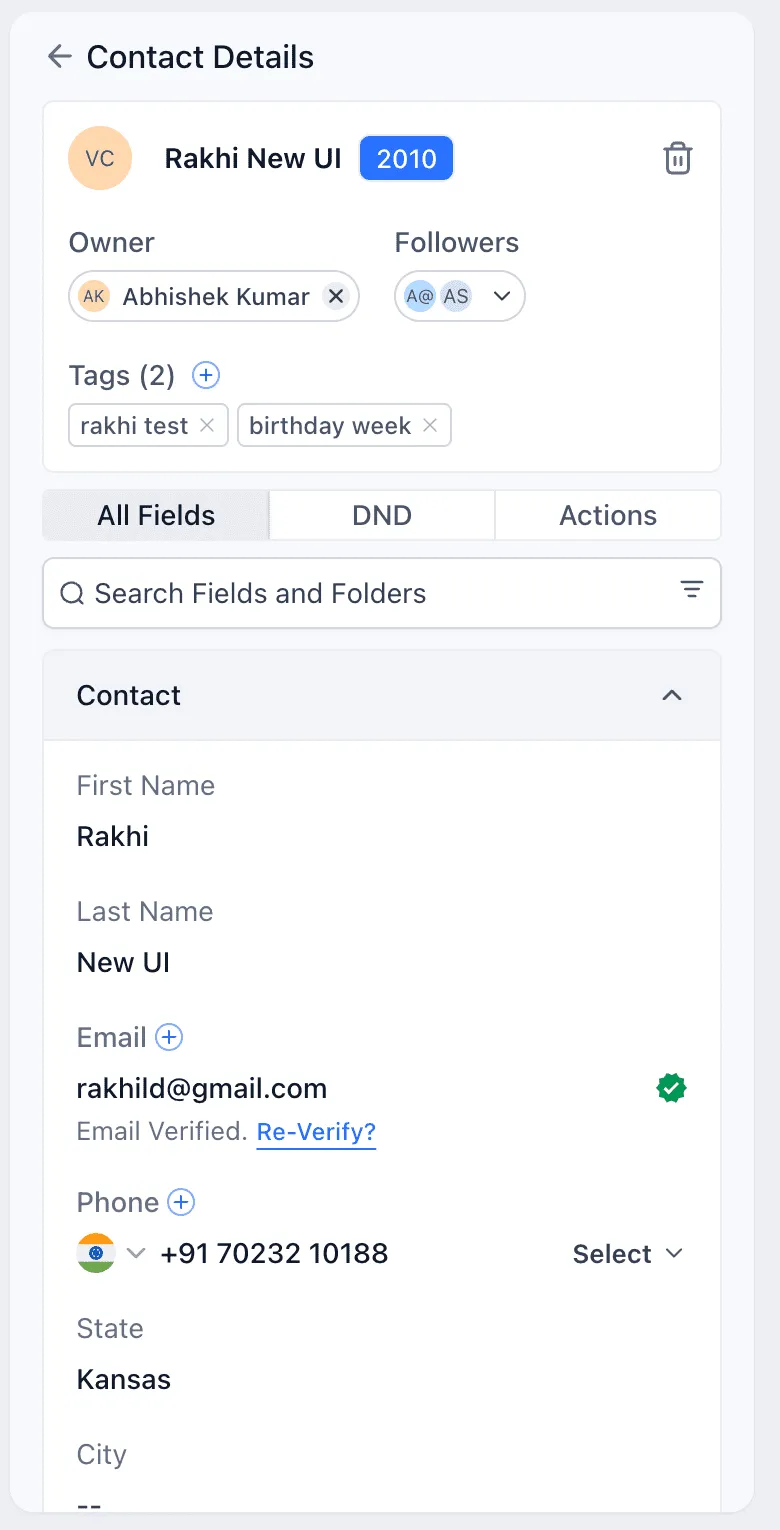
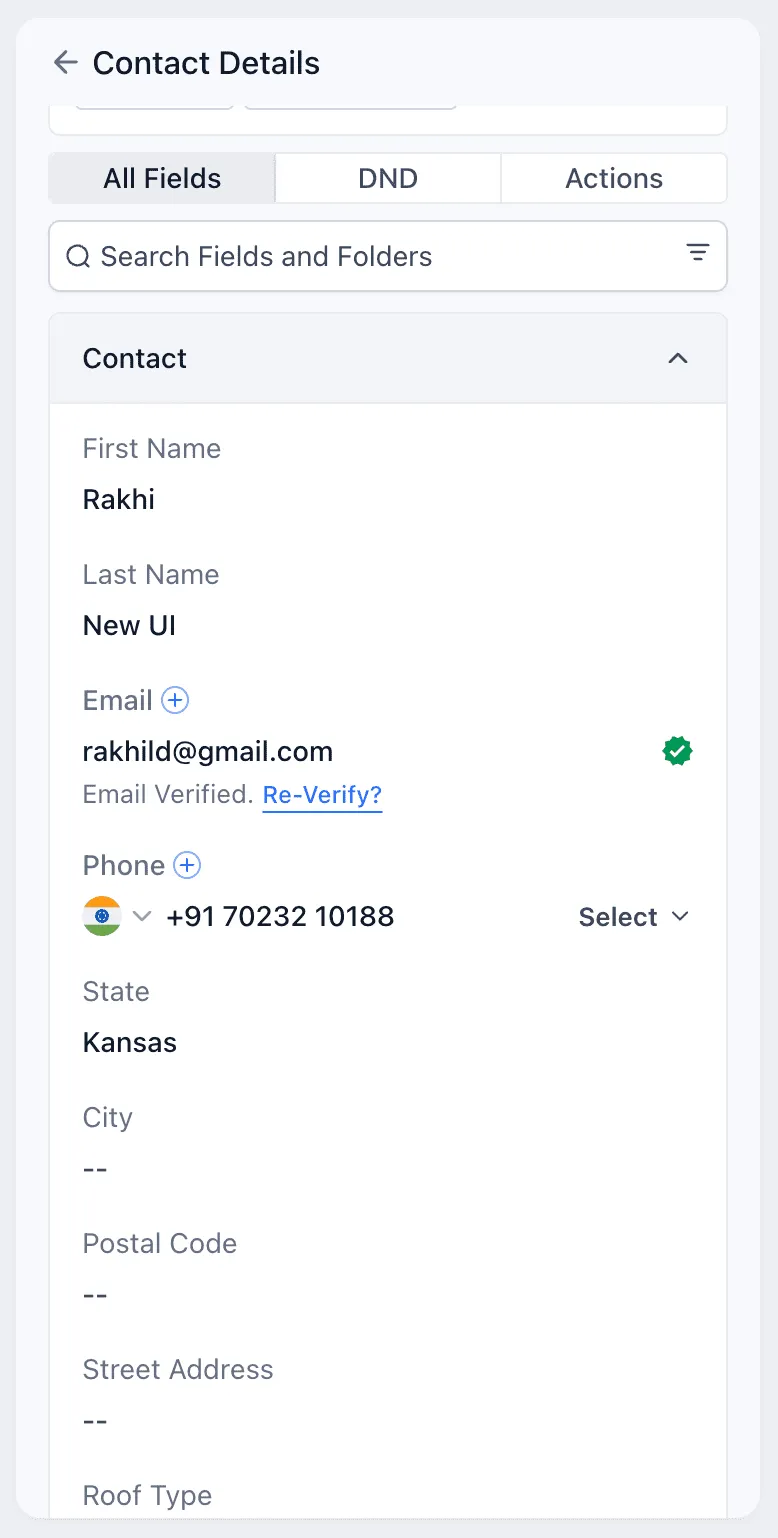
Input fields are now darker so they stand out more clearly from field labels. This makes scanning and editing contact information easier, especially when working quickly across many records.
Empty fields now display consistently
Fields without data now show double dashes to clearly indicate “no value.” Field styling was also adjusted so field values are easier to read against labels.
Folders are easier to distinguish
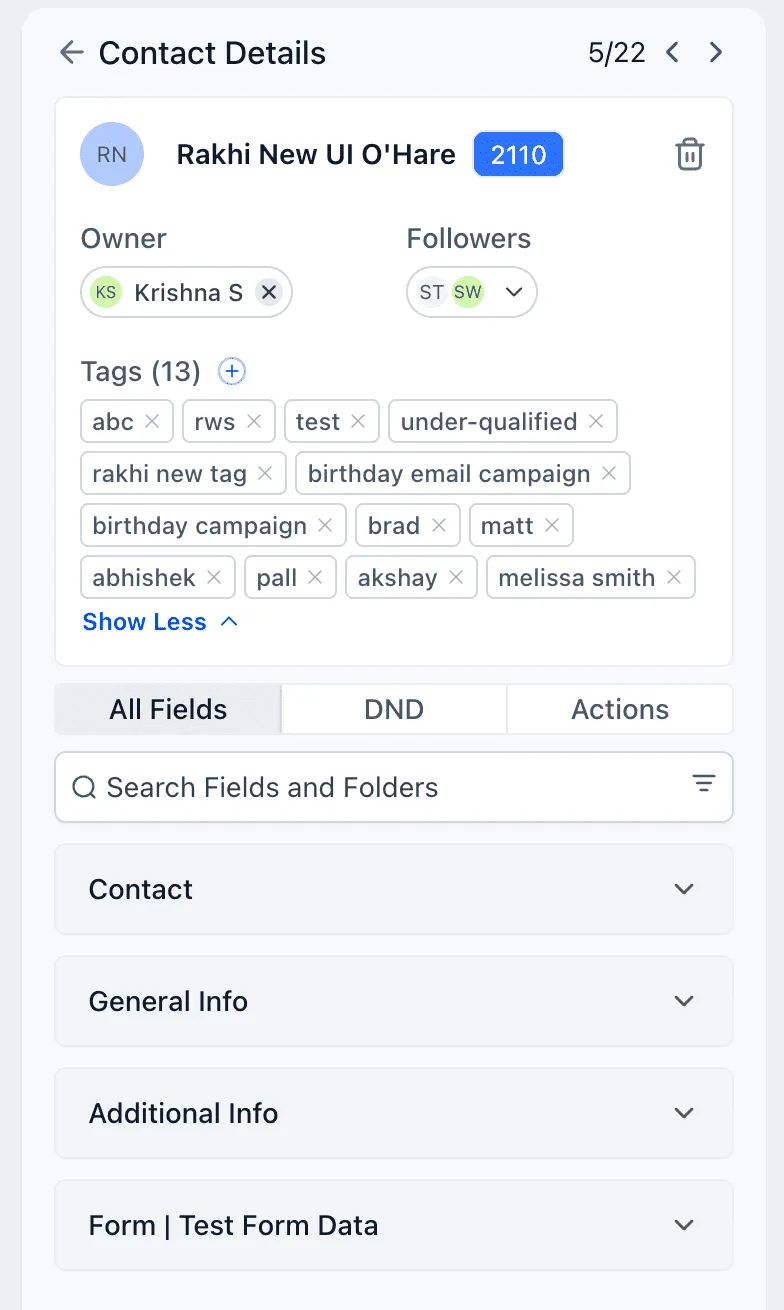
Folders now include a gray background so you can quickly tell the difference between standard fields and grouped sections.
Opportunities moved under Actions
Opportunities are now located under Actions, based on frequent user feedback. This streamlines the workflow when you need to view or add an opportunity with fewer clicks and less searching. The entire card is now clickable, which helps reduce time spent navigating.
Tags area is cleaner and more flexible
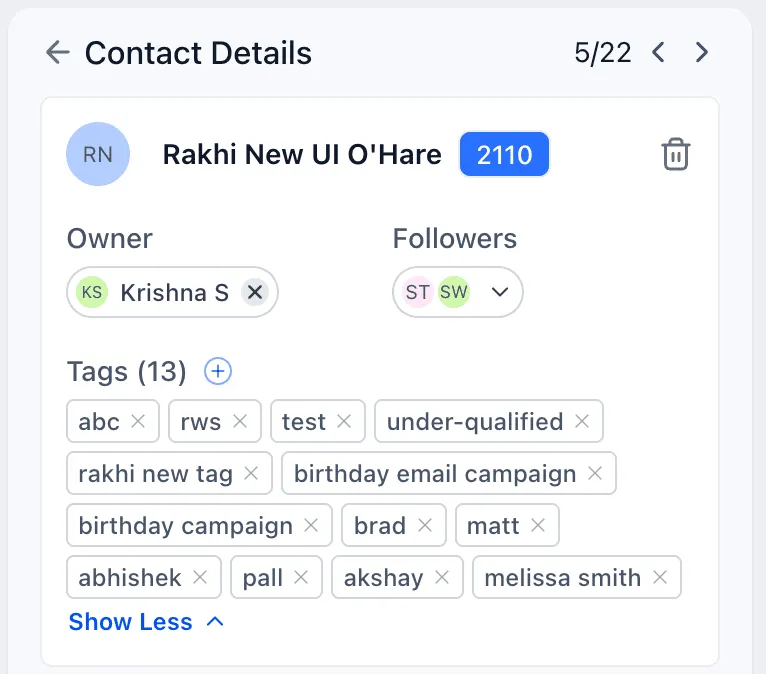
The tag popup is wider and cleaner, making tags easier to view in full. You can also expand and collapse the tags section as needed.
Engagement score is more visible
The engagement score now appears next to the contact name in the contact card. Clicking the score opens the engagement score section.
Additional phone and email moved into the Contact folder
Adding extra phone numbers and email addresses is now housed inside the Contact folder, so you don’t have to hunt through folder names to find it.
Delete contact is easier to find
To reduce friction, the previous three-dot menu has been replaced with a dedicated delete icon on the contact card.
Screenshots
Need help or want to share feedback?
If you have questions about where something moved or want help updating your team’s process, visit our support resources:
- Support
- Contact Us
- Explore more updates in our Product Updates section