Export Email Marketing Data from Email Statistics
SMBcrm users can now export email performance data from the Email Statistics section as a CSV file.
What Changed
You can export performance data for:
- All campaigns
- Email marketing campaigns only
- Workflows only, at the individual email action level
- Bulk actions only
Each export includes key metrics such as:
- Deliveries
- Opens
- Clicks
The exported CSV is sent by email as a secure download link that remains valid for 30 days.
Why It Matters
This update makes it easier to:
- Analyze performance across campaigns and workflows
- Share results by email
- Download data for reporting
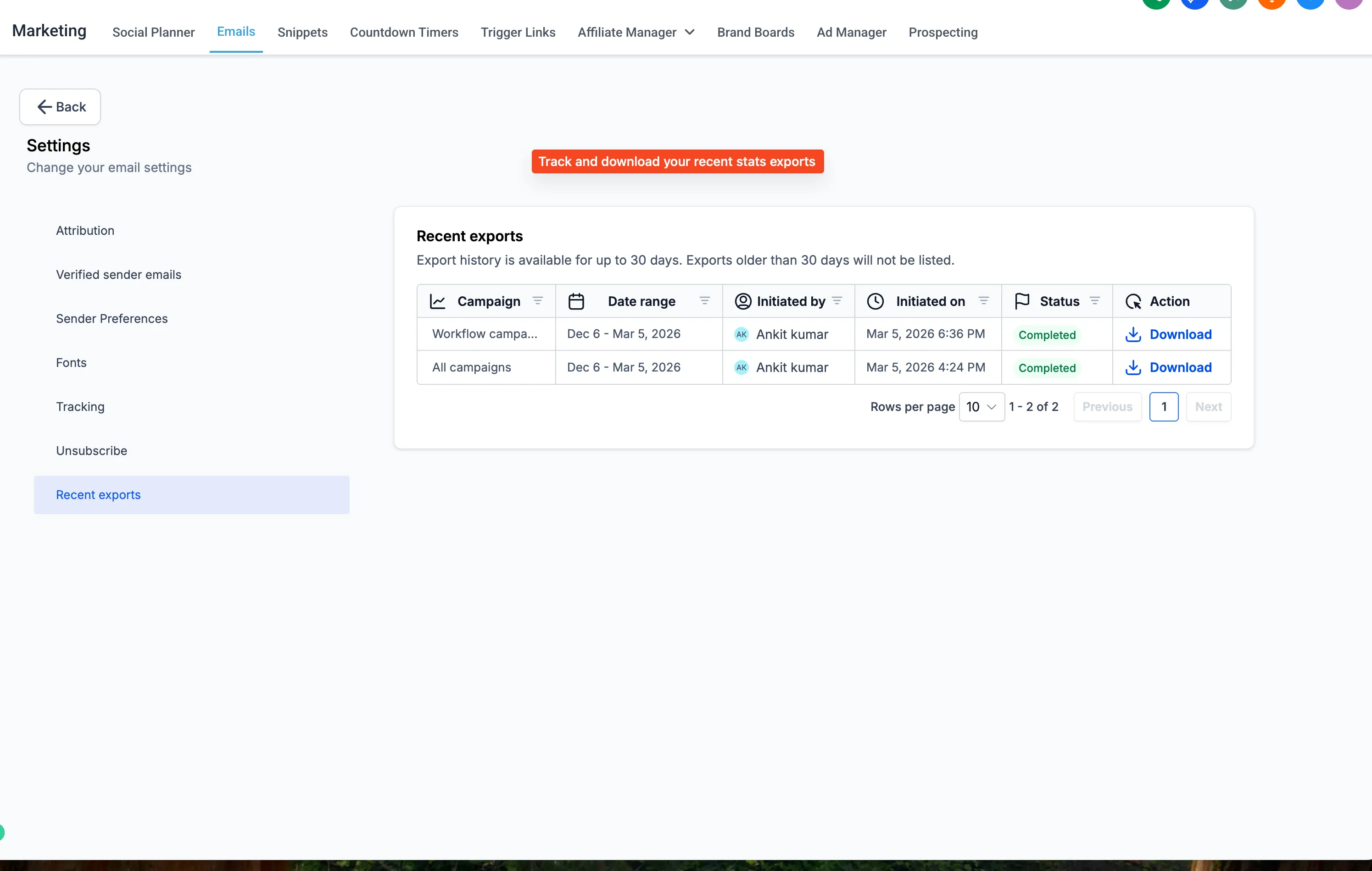
A Recent Downloads section is also available under Settings, so you can track exports created in the last 30 days.
How to Use It
-
Enable the feature in Labs.
-
Go to Marketing → Email.
-
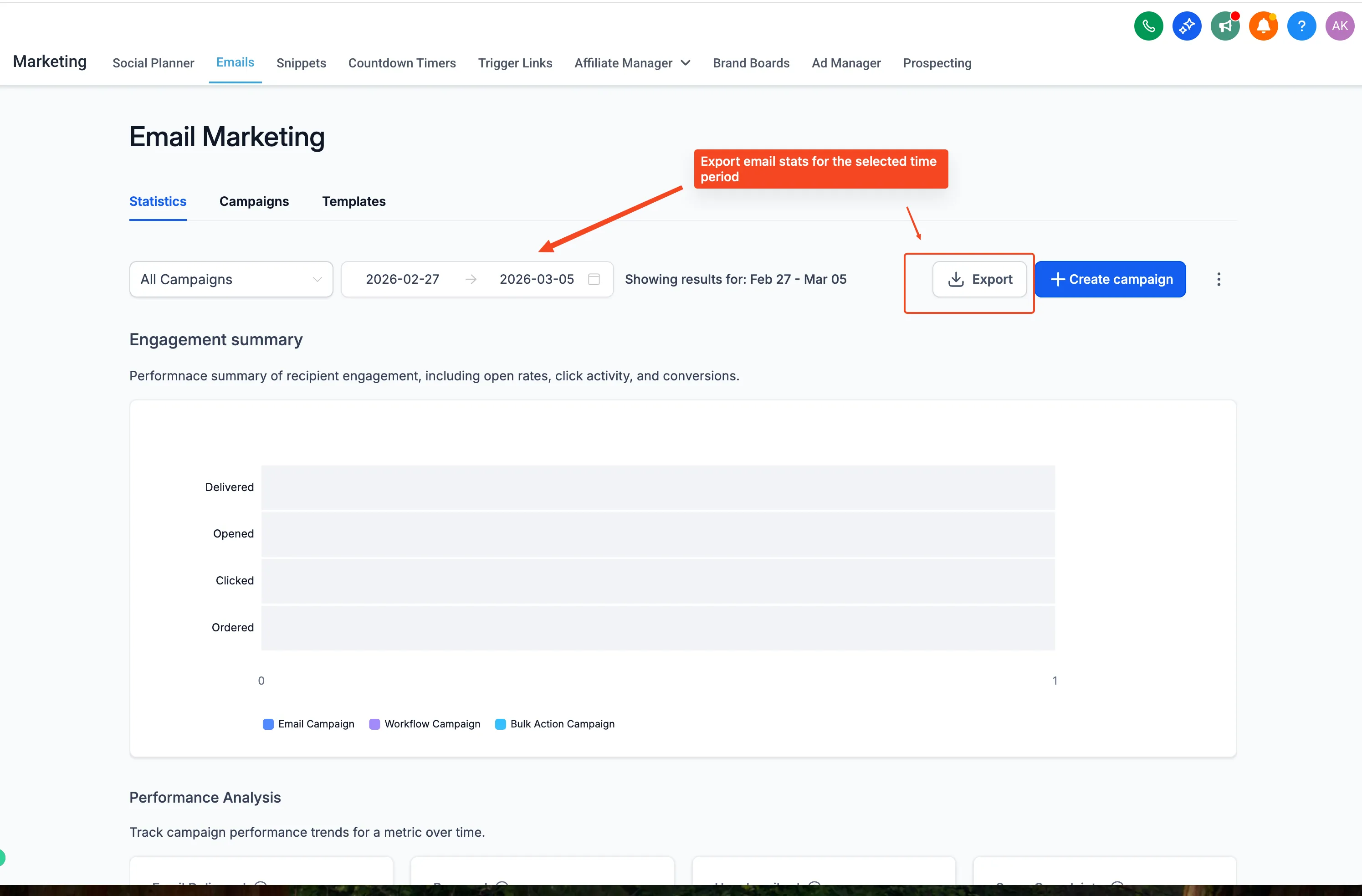
Open the Statistics tab.
-
Click Export.
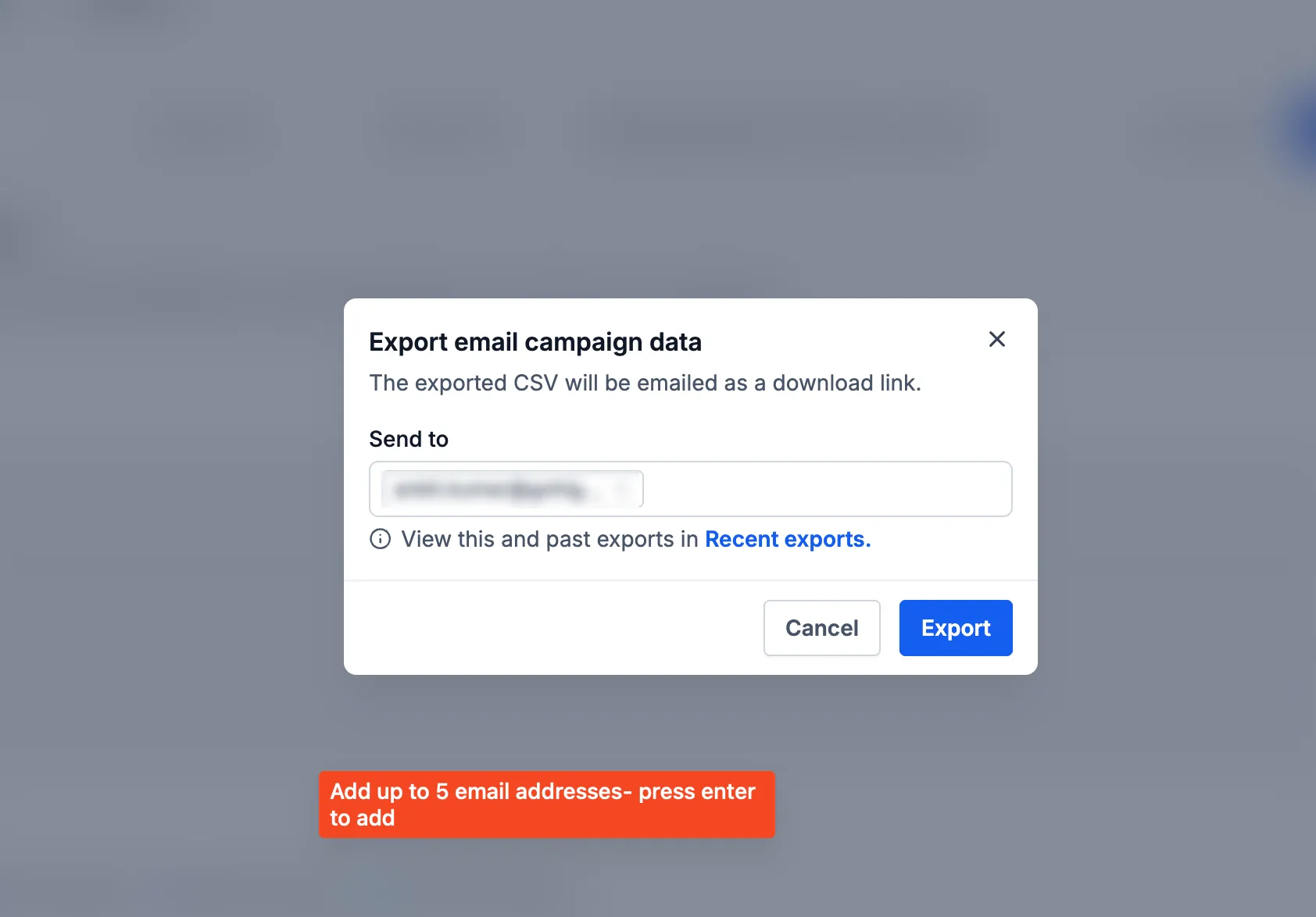
- Enter the email address or addresses where you want to receive the file, then continue.
- To view past exports, go to Settings → Recent Downloads.
Related SMBcrm Features
Need Help Applying This Update?
If you’d like help rolling this out in SMBcrm, visit Support or request a demo.