Overview
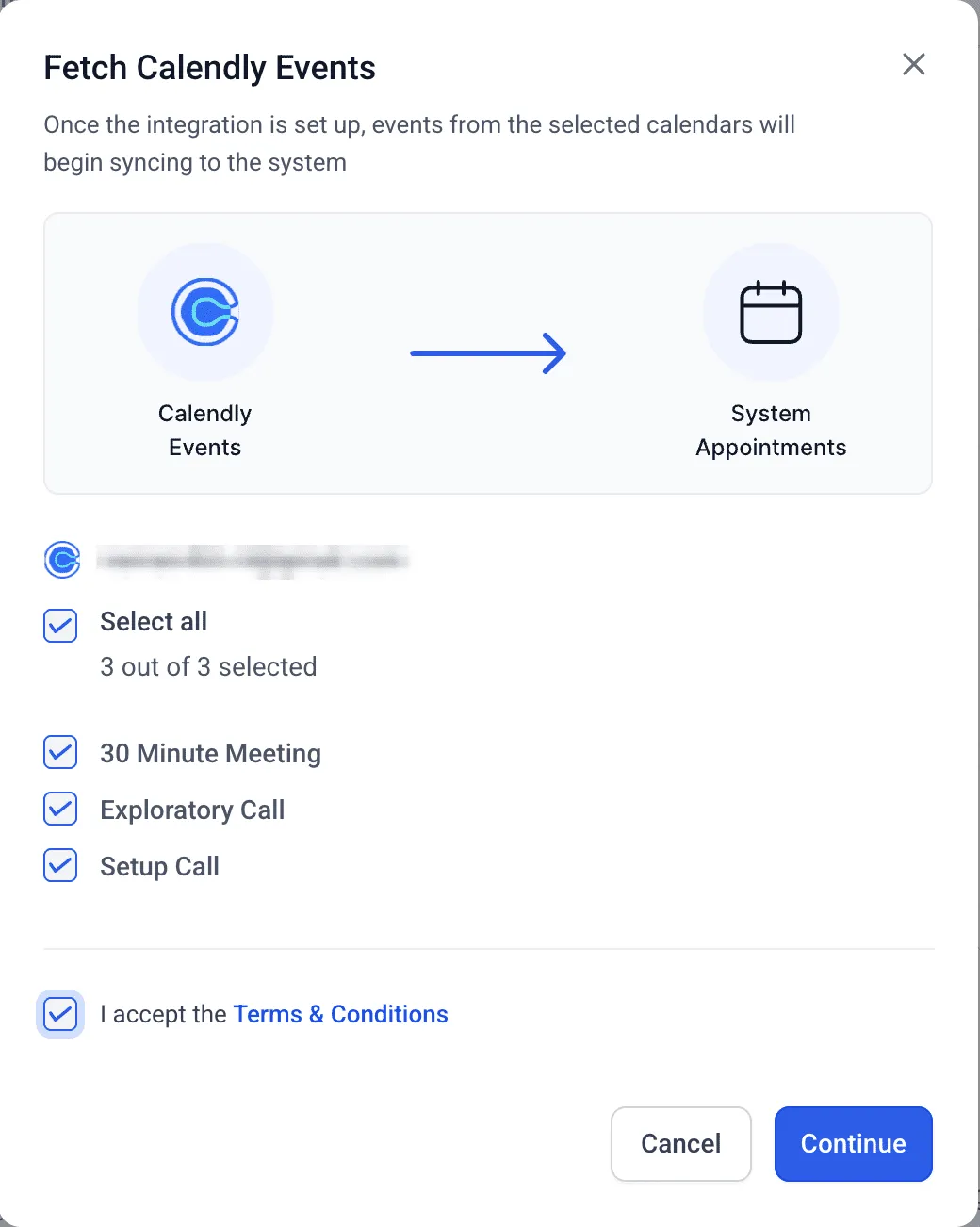
SMBcrm now includes an improved phone number importer for Calendly appointments to help ensure contact phone details are captured correctly and saved to the right contact record.
If your invitee enters a phone number in the meeting location or submits it through a Calendly form question, SMBcrm can bring that number into the contact profile automatically or with a simple mapping choice, reducing manual cleanup after bookings.
What’s New
Automatic sync when the phone number is in the meeting location
If the invitee’s phone number is provided in the meeting location and there are no phone fields in the Calendly form, SMBcrm will automatically sync that number to the contact.
A mapping step when phone numbers come from Calendly form fields
When a phone number field exists in the Calendly form, SMBcrm will show a mapping screen so you can decide what should populate the contact’s phone number.
You can choose from:
- Phone values coming from Calendly form fields
- The location phone field (if it’s present)
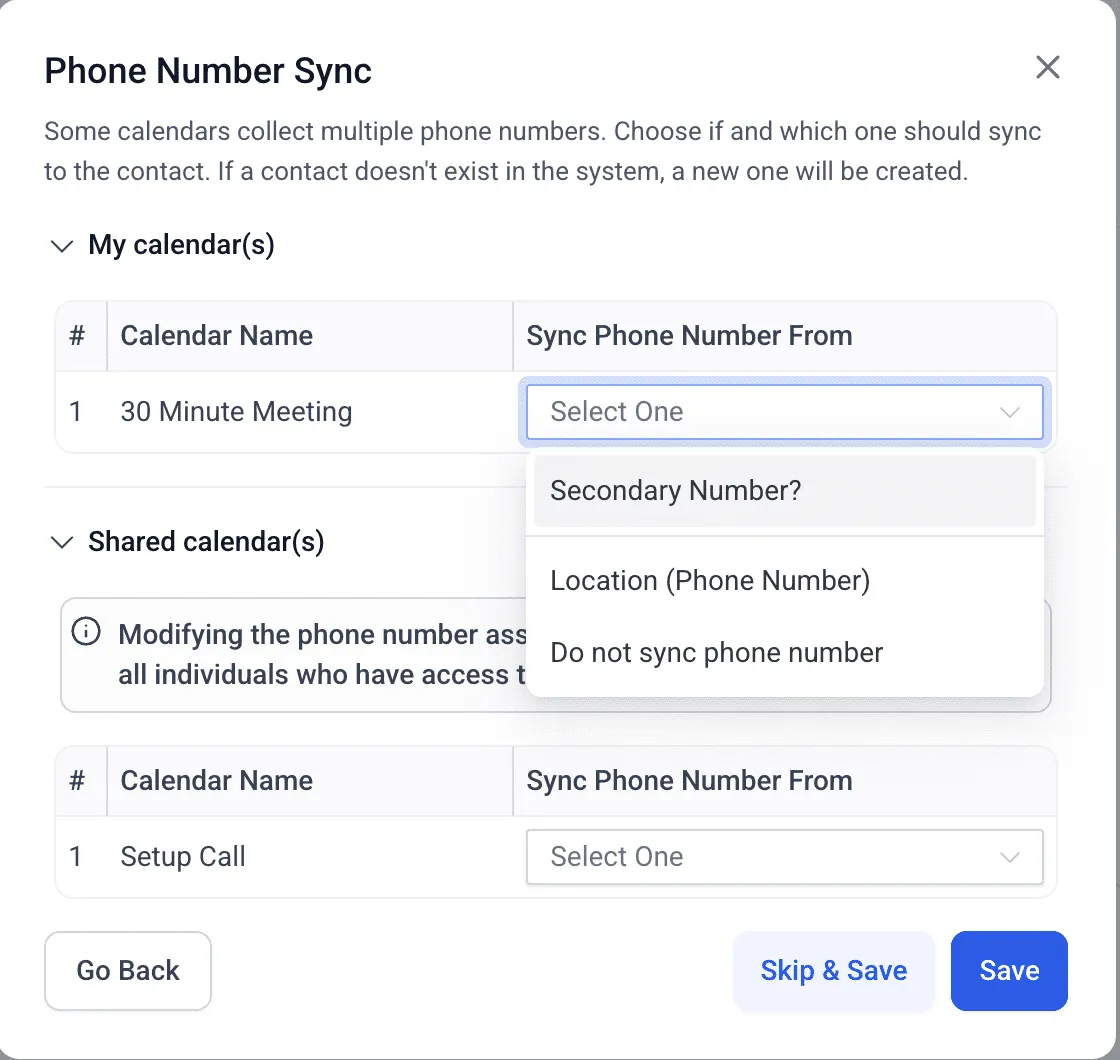
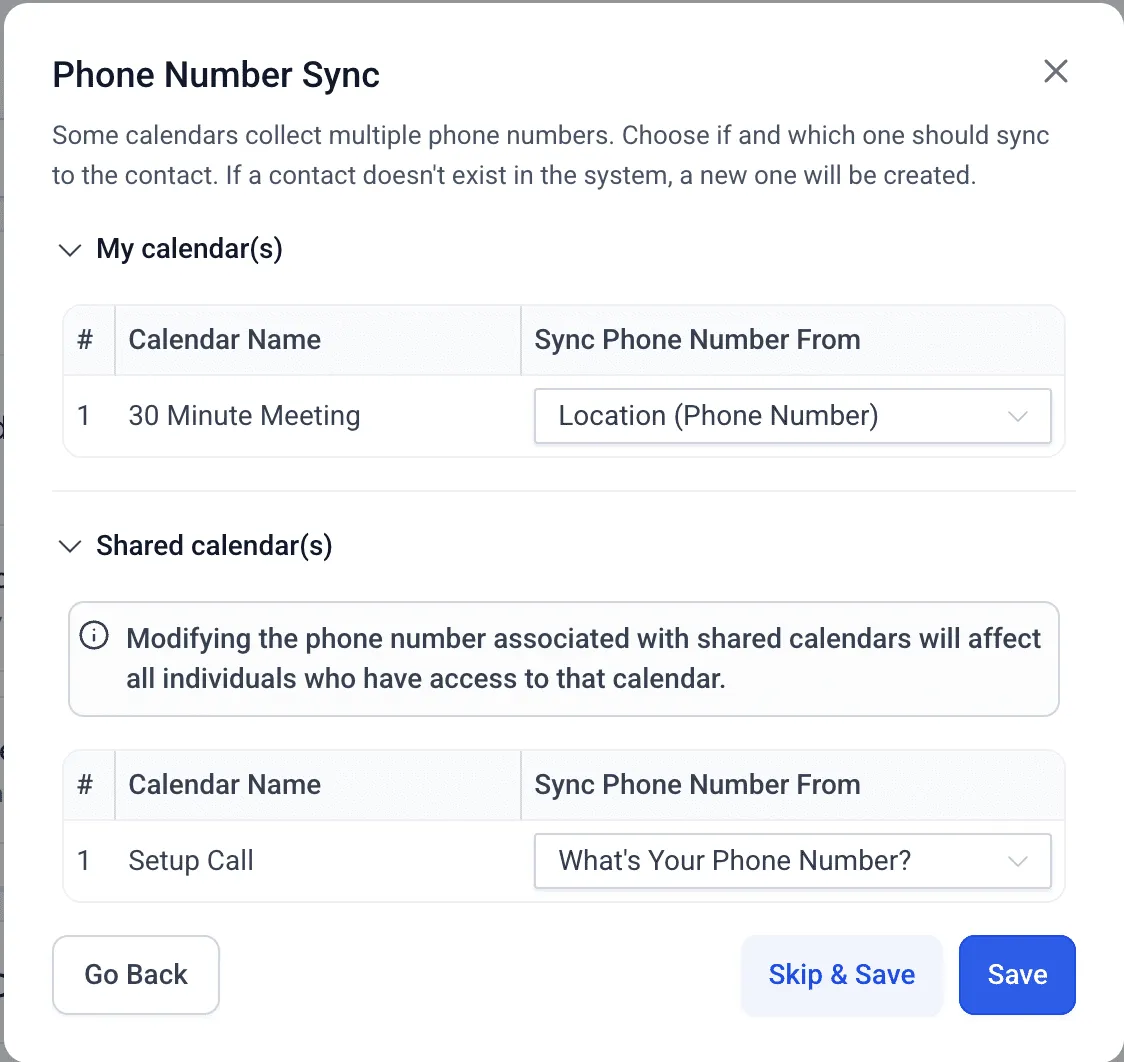
You can also select:
- Do not sync, if you don’t want any phone number mapped
This helps prevent the wrong number from being saved when multiple sources are available.
No interruptions when there are no phone fields
If the selected Calendly calendar has no phone number fields at all (not in the location and not in the form), SMBcrm will simply skip the phone sync step with no prompts or errors.
Note for shared calendars
For shared calendars, if any user updates the phone number sync option, that change will apply to all users connected to that calendar.
Why This Matters
Accurate phone capture from appointments helps teams follow up faster and keep records consistent, especially when contacts book across multiple calendars or team members.
Key benefits include:
- More reliable syncing of phone numbers for phone-based meetings
- Less manual copying from Calendly into contact records
- Clear control over which phone source is used when multiple options exist
Need Help Setting This Up?
If you’d like help confirming your calendar connection settings or appointment workflows, visit our Support page or contact us.