Improved Review Link Setup in Reputation
SMBcrm has updated Review Link setup in Reputation & Growth to make the process faster and easier to manage.
What changed
Automatic Review Link setup
Once a page is connected, the Review Link is set automatically.
For Google Business Profile connections:
- If only one page is connected, it is set as the default
- If multiple pages are connected, the first page is selected by default
- Manual setup is no longer required in most cases
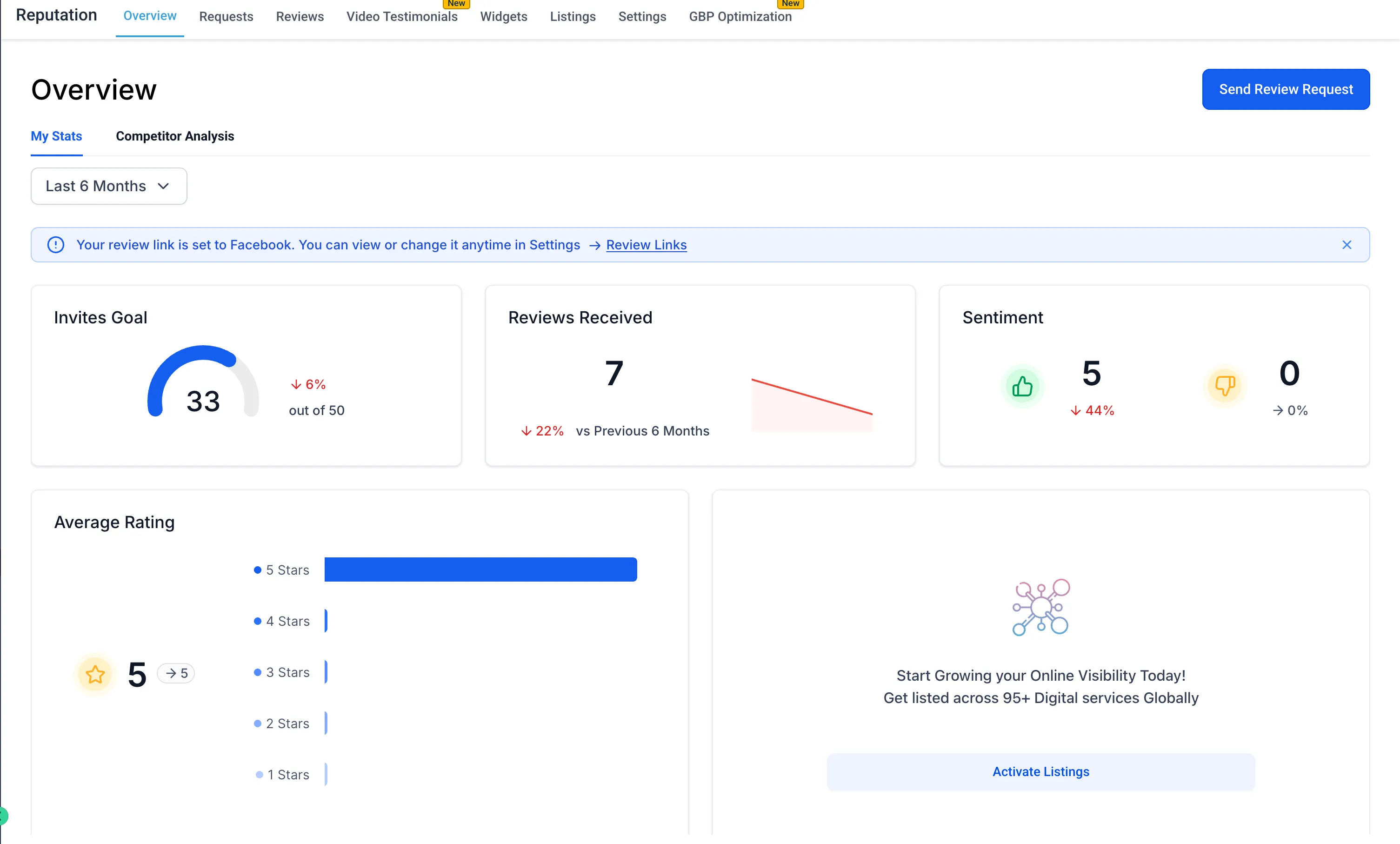
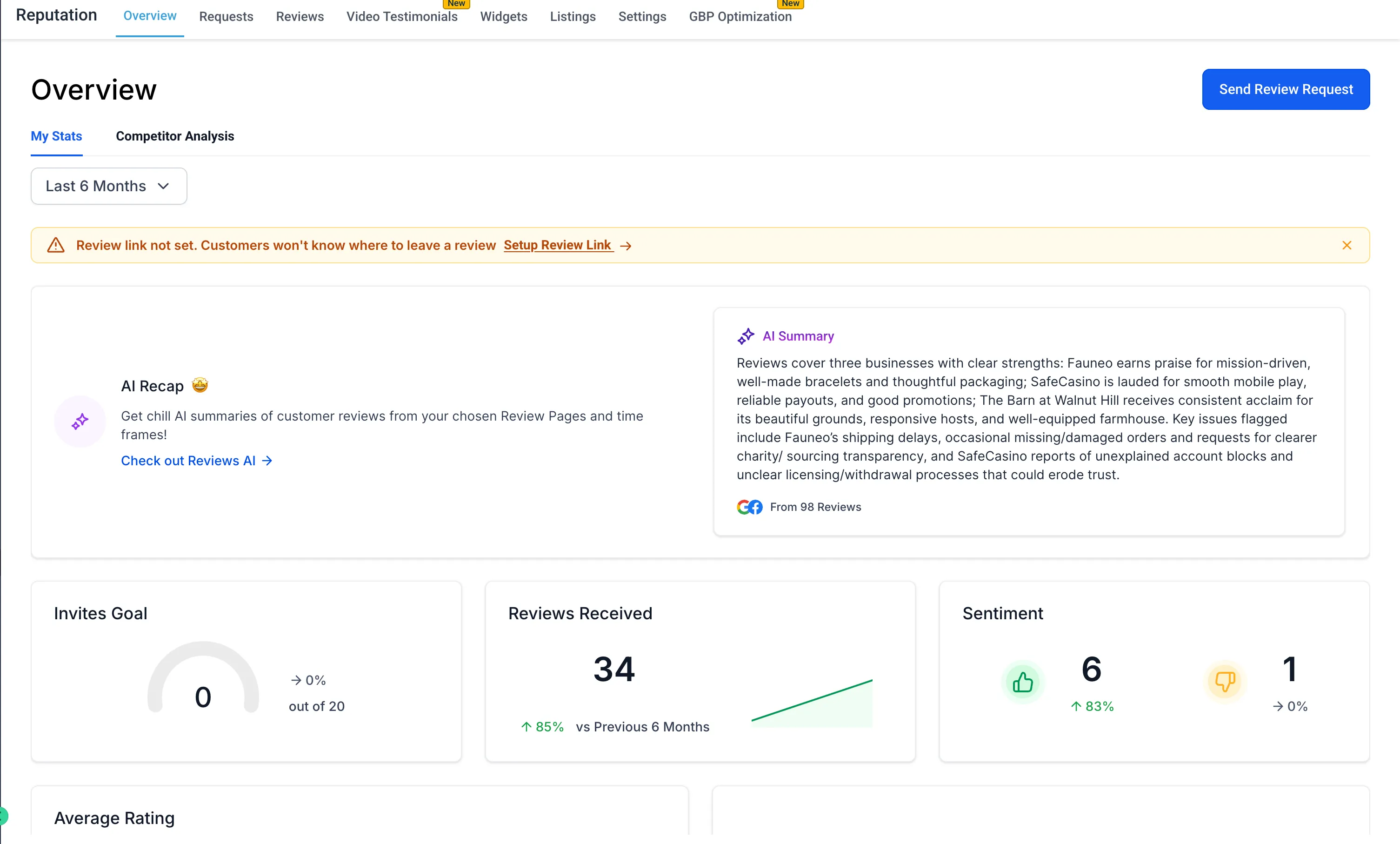
Clearer dashboard status notifications
The Reputation dashboard now shows clearer status messaging so users can quickly tell whether a Review Link is already set or whether action is needed.
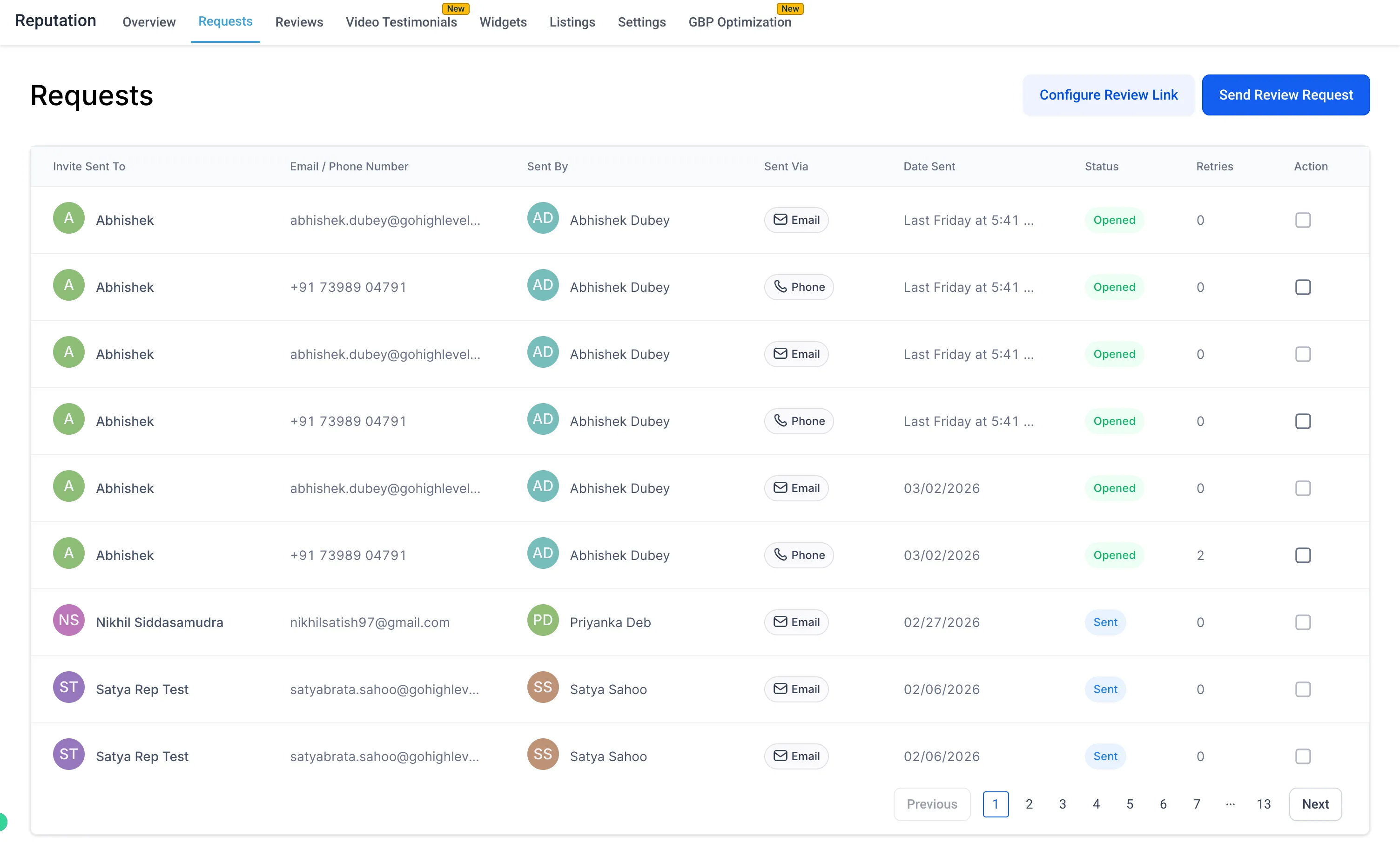
Setup prompts on key pages
Contextual prompts now help users configure a Review Link before sending review requests.
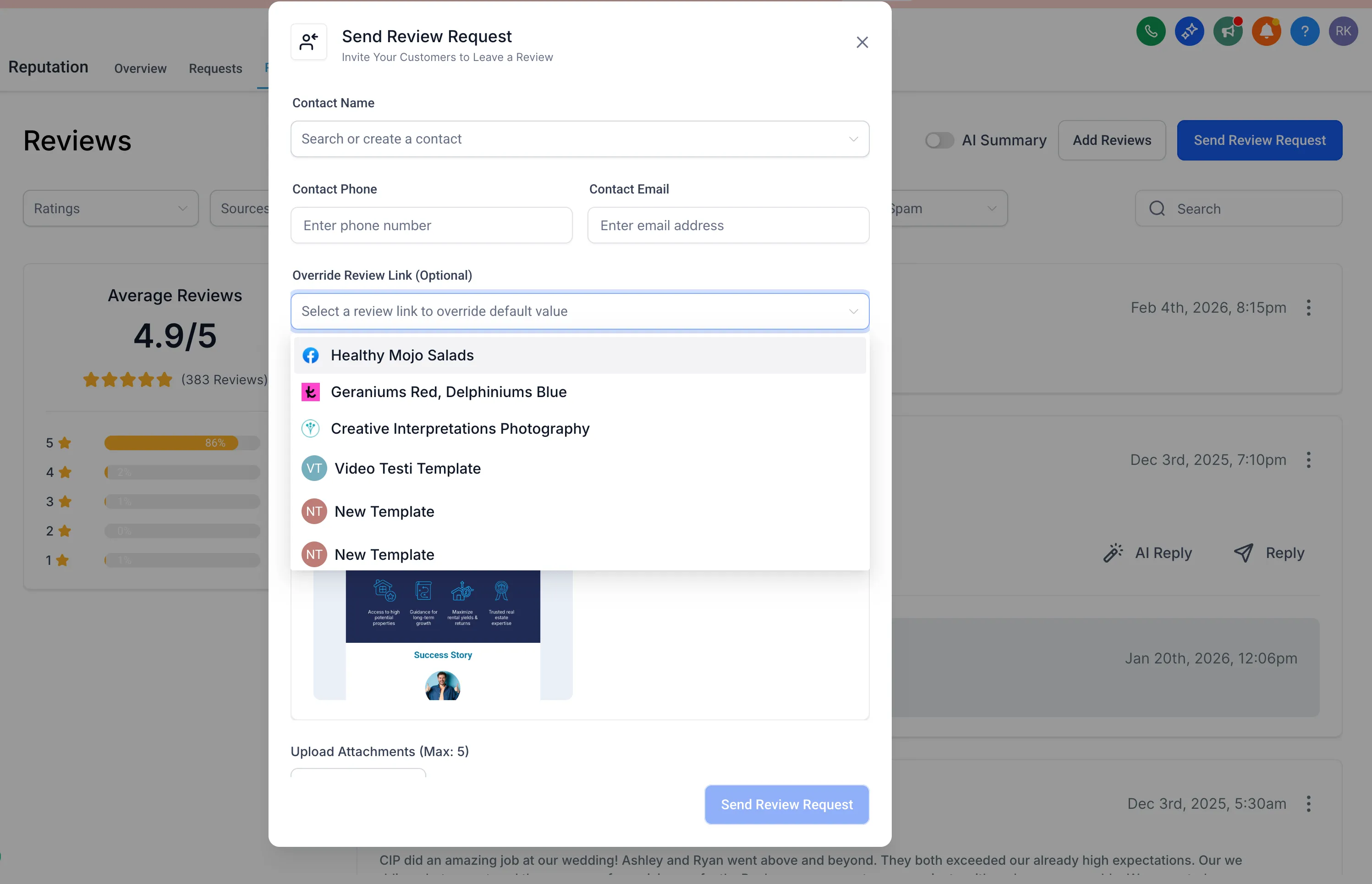
Review Link access while sending requests
When sending a review request, users can now:
- View the current Review Link
- Override or change the link immediately
This makes it easier to tailor review destinations for individual requests.
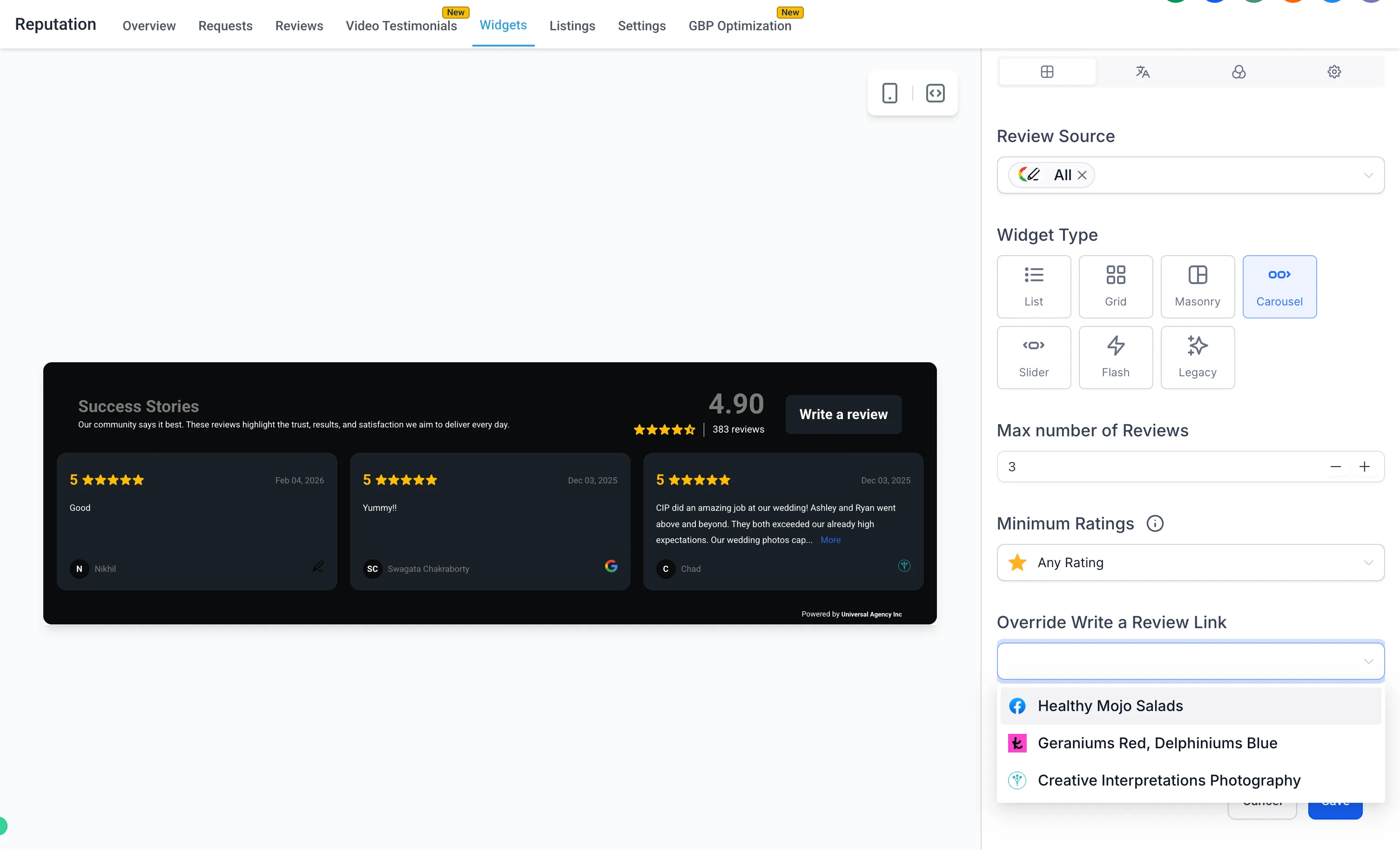
Review Link controls in widgets
Users can now view, select, and override Review Links directly in the review widget page so widgets reflect the intended review destination.
Where you will see this
- Reputation Dashboard
- Requests Page
- Reviews Page
- Review Widgets
- Send Review Request modal
Why it matters
These changes reduce setup friction, provide clearer guidance, and make Review Link management more accessible across the review request workflow.
Need Help Applying This Update?
If you’d like help rolling this out in SMBcrm, visit Support or request a demo.