Invoices Now Enable Auto-Payment by Default
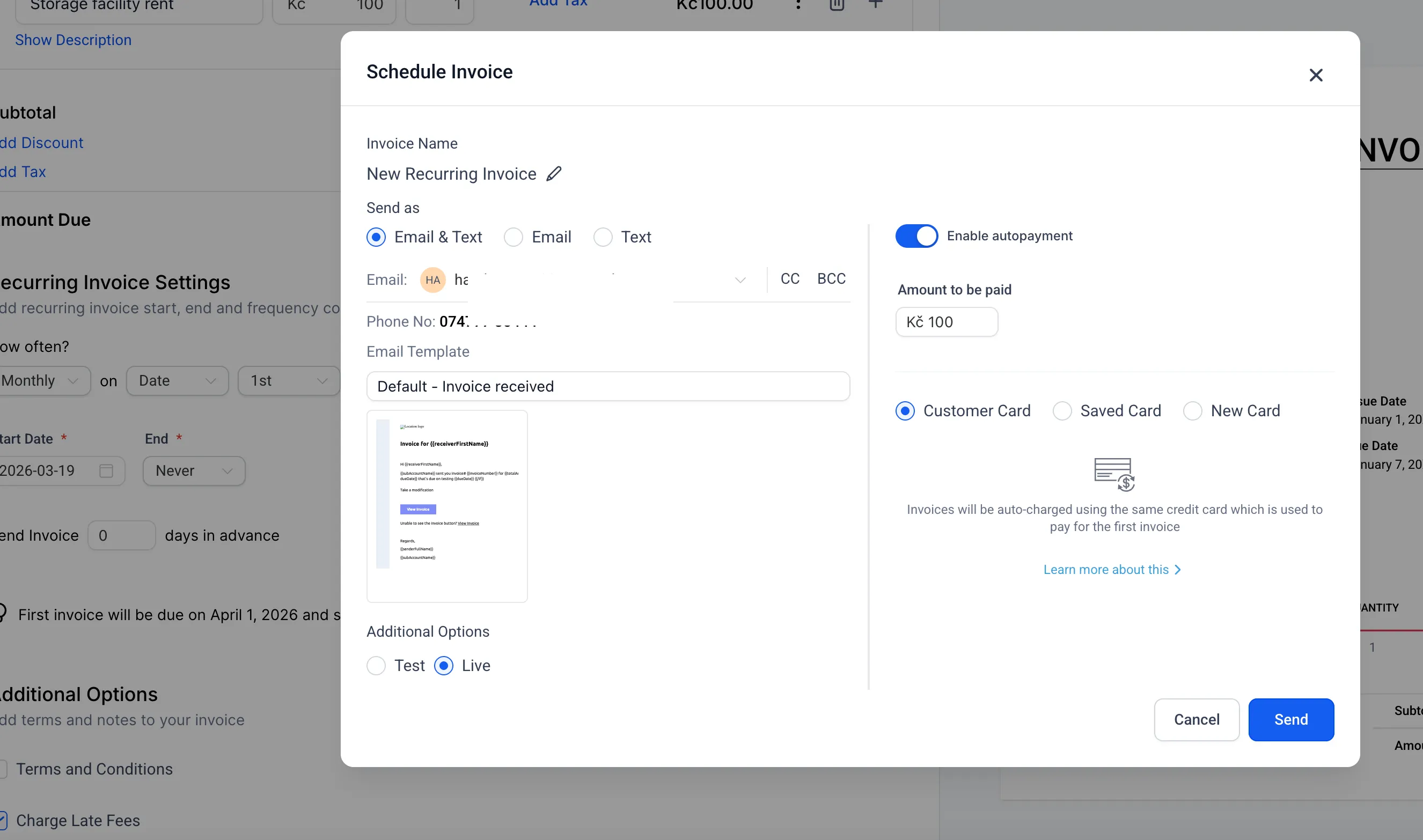
Invoices with payment schedules and recurring invoices now have auto-payment enabled by default when sent from the dashboard. This removes the need to manually switch it on each time.
What Changed
When you create an invoice with a payment schedule or recurring setup, auto-payment is now turned on automatically in the send modal.
You can still disable it before sending the invoice if needed.
For businesses using Payments & Commerce, this helps streamline invoice collection and reduce missed payment setups.
How It Works
- Create an invoice with a payment schedule or recurring setup as usual.
- In the send modal, auto-payment will already be enabled.
- Turn it off before sending if you do not want to use auto-payment for that invoice.
Why It Matters
Previously, users had to enable auto-payment manually each time. That extra step could lead to missed collections or inconsistent invoice setup.
With this change, recurring and scheduled invoices are set up for collection by default, which reduces manual work and supports more reliable payment collection.
In Case You Missed It
You can also read about Improved Appointment Booking in Opportunities.
Need Help Applying This Update?
If you’d like help rolling this out in SMBcrm, visit Support or request a demo.