Let Customers Enter the Service Address During Booking
SMBcrm now supports a booking option that lets customers enter the service address when scheduling an appointment. This is useful for businesses that provide on-site or mobile services and need the exact address for each appointment.
What Changed
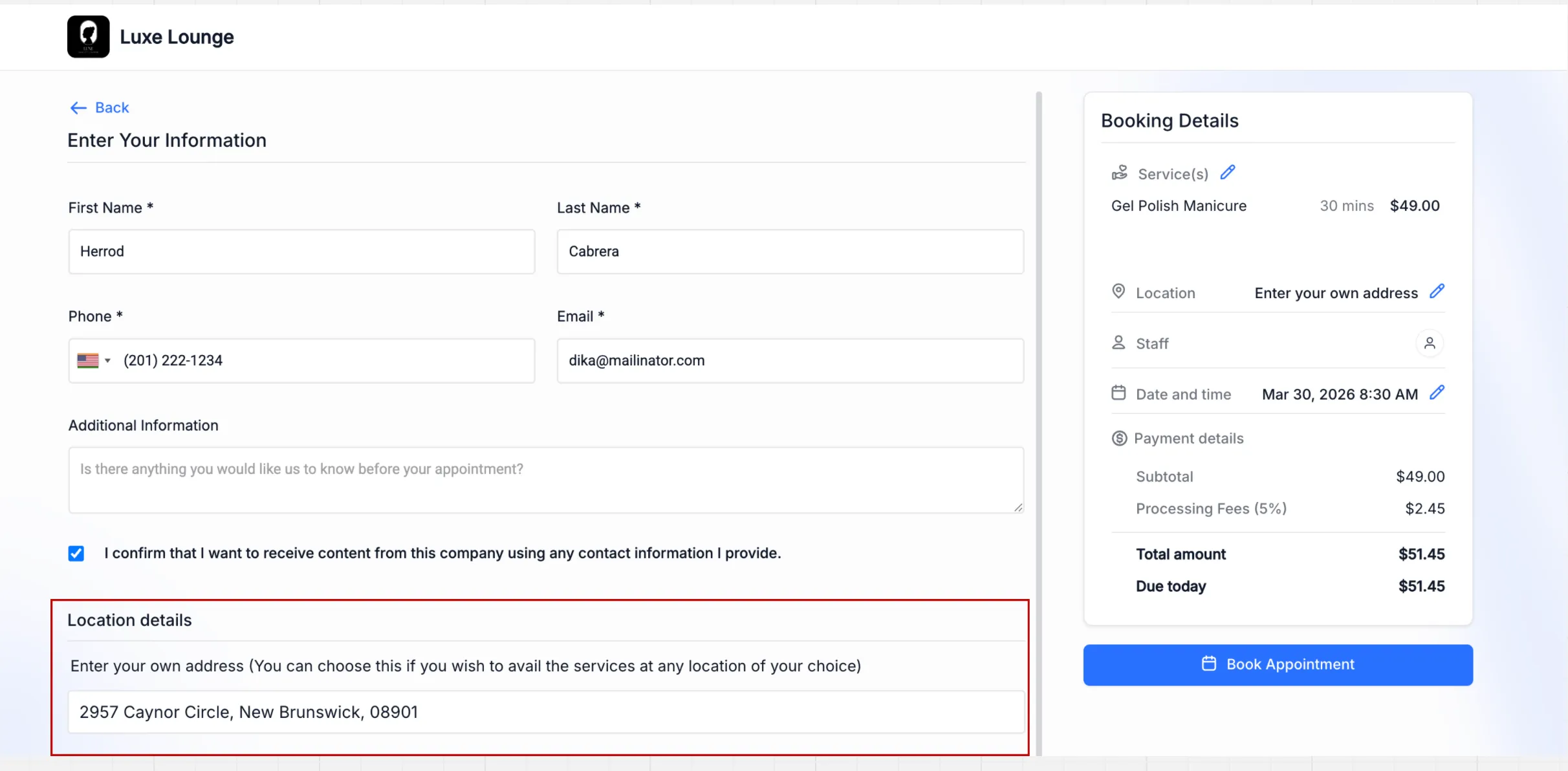
Businesses can now create a service location setting that asks the customer to enter the service address during booking.
With this option enabled:
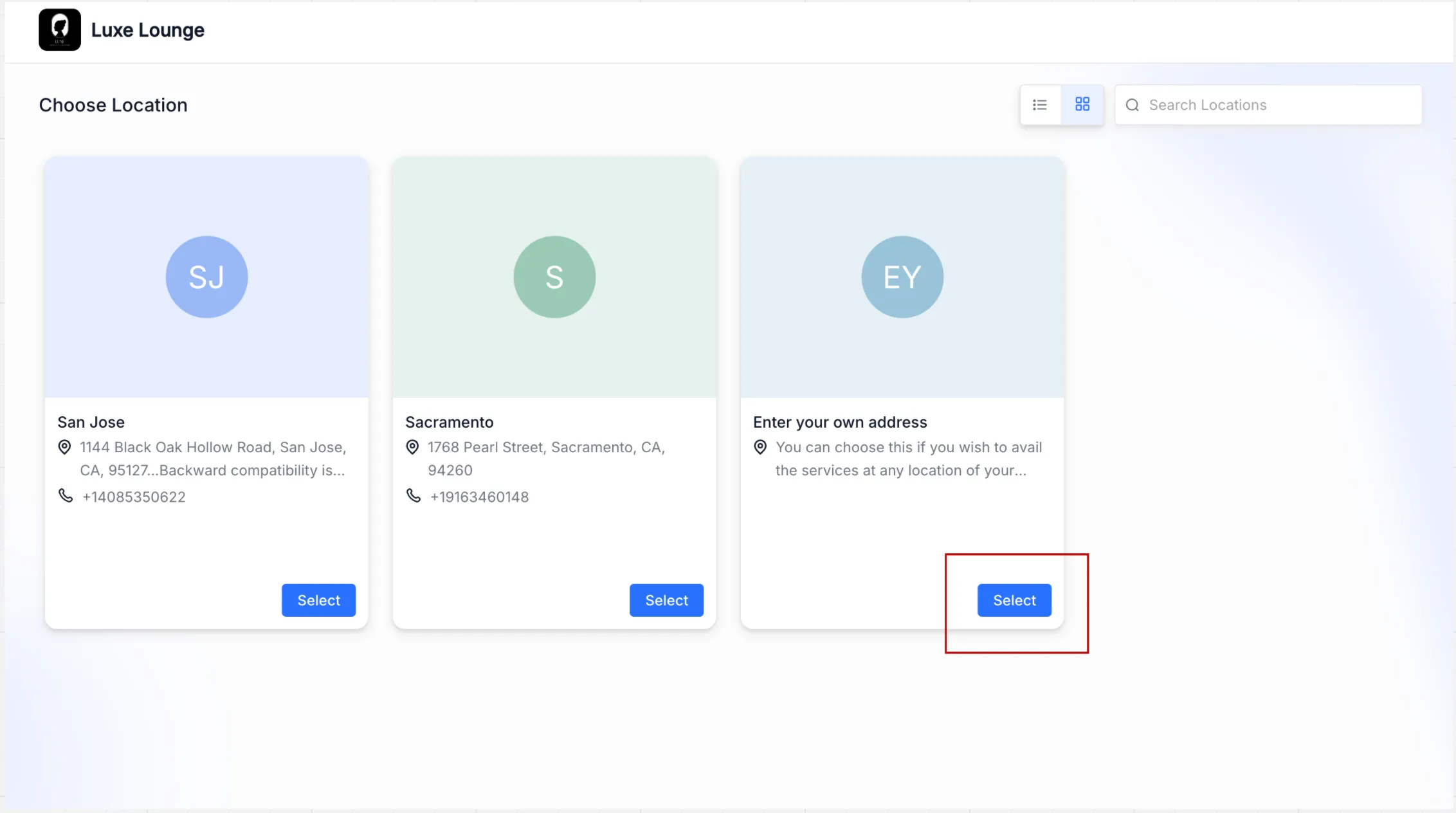
- Customers are prompted to enter the service address during booking
- The address is saved with the appointment
- Appointment details and notifications can use the saved address
- Availability, services, and pricing still follow the configured location settings
How to Set It Up
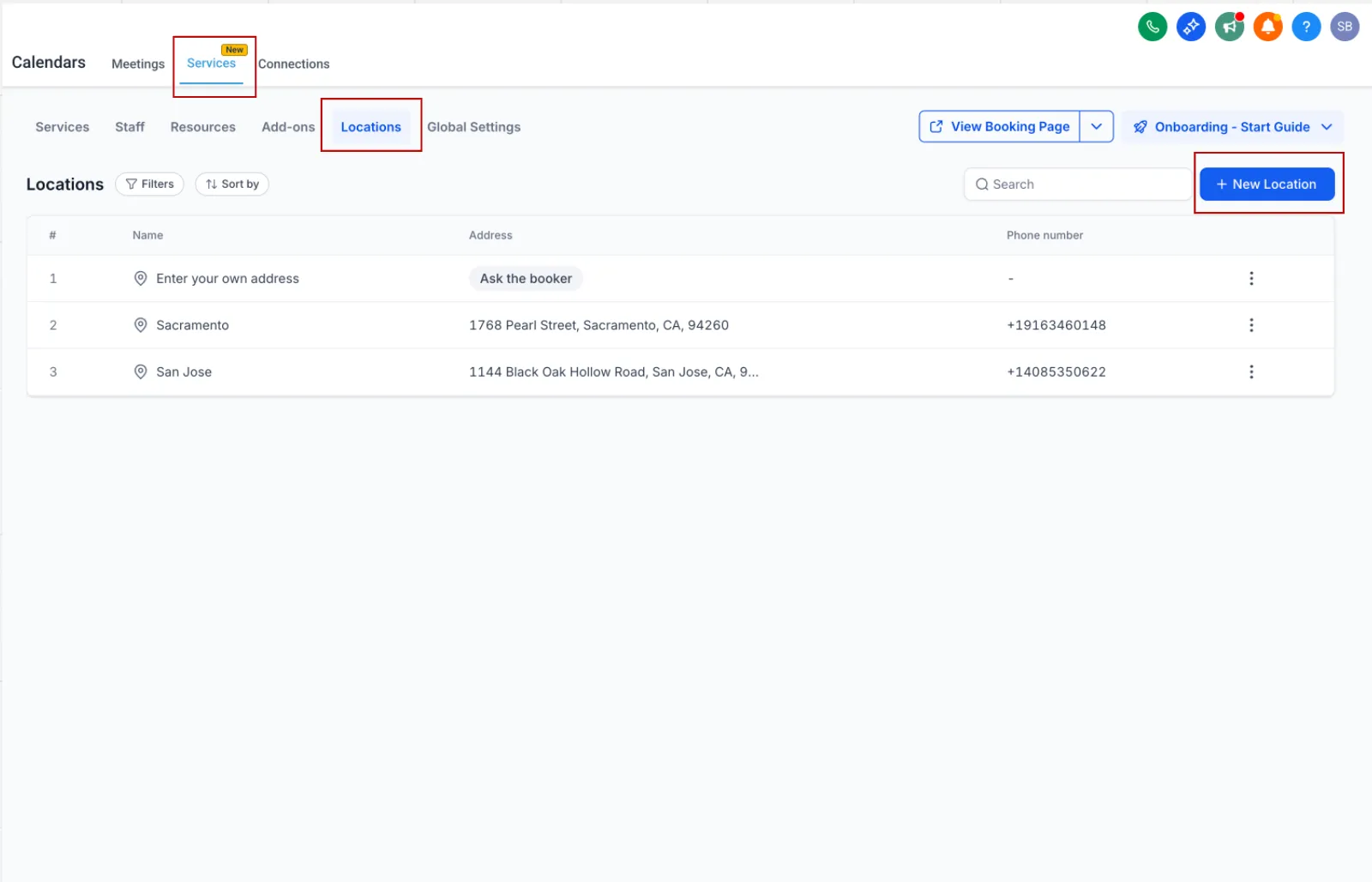
- Go to Calendar Settings → Services (v2) → Locations
- Create a new location or edit an existing one
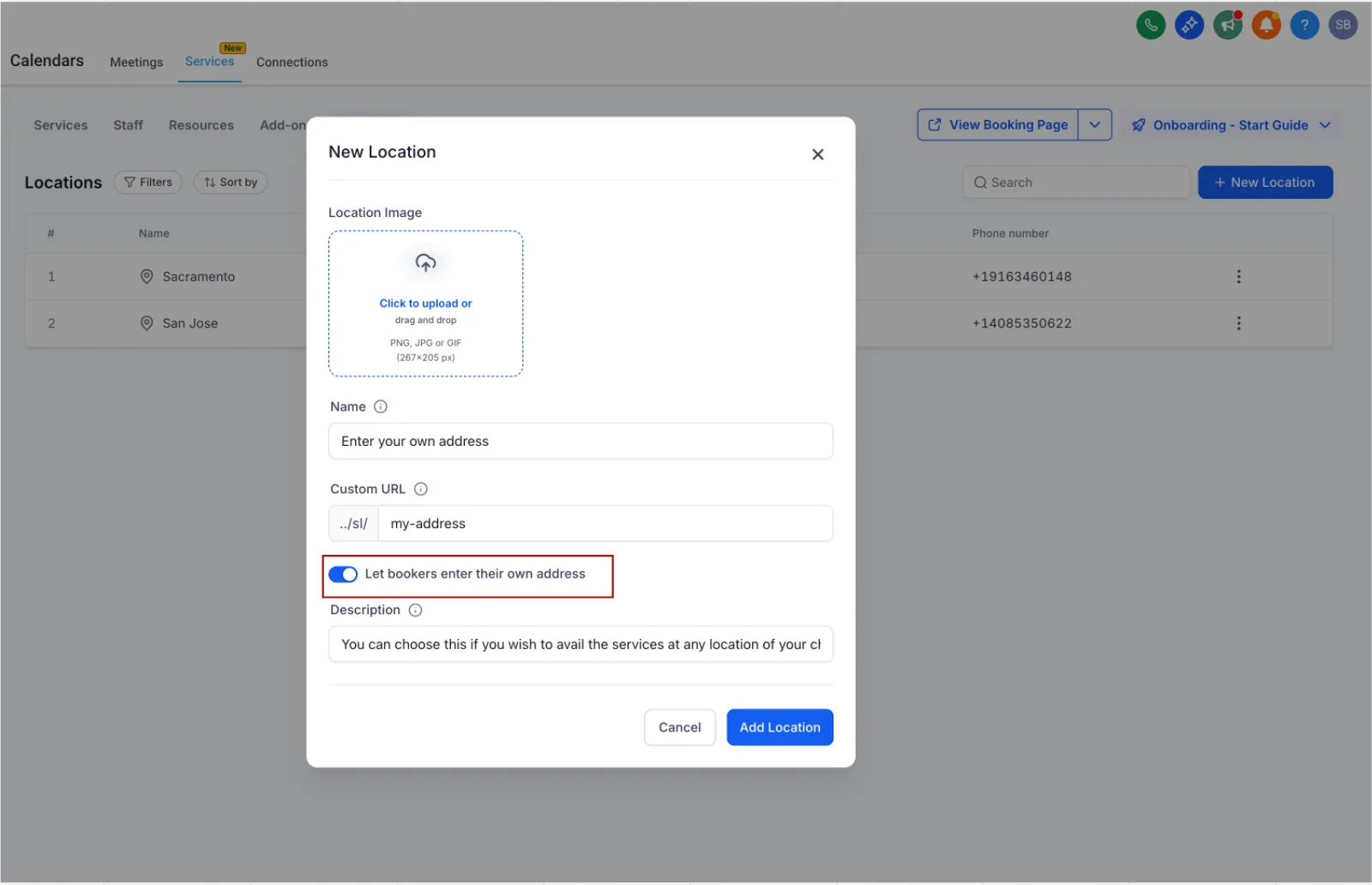
- Enable Let bookers enter their own service address
- Configure the location name and other details
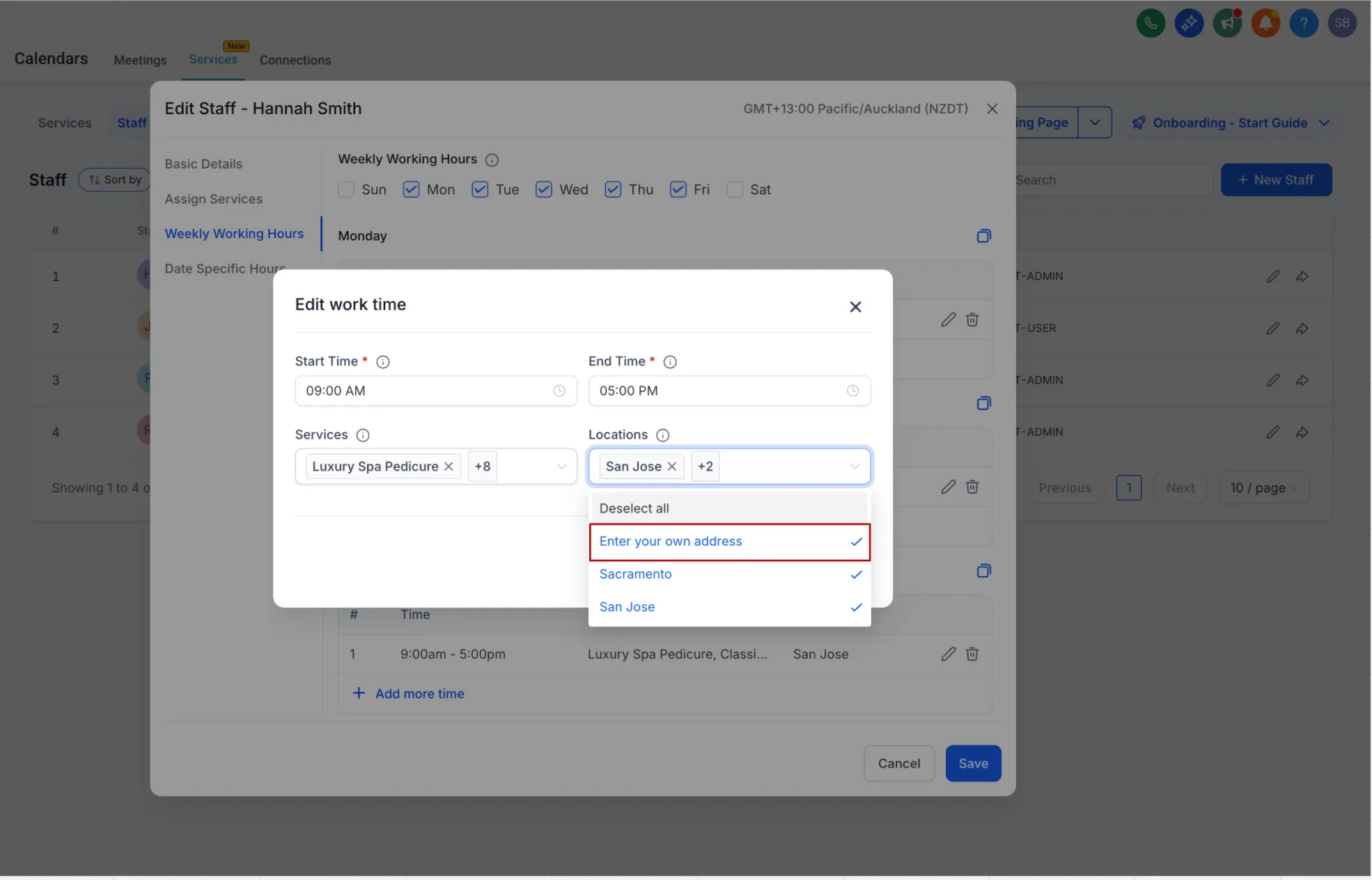
- Assign the location in Staff Availability if needed
- During booking, customers will be asked to enter the service address
Why It Matters
This update helps businesses that work at customer locations, including:
- Mobile service providers
- Repair businesses
- Consultants
- Teams handling on-site appointments
It keeps the booking flow simple while making sure each appointment includes the correct service address.
In Case You Missed It
You can also read about Improved Appointment Booking in Opportunities.
Release Images
Need Help Applying This Update?
If you’d like help rolling this out in SMBcrm, visit Support or request a demo.