Local Marketing Audits Are Now Configurable, Repeatable, and Trackable Over Time
Local Marketing Audits in SMBcrm Reporting have received a major upgrade. Audits are no longer just one-time reports. They’re now designed to be configurable, repeatable, and trackable over time, so you can build a clearer story of performance and make better decisions without recreating reports from scratch.
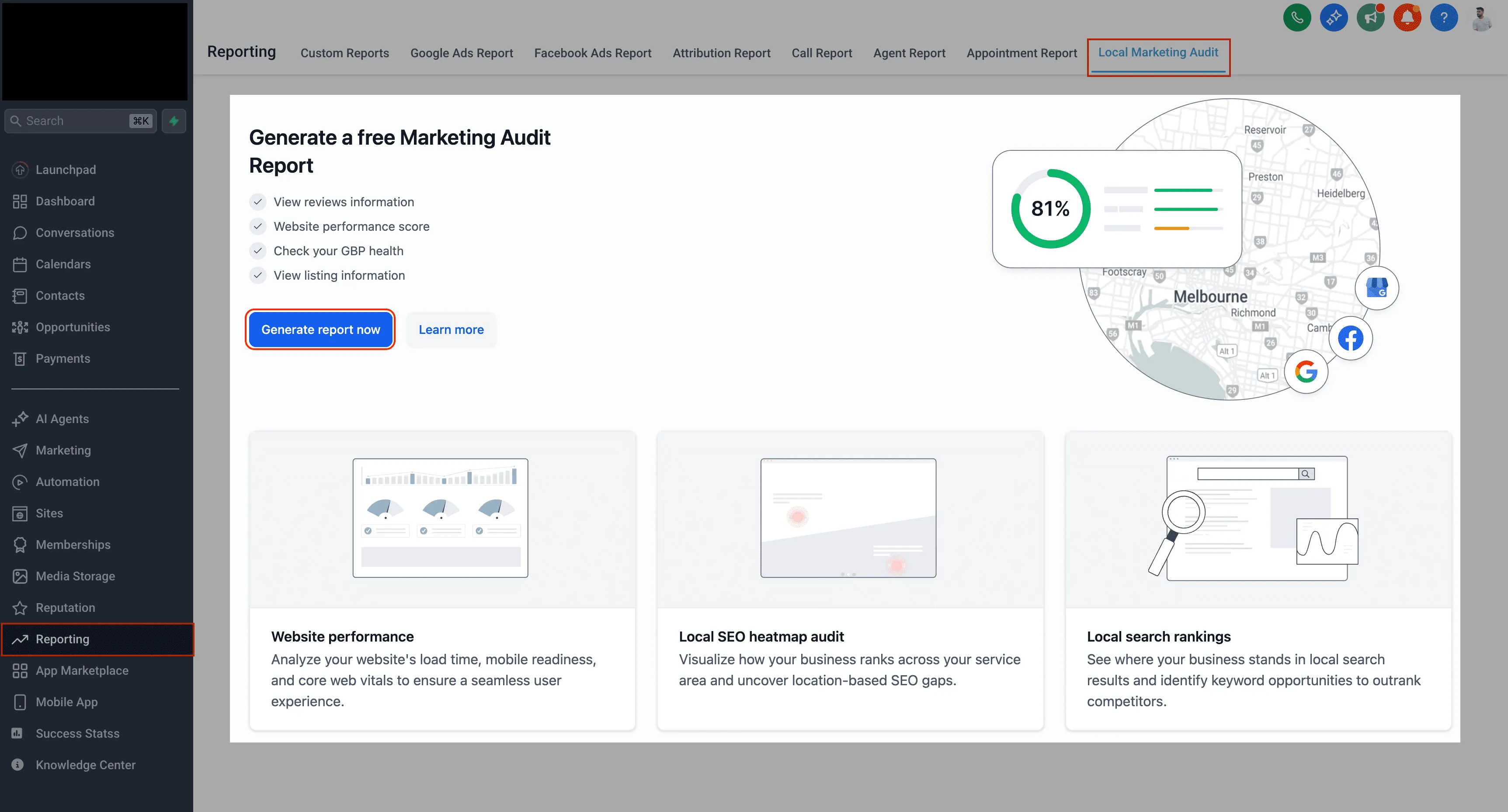
What’s New in Local Marketing Audits
Review and Select Business Details and Google Business Profile Before Your First Audit
Accurate business details are essential for meaningful audit results. Before running your first audit, you can now review and confirm the key inputs used to generate your report.
Key improvements include:
- Business Name, Address, Phone, and Website are automatically pulled into the account
- You can review and edit these details before running the audit
- If a Google Business Profile is already connected, you can select it
- If not, you can enable a toggle to search Google Maps and choose the correct profile from the list
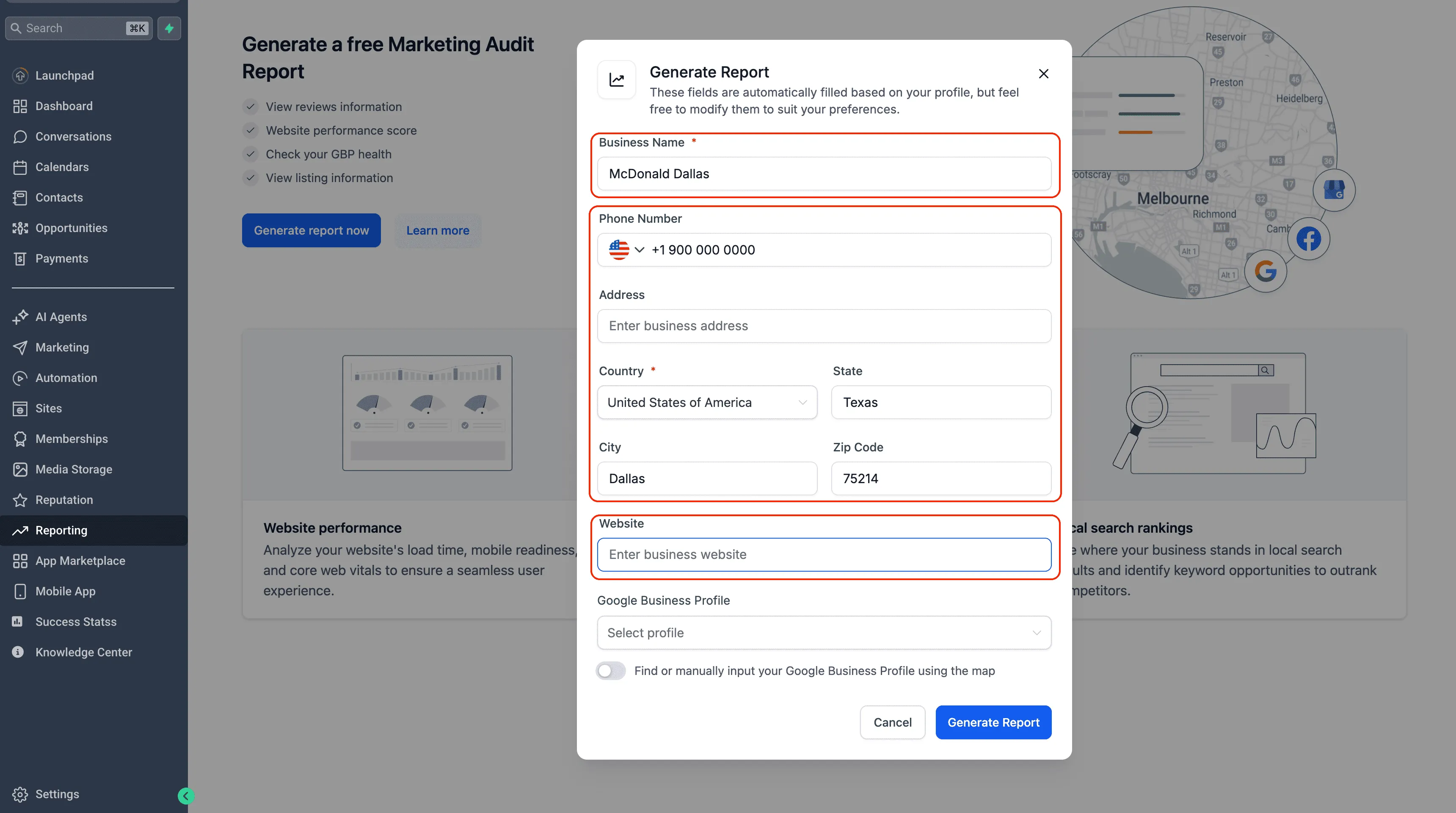
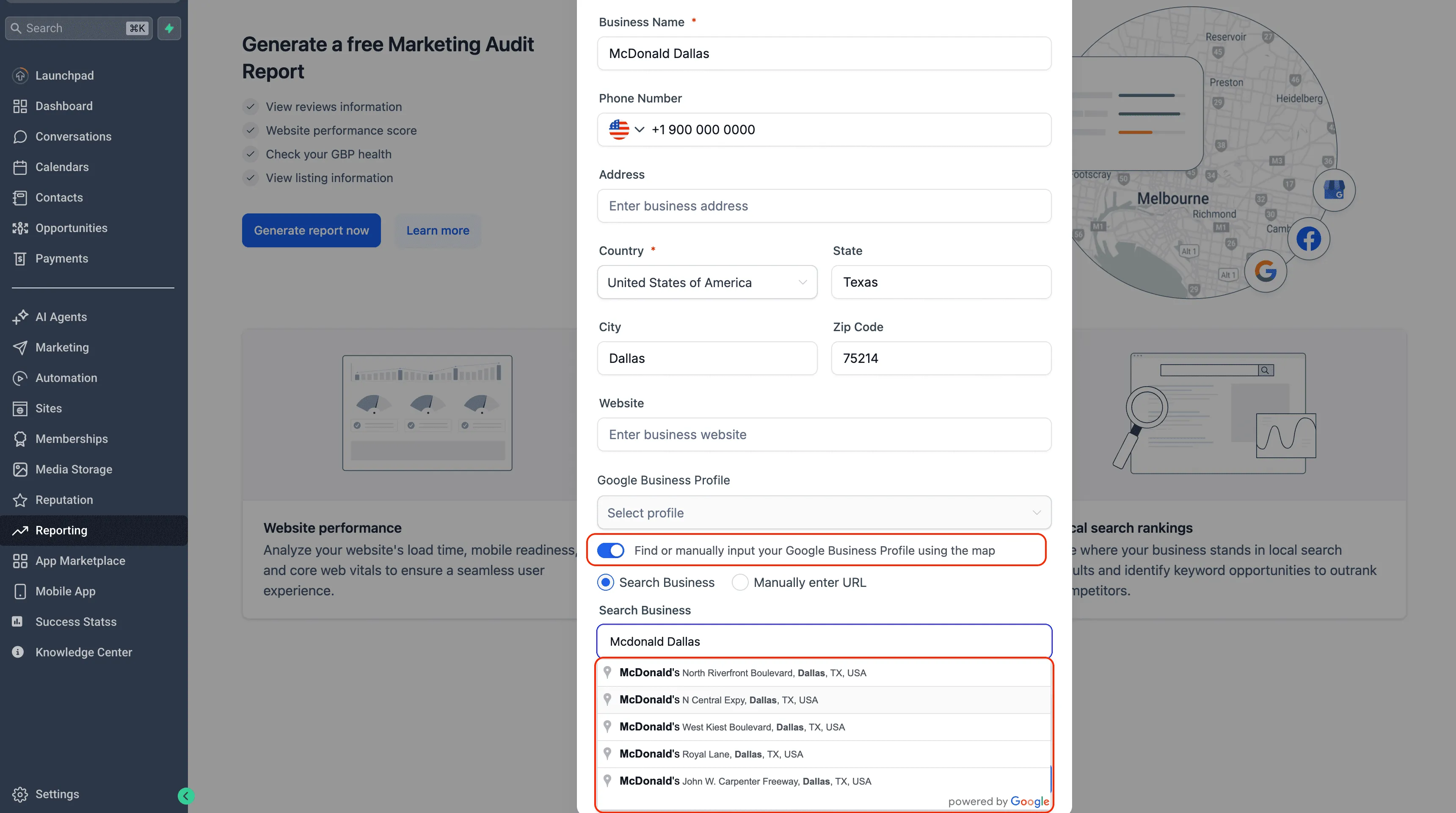
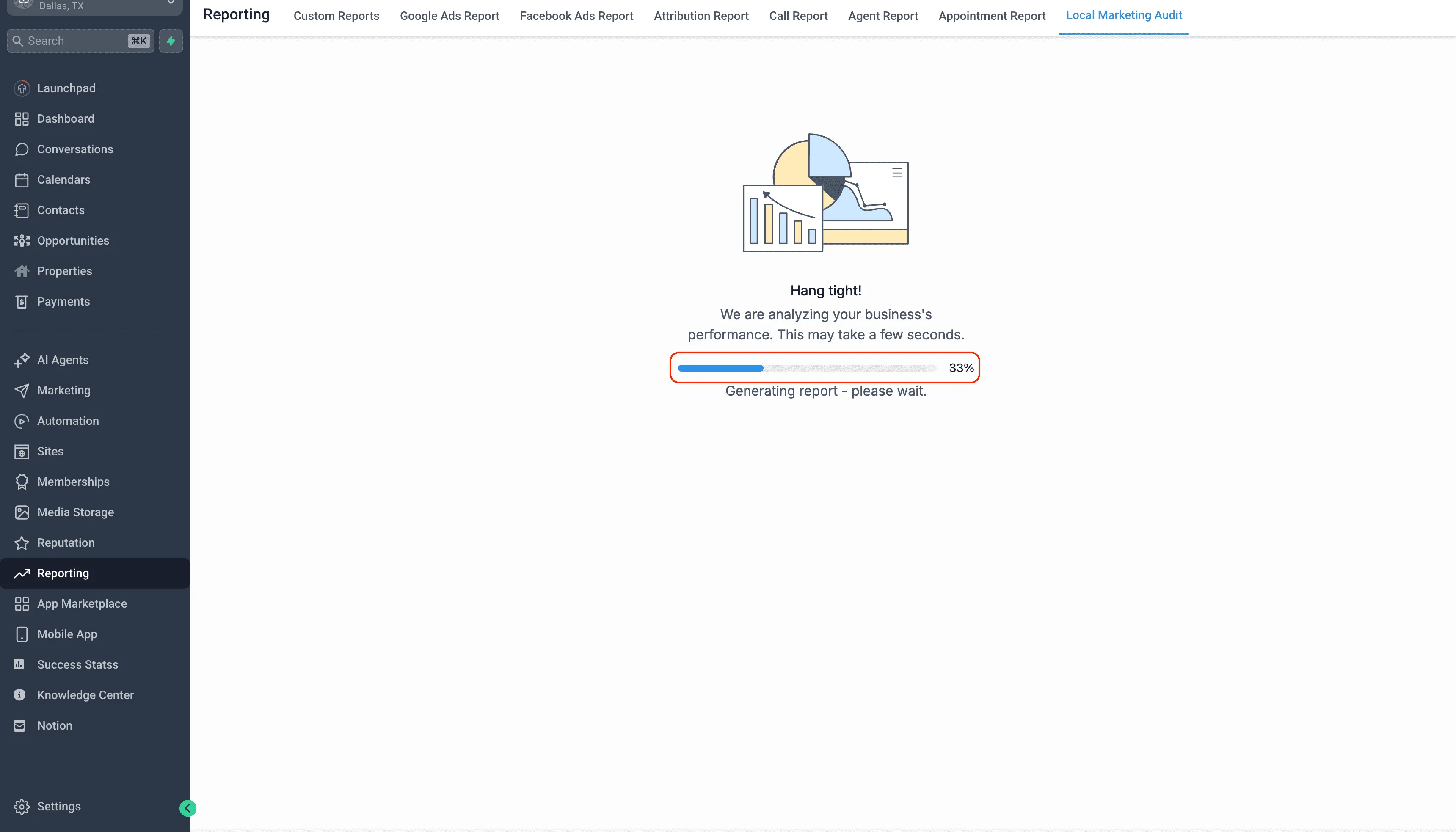
This helps ensure your audits start with accurate business information and the correct Google profile from day one.
Refresh Your Audit Anytime
When your website, listings, tracking setup, or Google profile changes, you can refresh the audit instantly.
- No waiting period
- No restrictions
- No need to recreate the report
This makes it easier to get an up-to-date view of your online presence whenever you need it.
Full Report History with an Interactive Timeline (Up to 12 Months)
Audits are no longer static snapshots. SMBcrm now stores previous audit reports for up to 12 months, so you can review progress over time.
With the interactive report timeline, you can:
- Click a date to open an older report
- Hover to preview a summary card with key metrics
- Compare scores and sections across time periods
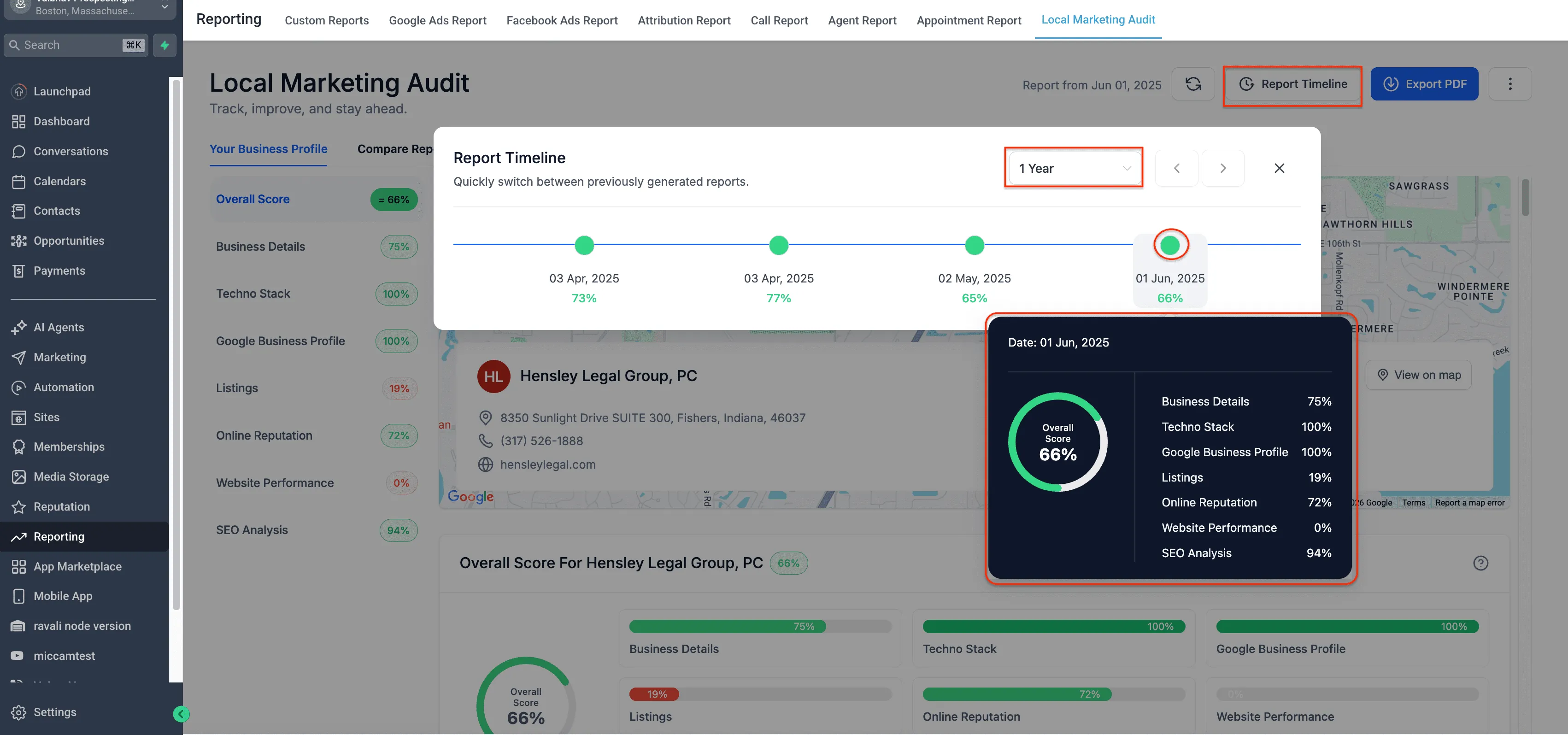
This is especially helpful for tracking improvements, spotting trends, and supporting reporting conversations with stakeholders.
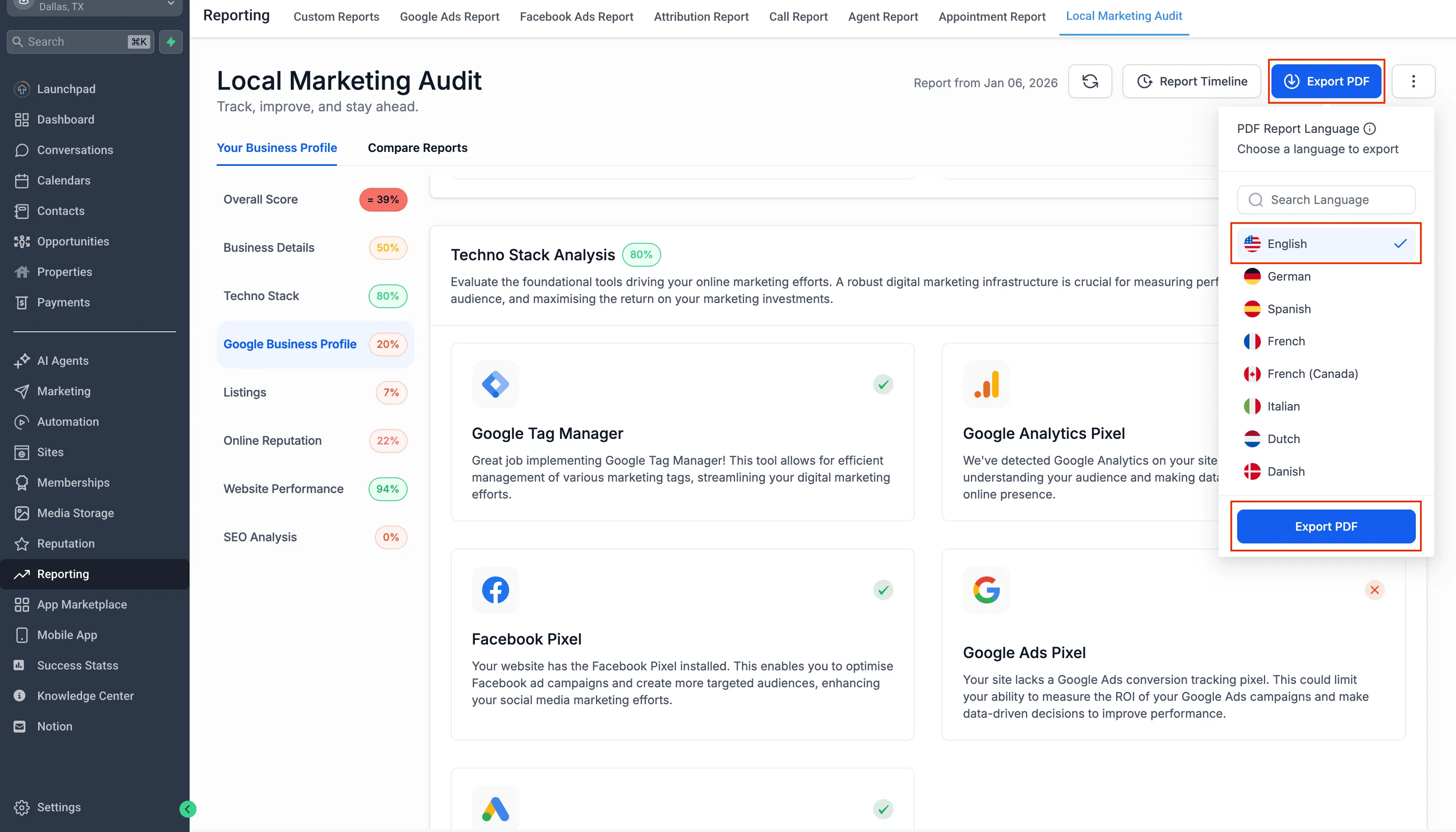
Export Audit PDFs in Multiple Languages
Sharing audits is now more flexible for multilingual teams and audiences.
- Export your audit as a PDF in multiple languages
- Choose the language directly from the export dropdown
- Your account language stays unchanged
Centralized Audit Settings That Apply Going Forward
From the three-dot menu and Settings, you can now control how future audits behave, without altering historical reports.
Business Details
- Update the Name, Address, Phone, Website, or Google Business Profile used for audit generation
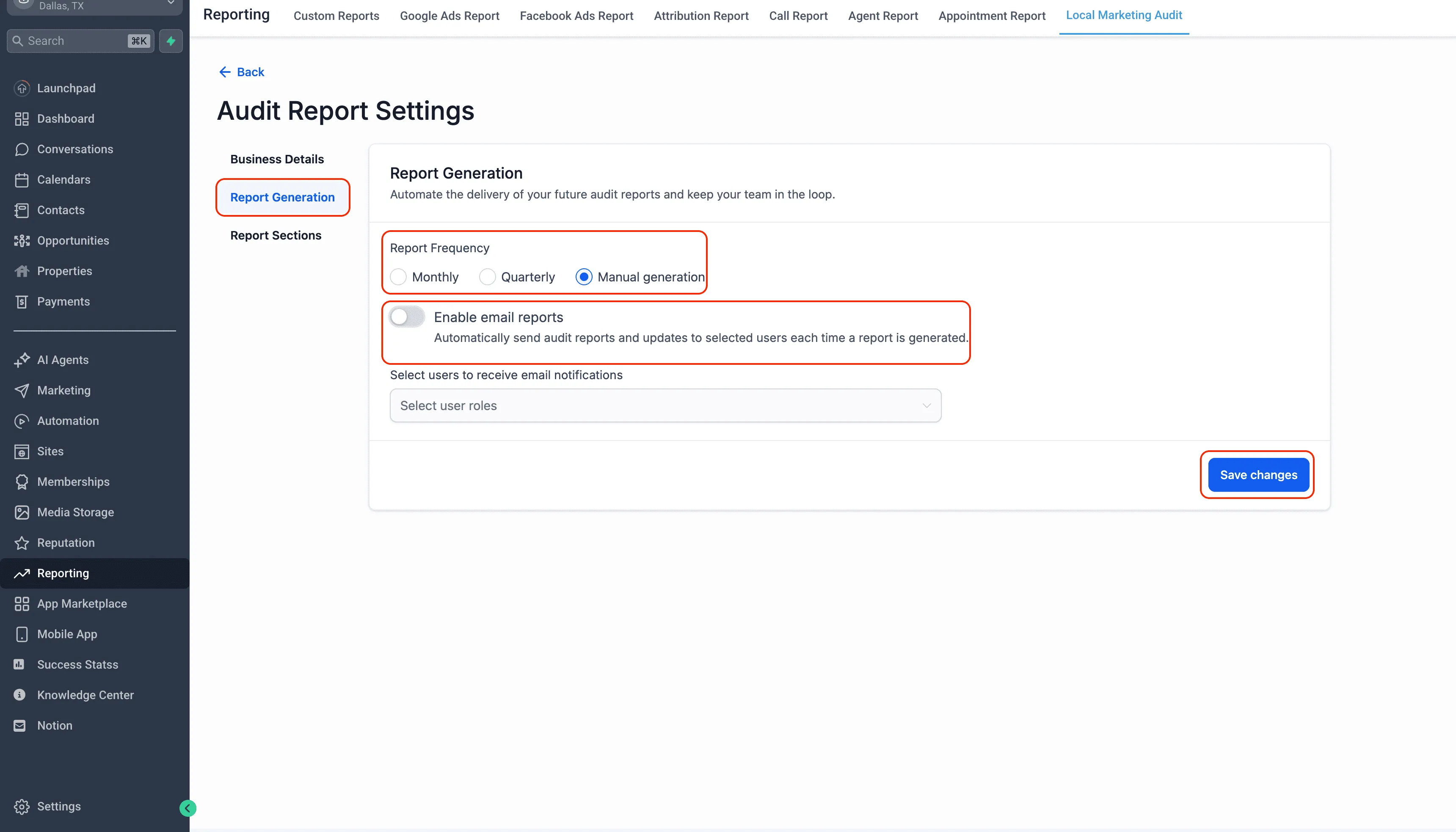
Report Generation
- Choose how often reports run: Monthly, Quarterly, or Manual only
- Enable or disable email delivery for reports
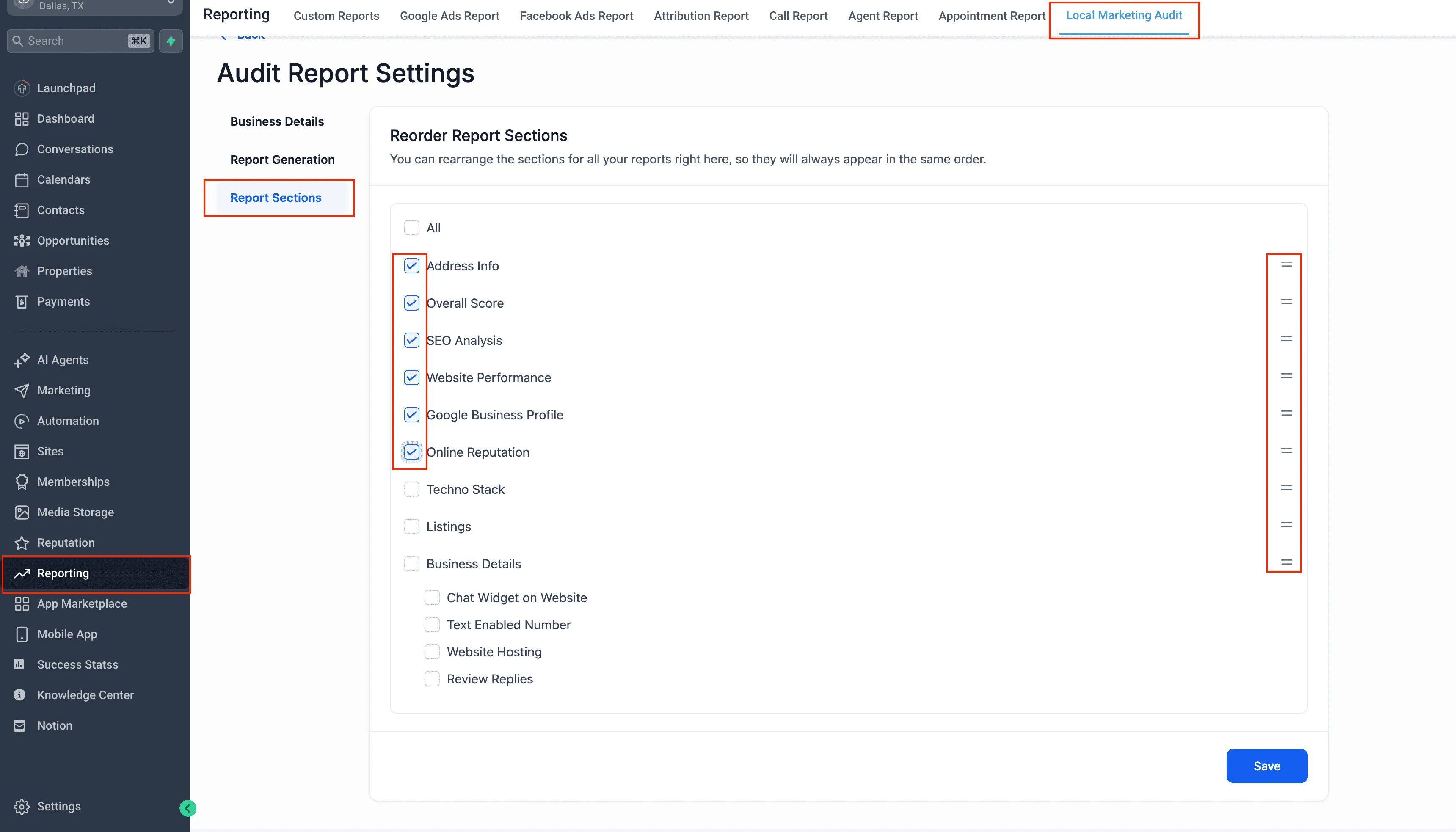
Report Sections
- Decide which audit sections are included
- Reorder sections to match your priorities
- Changes apply to future reports only
Why This Update Matters
These improvements are designed to make audits more useful in day-to-day operations:
- Start audits with correct business data and the right Google profile
- Refresh insights anytime without extra steps
- Track performance visually over time with report history
- Share polished reports in multiple languages
- Control what gets audited and how often without rebuilding reports
Availability and Notes
These improvements are live now for Local Marketing Audits available inside Reporting for accounts.
Please note: these changes apply to Audit Reports in Reporting and do not apply to audit-style reports run via prospecting tools.
If you’d like help getting the most out of this update, visit our Support page or Contact Us.