Merge Duplicate Contacts Inside Workflows
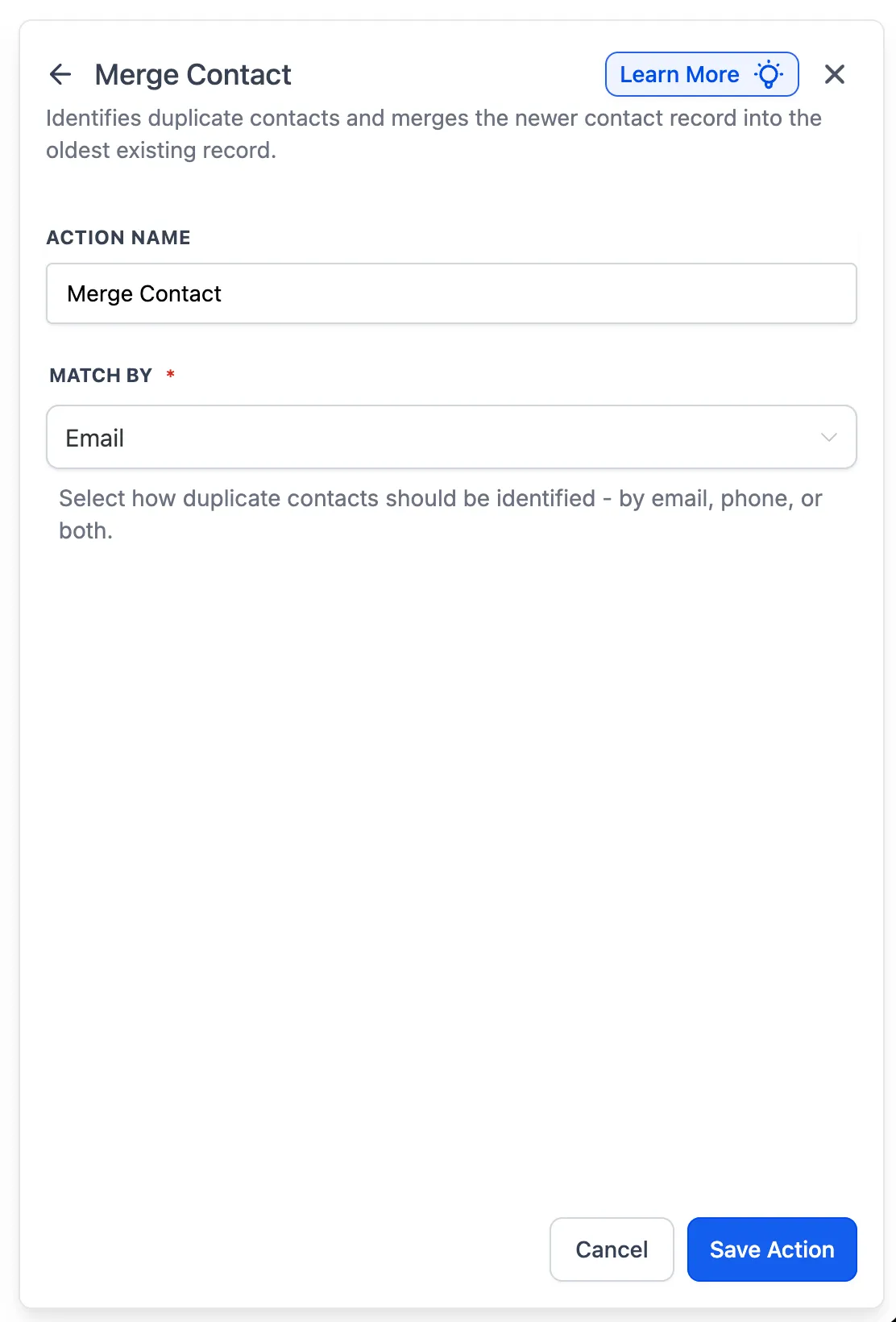
SMBcrm workflows can now automatically identify and merge duplicate contacts without manual cleanup from the contacts page.
This update adds a dedicated Merge Contact action to workflow automation, making it easier to keep your CRM clean and reduce duplicate records.
What Changed
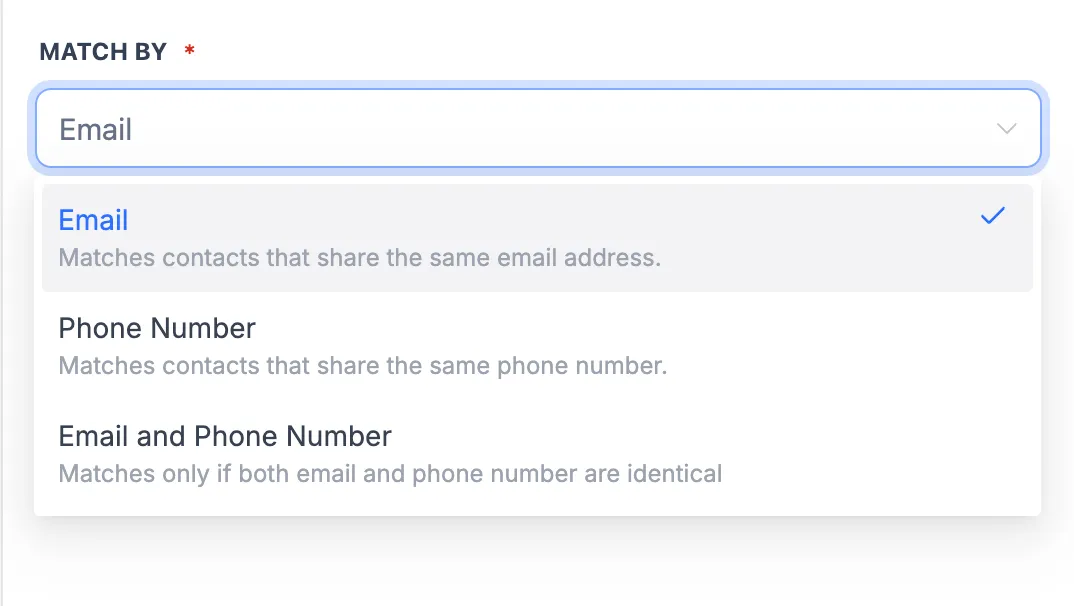
The new Merge Contact action can identify duplicates using one of these match options:
- Phone Number
- Email and Phone Number
When a duplicate is found, SMBcrm preserves the older contact record and merges the newer record into it.
Execution Visibility
Each merge is recorded in workflow execution logs with details about:
- which contacts were matched
- which contact record was preserved
- the match criteria used
How to Use It
- Add the Merge Contact action to your workflow.
- Choose how duplicates should be matched.
- Let the workflow detect and merge duplicates automatically when it runs.
Why It Matters
Duplicate contacts can lead to repeated messages, cluttered records, and less reliable reporting. Moving contact deduplication into your automations helps keep your CRM more accurate while reducing manual work.
Need Help Applying This Update?
If you’d like help rolling this out in SMBcrm, visit Support or request a demo.