Notes for Custom Objects
You can now create and manage notes directly on custom object records.
This update helps your team keep discussions, updates, and key details tied to the record they belong to instead of spreading that context across unrelated records.
What Changed
- Add and view notes directly inside custom object records
- Keep notes linked to a specific custom object record for better context
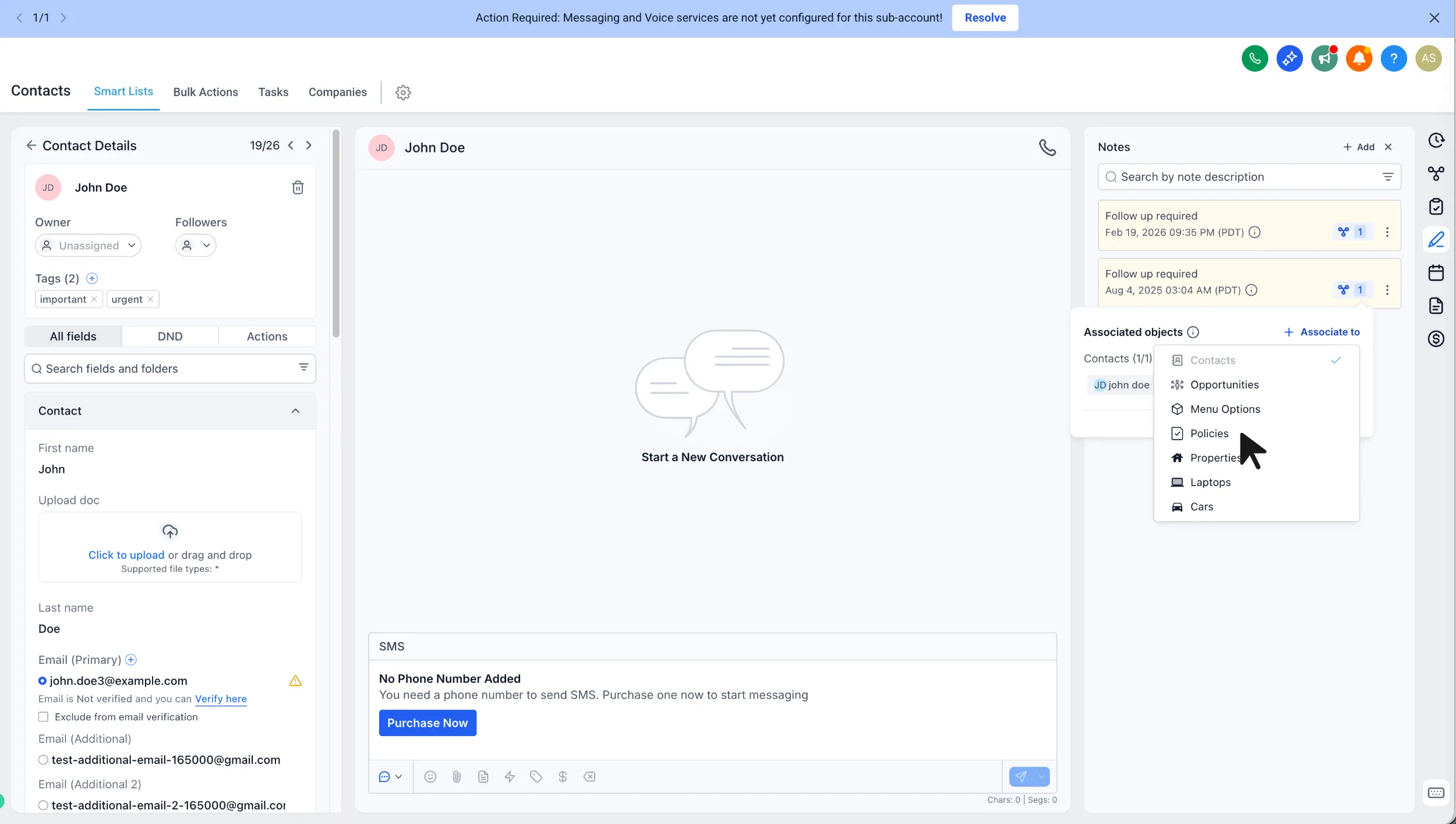
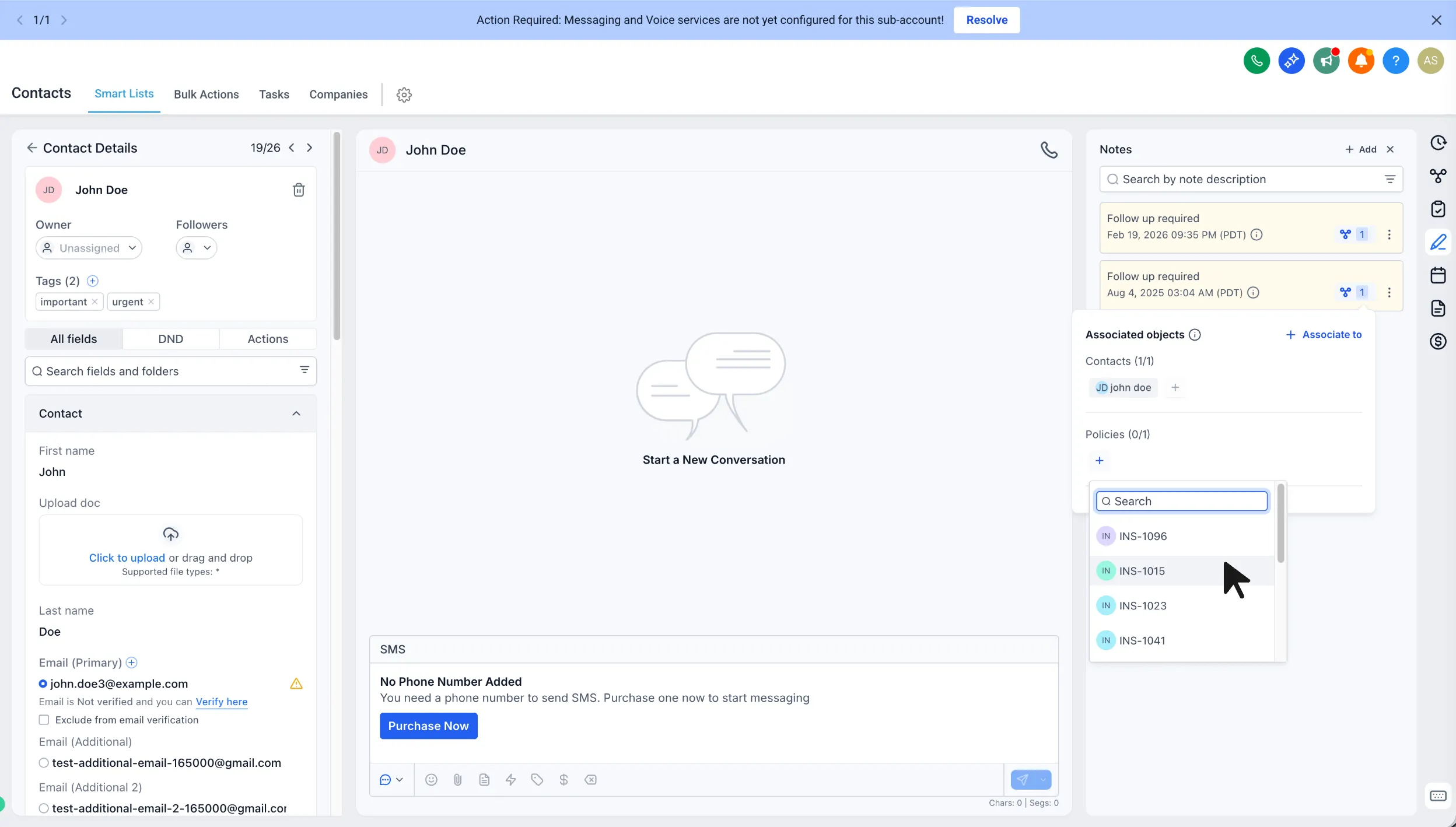
- Associate existing or new notes from contacts or opportunities with a related custom object record
- Use the same notes interface and editor already used for contacts and opportunities
- Find notes more easily with filtering and search by entity, author, or keywords
How to Enable It
Go to Labs and turn on Notes for Custom Objects.
How to Use It
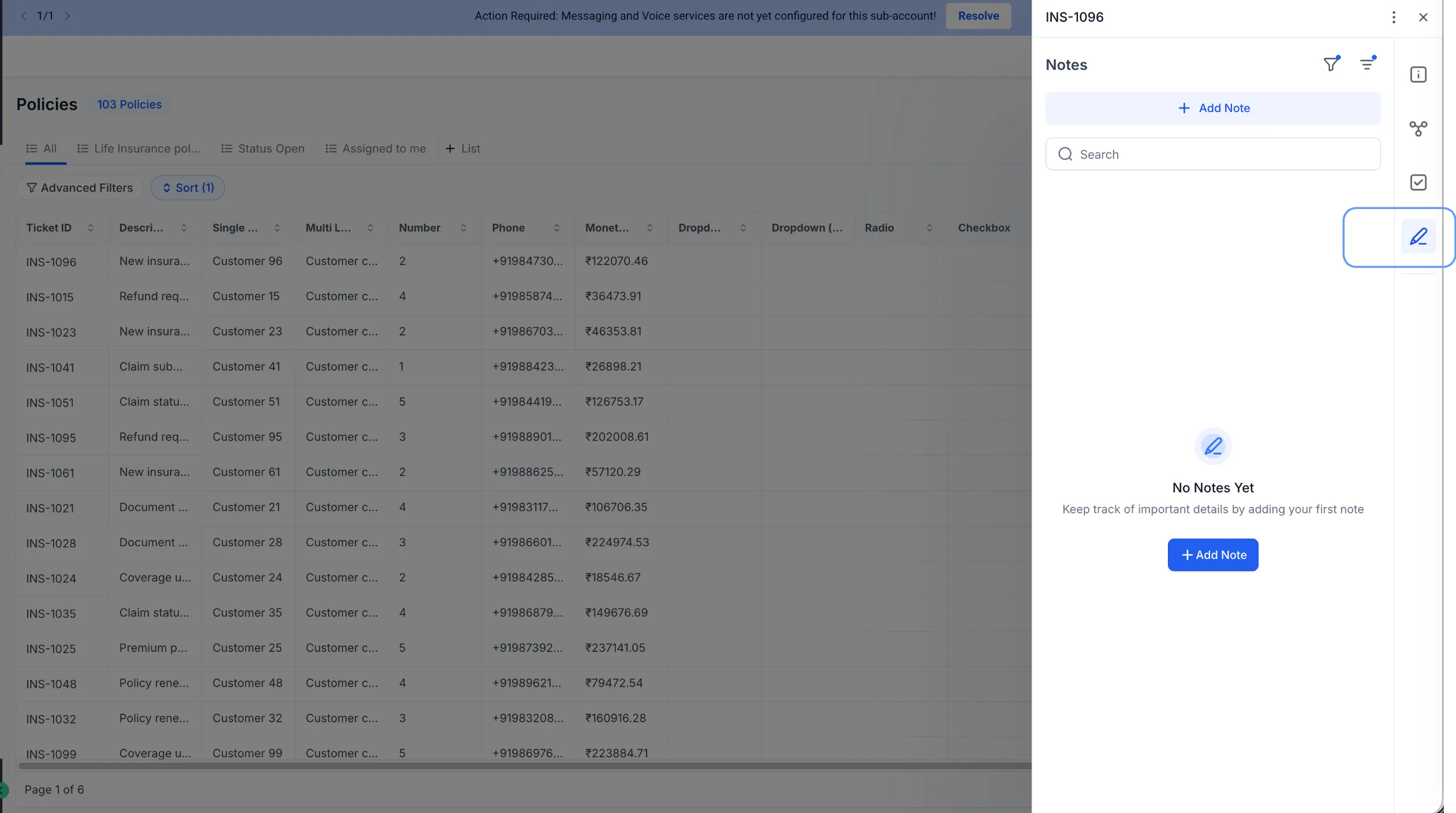
- Open Custom Objects and select a record.
- Go to Notes.
- Add a note directly to that record.
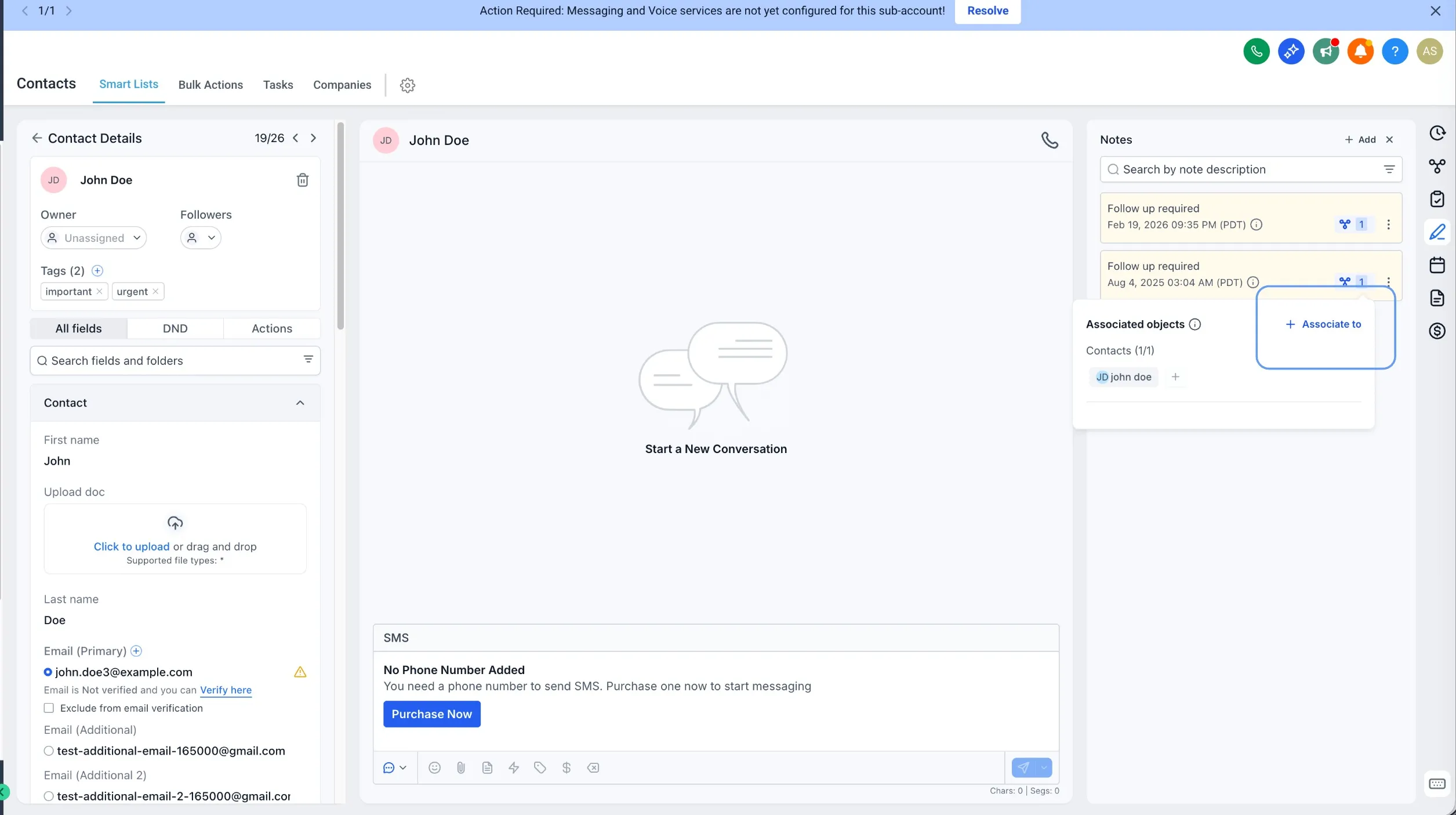
You can also open a note from a contact or opportunity and associate it with a related custom object record.
Why It Matters
- Keeps important context on the record you are actively managing
- Reduces duplicate note-taking and copy-pasting between records
- Makes shared visibility easier when the same note is relevant across records
- Helps users find the right note faster with search and filters
Need Help Applying This Update?
If you’d like help rolling this out in SMBcrm, visit Support or request a demo.