Pre-Built A2P Campaign Registration for Chat Widget Opt-Ins
SMBcrm has added a pre-built A2P campaign registration flow centered on Chat Widget opt-ins. It automates key compliance steps to help reduce rejection risk during campaign submission.
What Changed
Users starting a standard A2P campaign registration can now choose a pre-built campaign path for Chat Widget opt-ins.
This flow is designed to:
- use Chat Widget as the only opt-in method
- automatically generate compliant consent language
- lock required compliance elements
- help prevent financial and marketing misclassification
- reduce the risk of carrier rejections
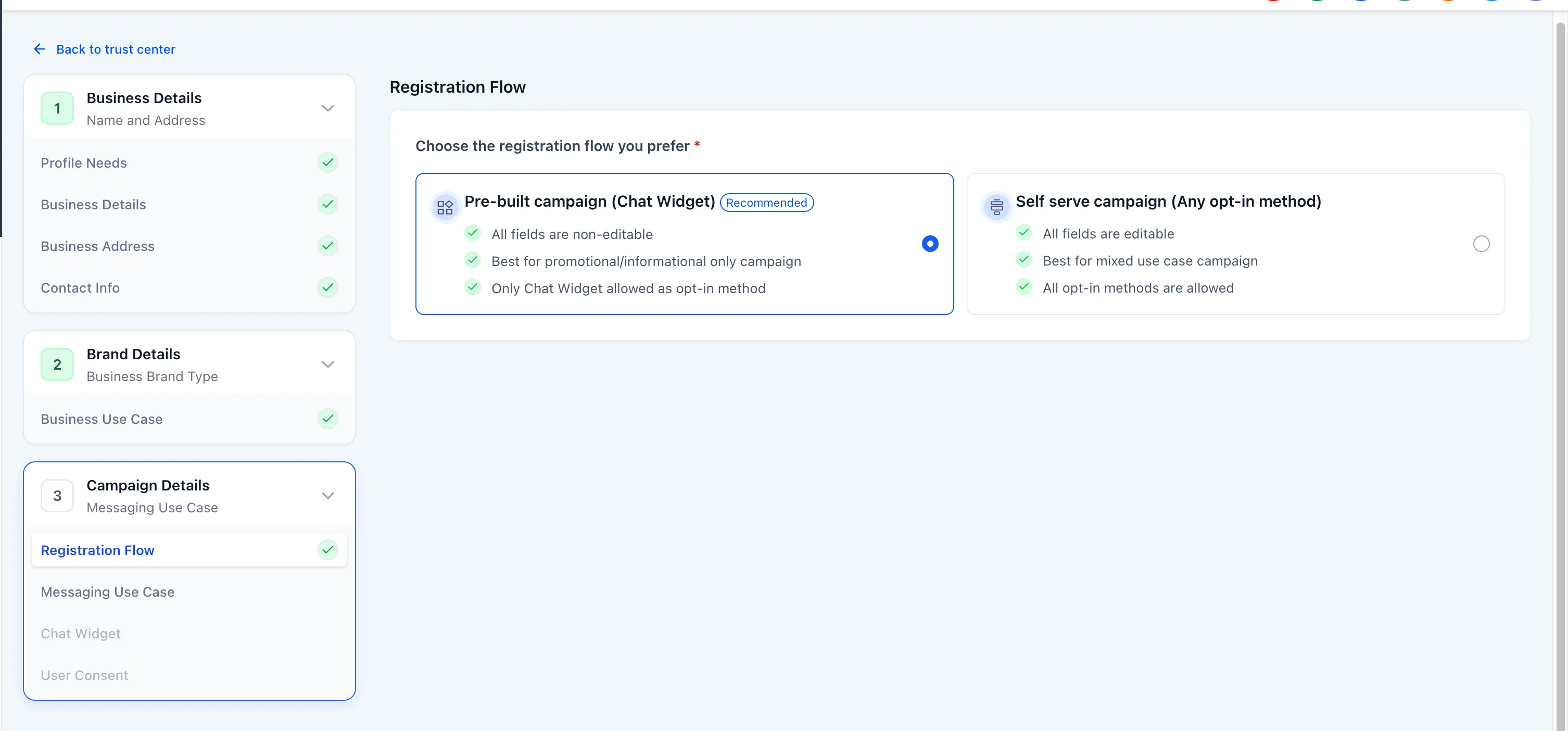
Streamlined Use Case Selection
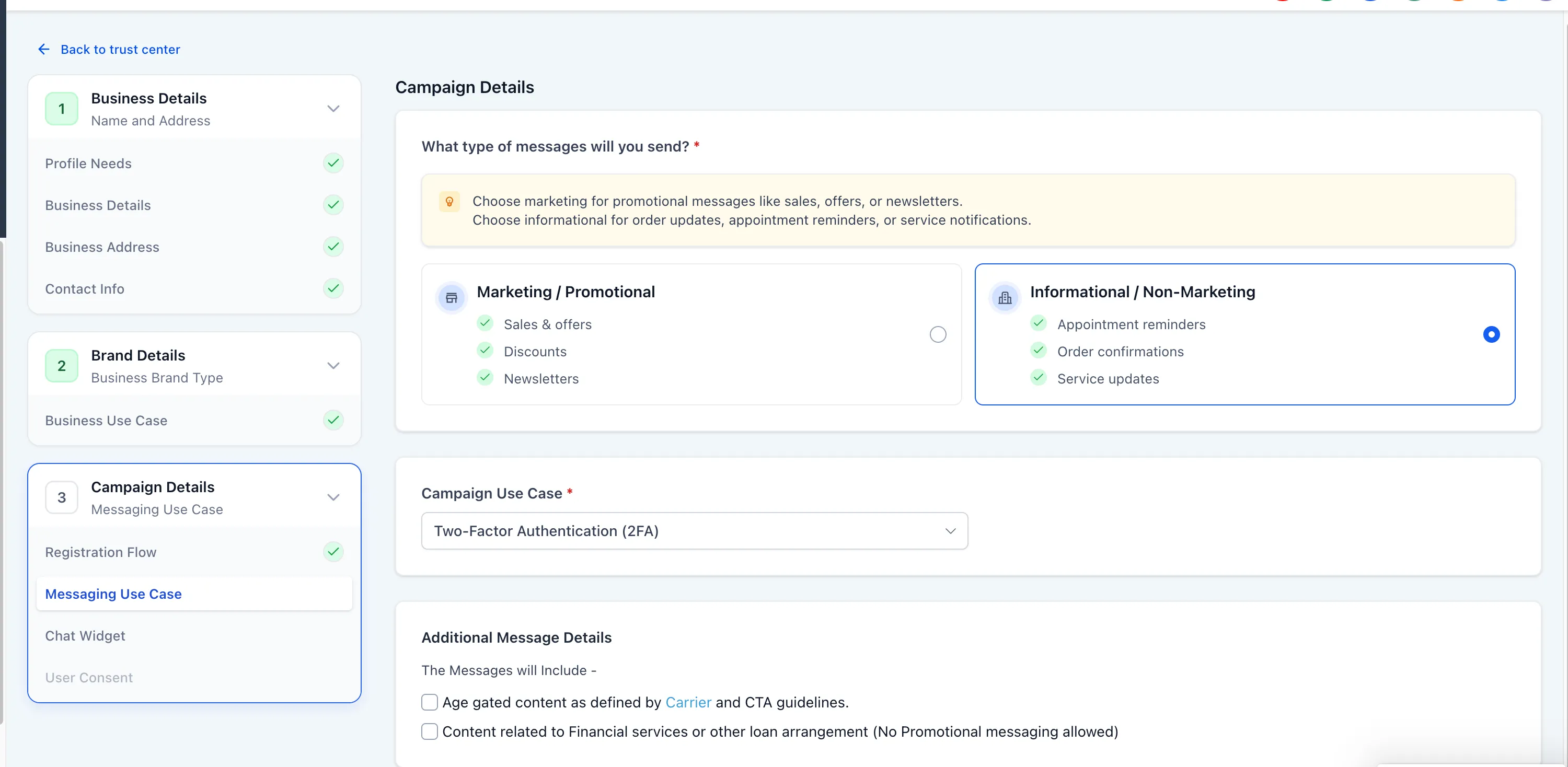
The registration flow now guides users through message type selection first:
- Marketing / Promotional
- Informational / Non-Marketing
Based on that choice, the available use cases are filtered.
If Marketing is selected, only Marketing is available.
If Informational is selected, users can choose from:
- 2FA
- Account Notification
- Customer Care
- Delivery Notification
- Fraud Alert
- Higher education
- Polling and Voting
- Public Service Announcement
- Security Alert
Built-In Compliance Protections
Financial and Marketing conflict protection
If a user selects both Marketing / Promotional and Financial services / loan arrangement, the flow is blocked. Users must switch to Informational to continue.
Automatic age gating
Age gating is automatically enforced when either of these is selected:
- Age gated content
- Financial services / loan arrangement
When triggered:
- a required Date of Birth field appears in the widget
- the field cannot be removed
- the field must be completed before submission
If neither condition applies, the Date of Birth field does not appear.
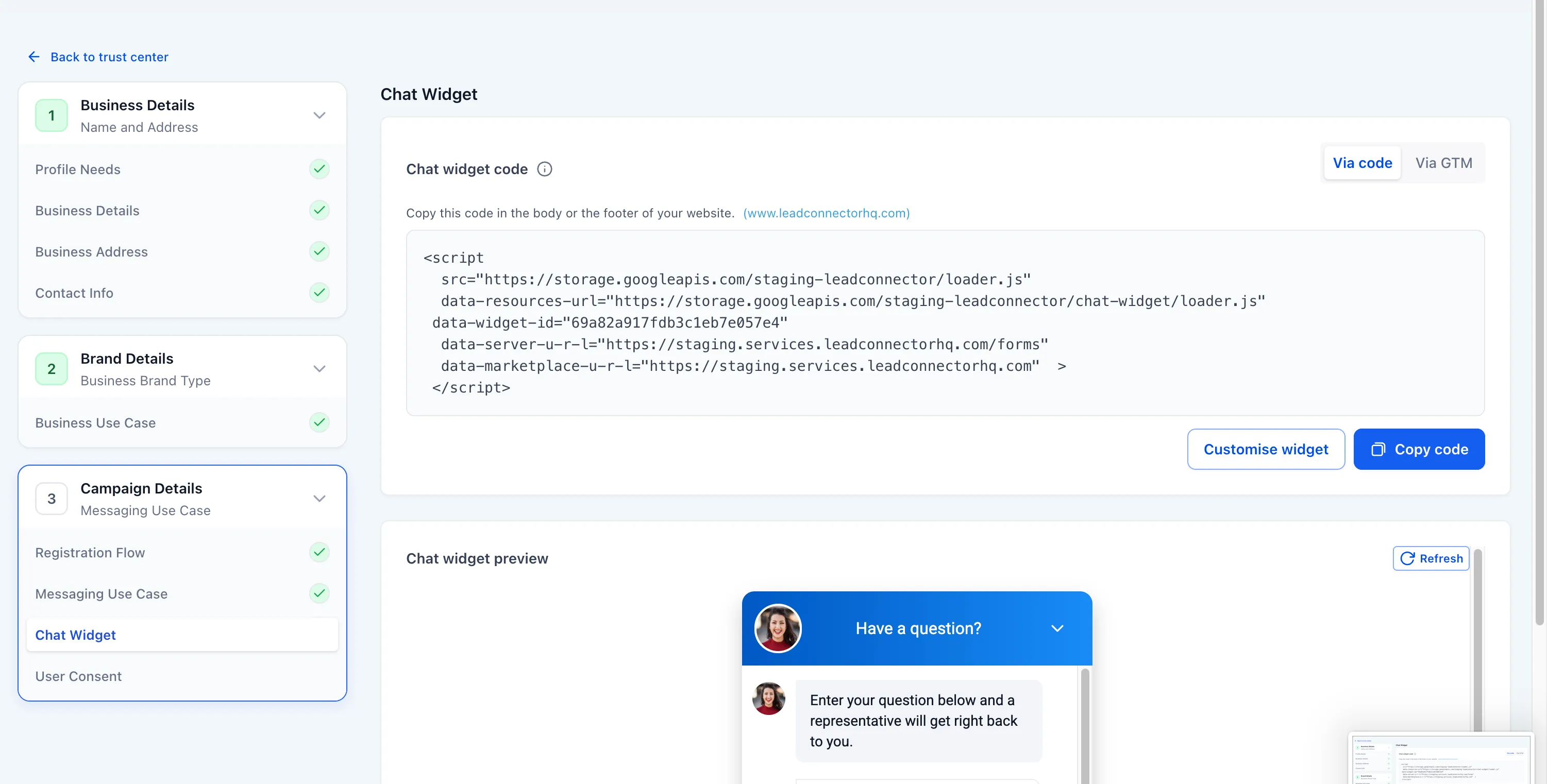
Auto-Generated Compliance Widget
The system now automatically:
- creates a compliant Chat Widget
- inserts the business name into the disclosure
- applies locked disclosure language
- adds STOP and HELP language
- adds data rate and frequency disclosures
- attaches the widget to the campaign
- generates embed code
Users cannot:
- edit disclosure text
- remove required fields
- add consent checkboxes
- edit compliance fields
- select alternative opt-in methods
Final Widget Structure
Required locked elements
- Phone number
- Disclosure block
- STOP and HELP language
- Data rate disclosure
- Frequency disclosure
Conditional element
- Date of Birth when age gating is triggered
Optional elements
- Name
- Message
- UI styling such as colors and header text
Removed elements
- Email field
- Consent checkbox
- Custom compliance fields
- Editable disclosure text
- Opt-in method selector
Preview and Final Review
Users can view a read-only preview of the widget, including disclosure placement and the Date of Birth field when applicable.
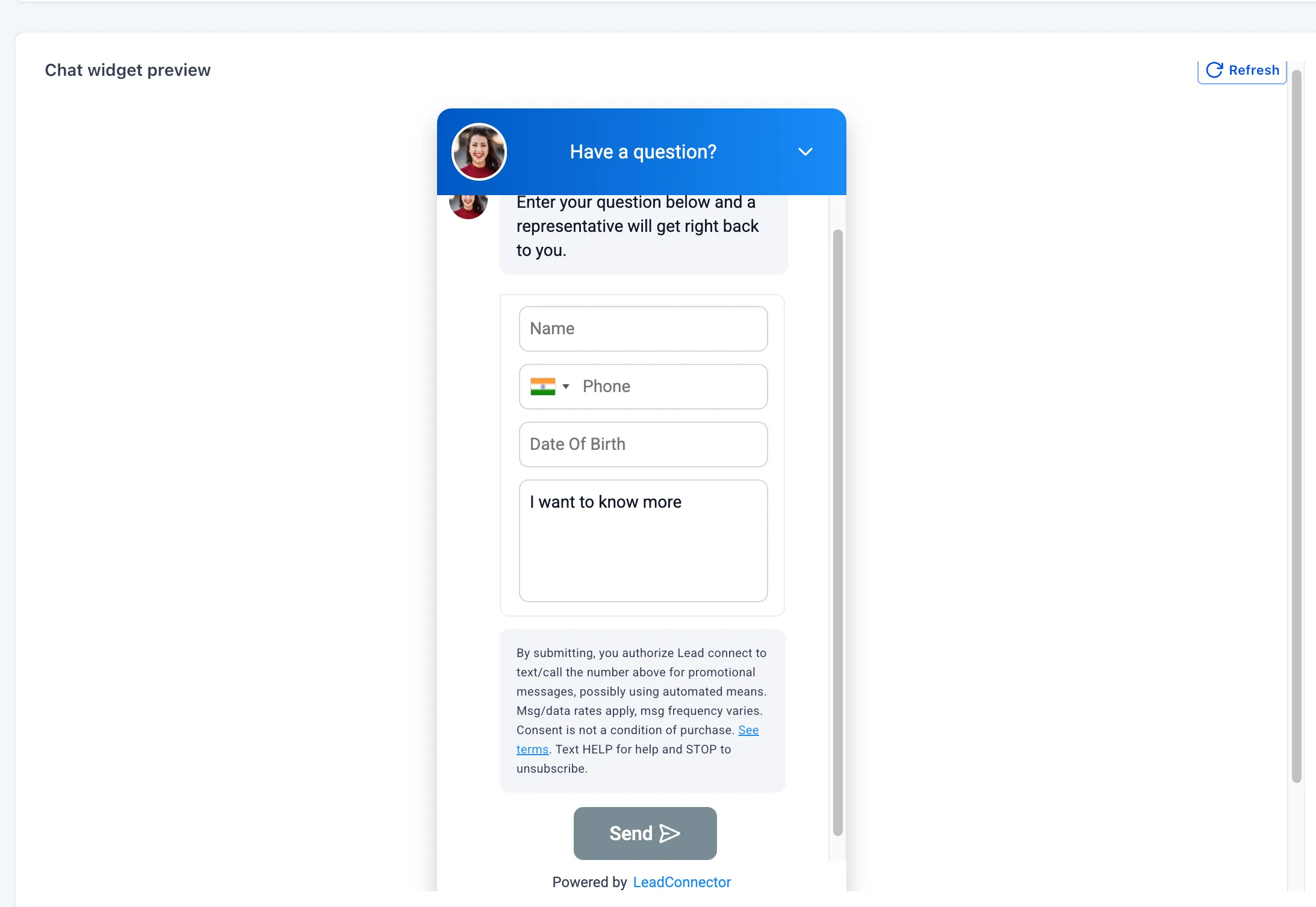
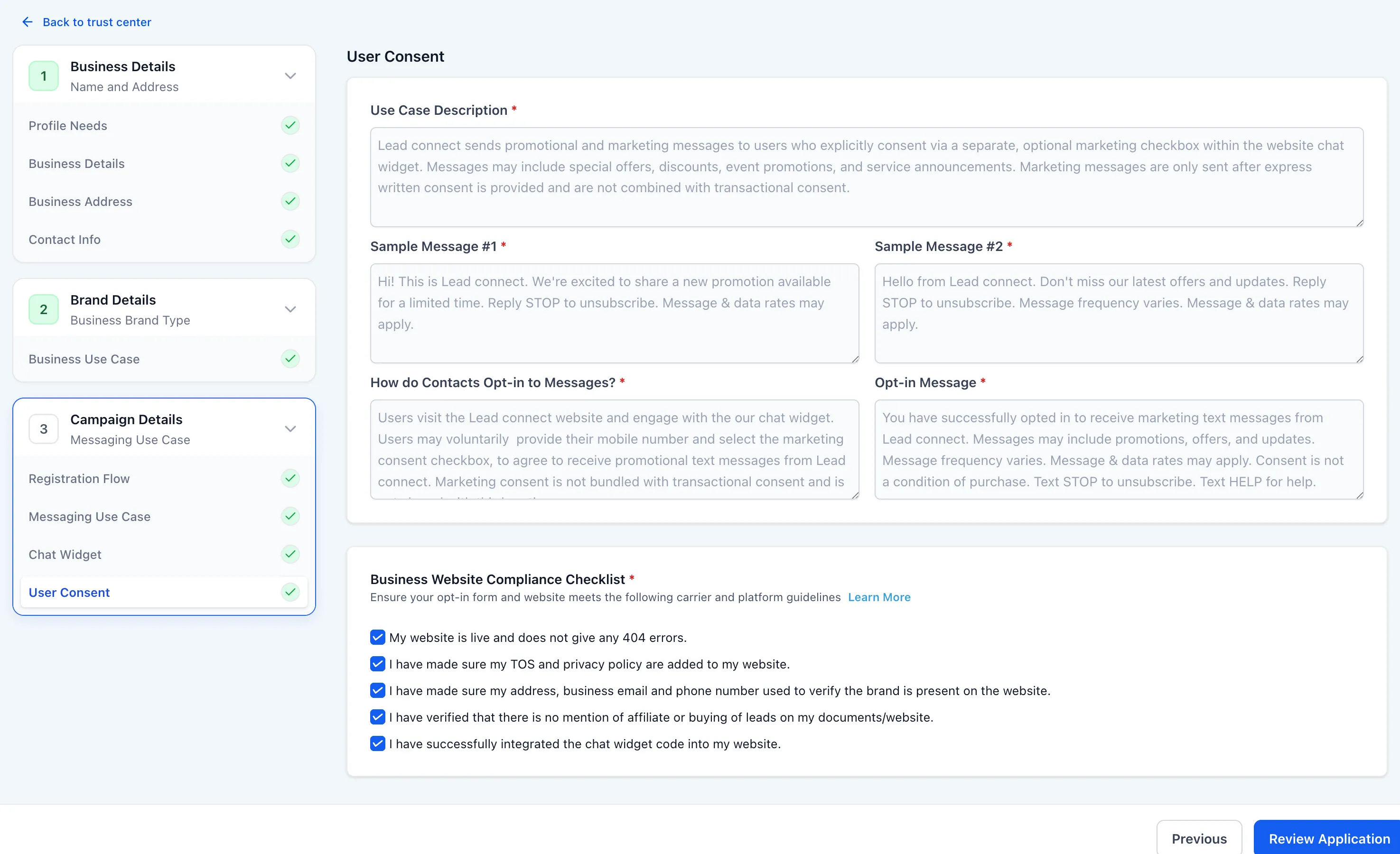
Before submission, the final consent review is locked. Fields are auto-filled, sample messages are generated, the opt-in method is defined, and website compliance checklist confirmation is required.
Who This Affects
This update affects:
- accounts submitting new A2P campaigns
- users launching marketing-only campaigns
- users launching informational-only campaigns
- campaigns involving financial or age-gated content
Important Note
This campaign registration flow is not available for mixed use-case campaigns or sole proprietor campaigns.
Related SMBcrm Features
Need Help Applying This Update?
If you’d like help rolling this out in SMBcrm, visit Support or request a demo.