Receive Incoming Calls From Private or Anonymous Numbers
Accounts can now receive inbound calls even when the caller ID is hidden or anonymous. This helps reduce missed calls from real leads who choose not to show their number, while still handling those calls in a controlled way instead of blocking them automatically.
Where to enable it
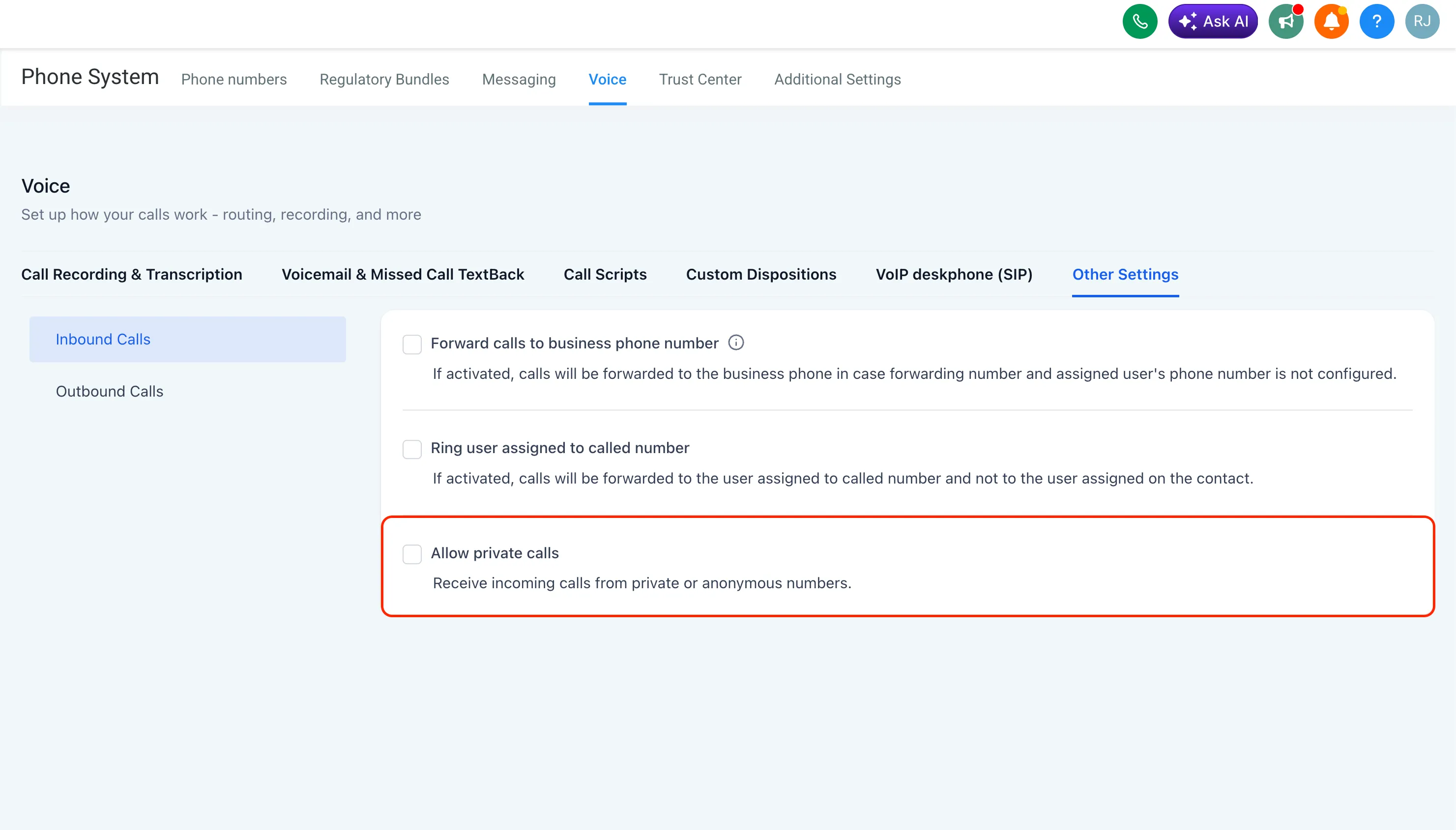
To allow private calls, go to Settings > Phone System > Voice > Other Settings > Inbound Calls and turn on Allow Private Calls.
How private callers are saved
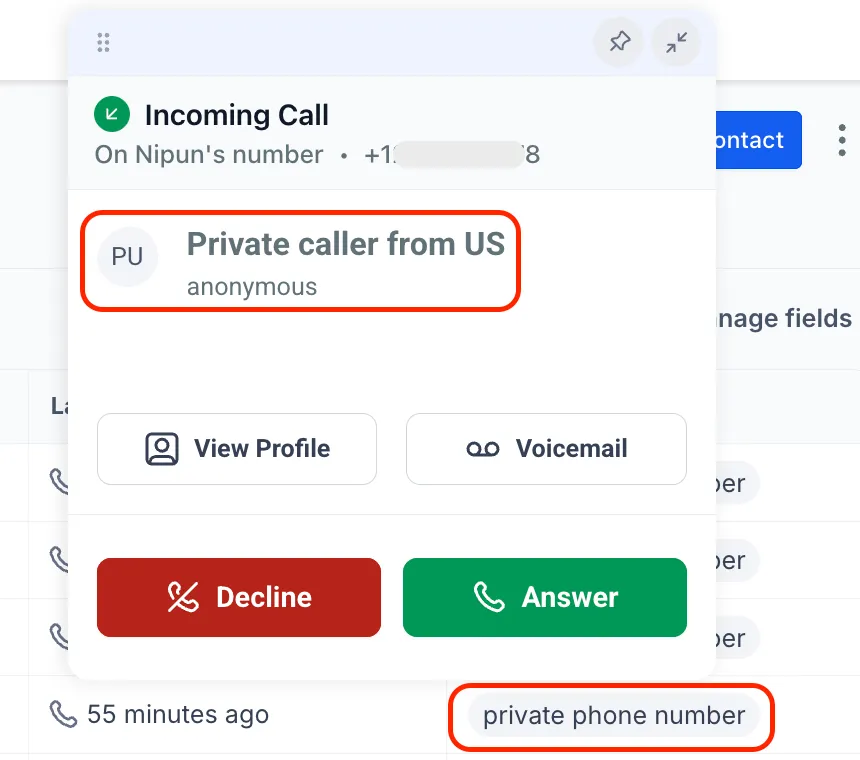
When one of these calls comes in, the contact is saved with the name “Private caller from at” and tagged “private phone number” for easier identification.
In Case You Missed It
You can also read about the redesigned messaging analytics in phone settings.
Need Help Applying This Update?
If you’d like help rolling this out in SMBcrm, visit Support or request a demo.