Record IDs Are Easier to Find in Lists and Record Details
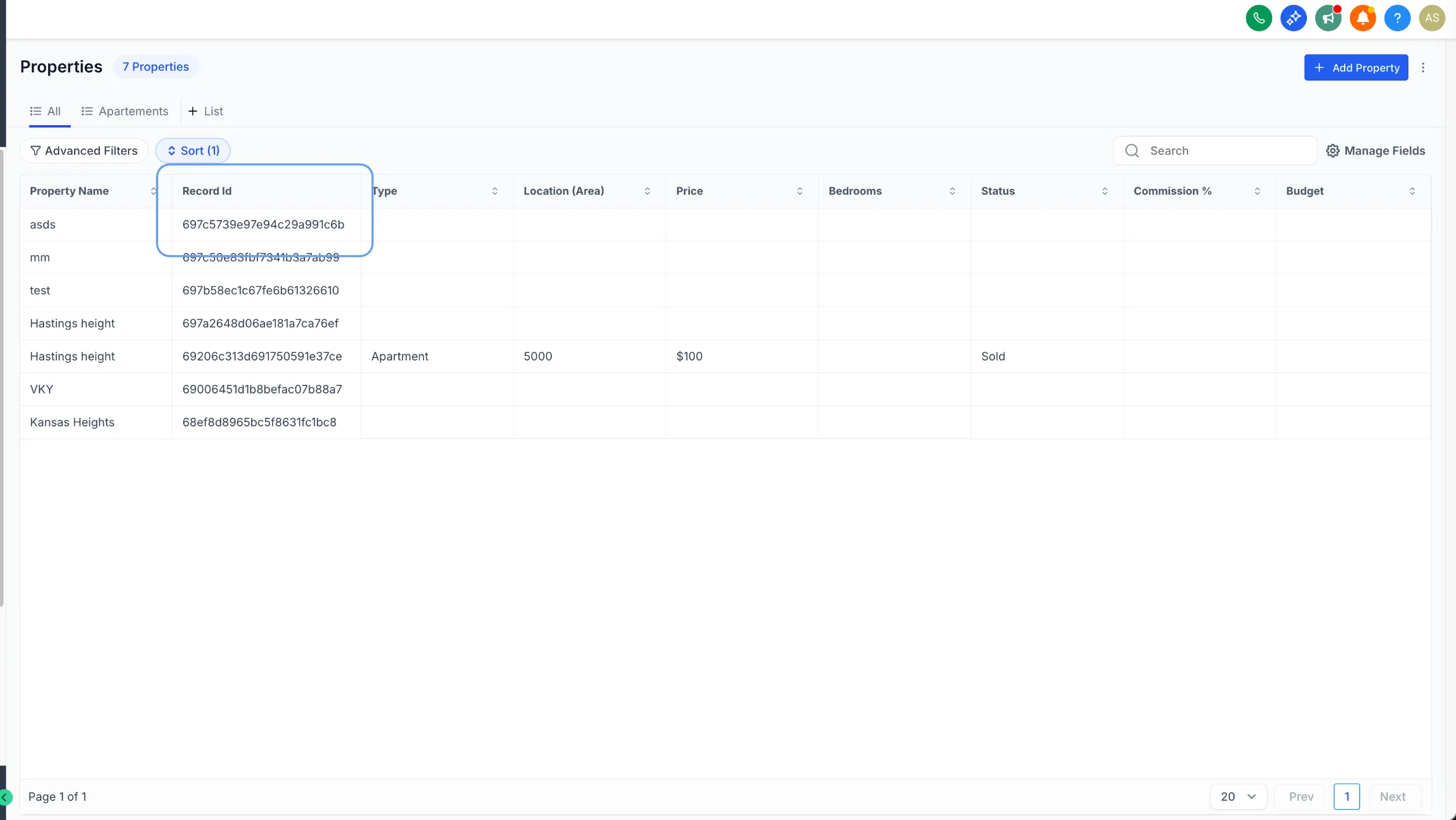
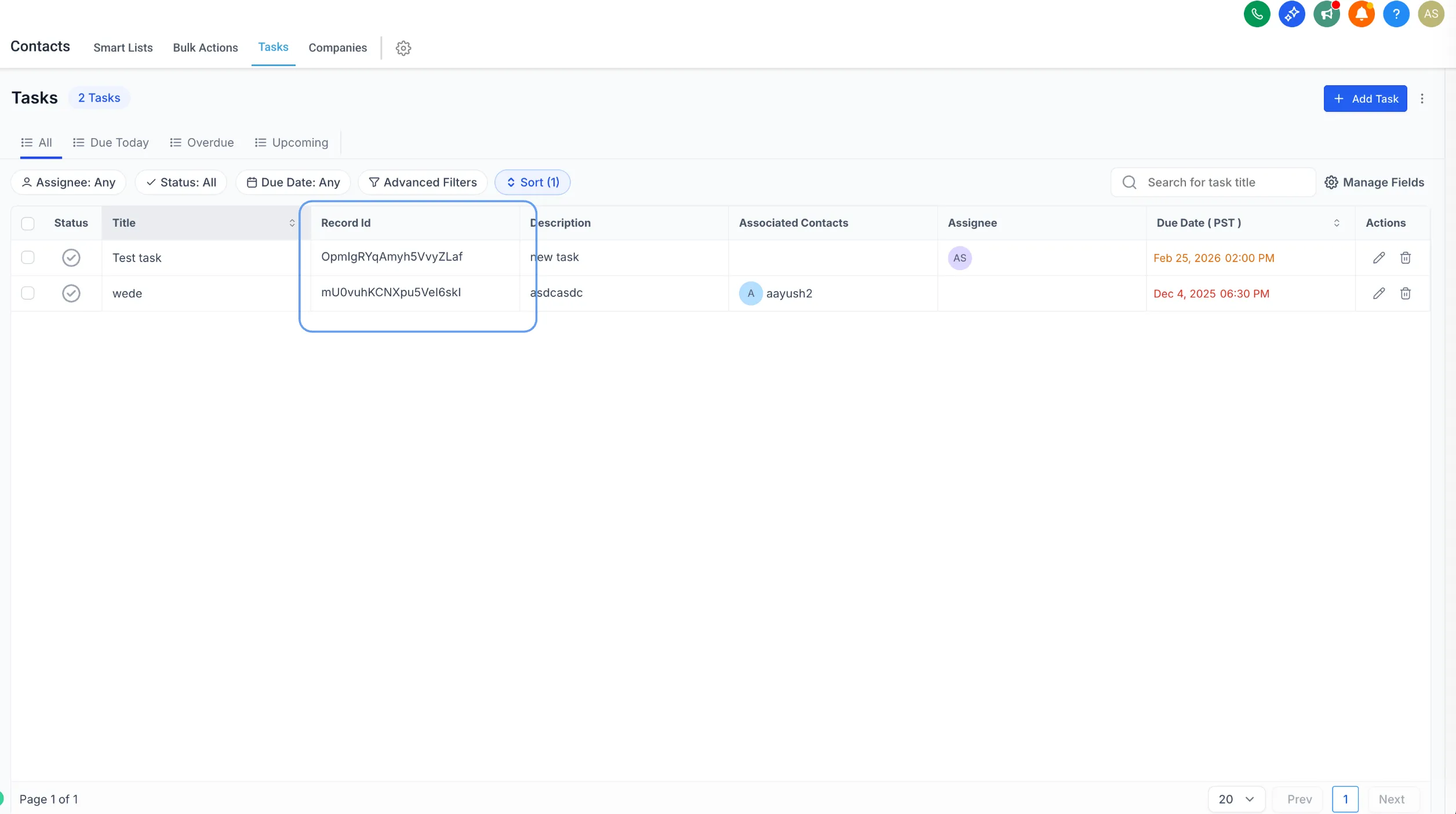
SMBcrm has improved Record ID visibility for Custom Objects, Companies, and Tasks. You can now add Record ID as a list column and view it in the record detail footer.
This update helps users quickly reference record identifiers for troubleshooting, integrations, and automation testing inside CRM & Sales.
What’s Changed
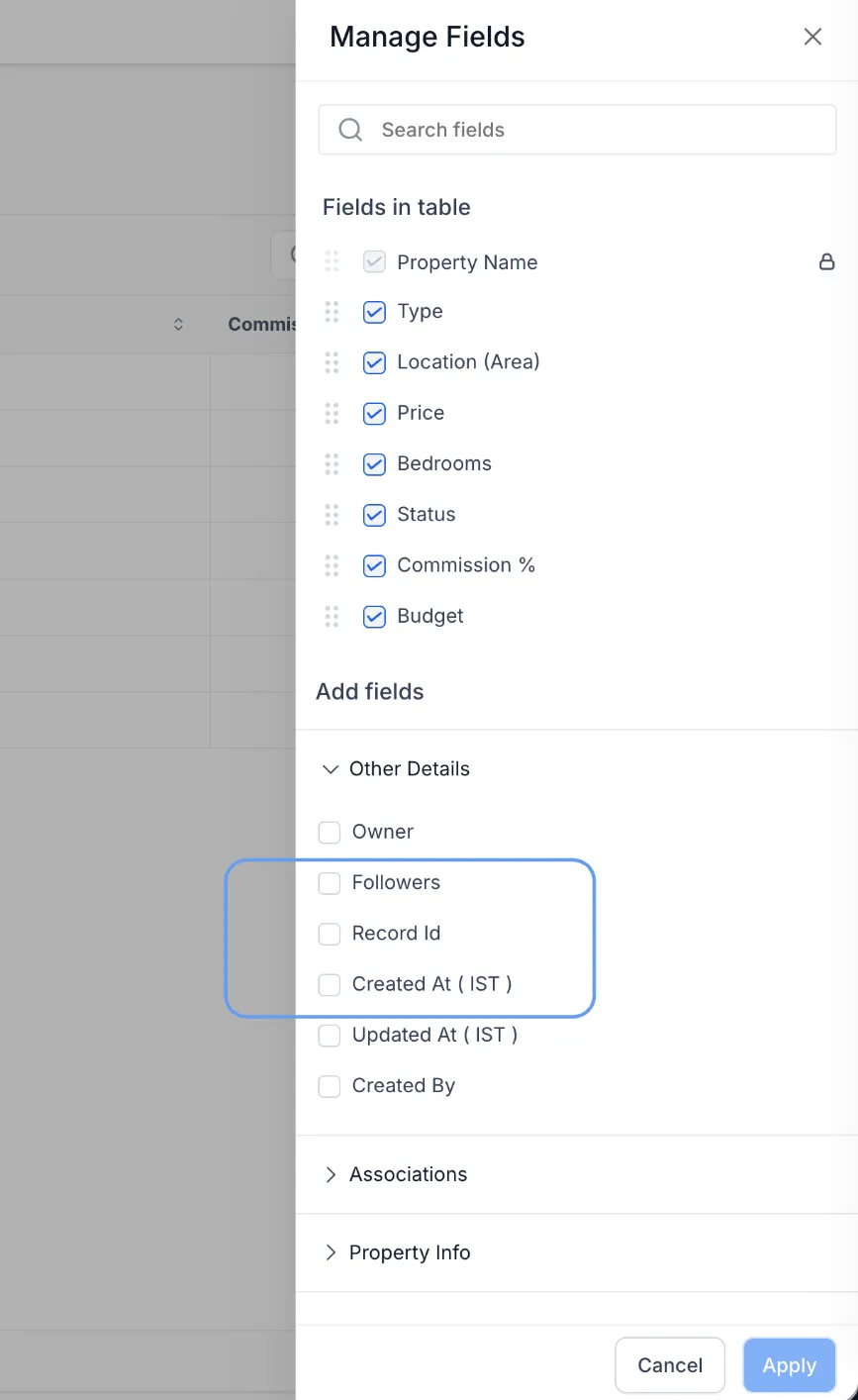
- List view: You can now add Record ID as a column from Manage Fields.
- Record details: Record ID now appears in the footer of the record detail panel.
- The list column is off by default, so your view stays unchanged unless you enable it.
How to Use It
- Open a list view and click Manage Fields.
- Enable Record ID to show it as a column.
- Open any record and scroll to the footer of the detail panel to view or copy the Record ID.
Why It Matters
- Faster debugging for automations and integrations
- Easier copying and referencing for API workflows
- Less time spent looking for identifiers during support or QA
Need Help Applying This Update?
If you’d like help rolling this out in SMBcrm, visit Support or request a demo.