Rentals for Flexible Multi-Day Bookings
SMBcrm now includes Rentals in Calendars for businesses that manage bookable inventory such as equipment, vehicles, spaces, vacation properties, and event setups.
Unlike standard appointment scheduling, Rentals is designed for duration-based bookings with inventory controls, flexible pricing, and support for multiple items in one checkout.
What Rentals Includes
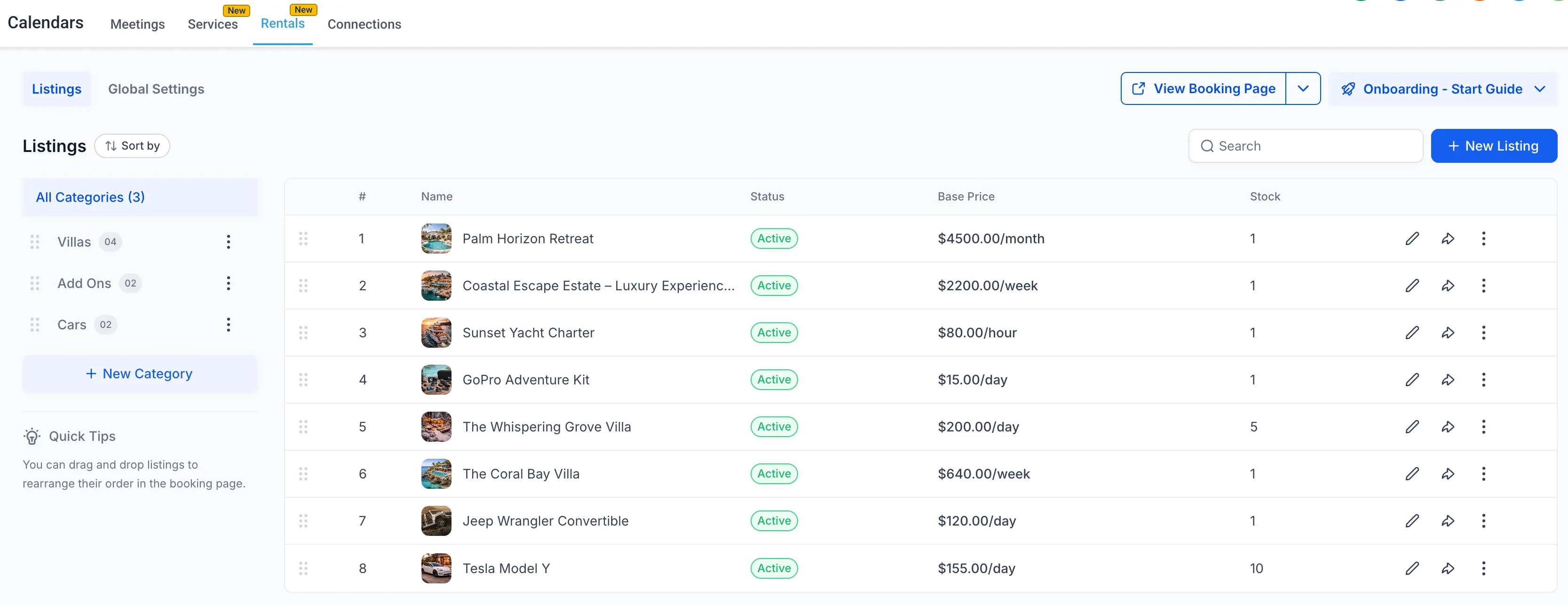
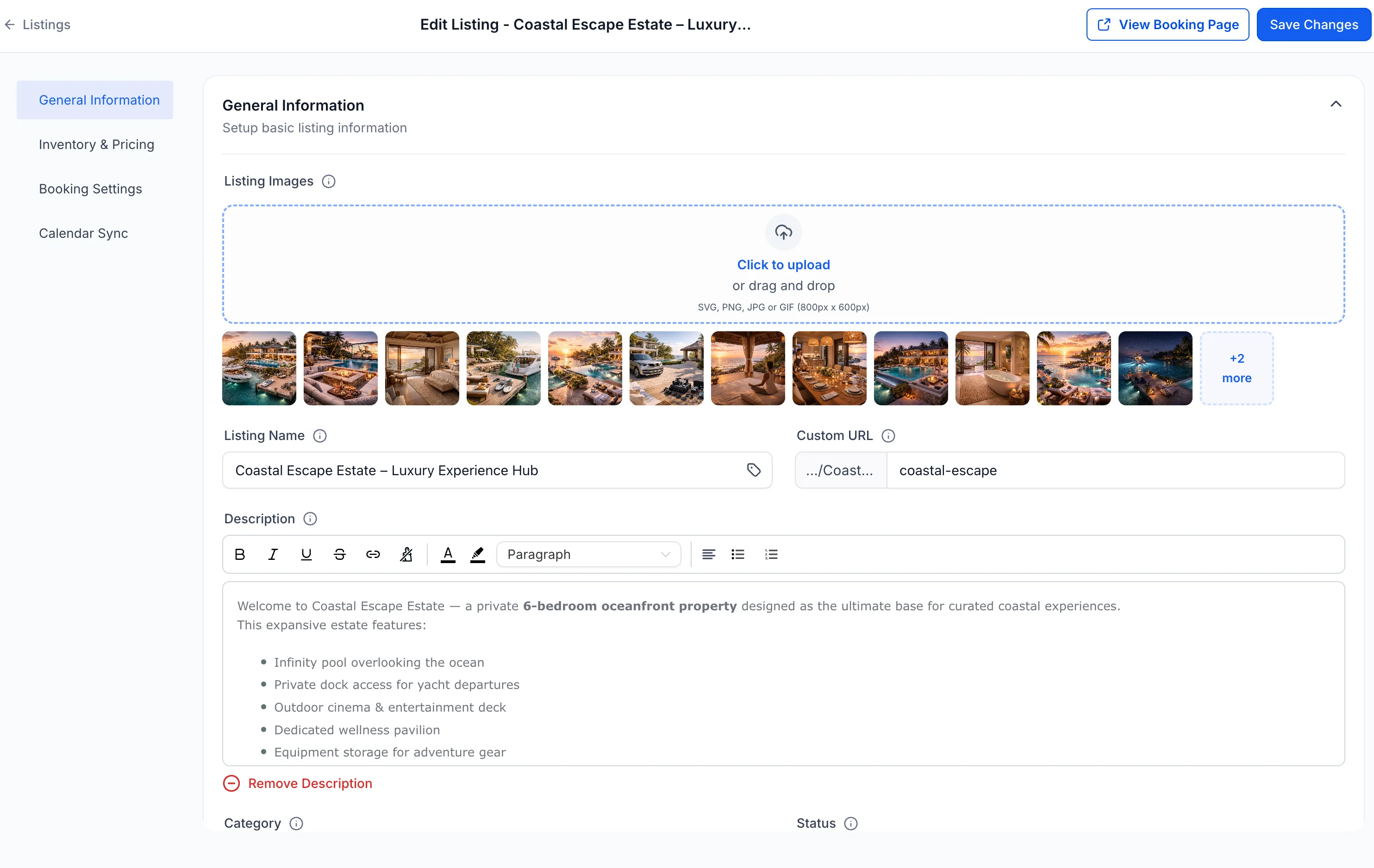
Customizable listings with inventory and variants
You can create rental listings and configure details such as:
- Pricing by hour, day, week, or month
- Quantity tracking
- Variants such as size, type, or configuration
- Lead time, buffer time, and booking window rules
Inventory tracking and availability control
Rentals checks availability across selected dates, prevents overbooking, and blocks unavailable inventory automatically.
Flexible pricing models
Supported pricing options include:
- Tiered pricing by duration or quantity
- Seasonal pricing
- Day-based pricing
- Security deposits
Flexible booking types
You can choose the booking style that fits your business model:
- Date and time selection for hourly or short-term rentals
- Date-only selection for day-based or night-based rentals
- Fixed-duration bookings for predefined packages such as 3-day or 5-day bundles
Each listing can have its own booking behavior.
Multi-item bookings
Customers can book multiple rental listings in a single checkout, which is useful for bundles, event setups, or combined equipment rentals.
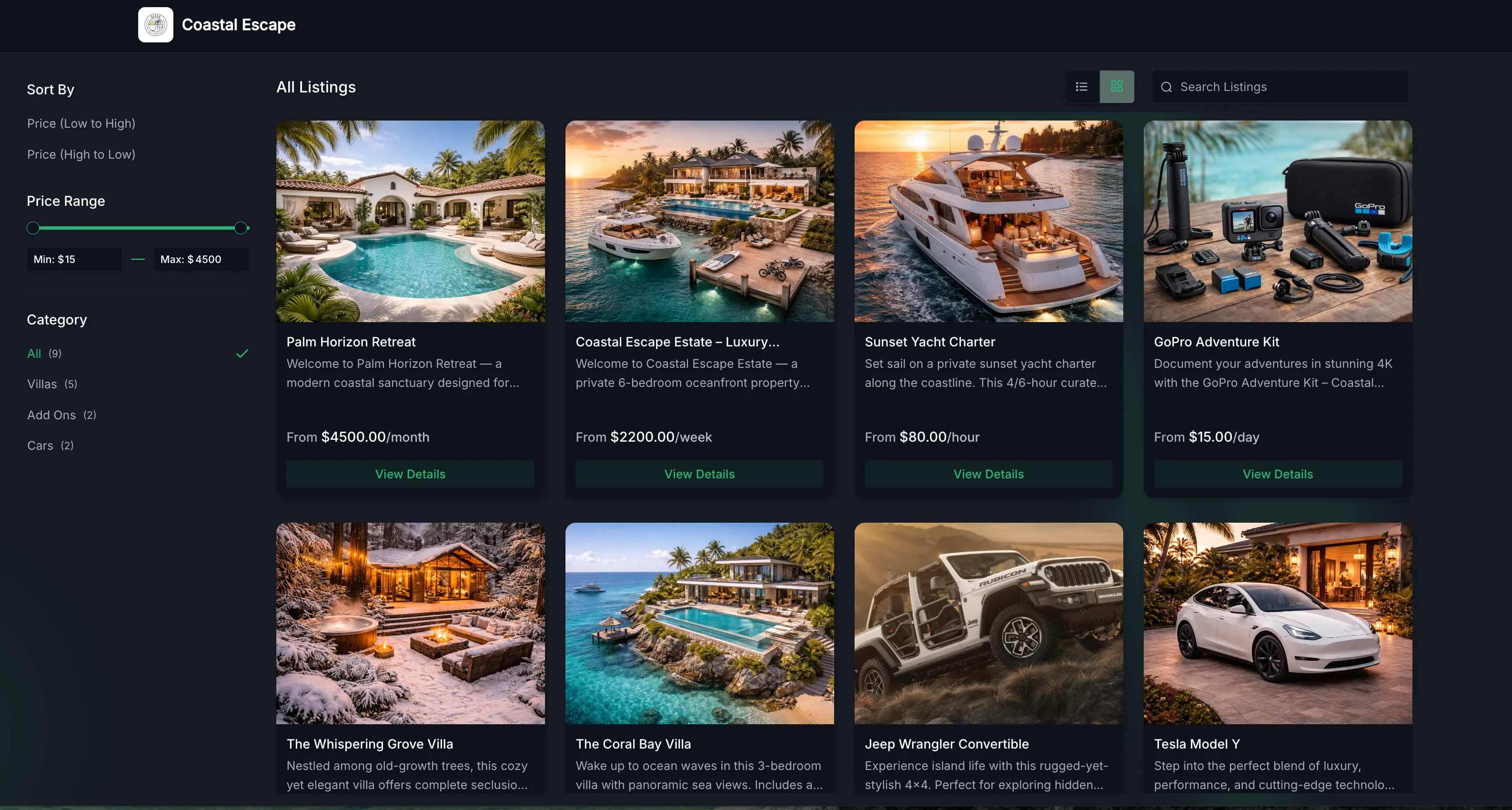
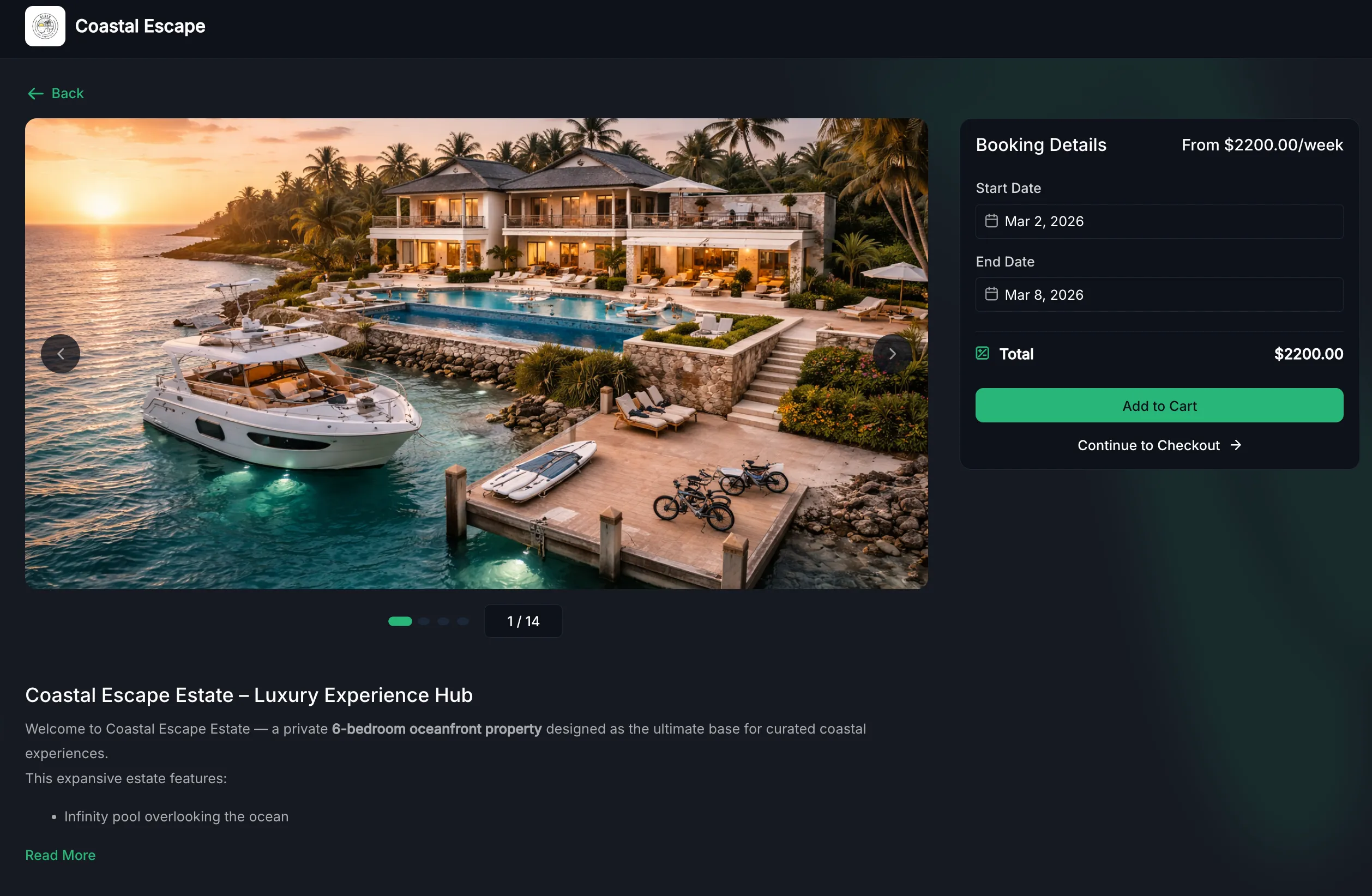
Customer booking page
Rentals includes a customizable public booking page that can:
- Display listings and categories
- Show real-time availability
- Provide a smoother booking experience for customers
Booking management and calendar view
Rentals also includes tools for managing bookings inside the platform. You can:
- Create bookings manually in the app
- Add multiple listings to one booking
- Modify dates, duration, quantity, or pricing
- Automatically generate invoices for each booking
- Collect payments in the app
- Track statuses such as Booked, Active, and Completed
- Manage bookings from the appointments list or calendar view
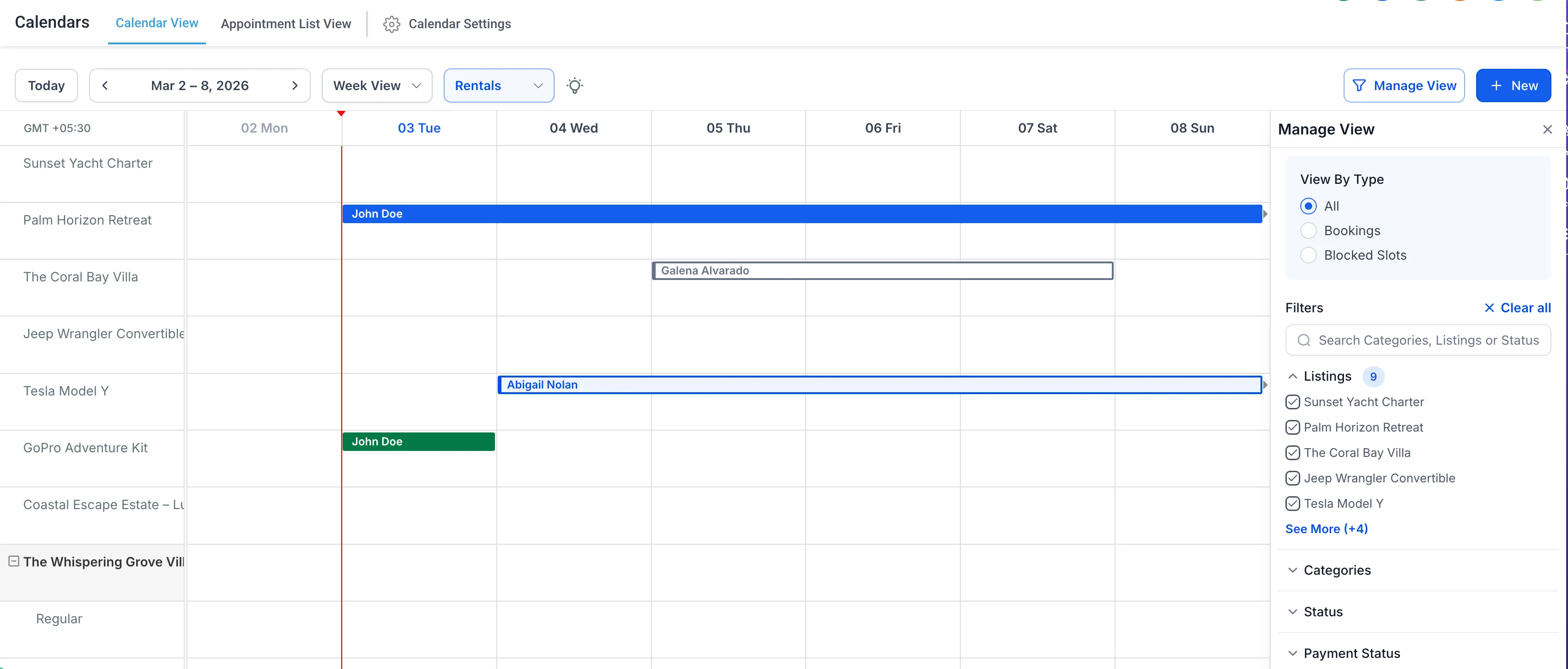
A dedicated Rentals calendar view lets you see bookings across listings in one place, review color-coded statuses, apply filters, and open booking details directly from the calendar.
How to Get Started
To enable Rentals:
Contact us at [email protected] to be added to the beta program.
Why It Matters
Rentals makes it easier to support booking models that do not fit standard appointments. With this update, businesses can:
- Offer multi-day, weekly, or monthly bookings
- Manage stock and listing variants
- Support quantity-based and multi-item checkout
- Handle rental workflows for a wider range of services and industries
Rentals is currently live in public beta and will continue to evolve with ongoing improvements.
Need Help Applying This Update?
If you’d like help rolling this out in SMBcrm, visit Support or request a demo.